
Ask five HR managers why they are hunting for Namely alternatives and you will hear five versions of the same sentence: it does most of what we need, except the one thing we need this quarter. For one team, it is a payroll report that takes three exports to build. For another, it is a review cycle that cannot bend around a new rating scale. Namely is a capable platform for HR records, payroll, and benefits, but a tool built to cover everything rarely covers every workflow equally well, and the gap tends to show up right as a renewal date gets close.
I spend a lot of time comparing HR and people-management tools, and the hard part is never finding options. It is comparing them fairly. Vendors tuck details behind demo requests, feature lists all sound alike, and a tool that suits a 60-person team in one state can struggle for a 400-person team hiring across borders.
This guide sorts 10 options by the problem each one solves best: payroll-first platforms, all-in-one HCM suites, PEO-style services, and performance-focused software for teams that mainly need stronger reviews, goals, and development plans. I looked at published ratings, setup effort, support, and day-to-day use, then wrote down who each tool fits and where it falls short. Whether you want a full replacement or a stronger layer on top of what you already run, you will find a clear next step below.
Why Are Teams Looking for Namely Alternatives?
Teams look for Namely alternatives mainly because of limited pricing visibility, uneven support, and reporting that takes extra effort to build. Others outgrow its US-focused payroll, want deeper performance reviews and goal tracking, or need a lighter tool that fits a smaller budget. Match your own trigger to the list below before you shop.
Namely is not a poorly rated product. Reviewers on G2 give it 3.9 out of 5 across 331 reviews and praise its ease of use and payroll tools. The complaints cluster around a few recurring themes:
- Pricing visibility: Only the entry plan, Namely Now, lists a price, at $9 per employee per month for payroll and HR. Namely Plus, Plus People, and Complete are quote-based, so comparing total cost takes a sales call.
- Support experience: G2 reviewers flag poor customer support in 10 reviews, and G2’s side-by-side data scores Namely’s quality of support at 7.7 out of 10.
- Reporting effort: The same G2 comparison lists complex reporting as a top con, also in 10 reviews, which matches reviewers who say common payroll and HR reports need several pulls.
- Integrations and PTO: G2 reviewers tag integration issues and PTO issues in 4 reviews each, so test your own time-off and accounting setup during any trial.
- Geographic reach: Namely positions itself as an HCM platform for midsized US companies. One HR director on Reddit said their team left after hiring in Canada, which is a single account, but it is worth confirming coverage if you plan to expand.
- Performance depth: Talent and performance tools arrive on higher plans, and teams that want custom review templates, OKRs, and 360 feedback often add a specialist tool.
These are patterns, not universal facts. One team’s dealbreaker is another team’s non-issue, so match the list to your own pain point before you compare vendors.
Cost surprises add weight to that advice. A study by SHRM in 2026 found that 46% of surveyed organizations hit hidden costs after signing an HR technology contract, and 30% of HR leaders regret their most recent HR technology purchase. Ask each vendor exactly what a plan includes before you move.
10 Best Namely Alternatives for HR, Payroll & Performance Teams
The best Namely alternatives are HR platforms and performance tools that match your team size, payroll needs, and budget. I included tools with published pricing or a clear custom-quote model, strong review-site ratings, and real overlap with Namely’s HR, payroll, or talent features. Compare payroll depth, performance tools, support, and setup effort first.
| Tool | Best For | Pricing | User Rating (G2) |
| PeopleGoal | Fully customizable performance reviews, OKRs, and development plans | Free plan available. Paid plans start at $4/user/month. | 4.5/5 |
| Paylocity | Unified payroll, HR, and talent tools for mid-sized employers | Custom pricing | 4.4/5 |
| Rippling | HR, payroll, and IT workflows tied to one employee record | Starts at $8/user/month | 4.8/5 |
| BambooHR | Onboarding checklists and self-service HR for small teams | Starts at $10/employee/month | 4.4/5 |
| Gusto | Transparent single-state payroll and benefits for small US teams | Starts at $49/month plus $6/person | 4.6/5 |
| Justworks | PEO benefits and compliance support for small employers | Payroll starts at $8/employee/month plus $50 base fee; PEO starts at $79/employee/month | 4.6/5 |
| Paycom | Employee-driven payroll on a single database | Custom pricing | 4.5/5 |
| ADP Workforce Now | Payroll tax compliance and support at mid-market scale | Custom pricing | 4.2/5 |
| HiBob | Culture-first HR for distributed mid-market teams | Custom pricing | 4.5/5 |
| Paycor | Payroll and workforce management for shift-heavy teams | Custom pricing | 3.9/5 |
1. PeopleGoal: Best Fully Customizable Platform for Performance Reviews, OKRs & Employee Development
The first thing I build in PeopleGoal is the rating scale, because every question, approval step, and report depends on it. I can set the scale, write the questions, and decide who signs off at each stage, so the review cycle matches how my company already talks about performance instead of the other way around. Multi-manager reviews and approval chains sit inside the same template, which saves me from maintaining separate forms for each team.
Goals and conversations live in the same workflow. I set goals as OKRs or SMART goals, cascade them from company level down to individuals, and run one-to-one meetings from structured agendas. I can also collect 360-degree feedback, including anonymous no-login forms for raters outside the company, and run pulse surveys, engagement surveys, and eNPS with configurable anonymity.
PeopleGoal suits HR teams that want reviews, goals, surveys, and development plans in one tool, and it also covers employee profiles and onboarding. It does not run payroll, so teams that want payroll inside the same system will keep a provider such as ADP alongside it. That makes it a strong fit when Namely’s performance tools feel too rigid, and a weaker fit when payroll consolidation is your main reason to switch.
Pros:
- Review cycles are built from scratch with custom questions, rating scales, and sign-off steps.
- Goals cascade from company to team to individual, so progress rolls up automatically.
- 360 feedback supports anonymous, no-login forms for raters outside the company.
- Pulse surveys, engagement surveys, and eNPS include configurable anonymity settings.
- Integrations with Slack, Teams, Workday, and ADP keep employee data connected to existing systems.
Cons:
- No downloadable or on-premise version
- Dark user interface option not available
G2 Rating: 4.5/5
Pricing:
Free plan available. Paid plans start at $4/user/month.
2. Paylocity: Best for Unified Payroll, HR, and Talent Tools in Mid-Sized Companies
Paylocity was the closest thing to a like-for-like swap for Namely that I reviewed. It is a cloud HCM platform built for US mid-market employers, and it covers payroll, HR, benefits, time, and talent under one employee record. Payroll accuracy and employee onboarding came up repeatedly as its strongest areas, which matters if payroll errors are what pushed you to look around.
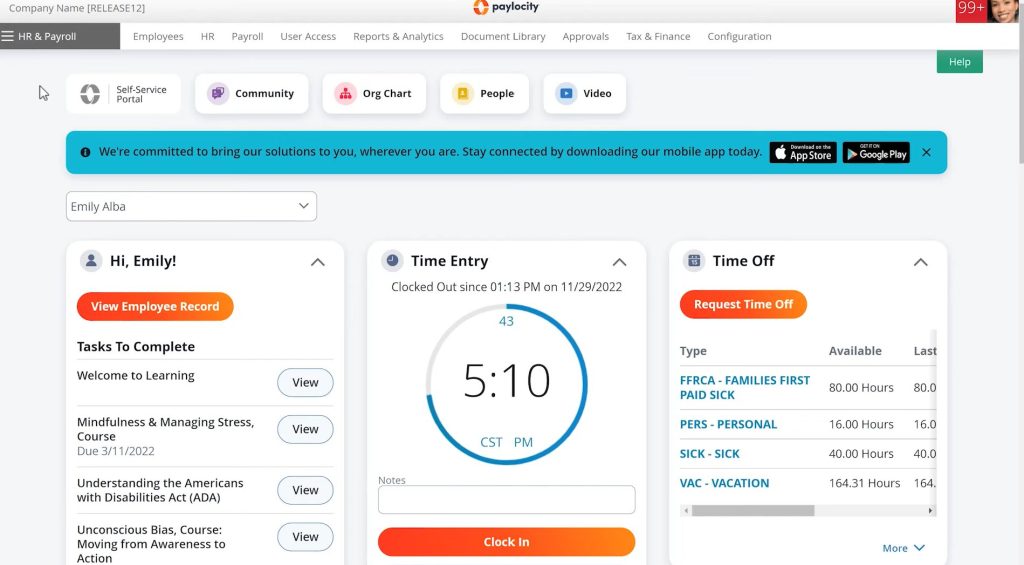
The daily experience leans on employee self-service. Staff can check pay, request time off, and update details from a mobile app, and managers get access to their own team’s information without going through HR. Beyond the core modules, Paylocity offers an integration marketplace with API, EDI, and SFTP support for connecting ATS and finance systems, plus performance and talent tools. Its acquisition of Airbase added spend management, corporate cards, and accounts payable automation, so finance teams can work from the same ecosystem.
Paylocity fits companies of roughly 50 to 750 employees that want one platform instead of four. Very small teams will probably find it more system than they need. Pricing is quote-based and modular, so budgeting starts with a sales conversation, and reviewers describe support quality as varying by account rep. Ask who your support contact will be before you sign.
Pros:
- Payroll, HR, benefits, time, and talent tools share one platform for 50-to-750-employee employers.
- Employee self-service and a mobile app let staff handle pay, time off, and profile updates themselves.
- An integration marketplace plus API, EDI, and SFTP support connect HR data to ATS and finance systems.
- Spend management and corporate cards from the Airbase acquisition extend the platform beyond HR.
Cons:
- Pricing is quote-based, so budgeting requires a sales conversation.
- Support quality varies by account rep, according to reviewer feedback.
G2 Rating: 4.4/5
Pricing:
Custom pricing.
3. Rippling: Best for HR, Payroll, and IT Workflows on One Employee Record
I mapped Rippling’s new-hire workflow first, because that is where its design shows. Adding an employee can set off payroll setup, app access, and device provisioning from one record, so HR does not chase IT and finance for the same details. For teams whose Namely setup still leaves handoffs between systems, that single record is the main reason to look.

Rippling’s published starting price is $8 per user per month for both the Core and Pro plans. Pro adds formula fields, advanced reports, custom workflows, and a workflow builder that reacts to any employee event, which is where most of the automation lives. Payroll, benefits, time tracking, and device management are separate modules that need their own quotes, so I treated the starting price as the foundation rather than the final bill.
Rippling suits tech-forward companies that want HR and IT under one roof and have the patience to configure workflows. HR-only teams may find it broader than they need, and reviewers report limited customization in areas such as surveys and interface options. If performance reviews are your main gap, many teams pair a platform like this with a dedicated performance tool.
Pros:
- Workflow automation triggers onboarding, offboarding, and permission changes from employee data events.
- Core and Pro share one $8 per user starting price, with Pro adding formula fields, advanced reports, and custom workflows.
- Payroll, benefits, time tracking, and device management attach as separate modules.
- Workforce analytics and a global org chart come with the core plan.
Cons:
- Modules are priced separately, so total cost rises as payroll, benefits, and IT tools are added.
- Reviewers report limited customization, especially for survey tools and interface options.
G2 Rating: 4.8/5
Pricing:
Starts at $8/user/month.
4. BambooHR: Best for Onboarding and Self-Service HR in Small Teams
Compared with Namely, BambooHR trades breadth for polish. The interface is clean, the employee database is easy to search, and the core plan bundles the tasks small HR teams touch daily: HR data, reporting, onboarding, applicant tracking, and PTO management. I found it easier to explain to a non-HR manager than most platforms in this list, mainly because employees can update their own details and request time off without messaging HR.
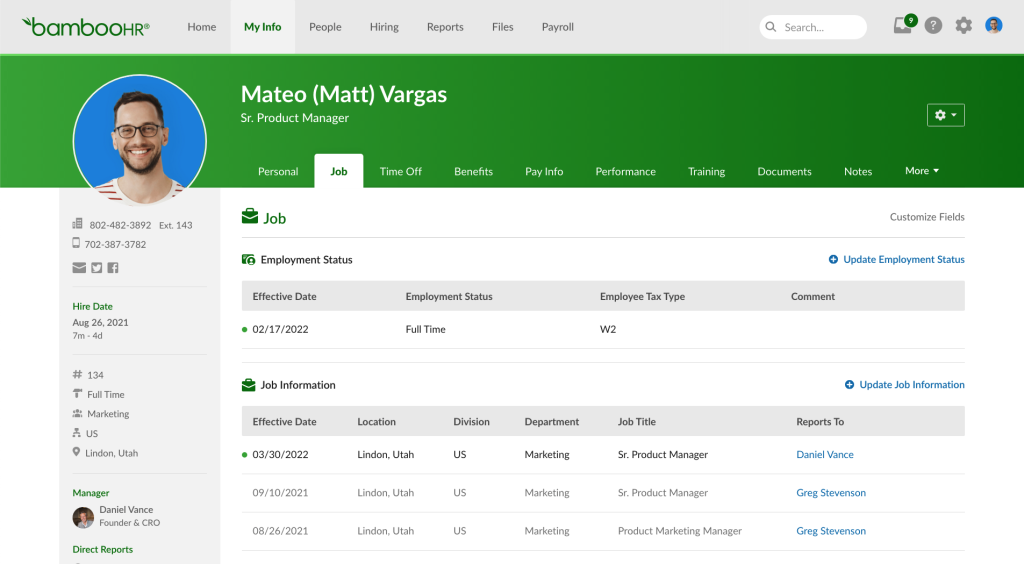
BambooHR publishes three tiers for companies with more than 25 employees: Core at $10 per employee per month, Pro at $17, and Elite at $25. Performance management and an employee community arrive with Pro. Payroll, benefits administration, and time tracking are paid add-ons, and some reviewers say the bill climbs quickly once those modules stack up. Teams with 25 or fewer employees pay a flat monthly rate starting at $250.
BambooHR fits small and mid-sized teams that want clean records and smooth onboarding more than deep review tools. If payroll inside the same system was your main reason for choosing Namely, price out the add-ons before you commit.
Pros:
- The Core plan lists HR data, reporting, onboarding, applicant tracking, and PTO management at a published price.
- Employee self-service lets staff request time off and update records without messaging HR.
- Tier pricing is published for teams above 25 employees, which simplifies budgeting.
- Performance management and an employee community arrive on the Pro tier.
Cons:
- Payroll, benefits administration, and time tracking are paid add-ons, so costs climb quickly.
- Teams with 25 or fewer employees pay a flat monthly rate starting at $250.
G2 Rating: 4.4/5
Pricing:
Starts at $10/employee/month for teams above 25 employees.
5. Gusto: Best for Transparent Payroll and Benefits in Small US Teams
Gusto stops being simple the moment a second state enters the picture. The entry plan, Simple, covers single-state payroll, and a team that hires across a state line moves to Plus. That detail matters, because Gusto’s biggest appeal is a pricing page you can read without talking to sales: every plan is a base fee plus a fee per person.
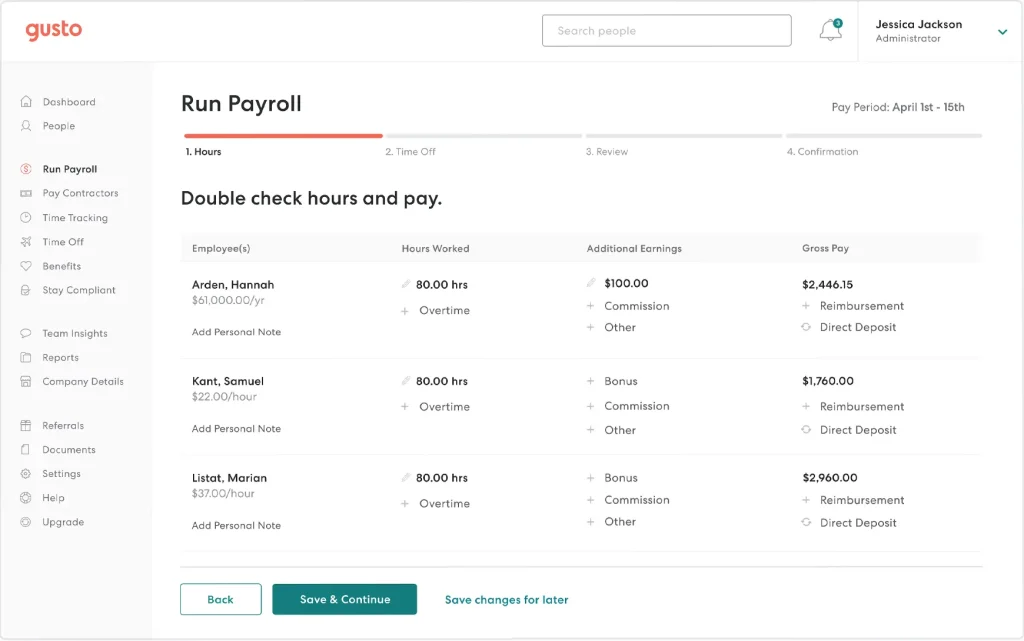
Every paid plan includes unlimited payroll runs and automatic tax filings, and Simple adds domestic contractor payments with 1099 filings. Time tracking and performance tools are optional add-ons on Simple, and Plus and Premium include them. Priority support is a separate add-on on the lower two plans, so I counted it in the real cost.
Gusto fits small US businesses that want predictable payroll, benefits, and basic HR in one place. It is payroll software rather than a PEO, so it does not provide co-employment, and growing teams should model how the per-person fee scales. Some reviewers also mention missing features, so check your must-haves, such as advanced reporting, against the plan you are pricing.
Pros:
- Unlimited payroll runs and automatic tax filings come with every paid plan.
- Domestic contractor payments and 1099 filings are included on the Simple plan.
- Plus and Premium add multi-state payroll, time tracking, and performance tools.
- Time tracking and performance management can be switched on as add-ons for Simple.
Cons:
- Simple covers single-state payroll only, so a second state forces a move to Plus.
- Gusto does not offer co-employment, so it is not a PEO substitute.
G2 Rating: 4.6/5
Pricing:
Starts at $49/month plus $6/person.
Stop Rebuilding Goals in Spreadsheets Using One Workflow
6. Justworks: Best for PEO Benefits and Compliance Support in Small Employers
Co-employment sounds like legal jargon until you see what it unlocks for a 15-person company: benefits, workers’ compensation, and payroll compliance handled under a larger umbrella. Justworks is a PEO, which means it becomes a co-employer on your behalf, and that shapes everything about how it works. If Namely Complete’s managed services were the part you liked, this is the closest category.
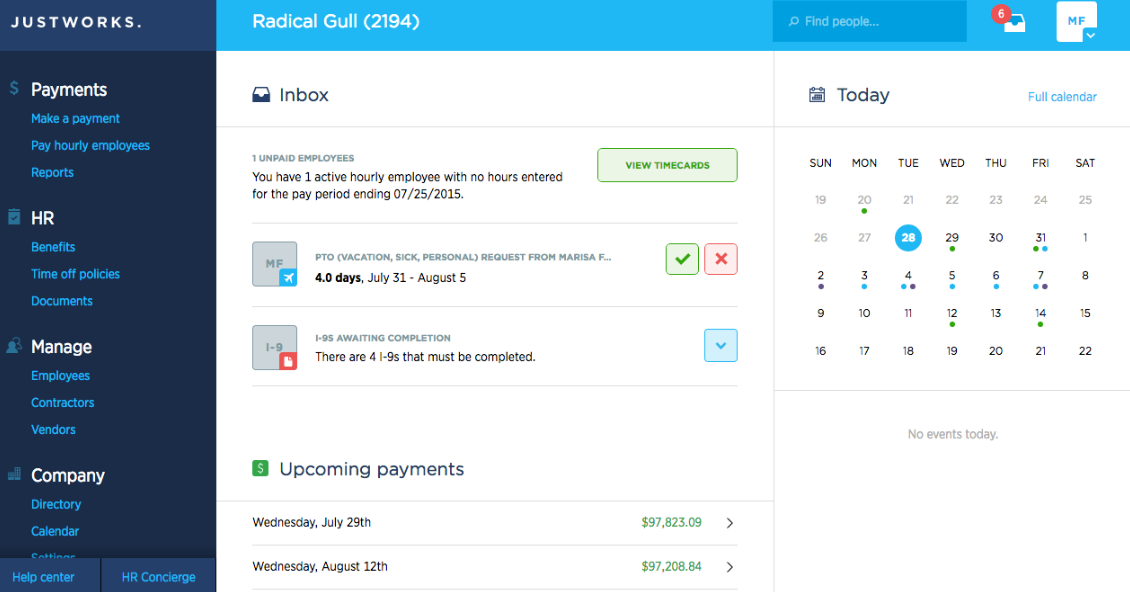
Pricing is published, which is rare for PEOs. Its pricing page lists PEO Basic at $79 per employee per month and PEO Plus at $124, with Plus adding medical, dental, and vision administration. A payroll-only plan costs $8 per employee per month plus a $50 monthly base fee, for teams that want to skip co-employment. Add-ons such as time tracking, contractor payments, and employer-of-record hiring abroad are priced separately. Some older listings show lower PEO rates, so confirm current numbers on the vendor page.
Justworks fits small employers that value predictable per-person pricing and hands-on compliance help. Reviewers report that the feature ceiling shows up past roughly 100 employees, especially in advanced reporting and native integrations. Co-employment also means sharing certain HR decisions and liability with the PEO, so involve legal or finance before you switch.
Pros:
- PEO plans bundle payroll, tax filings, compliance support, and HR tools into one per-employee price.
- Plus adds medical, dental, and vision administration with access to group-rate plans.
- A payroll-only plan serves teams that do not want co-employment.
- Add-ons cover time tracking, contractor payments, and international hiring through employer of record.
Cons:
- Add-ons such as time tracking and HR consulting raise the per-employee price.
- Co-employment means sharing certain HR decisions and liability with Justworks.
G2 Rating: 4.6/5
Pricing: P
ayroll starts at $8/employee/month plus a $50 monthly base fee.
7. Paycom: Best for Employee-Driven Payroll on a Single Database
Paycom asks employees to do something most payroll tools do not: enter and verify their own data before payroll runs. Its employee-driven payroll feature, Beti, is built on that idea, and the whole platform follows the same logic. Staff handle their own time entries, requests, and updates, which cuts the corrections HR usually fields after a payroll run.
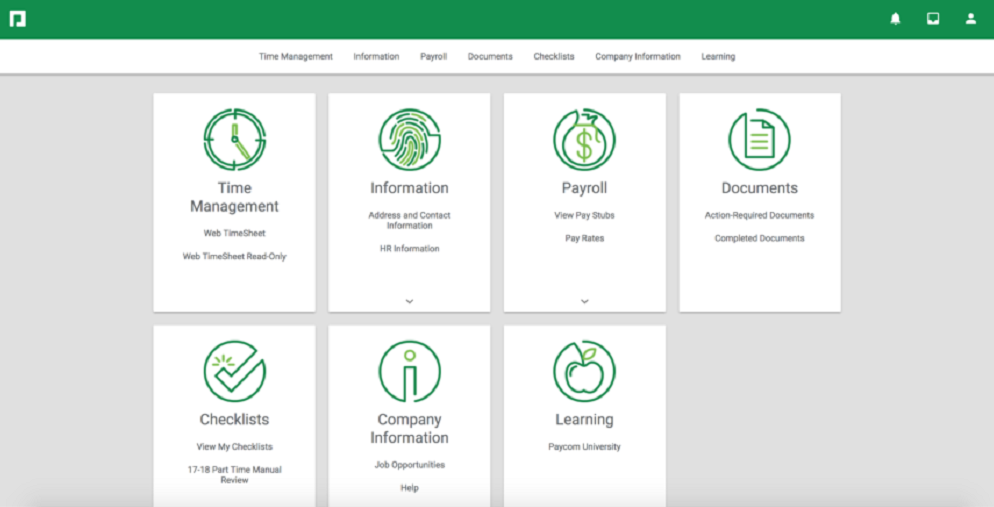
Under the hood, Paycom runs payroll, HR, talent management, time and labor, talent acquisition, and benefits on one database, so a change in one module appears everywhere without an integration step. A full mobile app supports employee self-service, and its IWant AI engine speeds up access to report data. I treated that single-database design as the main reason to shortlist it, since sync errors between modules are a common complaint with stitched-together stacks.
Paycom fits mid-market and enterprise employers that want one system of record and are comfortable with a sales-led buying process. Pricing is custom, and reviewers describe it as high and unclear. Some also mention complex time punch corrections and a learning curve, so ask for a demo of your hardest payroll scenario rather than the standard walkthrough.
Pros:
- A single database holds payroll, HR, talent, time, and benefits data without sync steps.
- Employee-driven payroll lets staff enter and verify their own data.
- A full-featured mobile app covers self-service for employees.
- The IWant AI engine speeds up access to report data.
Cons:
- Reviewers report complex time punch corrections.
- The sales-led buying process can feel heavy for smaller teams.
G2 Rating: 4.5/5
Pricing:
Custom pricing.
8. ADP Workforce Now: Best for Payroll Compliance and Tax Support at Mid-Market Scale
ADP Workforce Now is the platform I would expect a procurement team to suggest first, and that reputation cuts both ways. It is a long-established payroll and HR provider for mid-sized and large US employers, and its strength is a deep payroll and tax compliance engine that handles multi-state complexity. If compliance risk is what keeps you up, that depth is the point.
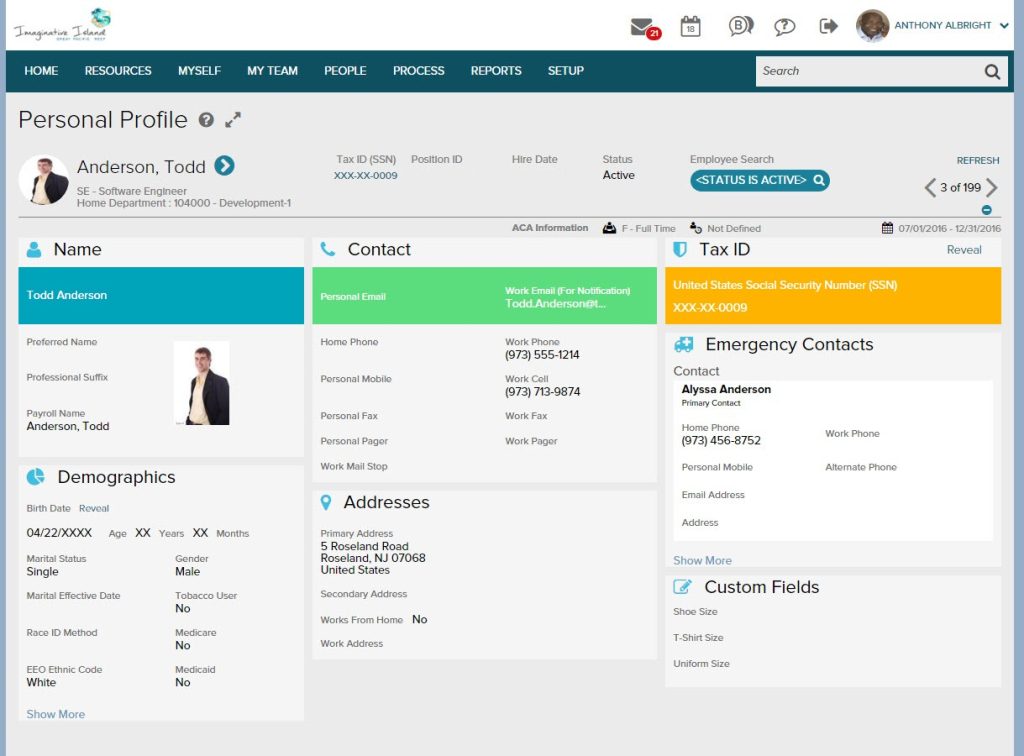
The platform covers payroll, HR, benefits, time, and talent modules, and it connects to a wide range of accounting and HRIS tools. ADP also uses its large payroll dataset for benchmarking, which helps HR teams compare pay and workforce metrics against peers. Pricing is quote-based, and implementation fees, per-run charges, and tax filing add-ons can push the final bill past the first quote, so I would ask for a full cost breakdown up front.
ADP Workforce Now suits mid-sized and larger employers with multi-state payroll and compliance needs. Small teams that want simple pricing will probably find it heavy. Community feedback is mixed: several reviewers describe the platform as complex to configure and report weaker support after implementation, though experiences vary by account.
Pros:
- A deep payroll and tax compliance engine supports multi-state employers.
- Payroll, HR, benefits, time, and talent modules cover the full employee lifecycle.
- A large integration ecosystem connects to accounting and HRIS tools.
- The platform scales from mid-sized employers to large enterprises without changing systems.
Cons:
- Reviewers describe the platform as complex to configure.
- Post-implementation support gets mixed feedback from reviewers.
G2 Rating: 4.2/5
Pricing:
Custom pricing.
9. HiBob: Best for Culture-First HR in Distributed Mid-Market Teams
A team with people spread across several countries is HiBob’s natural audience, and the platform shows it. Bob, as the product is called, has a clean interface that keeps employee self-service approachable, with leave, team updates, documents, and holidays gathered in one hub. Of every platform here, it felt the least like traditional payroll software and the most like a place employees would open on purpose.
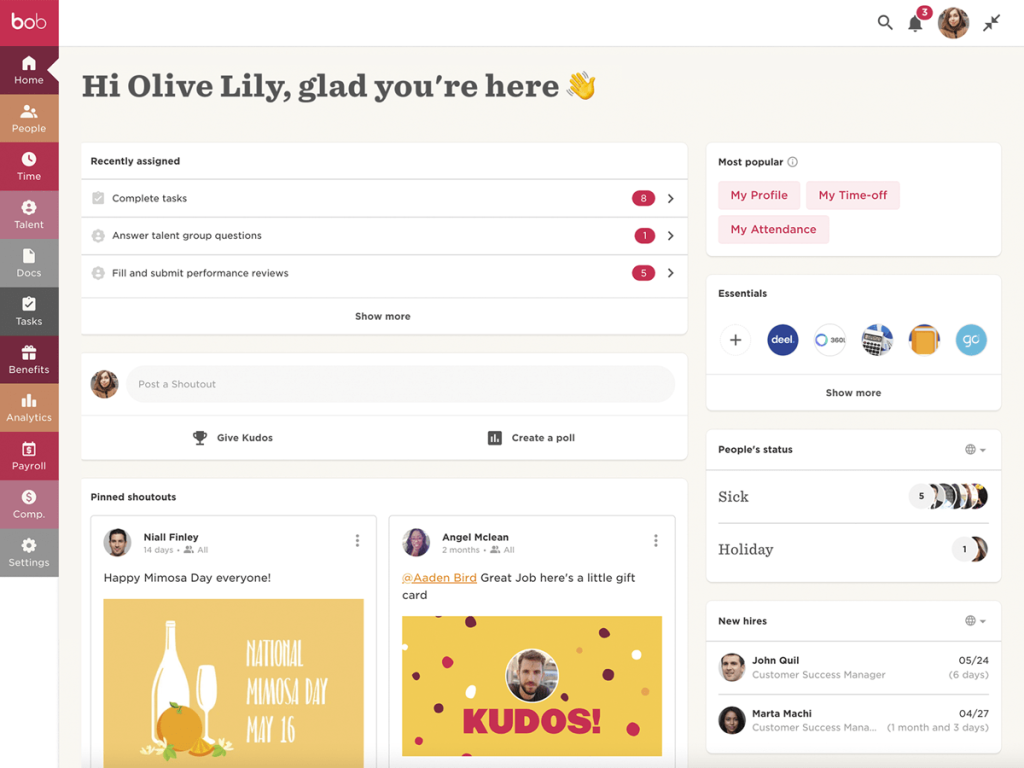
The platform combines core HR, time off, onboarding, performance, compensation, and culture tools, with features such as shoutouts that support engagement for remote staff. Visual org charts give leaders a quick view of the workforce. Pricing is quote-based, and implementation takes time, with the typical project running around two months. Some reviewers say integrations with payroll and applicant tracking tools still require manual workarounds, so confirm your payroll provider connects cleanly before you sign.
HiBob fits culture-first mid-market companies that value employee experience over payroll depth. Reviewers describe its performance module as basic next to dedicated tools, which matters if reviews and goals are your main gap.
Pros:
- Core HR, time off, onboarding, performance, and compensation tools share one platform.
- Culture features such as shoutouts support engagement for distributed teams.
- Visual org charts give leaders a quick view of the workforce.
- Employee self-service covers leave, team updates, documents, and holidays in one hub.
Cons:
- Reviewers describe the performance module as basic next to dedicated tools.
- Some reviewers need manual workarounds for payroll and applicant tracking integrations.
G2 Rating: 4.5/5
Pricing:
Custom pricing.
10. Paycor: Best for Payroll and Workforce Management in Shift-Heavy Teams
Paycor now sits inside Paychex, and that context helps when you read its reviews. It is a mid-market HCM platform with a long record in payroll, and it leans toward hourly and shift-heavy employers that need scheduling, time tracking, and labor reporting tied to pay. If your Namely setup struggled with time and attendance, Paycor deserves a look.
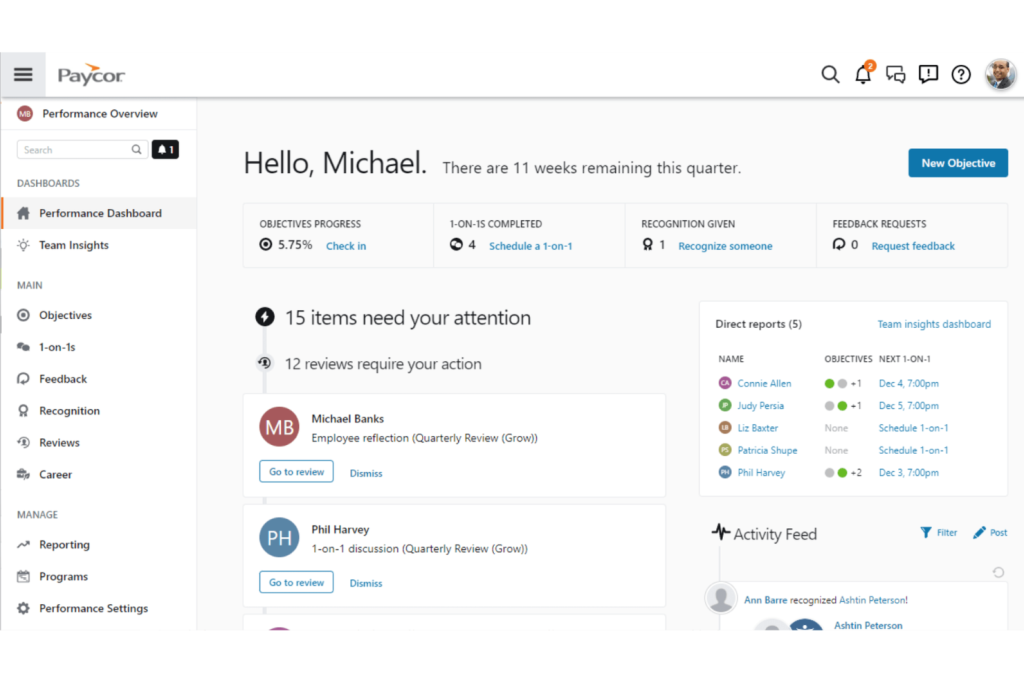
Paycor sells four plans, called Basic, Essential, Core, and Complete, all by custom quote. Basic targets teams under 50 employees with payroll and tax service. Core adds an on-demand HR support center, expense management, and Paycor HR, and Complete adds career management. Time and scheduling, recruiting, benefits administration, and learning management are separate modules, which is where the final price tends to grow.
Paycor fits mid-sized hourly employers that want payroll and workforce tools from one vendor. Reviewers mention limited custom reporting and lengthy troubleshooting, and its review-site ratings sit close to Namely’s, so the move may feel lateral unless industry-specific features matter to you. Ask for references from companies in your own sector before you decide.
Pros:
- HR guidance from certified professionals supports smaller HR teams.
- Industry-specific workforce management suits hourly and shift-heavy employers.
- Modules for time and scheduling, recruiting, benefits, and learning extend the platform.
- Developer tools and an app marketplace support custom integrations.
Cons:
- Pricing is quote-only, and add-on modules raise the total.
- Reviewers report limited custom reporting and lengthy troubleshooting.
G2 Rating: 3.9/5
Pricing:
Custom pricing.
How Did I Evaluate These Namely Alternatives?
The evaluation of products or tools chosen for this article follows an unbiased, systematic approach that ensures a fair, insightful, and well-rounded review. This method uses six key factors:
- User Reviews / Ratings: Direct experiences from users, including ratings and feedback from reputable sites like G2, provide a ground-level perspective. This feedback helps identify overall satisfaction and recurring problems.
- Essential Features & Functionality: Evaluate the core features and determine how effectively each tool handles the main use cases associated with Namely alternatives, such as payroll, HR records, performance reviews, and reporting.
- Ease of Use: Assess the interface, navigation, setup requirements, learning curve, and day-to-day usability for the intended audience.
- Customer Support: Examine support channels, documentation, onboarding resources, response options, and assistance during setup and ongoing use.
- Value for Money: Compare pricing with features, limits, scalability, and practical value to determine whether the product offers reasonable value for its intended users.
- Personal Experience / Experts’ Opinions: Include observations from practical evaluation where available, along with credible expert commentary and recurring user feedback.
If reviews and goals are your biggest gap, this guide on how to choose performance management software expands on each factor.
What Are My Top 3 Picks for the Best Namely Alternatives?
Each of these Namely competitors fits a different need, so no single tool is the right answer for everyone. Pick based on whether your biggest gap is review depth, a like-for-like HR and payroll suite, or a unified HR and IT stack.
1. PeopleGoal
PeopleGoal is the best fully customizable platform for performance reviews, OKRs & employee development, and it suits HR teams that want to design their own review cycles instead of adapting to a fixed template. Shortlist it if reviews, goals, surveys, and development plans live in too many places, or if Namely’s talent tools feel too rigid. The tradeoff is that it does not run payroll, so pair it with the payroll provider you already use.
2. Paylocity
Paylocity is the closest like-for-like replacement for a mid-sized US employer that wants payroll, HR, benefits, time, and talent in one platform. Shortlist it if payroll accuracy and onboarding matter most and you have roughly 50 to 750 employees. The tradeoff is quote-based pricing and support quality that reviewers say depends on your account rep.
3. Rippling
Rippling is the strongest fit for tech-forward companies that want HR, payroll, and IT tasks tied to one employee record. Shortlist it if new-hire setup currently spans several systems. The tradeoff is modular pricing that grows as you add payroll, benefits, and device management, plus a broader platform than HR-only teams may need.
Test a Fully Customizable Review Cycle Before Your Next Namely Renewal, Free
Choose From the Best Namely Alternatives to Fix Reporting, Reviews, and Payroll Gaps
Choosing among Namely alternatives comes down to one question: do you need a new system for HR and payroll, or a better way to run reviews, goals, and development? Some teams want a full replacement that handles payroll, benefits, and records in one place. Others keep what works and only fix the performance side.
The best choice depends on your use case, team size, budget, integrations, and workflow. Small US teams often do well with transparent payroll tools, mid-market buyers should weigh support, reporting, and scalability, and companies hiring abroad should confirm payroll coverage by country first. Whatever you pick, check what the base price includes, how the tool connects to your payroll and accounting apps, and how long setup takes.
If customization is the gap you feel most, PeopleGoal is worth a look as the best fully customizable platform for performance reviews, OKRs & employee development. A simple next step is to build one review cycle, see whether it fits how your managers actually work, and keep your current payroll provider in place while you test.
Frequently Asked Questions
How Much Does Namely Cost?
Namely Now starts at $9 per employee per month and covers payroll and HR. Namely Plus, Plus People, and Complete use custom pricing, so total cost depends on modules, headcount, and contract length. Ask for a written quote that lists every add-on before you compare vendors.
Is There a Free Alternative to Namely?
PeopleGoal offers a free plan for performance reviews, goals, and development. Payroll platforms such as Gusto and Justworks have no free plan, though both publish entry prices. Check exactly what a free plan includes before you rely on it for a full HR workflow.
What Are the Best Namely Alternatives for Small Businesses?
Gusto and BambooHR suit small teams. Gusto offers single-state payroll with published pricing, and BambooHR focuses on onboarding and clean employee records. Teams that mainly need reviews and goals can add a dedicated tool, and our guide to performance management software for small business covers those options.
Does Namely Include Performance Management?
Yes, on higher plans. Namely Now covers payroll and HR only, while Namely Plus adds performance, recruiting, onboarding, compliance, time, and benefits modules. Some reviewers say customizing workflows can require support involvement, so test your own review template during a trial.
Which Namely Alternative Works Best for Mid-Sized Companies?
Paylocity, Paycom, ADP Workforce Now, and HiBob target the mid-market. Paylocity and Paycom suit payroll-led suites, ADP Workforce Now fits multi-state compliance needs, and HiBob fits culture-first teams. Match the platform to your biggest gap before you request demos.
Which Namely Alternative Works Best for Global Teams?
Rippling, HiBob, and Justworks support international hiring in different ways. Rippling ties HR, payroll, and IT to one record, HiBob is built for distributed teams, and Justworks offers employer-of-record hiring abroad. Namely focuses on US employers, so confirm payroll coverage for each country first.
How Long Does It Take to Switch From Namely?
Plan for several weeks to a few months, depending on payroll complexity and data cleanup. PeopleGoal's implementation typically takes one to six weeks, while payroll-heavy suites usually take longer. Start before your renewal date and run both systems in parallel briefly.
Can I Keep Namely and Add a Performance Tool?
Yes. Many teams keep one system for payroll and HR records and add a dedicated tool for reviews, OKRs, and development. Confirm that the tool integrates with your payroll or HRIS so employee data syncs automatically and managers avoid double entry.
Ready to 3x Your Teams' Performance?
Use the best performance management software to align goals, track progress, and boost employee engagement.