
Performance management software for small businesses becomes important the moment reviews start depending on someone remembering to chase managers. One missed deadline turns into late feedback, forgotten goals, and a review cycle nobody fully trusts.
I have watched small teams reach that point quickly, especially when the founder, CFO, or office admin is managing performance alongside everything else. According to Gallup’s 2026 State of the Global Workplace report, best-practice organizations average 70% employee engagement. For small teams, performance management software helps create that consistency by keeping goals, feedback, and reviews on track.
This guide compares 10 tools by team fit, pricing, strengths, and limitations. It also covers evaluation criteria, my top three picks, how to run 360 feedback with a small team, and a six-step process for completing your first review cycle.
What Is Performance Management Software?
Performance management software for small businesses helps a lean team set goals, run reviews, collect feedback, and track progress in one place. The right small business performance management software replaces spreadsheets and survey forms without adding admin work. Here is what I treat as must-haves for a first cycle:
- Review Cycles: Look for customizable templates and rating scales so each role gets a fitting form instead of one rigid format.
- Goal Tracking: Goals and competencies should sit inside the same review, with OKRs or SMART goals supported.
- 1:1 Meetings: Shared agendas and notes keep manager check-ins consistent without another tool.
- 360 Feedback: Check for anonymous responses, evaluator selection, and a completion tracker.
- Auto Reminders: Nudges for managers and employees who forget are what save a first cycle.
- Simple Reports: You need results grouped by team or job category without exporting to Excel first.
10 Best Performance Management Software for Small Business
I have reviewed each of these tools by how they work for a lean team, not just by specs. This list combines my hands-on experience with insights from HR leaders and operations teams who run reviews without a large HR department.
| Tool | Best for | Pricing | User Rating |
| PeopleGoal | Fully customizable platform for performance reviews, OKRs & employee development | $4/user/month | 4.5/5 (G2) |
| PerformYard | Flexible review cycles and automation | From $5/user/month | 4.7/5 (G2) |
| Leapsome | Dynamic OKR and goals alignment | Custom pricing | 4.8/5 (G2) |
| Lattice | Combining reviews, goals & feedback | From $11/user/month | 4.7/5 (G2) |
| 15Five | Customizable 1:1s and manager coaching | From $11/user/month | 4.6/5 (G2) |
| Teamflect | Microsoft Teams-native performance management | Free for up to 10 users | 4.6/5 (G2) |
| BambooHR | All-in-one HR and performance management | Custom pricing | 4.4/5 (G2) |
| Small Improvements | Lightweight review tools for small teams | From $3/user/month | 4.3/5 (G2) |
| Culture Amp | Engagement surveys linked to performance reviews | Custom pricing | 4.5/5 (G2) |
| Quantum Workplace | Combining performance with engagement | Engagement plan from $4/employee/month | 4.3/5 (G2) |
1. PeopleGoal – Best for a Fully Customizable Platform for Performance Reviews, OKRs & Employee Development
I ran PeopleGoal with a lean team that had never conducted a formal review, and it felt like it was built for exactly that situation. I created OKRs at the company, team, and individual levels, assigned owners, and watched goals move between on track and at risk without chasing anyone. Automated check-ins did the nagging for me.
For 360 Feedback, I pulled in managers, peers, and external collaborators, weighted the scores, and collected anonymous responses with no logins needed. Employees could also plan their own career paths with supervisor support, so development did not stall after the review season. Customizable Workflows let me edit forms and cycles myself with zero code.
Reports break results down by person, team, or department, so one dashboard replaced my spreadsheets. It connects with Slack, BambooHR, and Workday, and the team helped import our users from Excel. Most organizations go live within one to four weeks, depending on their size.
Pros:
- OKRs and SMART goals at the company, team, and individual levels with assigned owners
- 360-degree feedback with multi-rater reviews, weighted scoring, and anonymous responses
- Customizable review cycles that launch by team, role, or project
- No-code Customizable Workflows with cascading roles and permissions
- Real-time dashboards and reports by person, team, or department, exportable to PDF
- Pulse and engagement surveys with eNPS templates, plus Slack, BambooHR, and Workday integrations
Cons:
- No downloadable or on-premise version
- Dark UI mode is not available
User Rating: 4.5/5 (G2)
Pricing: 14-day free trial. Paid starts at $4/user/month
2. PerformYard – Best for Flexible Review Cycles and Automation
A friend who handles HR for a growing company put me onto PerformYard, mostly because of how much control it gives over review timing. She runs anniversary-date reviews, quarterly check-ins, and project-based reviews side by side, each with its own template, rating scale, and workflow. I could also import our existing review forms instead of rebuilding them.
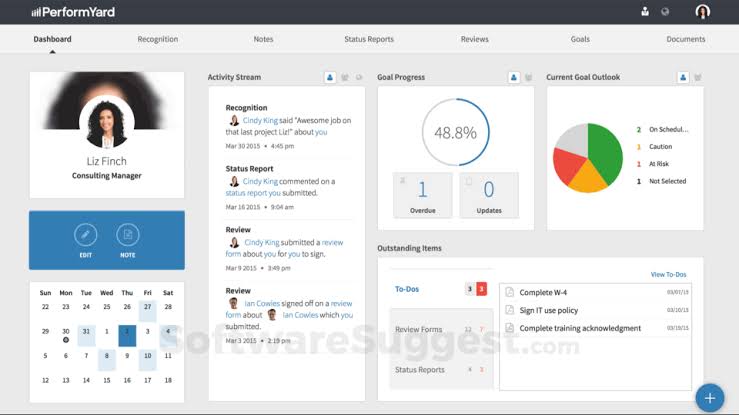
When I tried it, the goal and feedback dashboards showed completion at a glance, and daily reminders pushed managers to finish their forms. The AI-assisted summaries pull answers from several forms into one view, which saves real time before a calibration chat.
A 9-box dashboard helps spot your strongest people. It syncs with ADP, BambooHR, Gusto, and Rippling, plus Slack and Microsoft Teams. Every account also gets a dedicated success manager, so you are not setting up alone. If your review calendar is messy, this is a calm place to sort it out.
Pros:
- Custom review cycles and form templates for different review types
- Goal progress and performance dashboards included
- AI-assisted summaries that combine responses from multiple forms
- 9-box dashboards to visualize performance and potential
- HRIS syncs with ADP, BambooHR, Gusto, and Rippling
Cons:
- Bulk data edits can be time-consuming
- Not a full HRIS, so employee records stay in a separate system
User Rating: 4.7/5 (G2)
Pricing: Starts at $5/user/month, billed annually.
3. Leapsome – Best for Dynamic OKR and Goals Alignment
Goal alignment is where Leapsome won me over. Its goal tree shows how each person’s objectives roll up into team and company OKRs, and I have rarely seen that done so clearly for smaller teams. A Jira integration pulls ticket progress into OKR updates, so nobody retypes numbers.
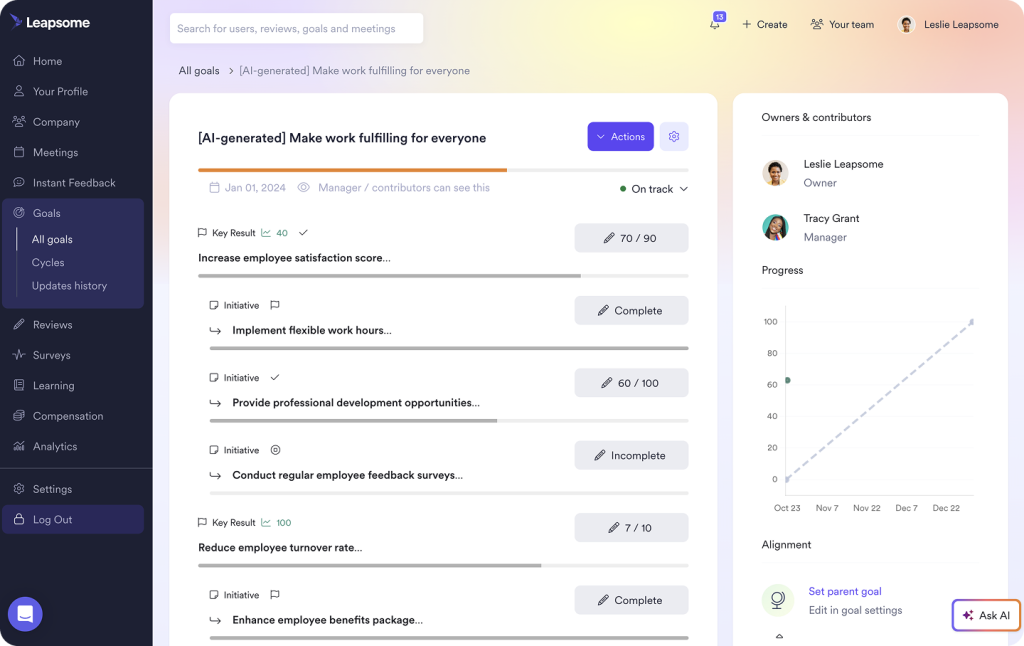
Beyond goals, I used the fully customizable 360-degree reviews with peer, manager, and self-assessment options, then ran 1:1s from shared agendas with talking points and action items. Praise and instant feedback can go out straight from Slack, which keeps recognition happening between cycles. The survey builder comes with science-backed question banks and anonymized responses.
Managers also get detailed calibration tools, so ratings stay fair across different teams. Expect to spend some time configuring it, since the platform is modular. Teams of roughly 30 to 100 people tend to get the most from it. Connections include BambooHR, Personio, Google Workspace, Okta, and Zapier.
Pros:
- Dynamic goal tree that visualizes how personal OKRs roll up to company goals
- Customizable 360-degree reviews with peer, manager, and self-assessment options
- Science-backed survey templates with anonymized responses
- 1:1 module with shared agendas, talking points, and action items
- Jira integration that pulls ticket progress into OKR updates
Cons:
- Modular setup takes time to configure
- Best suited to teams of roughly 30 or more employees
User Rating: 4.8/5 (G2)
Pricing: Custom pricing.
4. Lattice – Best for Combining Reviews, Goals & Feedback
Whenever someone wants reviews, goals, and feedback in one place, Lattice is the name I bring up first. During a review, it pulls in each person’s goal progress and the feedback shared throughout the year, so the write-up reflects more than the last month. I liked the AI-drafted reviews, which hand managers a first draft grounded in documented context instead of a blank page.
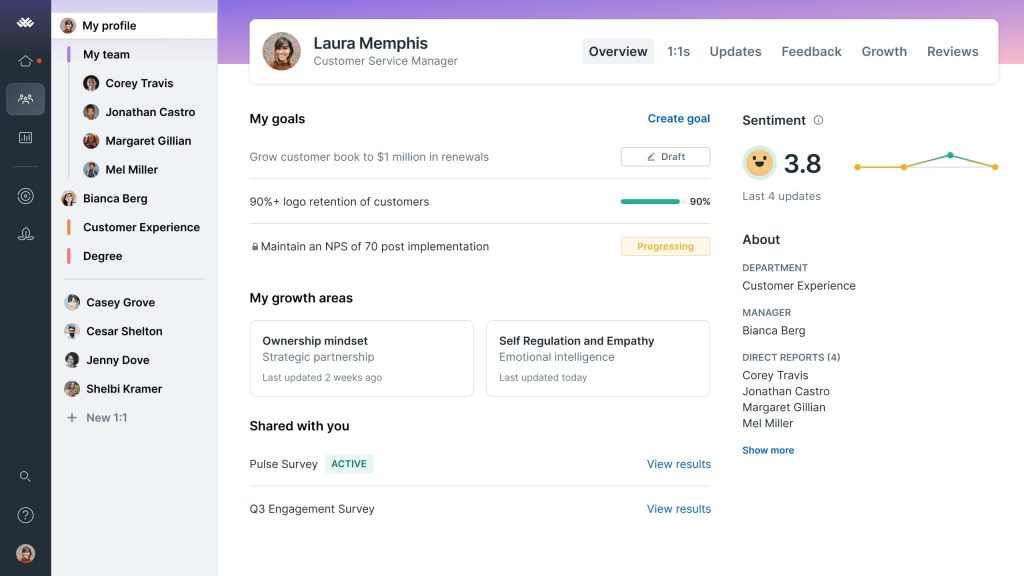
Talent reviews and calibration run through 9-box grids or table views, and 1:1 templates keep manager conversations structured with a shared history. Pulse surveys and analytics dashboards add a view of engagement alongside performance trends.
Its OKR and goal tracking tools are solid, so managers can see how goals connect to the people doing the work. It connects with Gusto, Workday, BambooHR, Rippling, ADP, Personio and Slack. Setup took patience for a small team, and it works best when someone in people ops owns the program.
Pros:
- Review cycles that pull in goal progress and past feedback
- AI-assisted review writing and summaries
- Talent reviews and calibration with 9-box grids or table views
- 1:1 meeting templates with shared agendas and history
- Analytics dashboards covering reviews, engagement and team trends
Cons:
- Onboarding is time-consuming for small teams
- Works best when a dedicated people ops owner runs it
User Rating: 4.7/5 (G2)
Pricing: Starts at $11/user/month.
5. 15Five – Best for Customizable 1:1s and Manager Coaching
Weekly check-ins are the habit 15Five is built around, and I understood why once I used it for manager 1:1s. Shared talking points pull from an employee’s active goals and recent feedback, so every meeting starts with real context. You get OKRs, configurable 360-degree reviews, and pulse or engagement surveys with analytics for managers and HR.
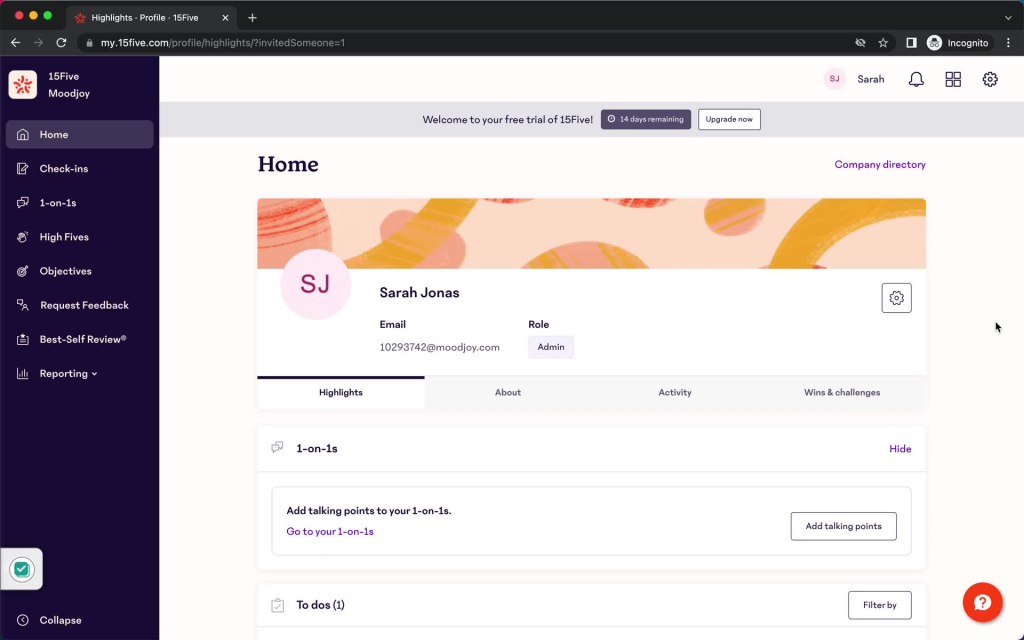
AI suggestions help draft reviews and summarize achievements, and the Kona AI Coach adds guidance for managers between meetings. Weekly check-ins and engagement surveys come built in, which keeps morale visible. I found it a strong pick for building a coaching culture rather than just filling in forms.
It plugs into ADP, BambooHR, Workday, Slack, Microsoft Teams, Zoom, Asana, Jira, and Salesforce. Honestly, the feature range can feel like a lot for a very small HR team, and it fits best for teams of 50 employees and up. Start with check-ins and add the rest later.
Pros:
- Weekly check-ins with talking points drawn from active goals
- Configurable 360-degree review workflows
- AI-assisted review drafting and achievement summaries
- Pulse and engagement surveys with manager-level analytics
- Native integrations with Slack, Microsoft Teams, Zoom, Jira, and Asana
Cons:
- The feature range may overwhelm very small HR teams
- Fits best for around 50 employees and above
User Rating: 4.6/5 (G2)
Pricing: Starts at $11/user/month for the performance plan.
6. Teamflect – Best for Microsoft Teams-Native Performance Management
If your team already lives in Microsoft Teams, Teamflect barely feels like new software. It runs inside Teams and Outlook, so nobody needs another login. I sent feedback right inside chat threads, and automated OKR check-ins prompted people on a schedule without HR following up.
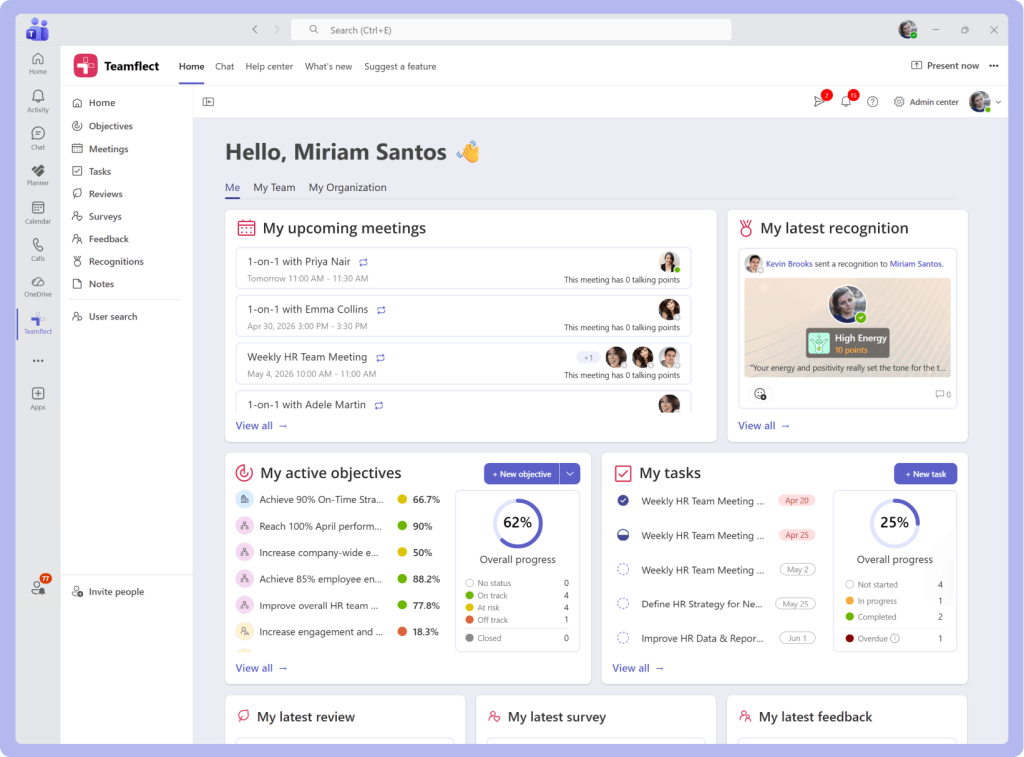
Review forms accept multiple question types and rating scales, so I could mirror our own process. You can also run anonymous pulse surveys, give badges, and show a leaderboard tied to a rewards catalog. Reports flow through a native Power BI connection, and it links with ADP, BambooHR, HiBob, Workday, and UKG. It also connects with Planner, To-Do, and Entra ID across Microsoft’s ecosystem.
The 360-degree feedback and 1:1 tools cover what a first cycle needs. One thing to know: there is no standalone web or mobile app, and deeper analytics rely on Power BI. For Microsoft 365 shops, adoption stops being the hard part.
Pros:
- Runs fully inside Microsoft Teams and Outlook
- OKR tracking with automated check-in reminders
- 360-degree feedback and peer recognition with badges and a leaderboard
- Customizable review templates with multiple question types and rating scales
- Native Power BI reporting for team and company dashboards
Cons:
- Advanced analytics require Microsoft Power BI
- No standalone web or mobile app
User Rating: 4.6/5 (G2)
Pricing: Free for up to 10 users. Paid plans start at $7/user/month.
7. BambooHR – Best for All-in-One HR and Performance Management
Plenty of small teams I know already keep employee records in BambooHR, so I tested its performance tools first. Everything lives in one HR system, which means reviews connect to core employee records without exports. I set up 360-degree review cycles, tracked goals, scheduled 1:1s, and collected continuous feedback in the same place.
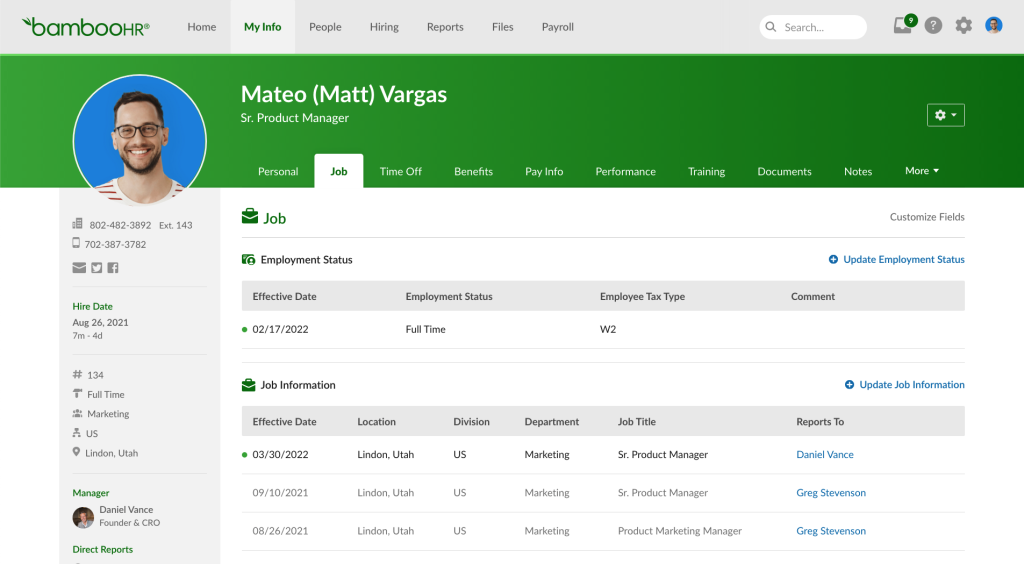
Employee self-assessments and automated review reminders kept the first cycle moving, and performance dashboards showed who had finished. Since employees already log in there for records and time off, adoption needs little extra effort.
Launching a cycle felt simple for a lean HR team that does not want a separate product to learn. The trade-off is depth. Goal management is basic compared with dedicated platforms, and the performance tools come bundled with the full HRIS instead of standing alone. If your records already sit in BambooHR and your needs stay simple, adding reviews here avoids tool sprawl.
Pros:
- Performance data linked directly to core HR records
- 360-degree review cycles with automated reminders
- Employee self-assessments are built into the review flow
- Goal tracking and 1:1 tools in the same system
- Performance tracking dashboards for managers and HR
Cons:
- Goal management features are basic
- Performance tools come bundled with the full HRIS
User Rating: 4.4/5 (G2)
Pricing: Custom pricing.
8. Small Improvements – Best for Lightweight Review Tools for Small Teams
After hearing it keeps things light, I tried Small Improvements, and the description held up. Reviews, 360-degree feedback, company, team, and individual goals, 1:1 meetings, pulse surveys, and continuous feedback all sit in one tidy workspace. The assessment graph stood out: manager and employee each place a dot on a customizable axis instead of picking a number, which made review conversations feel more grounded.
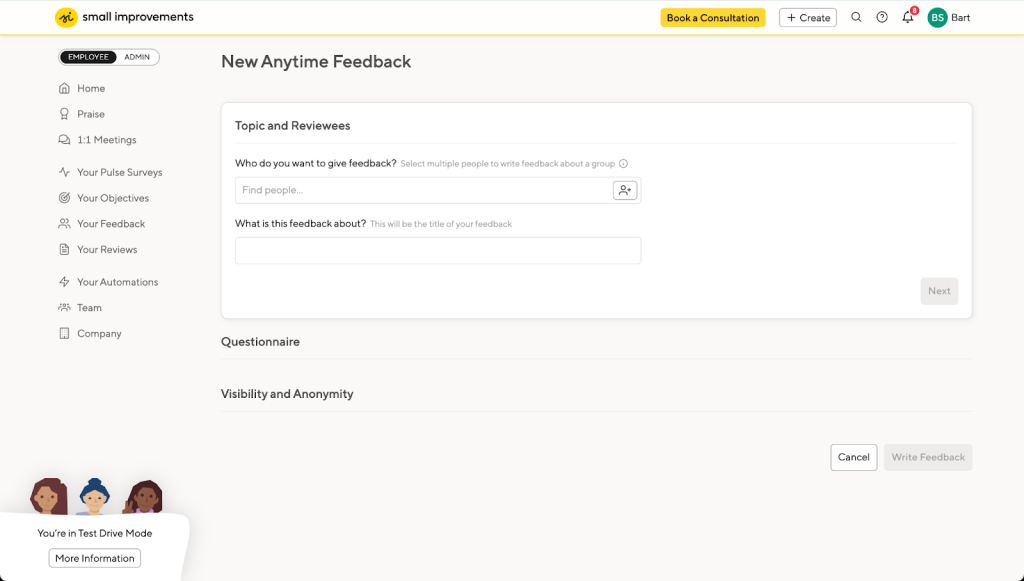
A side-by-side self-assessment view lets both people see each other’s answers to the same questions. Review workflows and templates are customizable, and Slack carries praise and reminders into daily work. It also connects with BambooHR, Personio, Namely, Rippling, Workday and Google Calendar.
The customer success team was responsive whenever I had setup questions, which mattered for lean teams. Where it falls short is advanced 1:1 management and calibration analytics such as 9-box grids. For a team that wants structure without enterprise weight, I would shortlist it.
Pros:
- Assessment graph that replaces numeric scores with a customizable axis
- Side-by-side self-assessment view for managers and employees
- Company, team, and individual goal tracking
- Customizable review workflows and templates
- Slack integration for praise and reminders
Cons:
- Lacks advanced 1:1 meeting management features
- Limited analytics for calibration or 9-box grids
User Rating: 4.3/5 (G2)
Pricing: Starts at $3/user/month, billed annually.
9. Culture Amp – Best for Engagement Surveys Linked to Performance Reviews
Engagement surveys pulled me toward Culture Amp before I ever opened its review features. The Perform module adds continuous feedback, structured review and calibration frameworks, 1:1 conversation templates, and goal alignment tools.
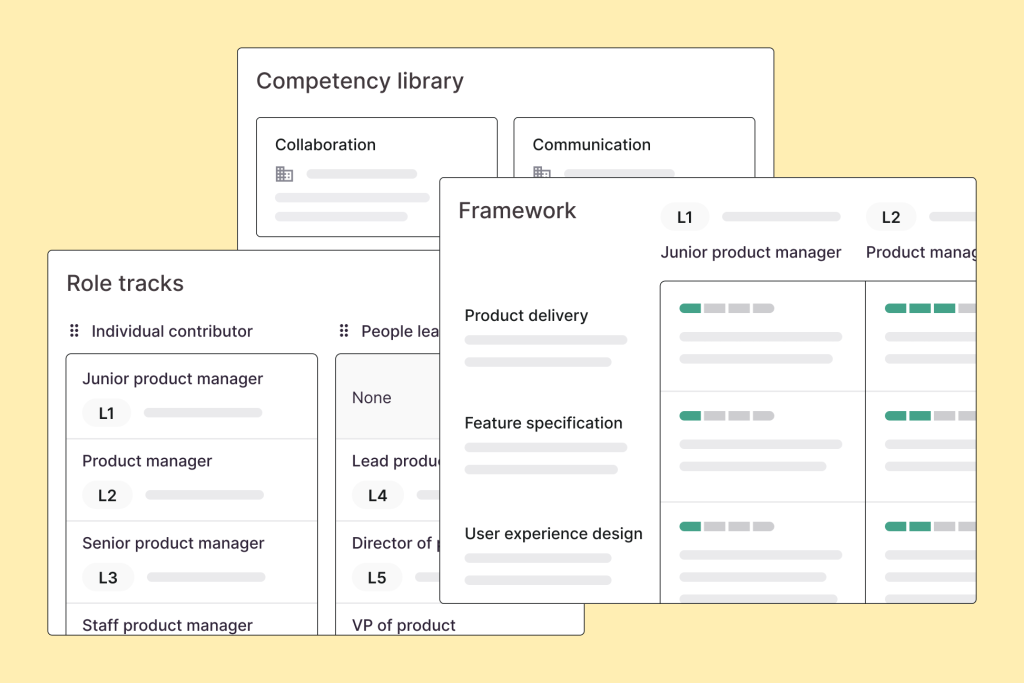
Reviews cover 360-degree feedback, self-assessments, goal tracking, individual development plans, and analytics with benchmarking, turning results into action plans. I liked that survey insights and performance data share one platform, so engagement trends can shape review conversations. Support impressed me too, with live chat available nearly around the clock across time zones.
The setup felt heavy until someone with HR experience stepped in, and it is not a task manager, so follow-up actions need another home. It also works well for companies that want one platform for surveys, reviews, and development plans instead of three separate tools. That setup suits small growing teams well. I would choose it when listening to employees, as much as rating them.
Pros:
- Structured review and calibration frameworks
- 360-degree feedback with self-assessments and individual development plans
- Engagement surveys connected to performance data
- Analytics and benchmarking with action management
- 1:1 conversation templates and goal alignment tools
Cons:
- Review setup can feel heavy without HR experience
- Not built as a task manager for follow-up actions
User Rating: 4.5/5 (G2)
Pricing: Custom pricing.
10. Quantum Workplace – Best for Combining Performance With Engagement
A colleague asked me how to connect survey results with performance conversations, and Quantum Workplace was my answer. It ties engagement data to performance reviews and goal tracking, so managers see sentiment next to progress. I found goal-setting and continuous feedback intuitive, and one-on-one meetings were quick to schedule.
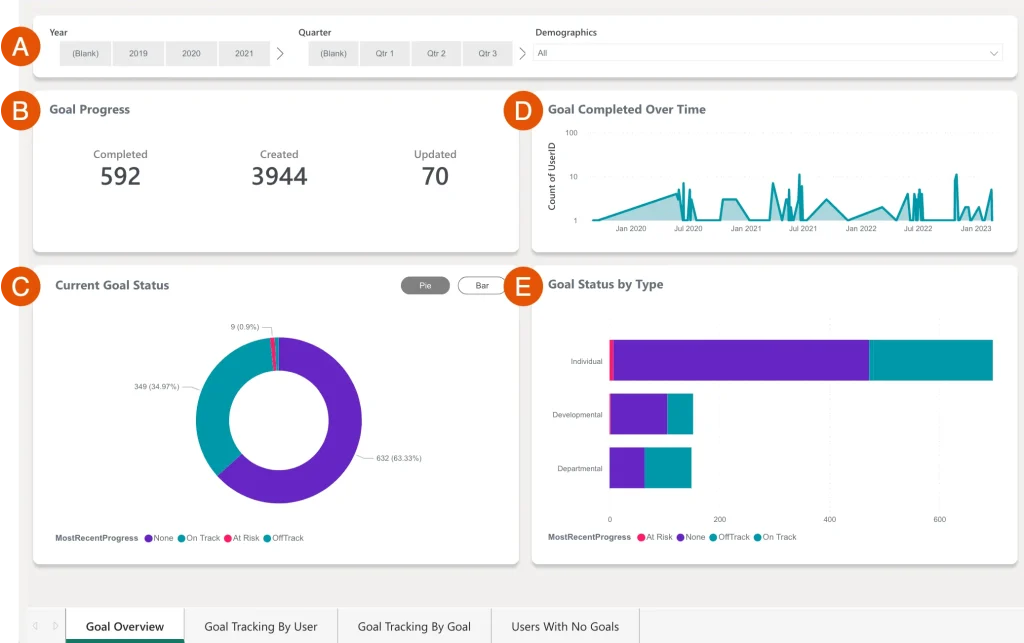
Auto-save protects long review answers, and built-in AI tools help managers write more clearly. Reporting gave leaders a view of trends across the company without manual pulls. Everything stays together, so managers skip jumping between surveys, goals, and review forms. I would call it a good fit when engagement is your first worry and performance is the next layer.
Be aware that setup can feel less intuitive at first and that the product is geared more toward larger organizations. Because of that, run a trial with your own review template and ask the vendor to show reporting by department before committing.
Pros:
- Engagement data connected to reviews and goal tracking
- Goal-setting and continuous feedback tools
- 1:1 meeting setup that is quick for first-time users
- AI tools and auto-save for review answers
- Reporting with customizable views for leadership
Cons:
- Setup can feel less intuitive for first-time admins
- Geared more toward larger organizations
User Rating: 4.3/5 (G2)
Pricing: Engagement plan starts at $4/employee/month.
How I Chose These Performance Management Software
When I evaluate performance management software for small businesses for this list, I don’t just rely on feature lists or marketing claims. I look at how these tools actually perform in real-world scenarios. Here’s the framework I used to make sure every recommendation is practical, reliable, and worth considering:
- User Reviews / Ratings: I start by looking at real user feedback from platforms like G2. This gives me a clear picture of how teams actually experience the tool day to day, what they love, and where it falls short.
- Core Features & Functionality: I focus on what truly matters for a lean team. This includes review cycles, goal setting, 360 feedback, 1:1s, reminders, reporting, and integrations. If a tool cannot handle these well, it does not make the cut.
- Ease of Use: I pay close attention to how intuitive the platform feels. A tool might be powerful, but if managers struggle to adopt it, it defeats the purpose. Clean interface, simple navigation, and quick onboarding are non-negotiable for me.
- Customer Support: From my experience, implementation is where many tools fail, especially when no one on your team is an HR specialist. I evaluate how responsive and helpful the support team is, especially during setup and your first review cycle.
- Value for Money: I compare pricing with what the tool actually delivers. This is not about picking the cheapest option, but about whether the features, flexibility, and performance justify the cost for a team of 30 to 150 people.
- Personal Experience / Expert Insights: Wherever possible, I rely on my own hands-on experience with these tools. I also consider insights from HR leaders, operations leads, and finance owners who run reviews in real small businesses. This helps me go beyond surface-level reviews and highlight what actually works.
Top 3 Performance Management Software Picks
Picking the right tool can make or break your first review cycle. Among the performance management tools for small businesses I reviewed, these three stand out because they remove the most friction for a lean team.
1. PeopleGoal
PeopleGoal is my go-to for lean teams that need flexibility without complexity. It lets you customize review cycles and workflows without writing code, run 360 Feedback with anonymous responses, and track OKRs and SMART goals in the same place. For a first cycle with no HR department behind you, that mix is hard to beat.
2. PerformYard
PerformYard fits when your review calendar is messy. Anniversary reviews, quarterly check-ins, and project reviews can run side by side with their own templates, and a dedicated success manager helps you launch. It is a calm choice for HR generalists who want control without building everything alone.
3. Teamflect
Teamflect is the lowest-friction pick if your company runs on Microsoft 365. Reviews, OKR check-ins, and feedback happen inside Teams, so managers do not need a new login. I have seen adoption problems fade when the tool lives where people already chat.
How to Conduct 360 Feedback With a Small Team
360-degree feedback is the most common starting point I see when lean teams adopt employee performance software for small businesses, and it is also the easiest to get wrong. These steps keep it fair and fast:
- Pick Raters: Choose a manager, three to five peers, and a self-review for each person, and assign reviewers per employee instead of building lists by hand.
- Protect Anonymity: Keep responses anonymous and require at least three raters per group so nobody can guess who wrote what.
- Write Questions: Customize questions by role and keep them to eight to ten so people finish.
- Track Completion: Use a completion tracker with automated reminders so you are not chasing people by email.
- Report by Group: Group results by team or department, not only by person, to spot patterns.
- Close the Loop: Turn results into a development plan within two weeks while the feedback is fresh.
How to Run Your First Review Cycle in 6 Steps?
A first cycle goes smoothly when someone owns it, the scope stays small, and you choose performance review software for small businesses that managers can pick up without training. Here is the sequence I recommend for a January start with a mid-year checkpoint:
- Pick an Owner: Name one person (founder, operations lead, CFO or office admin) to run the process and block a couple of hours a week during setup.
- Choose a Framework: Put goals and competencies in the same form and use one review template per role.
- Import People: Upload users from an HRIS like PeopleGoal, and decide up front whether part-time and contract staff get a full review or a short check-in form.
- Pilot First: Run the cycle with your management team before the whole company, then fix the form based on their feedback.
- Set the Calendar: Plan goal setting in January, a mid-year checkpoint in July and year-end reviews in December.
- Review and Adjust: After each cycle, collect manager feedback, trim questions that nobody used, and update the template.
Choose the Tool Your Managers Will Actually Use
The right software will not fix unclear expectations, but it will make a good process hard to ignore. If I had to give you one filter for performance management software for small businesses, it would be this: pick the tool your managers will use every cycle, not the one with the longest feature list.
Community discussions I reviewed point in the same direction. Simple, integrated tools stick, and over-built ones get ignored.
For most lean teams, PeopleGoal gives you performance reviews, OKRs, 360-degree feedback, and employee development in one place, without stitching together three tools. Start with a free trial at peoplegoal.com, load your own review template, and run one team through one cycle. Or book a demo to see it with your own goals. The results will tell you everything.
Frequently Asked Questions
What is the difference between review tools and performance management platforms?
Review tools focus on evaluating employees at set points in the year. Performance management platforms add ongoing feedback, goal setting, and development planning, so reviews draw on a full year of evidence.
Is employee review data safe in these platforms?
Reputable vendors offer role-based permissions and encryption. PeopleGoal, for example, lists role-based access control, an encrypted database at rest, SSL, and full audit logging. Always confirm security details in the vendor's documentation.
Can these tools support remote or hybrid teams?
Yes. Online review forms, goal dashboards, and scheduled check-ins work across locations, and integrations with Slack or Microsoft Teams bring reminders into daily chat.
Is a separate tool needed for engagement surveys?
Not always. Many platforms include pulse surveys, and PeopleGoal offers pulse and quarterly surveys with Likert scale and eNPS templates, which keep survey data next to goals and reviews.
Can performance data inform pay decisions?
Yes. Many tools link review results to compensation discussions, and some let teams run pay conversations separately from development reviews.
How can historical review data move out of spreadsheets?
Export existing goals and ratings to Excel or CSV, document the goal hierarchy, then import users into the new tool. PeopleGoal imports users through Excel, HRIS integrations or API.
What should small teams test during a demo or free trial?
Load your real review template first, then ask one manager to finish a review without training. Confirm that reminders reach people who forget, and request results grouped by department. Ask who handles setup, get the go-live timeline in writing, and estimate the weekly admin hours the review owner will need.
How can a small team or nonprofit keep software costs down?
Pilot with one team before buying every seat. Check for free plans, since Teamflect lists one for up to 10 users. Choose a single tool that covers reviews, goals, and surveys instead of paying for three. Raise nonprofit pricing and annual discounts early, before the final demo, rather than afterward.
When should a small business switch from spreadsheets to performance management software?
Most teams outgrow spreadsheets between 20 and 50 employees. Switch when goals and feedback sit in scattered files, managers miss review deadlines, reports take hours to build, or 360 feedback cannot stay anonymous. If three or more of these signs apply, move before the next review cycle.
Is an HRIS performance module enough, or does a small business need a dedicated tool?
An HRIS module suits simple needs and keeps performance data beside employee records. A dedicated tool fits better when cascading OKRs, flexible review questions or peer feedback requests matter. PerformYard and PeopleGoal sync with systems such as BambooHR and ADP, so records stay put.
Ready to 3x Your Teams' Performance?
Use the best performance management software to align goals, track progress, and boost employee engagement.