Most companies buy performance management software for one week of the year: review week. Then they wonder why nobody logs in during the other fifty-one.
That gap is where most purchases go wrong. Review season is easy to picture, so buyers judge tools on review forms and rating scales. But performance is shaped in the weeks between reviews, in goal updates, one-on-ones, quick feedback, and development conversations. A tool that only shines in December will sit unused the rest of the time. The cost of that approach shows up in the data: Gallup research found that only 2 in 10 employees strongly agree their performance is managed in a way that motivates them to do outstanding work.
This guide helps you learn how to choose performance management software that works for the whole year, including what to look for, how to test whether people will actually use it, and the mistakes that leave expensive platforms half-empty.
Performance Management Software vs Performance Review Software: Which Do You Need?
Before comparing vendors, it helps to be clear about which category you’re actually shopping in. The two are often confused, but they solve different problems, and buying the wrong one is an expensive way to find out.
| Performance review software | Performance management software | |
| Main job | Running fair, consistent review cycles | Guiding performance continuously throughout the year |
| Used most | During review season | Every week |
| Core features | Review forms, rating scales, reviewer workflows, calibration | Goals and OKRs, check-ins, continuous feedback, engagement, development, plus reviews |
| Main users | HR and managers at review time | Managers, employees, and HR all year |
If your main problem is that review cycles are slow, late, or inconsistent, you may only need review software. Our guide on choosing performance review software walks you through that decision. If the problem is that goals drift, feedback is rare, and reviews arrive without supporting evidence, you need the broader category this guide covers.
Also, here’s a quick video on how to choose the performance management software:
Map Your Year-Round Performance Cycle Before You Compare Software
Before looking at any tool, write down how performance actually happens in your company across a full year, not just at review time. The table below is a starting template. Adjust the rhythm to match your teams.
| Moment in the year | What the software must support | Question to ask in a demo |
| Annual or quarterly planning | Setting company goals and connecting team and individual goals to them | Can employees see how their goals connect to company priorities? |
| Weekly or biweekly | Short check-ins and one-on-ones between managers and their teams | How long does a check-in take, and do notes carry forward to the next one? |
| Whenever it’s earned | Quick feedback and recognition between colleagues | Can people give feedback in a few clicks, including from Slack or Teams? |
| Monthly or quarterly | Goal progress updates and course corrections | Can goals be updated or closed mid-cycle without breaking reports? |
| Twice a year or annually | Reviews that draw on everything logged during the year | Does the review form pull in goals, check-ins, and feedback automatically? |
| After each review | Development plans and next-step goals | Can review outcomes turn directly into development goals? |
This rhythm becomes your evaluation checklist. A tool that handles review time well but makes weekly check-ins slow or awkward will fail, because weekly habits are what keep employee performance visible between reviews.
6 Must-Have Features of Performance Management Software for Year-Round Use
Feature lists for performance management software are long and look alike. These six capabilities determine whether a platform is used year-round.
1. Goals That Connect to Company Priorities
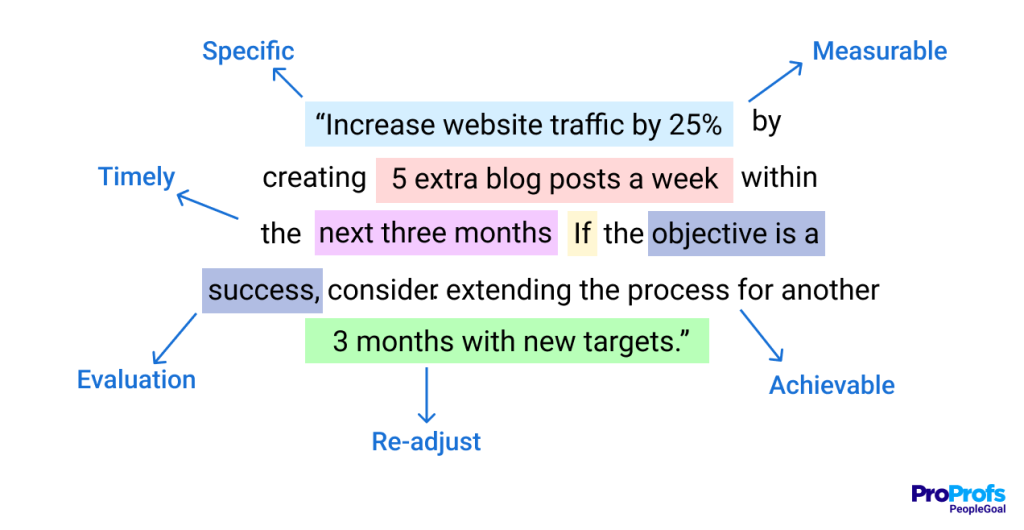
Employees should be able to see how their goals support team and company objectives, and managers should be able to update goals as priorities shift. Look for support for the goal frameworks you already use, whether that’s OKRs, SMART goals, or both, with progress tracking that doesn’t require manual spreadsheets.
What to look for:
- Visible goal alignment from company to team to individual
- Support for OKRs, SMART goals, or a mix of both
- Mid-cycle goal updates that don’t break reports
- Progress that updates through check-ins rather than separate admin
2. Check-Ins That Take Minutes, Not Hours
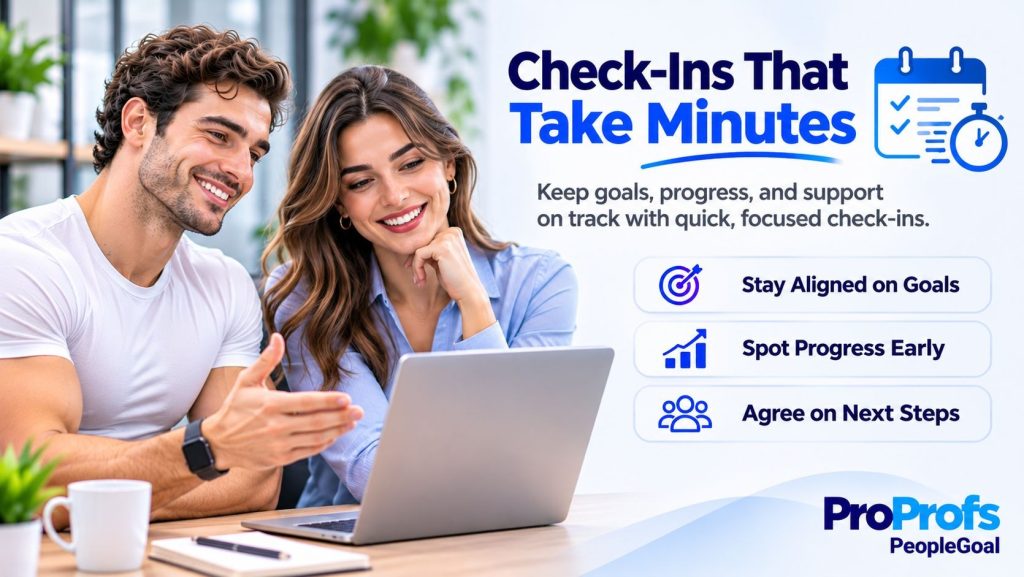
Regular manager conversations are the engine of year-round performance management. The software should make them easy to schedule, quick to prepare for, and simple to document, with notes and action items carried forward each time. Good check-ins are short, frequent, and focused on progress and blockers rather than formal evaluation.
What to look for:
- Templates for recurring one-on-ones and check-ins
- Notes and action items that carry forward automatically
- Reminders by email, Slack, or Microsoft Teams
- A check-in history managers can draw on at review time
3. Feedback From More Than One Direction
Performance looks different from different angles. Look for lightweight feedback and recognition between colleagues, plus structured multi-rater input when you need it. Platforms that support 360-degree feedback alongside everyday recognition give managers a fuller picture than their own observations alone.
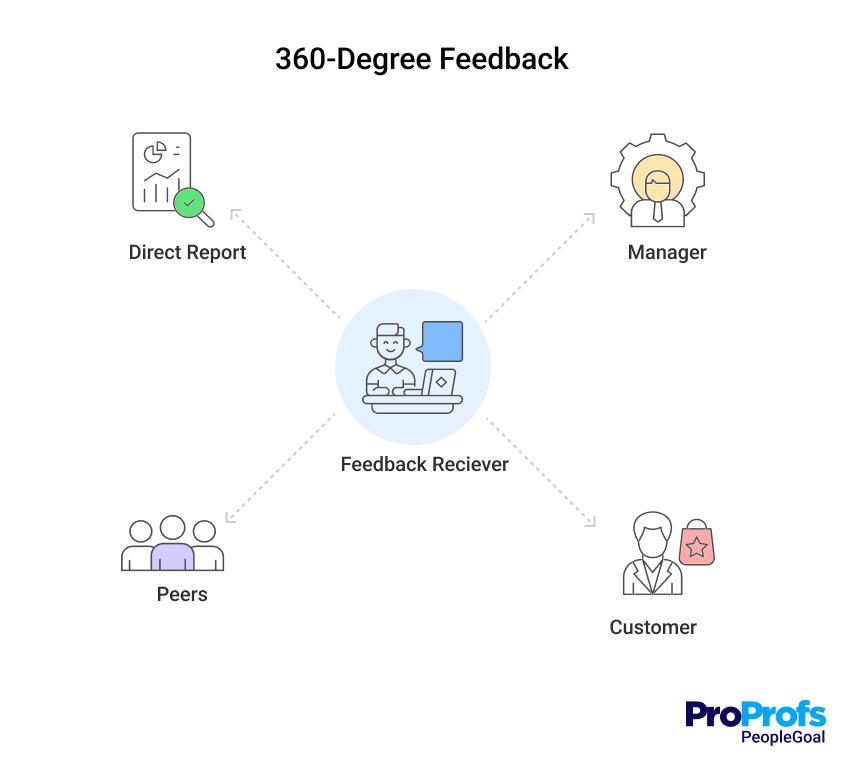
What to look for:
- Quick, informal feedback and recognition between colleagues
- Structured multi-rater feedback with anonymity controls
- Feedback linked to specific goals or projects
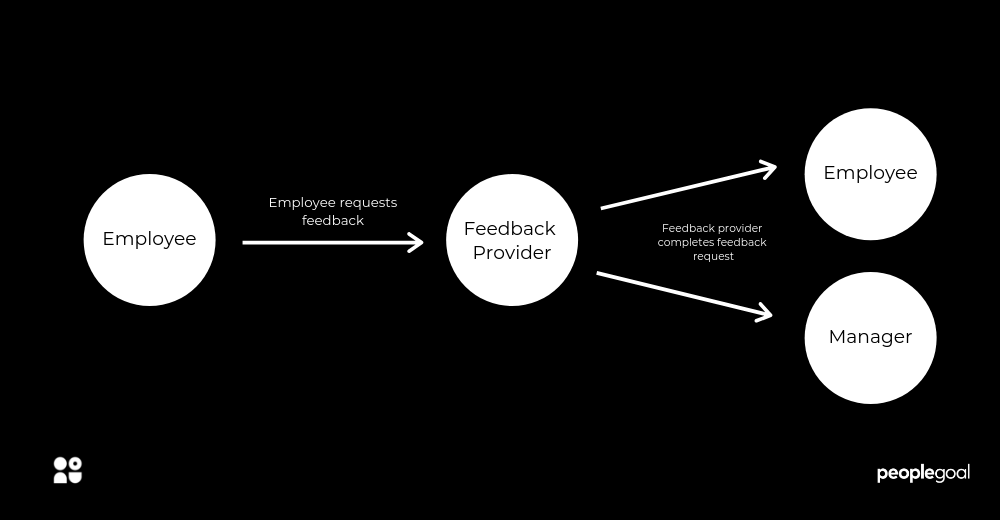
- The ability to request feedback, not just give it
4. Reviews Built From the Year’s Record
When review time arrives, the form should already contain goal progress, check-in notes, and feedback from the cycle, so managers aren’t writing from memory. Configurable review templates, rating scales, and workflows matter here too, because your process will change as you grow. Strong performance reviews are the summary of the year, not a separate event.
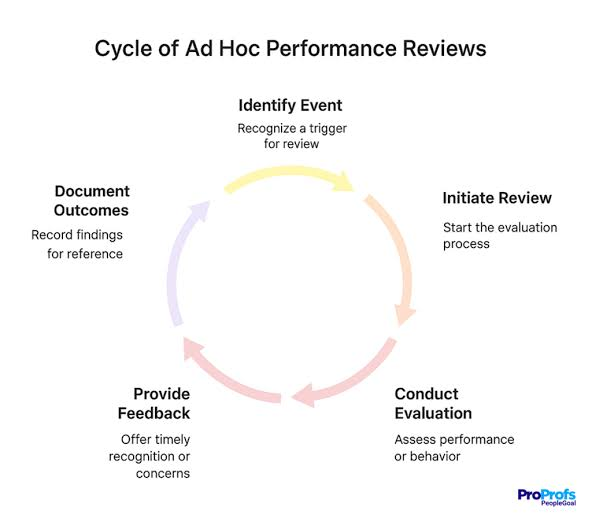
What to look for:
- Review forms that pull in goals, check-ins, and feedback automatically
- Configurable templates, rating scales, and reviewer roles
- Support for annual, quarterly, probation, and anniversary cycles
- Completion tracking so HR can see where reviews are stuck
5. Engagement Signals Alongside Performance
A strong performer whose engagement is dropping is a retention risk that ratings alone won’t reveal. Software that combines pulse surveys and sentiment with performance data lets HR spot problems early. Look for tools that connect performance and employee engagement data in the same view rather than in separate systems.
What to look for:
- Short, regular pulse surveys
- Engagement results that can be viewed by team and manager
- Alerts when engagement and performance trends move in different directions
- Anonymous responses with minimum group sizes
6. Development That Follows Feedback
Feedback that never turns into a plan is quickly forgotten. The software should let managers and employees create development goals straight from review outcomes and track progress between cycles. Platforms that support employee development plans, career paths, and skill tracking help keep growth on the agenda all year.
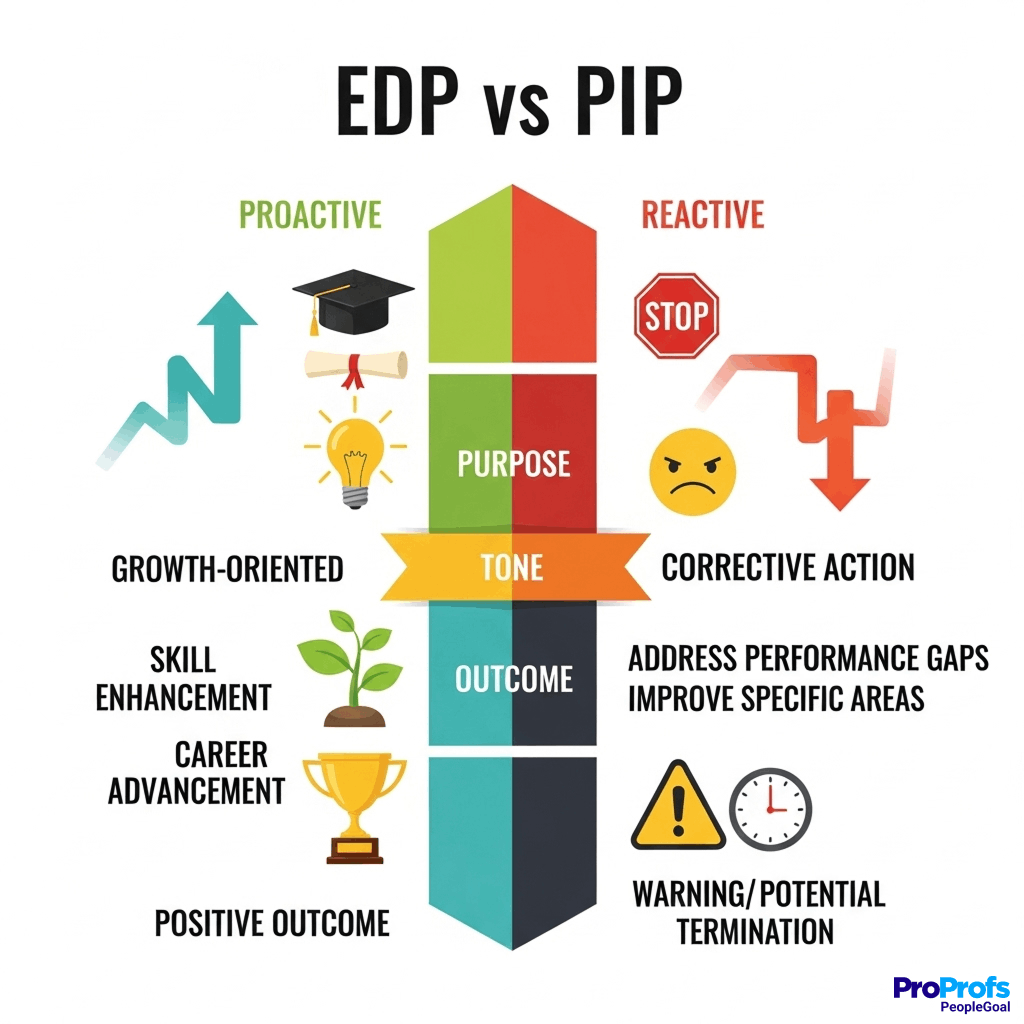
What to look for:
- Development goals created directly from review outcomes
- Career paths and skill tracking
- Links to learning resources or your learning platform
- Development progress reviewed during regular check-ins
How to Test Performance Management Software Adoption During a Free Trial
Demos show what a tool can do. Trials show what people will actually do with it. During a free trial or pilot with one team, track these five signals rather than relying on first impressions:
Weekly Active Managers
Count how many managers in the pilot log in at least once a week without being reminded. This is the best single predictor of company-wide adoption, because managers drive check-ins, goal updates, and feedback for their teams.
If only a few pilot managers are active each week, ask them what’s getting in the way before you blame the rollout.
Check-In Completion
Compare the check-ins that were scheduled with the ones that actually happened and were documented. A gap usually means check-ins take too long, notes are hard to record, or reminders arrive at the wrong time. All three are worth fixing during the trial, because they only get worse at scale.
Goal Updates
Look at how often goals are updated, and by whom. Healthy goals change as work progresses, updated by the people doing the work. If updates happen only when HR or a manager asks, the goal features aren’t fitting into people’s routines.
Feedback Volume
Track how much feedback and recognition people give without being prompted. Unprompted feedback is a strong sign the tool is easy enough to use in the moment. If almost all feedback arrives through formal requests, the everyday feedback features may be too hidden or too slow.
Time per Task
Time how long it takes to complete a check-in, update a goal, and give a piece of feedback. Anything that takes more than a few minutes will be skipped when people are busy. Ask pilot users to try these tasks on their phones as well as their laptops, since many quick actions happen on mobile.
Use the Results to Decide
If these signals are weak with a small, motivated pilot team, they’ll be weaker across the whole company. Choose the tool your managers actually use most, even if another option has a longer feature list, and share the pilot results with leadership to support your decision.
How to Choose Performance Management Software for Your Company’s Growth Stage
What good performance management looks like changes as you grow. Buy for the stage you’ll reach in the next two years, not just the one you’re in today.
| Company stage | What performance management looks like | Priorities in the software |
| Early stage (10 to 50 people) | Founders and a few managers, simple goals, informal feedback | Fast setup, simple goals, lightweight check-ins, low cost |
| Scaling (50 to 500 people) | New managers, more teams, the first formal review cycles | Configurable workflows, goal alignment across teams, HRIS sync, manager guidance |
| Established (500+ people) | Multiple departments, calibration, succession planning | Advanced reporting, calibration support, permissions, security, dedicated support |
Early Stage: Keep It Simple
With 10 to 50 people, performance management is mostly about clarity: shared goals, regular conversations, and fast feedback. Avoid heavy systems that need setup time you don’t have. A tool with simple goals, lightweight check-ins, and a basic review template is enough, as long as it can grow with you.
Scaling: Build Consistency
Between 50 and 500 people, informal habits stop working, because managers no longer know every employee personally and many managers are new to the role. This is where most companies outgrow spreadsheets. Prioritize configurable workflows, goal alignment across teams, HRIS sync, and in-app guidance that helps new managers run good check-ins and reviews.
Established: Add Depth and Control
With 500 or more people, performance data starts to inform decisions about promotions, succession, and workforce planning, which is where broader talent management capabilities become important. Look for advanced reporting, calibration support, detailed permissions, strong security, and a vendor that offers dedicated support.
Performance Management Software Integrations to Check: HRIS, Chat, Calendar, and SSO
Year-round performance management only works if it fits into the tools people already use every day. Four types of integration make the biggest difference:
HR System Sync
Employee lists, managers, and departments should update automatically from your HRIS tool. Without sync, every new hire, promotion, or reorganization has to be entered twice, and goal alignment and review workflows break when reporting lines change. Ask whether sync runs in real time or on a schedule, and which fields it covers.
Chat and Collaboration Tools
Reminders, check-in prompts, and quick feedback inside Slack or Microsoft Teams reach people where they already spend their day, which raises participation more than any email campaign. Check whether people can act directly from a message, such as giving feedback or updating a goal, or only get a link back to the platform.
Calendar
Check-ins and one-on-ones that sync with Google Calendar or Outlook are far more likely to happen. The best integrations add the meeting agenda and previous notes to the calendar invite, so managers walk in prepared.
Single Sign-On
Logging in with existing company credentials removes one more reason to skip the tool. Single sign-on also helps IT control access as people join or leave, which matters for sensitive performance data.
Questions to Ask About Integrations
Ask vendors which integrations are included in the base price and which cost extra, how long setup takes, and who maintains the connection if something breaks. Test at least one integration during your trial rather than relying on a logo on the website.
How Much Performance Management Software Costs and How to Compare Quotes
Pricing for year-round performance management depends on three things: which modules you need, how many people will use the system, and the contract terms.
Typical Price Ranges
Among vendors that publish prices, dedicated performance management plans typically cost $4 to $11 per employee per month, billed annually. HR suites that include performance management as part of a broader HRIS usually cost more, often $17 or more per employee per month, because you’re also paying for core HR. Enterprise platforms often share prices only after a sales conversation.
Why Modules Change the Price
For year-round use, modules matter more than the headline rate. Goals, check-ins, engagement surveys, 360 feedback, and development planning are sometimes sold separately, so a low starting price can grow quickly once you add everything your rhythm requires. Price the full set of capabilities you mapped earlier, not just the base plan.
Other Costs to Plan For
Beyond the subscription, budget for minimum contract charges, implementation or onboarding fees, training, and the internal time HR and managers will spend setting up and learning the system. Some vendors include onboarding and support in the price, while others charge separately.
How to Compare Quotes Fairly
Ask every vendor for a written quote at your exact headcount, with every module you need included, and compare the total first-year cost. Check billing terms too: most vendors require annual prepayment, and some offer lower rates for multi-year contracts.
And if you are looking to compare the best performance management software, this video will surely help a lot:
6 Mistakes to Avoid When Choosing Performance Management Software
Most failed software purchases aren’t caused by bad tools. They come from a handful of predictable mistakes during selection. Here are the six most common, and how to avoid each one.
1. Buying for Review Season Only
If every demo question is about review forms, you’ll end up with a tool that’s busy for one month and empty for eleven. Reviews matter, but they’re the summary of the year, not the year itself.
Give at least half your evaluation time to goals, check-ins, and feedback, and ask vendors to demo a typical week, not just review day.
2. Choosing a Rigid Platform
Your performance process will change as you grow: new teams, new goal frameworks, new review cadences. If every change needs the vendor’s help, the tool becomes a bottleneck, and HR starts working around it in spreadsheets.
Look for flexibility HR can manage itself, such as a no-code app builder for custom workflows, and ask vendors to make a live change to a template during the demo.
3. Leaving Managers Out of the Decision
HR usually signs the contract, but managers decide whether the software gets used. A tool that feels slow or confusing to managers will be quietly ignored, no matter how good the reporting looks to HR.
Include at least two managers in demos and the trial, ask them to complete real tasks, and weigh their feedback heavily in the final decision.
4. Turning Goals Into a Scorecard
Linking ratings or bonuses directly to goal completion encourages people to set safe targets they know they can hit. Over time, goals become a box-ticking exercise instead of a way to focus effort.
If you use OKRs, keep them as context for performance conversations rather than a pay formula. Our guide to OKR performance management explains how to keep the two connected without blurring them.
5. Paying for Surveillance Features
Some tools promise to track keystrokes, activity, or even emotions. These features erode trust quickly, and emotion recognition in the workplace is banned under the EU AI Act except for narrow medical and safety uses.
Focus on features that help people improve, such as clearer goals, better conversations, and useful feedback, rather than ones that watch them work.
6. Launching Without an Owner
Software doesn’t keep a performance rhythm going on its own. Without someone responsible, check-ins drift, templates go stale, and adoption slowly drops after the first few months.
Name someone in HR to own the process after launch: tracking adoption, coaching managers, gathering feedback, and adjusting templates as you learn.
Choose Performance Management Software That Works All Year
The best performance management software isn’t the one with the most impressive review module. It’s the one that keeps goals visible, makes check-ins easy, and turns feedback into development every week of the year, so that review season becomes a summary rather than a scramble.
Map your year-round rhythm, test adoption with a real team, and buy for the company you’re becoming. If you want one place to run that full rhythm, PeopleGoal combines goals, check-ins, feedback, engagement, development, and fully customizable reviews, starting at $4 per user per month. Try it free for 14 days.
Frequently Asked Questions
When should you move from spreadsheets or Google Docs to performance management software?
Usually once you pass about 20 to 30 employees or add a second layer of managers. That's when goals become hard to track across teams, feedback gets lost in email, and reviews take days of manual preparation. If HR spends more time chasing updates than improving the process, it's time to switch.
How long does it take to implement performance management software?
Most teams are up and running within a few weeks. PeopleGoal's average implementation, for example, takes between one and six weeks, depending on company size and requirements. Agreeing on your goal framework and check-in rhythm internally often takes longer than the technical setup.
Can performance management software replace an HRIS?
Not usually. An HRIS manages employee records, payroll, and time off, while performance management software handles goals, feedback, and reviews. Most companies run both and connect them, so employee data flows into the performance system automatically.
Does performance management software work for frontline or deskless employees?
It can, if you choose carefully. Look for mobile-friendly check-ins and feedback, access without a company email address, and short, simple forms. Some teams also run check-ins during shift handovers or team huddles, with managers logging notes afterward.
How often should employee goals be updated?
Progress should be updated at least monthly, and ideally during regular check-ins. The goals themselves should be revisited quarterly, or sooner if priorities change. Goals that are set once and left alone until review time quickly stop reflecting the real work.
Are AI features worth paying for?
They can be, for specific tasks like summarizing feedback, drafting review text, and preparing check-in agendas. They're only useful when there's a solid year-round record to work from, so prioritize core habits first. Our guide toAI in performance management covers where AI helps and where it falls short.
How do you get senior leaders to use the software?
Ask leaders to go first. When executives set their own goals in the system, hold documented check-ins with their direct reports, and refer to the platform in meetings, managers follow. Leaders who stay outside the tool send the message that it's optional.
What security features should performance management software have?
At minimum: encryption of data in transit and at rest, single sign-on, role-based permissions that control who sees reviews and feedback, and compliance with the data protection laws that apply to your employees. Ask vendors for their security certifications and where your data is stored.
Should employees have access to their own performance data?
Yes, in most cases. Employees should see their goals, feedback they've received, and review history, and be able to add their own perspective throughself-assessments. Visibility builds trust and reduces surprises at review time.
What's the biggest sign you've chosen the wrong software?
Low usage between review cycles. If managers only log in when HR sends reminders, and goals are updated only before reviews, the software isn't supporting year-round performance. Revisit your setup, simplify workflows, or reconsider the tool before renewing.
Ready to 3x Your Teams' Performance?
Use the best performance management software to align goals, track progress, and boost employee engagement.