
Picture opening your engagement software renewal and realizing you can’t compare the price to anything, because it was never made public. That’s the moment plenty of WorkTango users start wondering what else is out there. WorkTango (formerly Kazoo) mixes employee surveys with recognition and rewards, and plenty of teams like it. But a few worries keep nudging people toward WorkTango alternatives: limits on points and rewards, reporting that feels dated, and a wish for a tool that connects feedback to real goals and reviews.
The best WorkTango alternatives depend on what you need most. Some teams want deep survey research, others want a huge rewards catalog, and others want recognition and feedback tied to goals, reviews, and development. This guide sorts 10 options by what each one does best, so you can match a tool to the job instead of guessing.
I’ve spent years helping HR teams compare, launch, and replace people tools, so I know the questions that come up. Will managers use it every week? Does it do more than collect scores? To build this list of WorkTango competitors, I compared features, checked user ratings, and read what reviewers complained about. By the end, you’ll know which one deserves your free trial.
Why Switch From WorkTango?
A study by the Achievers Workforce Institute in 2025 found that only 23% of employees feel meaningfully recognized at work, and 71% of undervalued employees are job hunting compared with 28% of highly appreciated ones. That’s why a recognition and feedback tool that feels clunky or hard to act on can cost you good people. WorkTango holds a 4.7 out of 5 on G2 from more than 1,300 reviews, so plenty of people like it. Still, a few themes keep coming up on review sites like Capterra when teams start looking at WorkTango competitors:
- Pricing isn’t public. Capterra lists all three WorkTango plans as “contact vendor,” so you need a sales call just to get a number. One Capterra listing also mentions a minimum annual contract of $8,750.
- Rewards can get expensive. Reviewers on GetApp and Capterra say reward prices feel high, and one said the cost seems steep when you also pay for incentives on top.
- Points have limits. Capterra’s review summary says some employees want more points, faster redemption, and a wider list of stores.
- Reporting feels dated. One reviewer called parts of the reporting antiquated, and another said the look of the app is very simple.
- Updates can bring bumps. A long-time customer said a recent upgrade caused failed redemptions and slow fixes, which pushed them to look around.
- Performance tools aren’t the core. G2’s comparison data shows rivals like Culture Amp offer performance management and learning features that WorkTango doesn’t provide natively.
- It leans bigger. About 43% of Capterra reviewers are from enterprises and 31% from midsize companies.
None of this makes WorkTango a bad choice. It’s a solid pick for mid-sized and larger teams that want surveys, recognition, and a global rewards catalog under one login. But if you want clearer prices, lower reward costs, or recognition that connects to goals and reviews, one of the tools below may fit better.
10 Best WorkTango Alternatives
Before we dig into the details, here’s a quick look at how each WorkTango competitor compares on use case, price, and rating.
| Tool | Best For | Starting Price | G2 Rating |
| PeopleGoal | Best fully customizable platform for performance reviews, OKRs & employee development | Free plan available. Paid plans start at $4/user/month. | 4.5/5 |
| Culture Amp | Research-backed engagement surveys | Custom quote | 4.5/5 |
| Lattice | Reviews, goals, and engagement with public pricing | From $4/seat/month | 4.6/5 |
| Leapsome | Modular talent suite for growing teams | Custom quote | 4.8/5 |
| Motivosity | Recognition plus manager coaching tools | Custom quote | 4.7/5 |
| Bonusly | Free, fast recognition inside Slack and Teams | Free plan. Team plan from $3/user/month. | 4.7/5 |
| Awardco | Budget control and a global rewards network | Custom quote | 4.9/5 |
| Workhuman | Enterprise social recognition | Custom quote | 4.7/5 |
| Workleap | Simple pulse surveys with light recognition | From $5/user/month | 4.3/5 |
| Qualtrics EX | Enterprise-grade survey analytics | Custom quote | 4.4/5 |
1. PeopleGoal: Best Fully Customizable Platform for Performance Reviews, OKRs & Employee Development
I started by trying to bend PeopleGoal out of shape, and it kept adjusting instead of pushing back. Review forms, workflows, permissions, and dashboards were all configurable, so I shaped a review cycle around how the team already worked instead of the other way around. Multi-manager reviews, weighted performance measures, and review cycle tracking lived in the same setup, which made it feel like a tool built for teams with real process.
Goals were where the platform felt most alive. I wrote an OKR, hung a couple of SMART goals under it, and added weekly tasks, and progress rolled up as people updated their pieces. Check-ins and social recognition sat in the same space, so a quick thank-you landed right beside the goal it related to. For growth, 30-60-90 development plans, skills assessments, and succession planning gave managers a map that went well beyond the next review.
The listening tools rounded things out. I built a pulse survey from the question library, tried the anonymous feedback flow, and checked exit surveys and custom dashboards for the bigger picture. 360-degree feedback let me pick raters for each review, and onboarding and offboarding checklists kept HR tasks in one place. Role-based permissions and connections to ADP, BambooHR, Asana, and Outlook (Capterra lists 14 integrations in total) meant data didn’t scatter across other apps.
Pros:
- Reshape review cycles with multi-manager reviews and weighted performance measures.
- Track OKRs, SMART goals, and weekly tasks in one place.
- Run pulse surveys, anonymous feedback, and exit surveys.
- Plan growth with 30-60-90 development plans, skills assessments, and succession planning.
- Connect HR tools such as ADP, BambooHR, Asana, and Outlook.
Cons:
- No downloadable or on-premise version.
- No dark mode for the user interface.
G2 Rating: 4.5/5
Pricing:
Free plan available. Paid plans start at $4/user/month.
2. Culture Amp: Best for Research-Backed Engagement Surveys
The moment Culture Amp won me over was opening a heatmap right after a survey closed. Scores were split by team and by group, and minimum-group rules kept small teams from being singled out, so I could look at patterns without exposing anyone.

Starting a survey was easy because more than 40 templates were ready, covering engagement, onboarding, exit, inclusion, and short pulse checks. Benchmarks showed how our numbers compared with other companies, and an AI helper called AI Coach summarized open comments into themes and drafted action plans for managers.
Outside surveys, Perform added goals, 1:1 templates, and review cycles, and Develop added career paths and growth plans. Shoutouts handled light recognition, though it doesn’t come close to a full rewards program. The catch is that pricing isn’t posted and the admin side asks for some patience, so I’d test your own team structure during a demo.
Pros:
- Launch engagement and pulse surveys from research-based templates.
- Track eNPS and compare results with benchmarks.
- Add performance reviews, calibration, and OKR tracking as separate modules.
- Plan careers with growth goals and development paths.
Cons:
- Recognition is lighter than on rewards-first tools.
- Costs grow as you add more modules.
G2 Rating: 4.5/5
Pricing:
Custom quote.
3. Lattice: Best for Reviews, Goals, and Engagement With Public Pricing
A Monday morning 1:1 is where Lattice earned its place for me. Agendas, notes, and action items sat in one thread, weekly updates flowed in from the team, and feedback and praise could be added without opening another app. Public Q&A boards gave people a place to ask leadership questions, which made the whole thing feel like a management routine instead of a form to fill out.
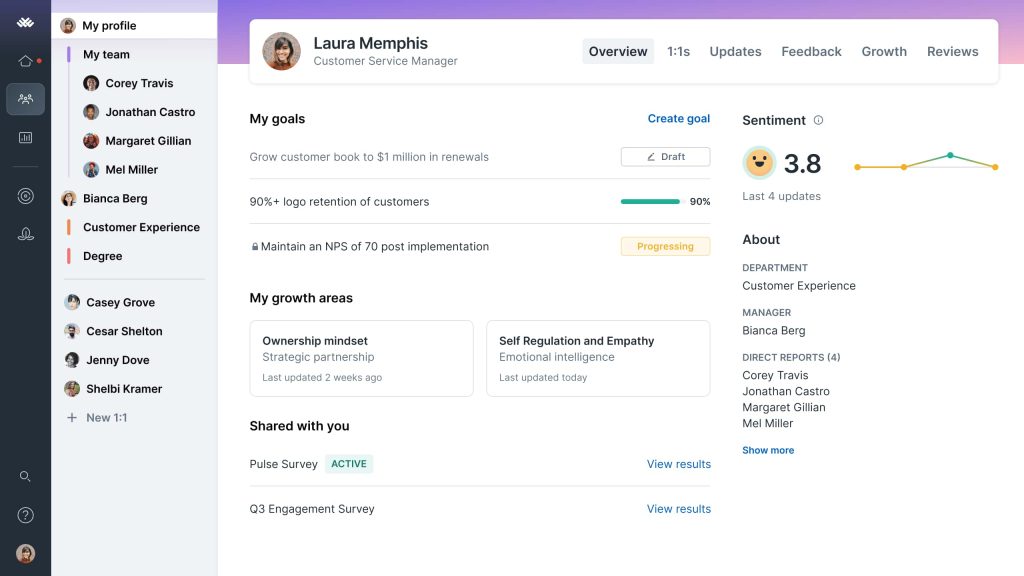
Review season was the strongest part. Cycles could be annual, quarterly, or project-based, and the AI drafted review write-ups from a manager’s own 1:1 notes, feedback, and goals, so nobody started from a blank page. Calibrations, talent reviews, succession planning, and improvement plans were all there for HR, and Goals & OKRs fed straight into the same reviews.
Slack, Microsoft Teams, Jira, and Okta connections kept reminders and goal progress flowing where people already worked. Compensation planning with pay bands and a Grow module for development were optional extras, so the total price depended on how many pieces I stacked. Recognition felt like a side feature next to reviews.
Pros:
- Mix and match modules for reviews, goals, and engagement.
- Run 1:1s, weekly updates, and feedback in one place.
- Set Goals & OKRs alongside performance reviews.
- Add compensation and growth tools later if you need them.
Cons:
- Recognition and rewards are lighter than on rewards-first tools.
- Billing is annual, and smaller teams may hit a minimum yearly spend.
G2 Rating: 4.6/5
Pricing:
Starts at $4/seat/month.
4. Leapsome: Best for a Modular Talent Suite
Leapsome greeted me with a long menu of modules, and I’ll admit I almost got lost. Once I picked a starting point, the pieces clicked together. Reviews covered 360 feedback, self-assessments, and leadership reviews, with an AI writing assistant to help managers phrase their comments. Goals and OKRs came with alignment views, so I could see how one person’s objective connected up to the company’s.
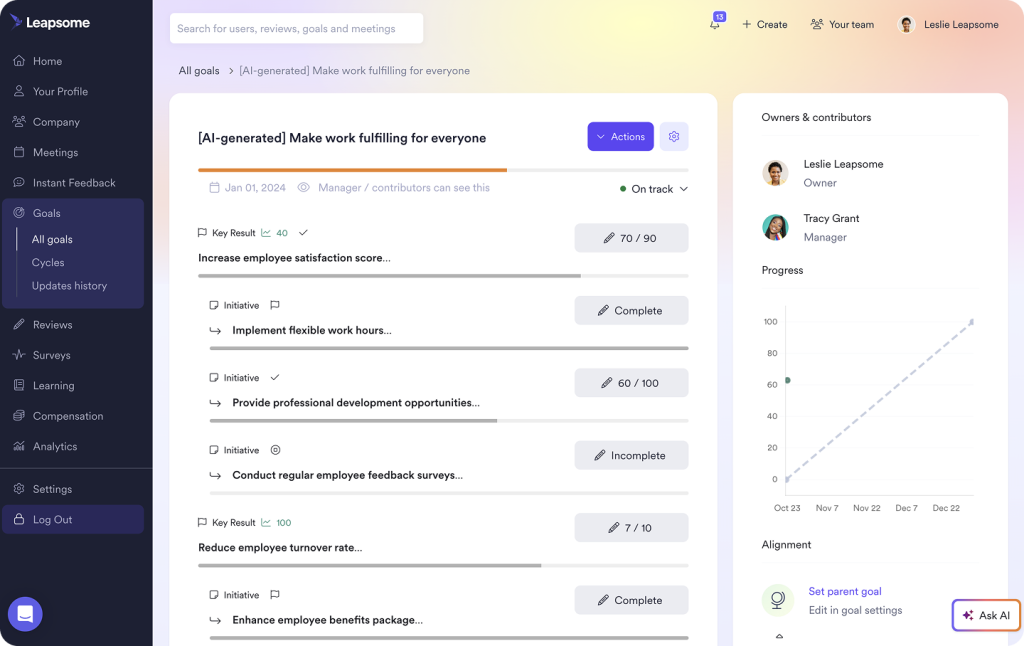
Surveys sat in the same system, with AI sentiment analysis and suggested actions, so engagement scores could be read right next to performance data. Learning ran through a built-in course platform that supports SCORM and xAPI, and compensation used market benchmark data. Instant feedback and meeting tools came with every plan.
Small touches added up: support for 38 languages, turnover prediction in the analytics, and an AI copilot that answers policy questions. The catch is price. There’s no public list, and quotes are built per module, so the 14-day free trial was handy for testing the basics before I talked to sales.
Pros:
- Pick only the modules you need, from reviews to learning to compensation.
- Tie goals and OKRs directly to review cycles.
- Run engagement and pulse surveys in the same system as performance data.
- Hold 1:1s with shared notes and praise in one place.
Cons:
- No public price list, and quotes are built per module.
- Recognition is not built around a big rewards catalog.
G2 Rating: 4.8/5
Pricing:
Custom quote.
5. Motivosity: Best for Recognition Plus Manager Coaching Tools
A video message from a teammate was the first thing I noticed in Motivosity, and it set the tone. Recognition could be a written note, a short video, or a spot bonus, and employees could cash out in gift cards, real money, curated gifts, or donations to charity. Automatic celebrations for birthdays and work anniversaries meant those moments didn’t depend on someone remembering.
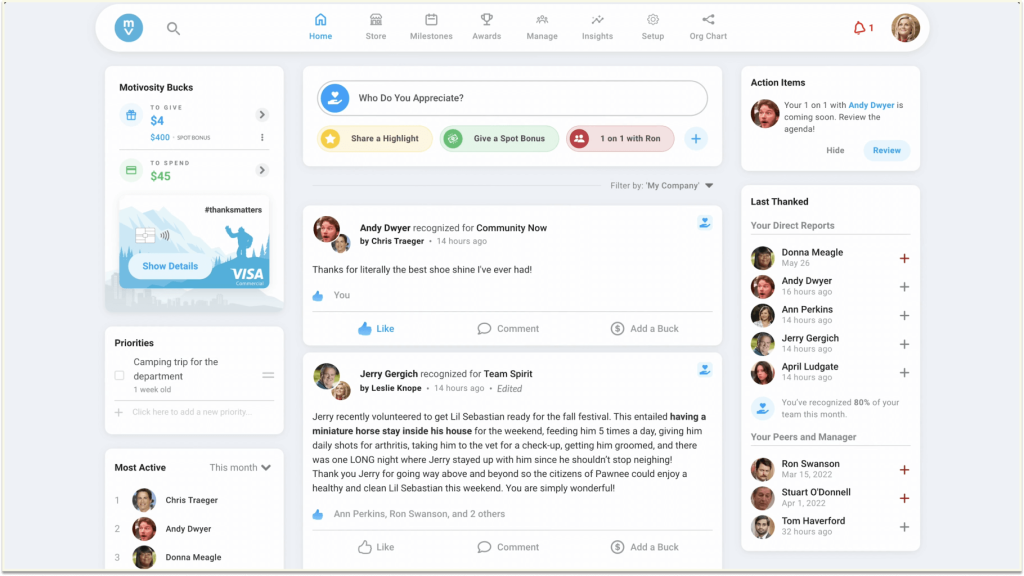
Managers got more than a thank-you box. There were 1:1 tools, coaching prompts, and team goal tracking, which gave leaders a reason to log in beyond handing out praise. Industry bundles added extras too, such as service shoutouts for healthcare teams and nomination awards for financial services.
Reporting was the weaker side. Reviewers describe confusing dashboards and unclear leaderboards, and pricing is shared only on request, so I’d ask to see the reports in a demo before signing. Remember that cash and bonus spending sits on top of the license fee.
Pros:
- Send spot bonuses and rewards in gift cards, cash, gifts, or donations.
- Automate birthday and work anniversary celebrations.
- Give managers 1:1 tools, coaching prompts, and team goal tracking.
- Share video recognition messages for a personal touch.
Cons:
- Some reviewers find the reporting dashboards and leaderboards confusing.
- Bonus spending adds to the platform fee.
G2 Rating: 4.7/5
Pricing:
Custom quote.
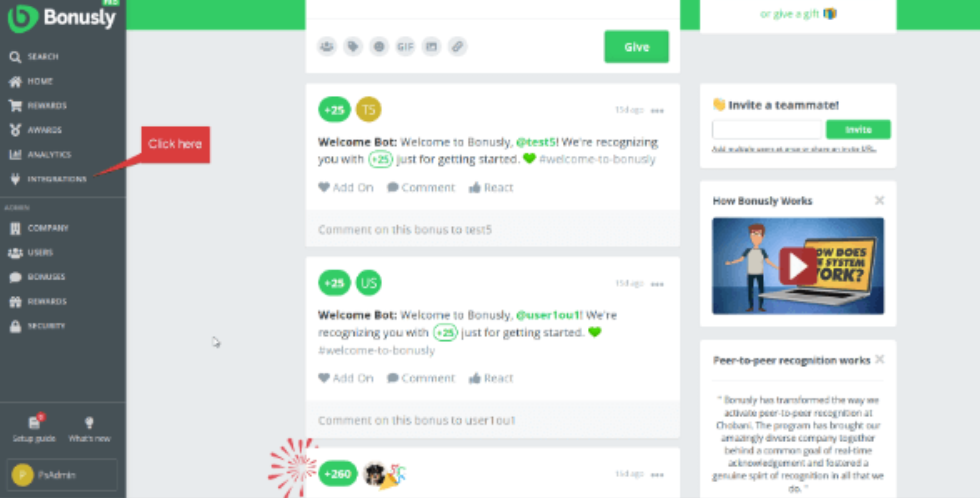
6. Bonusly: Best for Free, Fast Recognition in Slack and Teams
Free got my attention before any feature did. Bonusly’s free plan covers up to 8 users and includes peer recognition, 1:1s, pulse checks, performance recaps, and Slack and Teams links, so I could run a real trial with a small group without a purchase order.
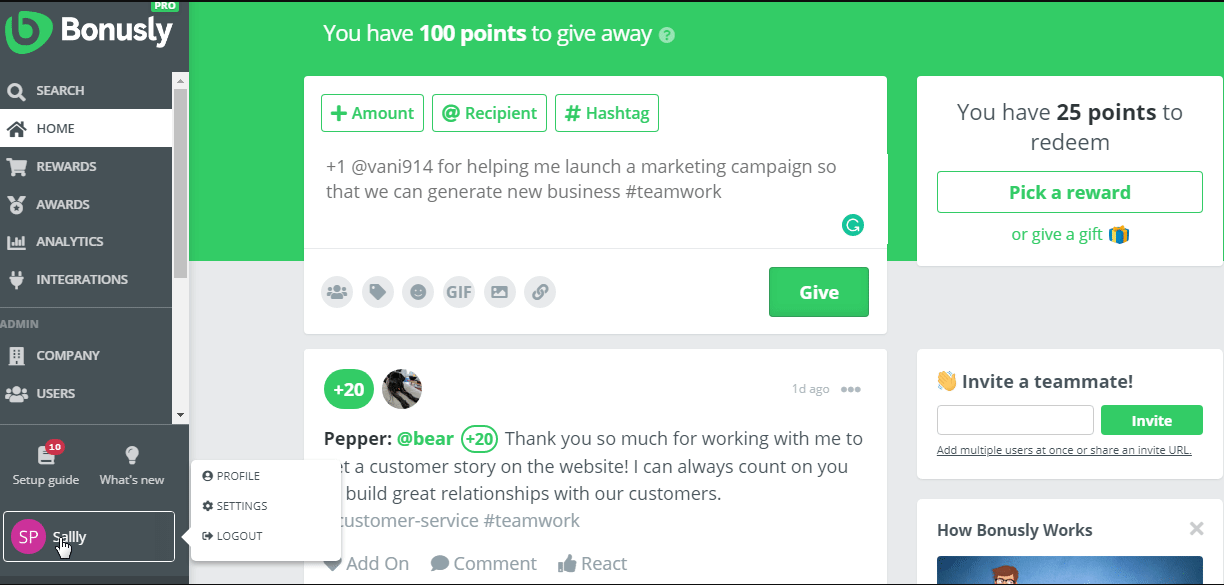
Day to day, recognition lived inside chat. A shout-out took a few seconds, company values could be tagged, and rewards came as gift cards and similar options at face value. The Team plan added smart 1:1 agendas, unlimited recaps, manager alerts, and deeper pulse analytics, which turned a thank-you app into a light management habit.
An AI add-on called Bizy offers writing help for an extra monthly fee. Reviewers do warn that per-user prices can climb and that lower plans feel limited, and rewards are paid for separately.
Pros:
- Give shout-outs from inside Slack and Teams.
- Attach company values to every recognition.
- Run 1:1s with smart agendas and manager alerts on the Team plan.
- Redeem points for rewards without a markup.
Cons:
- The reward budget sits on top of the per-user price.
- Lower plans feel limited to some reviewers.
G2 Rating: 4.7/5
Pricing:
Free plan for up to 8 users. Paid plan starts at $3/user/month.
7. Awardco: Best for Budget Control and a Global Rewards Network
I tested Awardco by playing three roles: a manager, an employee, and the finance person watching the budget. As the manager, I had an allowance to give out. As the employee, I browsed a catalog of rewards. As finance, I set point budgets by team, role, or goal and could see where every dollar went. Having all three views in one system was a relief.
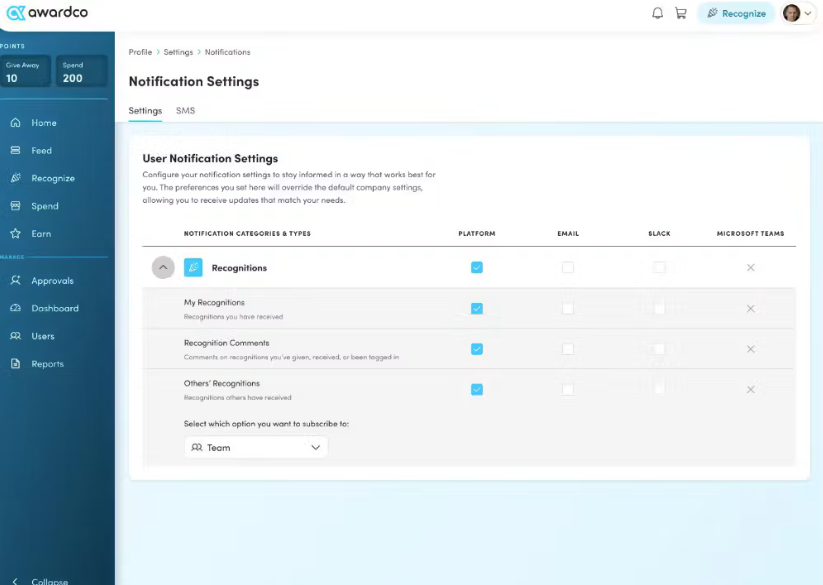
Programs came in several flavors. I set up spot recognition, service awards, and even wellness and safety programs, each with its own rules. Rewards ran through a partnership with Amazon Business with no markups on prices, which kept points feeling honest.
Slack, Teams, and Outlook let people give recognition without switching apps, and text message and kiosk options reached people who don’t sit at a desk. Reviewers say budget and routing setup can be admin-heavy, so I’d plan a proper kickoff. It also doesn’t cover goals, reviews, or surveys, which makes it a recognition specialist.
Pros:
- Set point budgets by team, role, or objective.
- Reward people through a large catalog with no markups.
- Send recognition from Slack, Teams, or Outlook.
- Reach deskless teams through text message and kiosk options.
Cons:
- Budget and routing setup can be admin-heavy.
- Goals, reviews, and surveys aren’t included.
G2 Rating: 4.9/5
Pricing:
Custom quote.
8. Workhuman: Best for Enterprise Social Recognition
Workhuman’s recognition feed read more like a company newsletter than a thank-you wall. Messages came with photos and videos, colleagues in other offices could join in, and points earned could be spent in a rewards marketplace. The company has served customers since 1999, and that experience showed in how polished the whole thing felt.
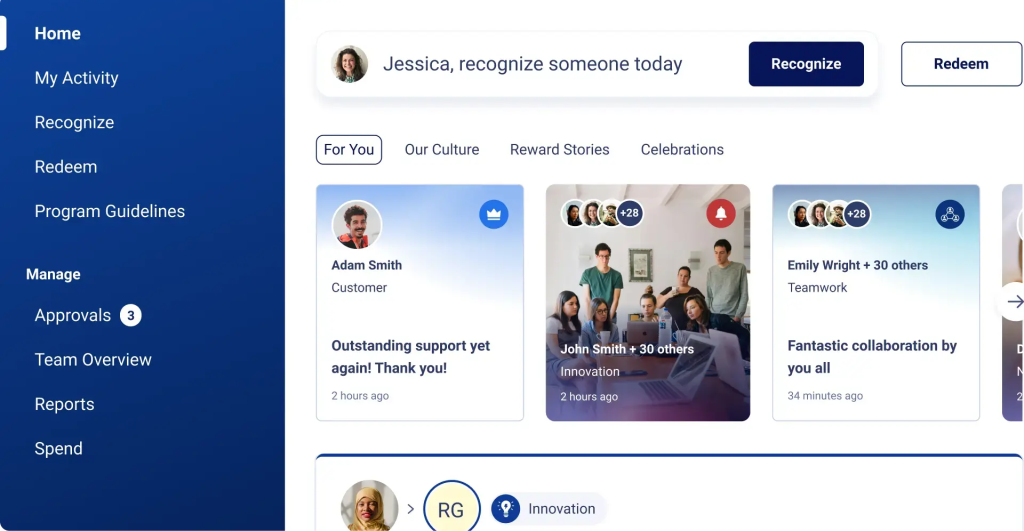
Two add-ons stood out. Conversations let anyone ask for or give feedback to any colleague at any time, and iQ turned recognition data into insights about culture and teamwork. Work anniversaries and personal milestones got their own celebration flows. For program ideas, see our list of employee recognition ideas.
Scale came with strings attached. Around 79% of its reviewers are from enterprise companies, so smaller teams may find it heavy. Some reviewers mention gift card hiccups, a complicated points system, and worries about reward catalog pricing. Pricing is quote-only, so expect a sales process and a larger rollout than with a lightweight tool.
Pros:
- Share thanks with messages, photos, and videos in a public feed.
- Ask for and give feedback any time with Conversations.
- Spot culture trends with Workhuman iQ insights.
- Celebrate work anniversaries and other milestones.
Cons:
- Built for enterprises, so smaller teams may find it heavy.
- Some reviewers report gift card and points system frustrations.
G2 Rating: 4.7/5
Pricing:
Custom quote.
9. Workleap: Best for Simple Pulse Surveys and Light Recognition
Workleap’s Officevibe kept its promises small, and I came to like that. Pulse surveys went out automatically, custom surveys covered topics like onboarding and inclusion, and anonymous feedback and messaging let people raise a hand without putting a name on it. A peer recognition feature called Good Vibes handled thank-yous in a light, friendly way.
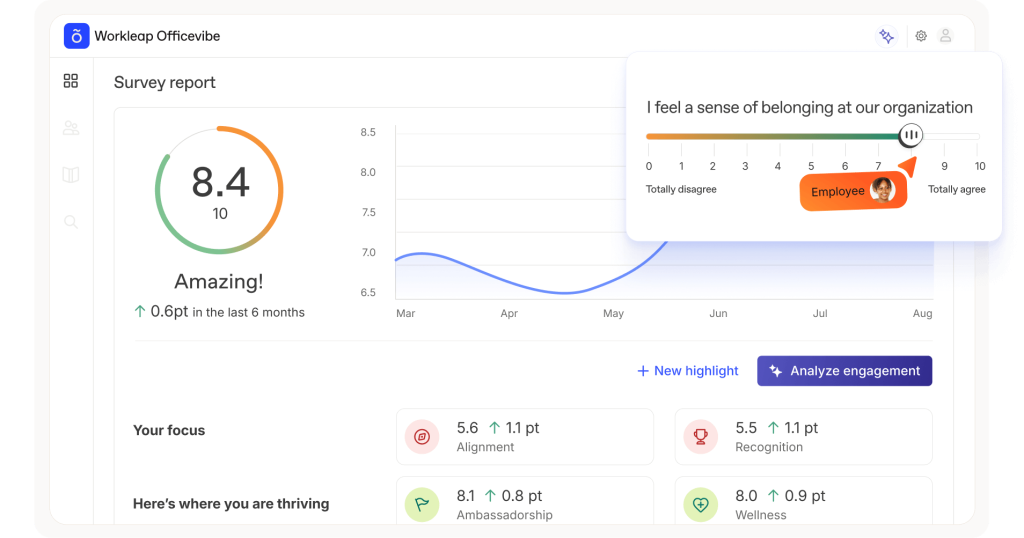
Setup stayed short. It connected with Slack, Microsoft 365, and Google tools, and users could be created automatically from an HR system. eNPS and engagement metrics showed up in simple reports that I could walk leaders through in a few minutes.
When I wanted reviews, a separate Performance plan added a review cycle builder and manager review forms, and a bundle of the two costs $9 per user per month. Recognition stays basic, with no rewards catalog, and one pricing guide mentions a 10-user minimum, so very small teams pay for seats they don’t use.
Pros:
- Run automated pulse surveys and custom surveys.
- Collect anonymous feedback and messages.
- Send peer recognition with Good Vibes.
- See eNPS and engagement metrics in simple reports.
Cons:
- Recognition is simpler than on rewards-first tools.
- There is no large rewards marketplace.
G2 Rating: 4.3/5
Pricing:
Starts at $5/user/month.
10. Qualtrics EX: Best for Enterprise-Grade Survey Analytics
Qualtrics handed me a blank canvas, and that was both its gift and its challenge. Surveys could be built with flexible question types and logic, results arrived in real time, and 360 feedback tools sat next to the engagement surveys. Almost half of its reviewers are from enterprise teams, which matches the heavy-duty feel.
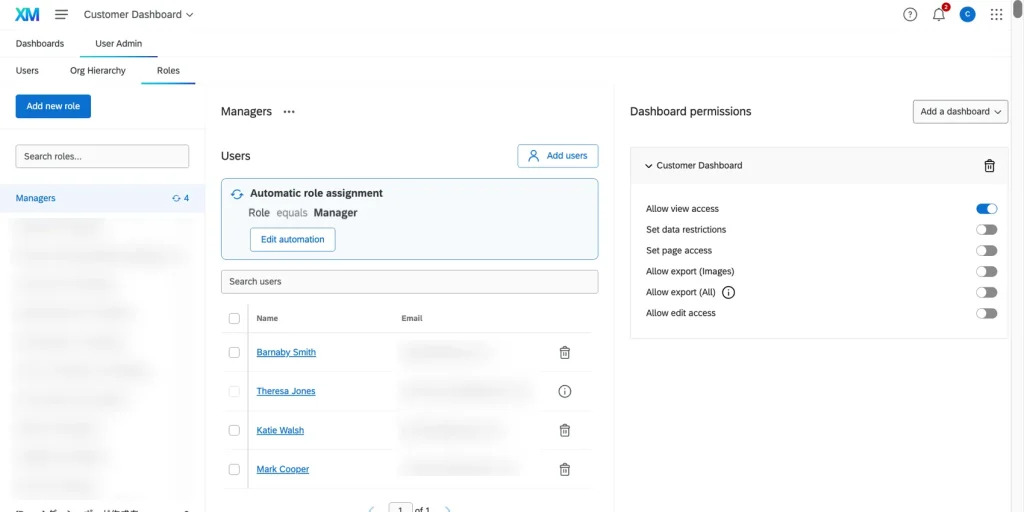
Analysis was the highlight. I could slice answers by group, watch trends move as responses came in, and shape reports for different audiences. If you plan to write your own survey, this guide to employee engagement survey questions gives you a starting set to adapt.
It asks more of you than any other tool here. Reviewers say it takes longer to see a return and costs more than WorkTango, and there’s no rewards program at all. Because it’s a data tool first, I wouldn’t choose it for a team that wants light, everyday recognition.
Pros:
- Build detailed surveys with flexible question design.
- See results in real time as responses come in.
- Gather 360 feedback alongside engagement surveys.
- Customize surveys and reports for complex organizations.
Cons:
- Reviewers say it’s slower to reach a return and more expensive.
- It has no rewards program.
G2 Rating: 4.4/5
Pricing:
Custom quote.
How I Evaluated These Tools
Choosing engagement software is a lot like buying running shoes. They all look great in the box, but the real test comes a few weeks in. So instead of ranking tools by how many features they list, I asked how each one holds up once the launch buzz fades. Here’s what I looked at:
- User Reviews / Ratings: I start with review scores from platforms like G2, then read the complaints first. The things people dislike usually show where a tool will frustrate you down the road.
- Core Features & Functionality: I check the basics for WorkTango competitors: surveys, peer and manager recognition, rewards, reporting, and integrations. Our guide on how to choose performance management software covers the bigger picture.
- Ease of Use: I pay attention to small moments, like how fast I could send a first shout-out, launch a first survey, or find a report.
- Customer Support: I look at how quickly and clearly the vendor helps when something breaks, not how polished the sales call sounds.
- Value for Money: I compare the price page with what you’re likely to pay once reward budgets, add-on modules, and minimum contracts enter the picture.
- Personal Experience / Expert Insights: Wherever I can, I rely on hands-on time and on conversations with HR peers who have run these programs themselves.
My Top 3 Picks for WorkTango Alternatives
After going through all 10, three stood out as the best WorkTango alternatives for most teams. The right one depends on what you want to happen after the survey is sent or the thank-you is posted.
1. PeopleGoal
PeopleGoal is my top pick because it connects recognition and surveys to goals, reviews, and development, so feedback leads somewhere instead of sitting in a report. A shout-out could sit next to an OKR, a pulse survey result could feed a 1-to-1 conversation, and the pricing was published, so there was no waiting on a quote. With a free plan and paid plans from $4 per user per month, it’s easy to try before you commit.
2. Culture Amp
Culture Amp takes second place for teams that care most about listening well. Its research-based survey templates, eNPS, and benchmarks made results easy to explain, and its separate modules for reviews and development let me grow into more over time.
3. Awardco
Awardco is my third pick if rewards and budgets are your top concern. Point budgets by team, a huge no-markup catalog through Amazon Business, and recognition inside Slack and Teams made it simple to run a program across a large, spread-out workforce.
Find WorkTango Alternatives That Turn Feedback Into Action
Moving on from WorkTango isn’t about throwing away what worked. It’s about finding a platform where prices are clear, rewards don’t quietly eat your budget, and employee feedback turns into action. The best WorkTango alternatives are the ones your managers and employees will open every week, not just during survey season.
Think about what happens at your company after a survey closes or a thank-you is posted. If the honest answer is “not much,” a tool that links feedback to goals, reviews, and development may serve you better. If rewards variety or deep survey research is your top priority, a specialist like Awardco or Culture Amp could be the better call. Our overview of performance management software can help you see how these pieces fit together.
Whatever you choose, run one real cycle before you sign for the year. If you want a tool that bends around the way your team already works, PeopleGoal‘s free plan is a low-effort way to test the fit, and its published pricing shows what you’d pay as you grow.
Build a Feedback and Recognition Habit That Sticks With a Better WorkTango Alternative
Frequently Asked Questions
What Is WorkTango Used For?
WorkTango (formerly Kazoo) is an employee engagement platform that combines employee surveys, peer and manager recognition, and a rewards catalog. HR teams use it to run pulse and engagement surveys, celebrate work anniversaries and wins, and let employees redeem points for gift cards and other rewards. It's sold as separate surveys, recognition, or combined experience plans, all priced by quote.
Why Do Teams Switch Away From WorkTango?
Teams most often cite unposted pricing, reward costs on top of the license, limits on points and redemption, and reporting that feels dated. Some also want performance reviews and goals in the same tool, which WorkTango doesn't provide natively. None of these is a dealbreaker for every team, but together they explain why many compare alternatives before renewing.
What Is the Best Alternative to WorkTango?
For surveys and recognition connected to goals, reviews, and development, PeopleGoal is my top pick, with a free plan and published pricing from $4 per user per month. Culture Amp is a strong choice for research-based engagement surveys, while Awardco works well for teams that care most about reward budgets and a large catalog.
What Is the Best Free Alternative to WorkTango?
PeopleGoal offers a free plan, and Bonusly has a free plan for up to 8 users. Both let you test the basics without a contract. WorkTango doesn't list a free version or a free trial on Capterra, so you'd need a sales call and a quote before trying it. Workleap's Officevibe also offers a free trial, though its paid plans start at $5 per user per month.
Is PeopleGoal Cheaper Than WorkTango?
WorkTango doesn't publish its pricing, so a direct comparison needs a sales call. PeopleGoal has a free plan, and its paid plans start at $4 per user per month, so you can see the cost before you talk to anyone. One Capterra listing for WorkTango mentions a minimum annual contract of $8,750, which is worth confirming in your own quote.
Which WorkTango Competitor Has the Biggest Rewards Catalog?
WorkTango lists more than 10 million reward options. Awardco is the closest rival to compare, since it partners with Amazon Business and says its rewards carry no markups. Workhuman also runs a dedicated rewards marketplace. Before you decide, check how much of the catalog your employees would actually use, and whether points convert at a fair rate.
Which WorkTango Alternative Works Best for Small Teams?
Bonusly's free plan (up to 8 users), Workleap's Officevibe at $5 per user per month, and PeopleGoal's free plan are all easy places to start. Each lets a small team try the basics without a big contract. Our guide to performance management software for small business goes deeper on what to look for when budgets are tight.
Can One Tool Handle Surveys, Recognition, and Reviews?
Yes, but few do all three well. PeopleGoal pairs recognition and surveys with OKRs, reviews, 360-degree feedback, and development plans in one platform. Lattice and Leapsome cover surveys and reviews in depth, while their recognition features are lighter. If recognition and rewards matter most, a rewards-first tool like Awardco may still be the better fit, even without reviews.
How Long Does It Take to Switch From WorkTango?
PeopleGoal's pricing page says implementation takes about 1 to 6 weeks, depending on company size and needs. Lighter tools like Bonusly can be up and running much faster, since you can start on a free plan. To make the move smoother, export your recognition history and survey results first, and launch the new tool with one team before rolling it out company-wide.
What Should I Look for in a WorkTango Alternative?
Look for clear pricing, reward costs you can predict, survey depth that fits your needs, and chat integrations your team already uses. Also check whether feedback ties into goals and reviews, as our guide to measuring employee engagement explains. Ask each vendor for a trial or demo, and test one real survey and one recognition cycle before you sign for the year.
Ready to 3x Your Teams' Performance?
Use the best performance management software to align goals, track progress, and boost employee engagement.