
HR Software usually becomes urgent when growth exposes every weak spot in your people processes. I remember our team crossing 60 people and suddenly watching spreadsheets, Word docs, and manual follow-ups fall apart.
Reviews stalled. Onboarding became inconsistent. Managers missed feedback deadlines.
According to Deloitte’s 2025 Global Human Capital Trends, 73% of executives said the biggest challenge in determining the value of technology investments was the inability to define the right metrics.
That is exactly why I learned to look beyond polished demos and long feature lists.
In this guide, I’ll cover what HR software is, the main types, how to choose the right one, and my hands-on review of 10 HR software tools worth considering.
What Is HR Software?
Here is why getting this right matters before you book a single demo:
- Saves you from a bad purchase: Buying a full HR management software suite when you only needed a performance tool means paying for and configuring features nobody uses.
- Speeds up rollout: Knowing your category narrows 40 tools down to 5, so you spend your evaluation time on real fit, not generic browsing.
- Protects your existing stack: If your payroll or core HR is already handled, you avoid ripping and replacing a system that works fine.
- Sets the right expectations with leadership: When you can say exactly what problem this software solves, budget approval gets a lot easier.
10 Best HR Software for Managing Your Workforce
I have used or closely reviewed every tool on this list, and I picked them based on real fit for growing teams, not just brand recognition. This video breaks down the top options by use case.
Here is my honest take on each one.
| Tool | Best For | Pricing | User Rating |
| PeopleGoal | Fully Customizable Performance Reviews, OKRs & Employee Development | 14-day free trial. Paid starts at $4/user/month | 4.5/5 (G2) |
| BambooHR | All-in-One HRIS for Small and Mid-Sized Teams | $10/employee/month | 4.4/5 (G2) |
| Gusto | Payroll and HR Combined for Small Business | Starts at $49/month plus $6 per person | 4.6/5 (G2) |
| Rippling | Unified HR, IT, and Payroll Platform | Custom quote | 4.8/5 (G2) |
| Zoho People | Budget-Friendly HRIS With Strong Customization | Starts at $1.25/user/month | 4.4/5 (G2) |
| Paylocity | HR and Payroll for Mid-Market Companies | Custom quote | 4.4/5 (G2) |
| HiBob | Employee Experience and Engagement at Scale | Custom quote | 4.5/5 (G2) |
| ADP Workforce Now | Payroll and Compliance for Growing to Large Teams | Custom quote | 4.2/5 (G2) |
| Deel | Global Hiring, Payroll, and Compliance | Starts at $14/worker/month | 4.7/5 (G2) |
| Namely | Mid-Market HR With a Strong Benefits Focus | Starts at $9/employee/month | 3.9/5 (G2) |
1. PeopleGoal – Best for Fully Customizable Performance Reviews, OKRs & Employee Development
I brought PeopleGoal in when our performance reviews had turned into a once-a-year scramble nobody took seriously. What changed things for me was how the whole platform ties together goals, 360-degree feedback, and one-to-ones, all live in one system instead of three disconnected tools.
I built OKRs at the company, team, and individual level, then watched progress update weekly instead of chasing status over email. The 360-degree feedback setup let me pull in peers, managers, and external collaborators into one review cycle, something most tools I tried before could not do.
What sold me long-term was the customization. I designed my own workflows for onboarding and reviews without touching a line of code, and it plugged straight into BambooHR and Slack, so adoption took days. With 500+ integrations and a 4.5-star rating, this is genuinely the best HR software for connecting performance, engagement, and development in one place.
Pros:
- OKRs, 360 feedback, and reviews live in one system, cutting tool switching
- No-code custom workflows for onboarding and attendance, built without dev help
- Multi-rater 360 feedback pulls in peers and managers for a fuller picture
- 500+ integrations, including BambooHR and Slack, for fast, low-friction adoption
Cons:
- No downloadable or on-premise version
- Dark UI mode is not available
User Rating: 4.5/5 (G2)
Pricing: 14-day free trial. Paid starts at $4/user/month
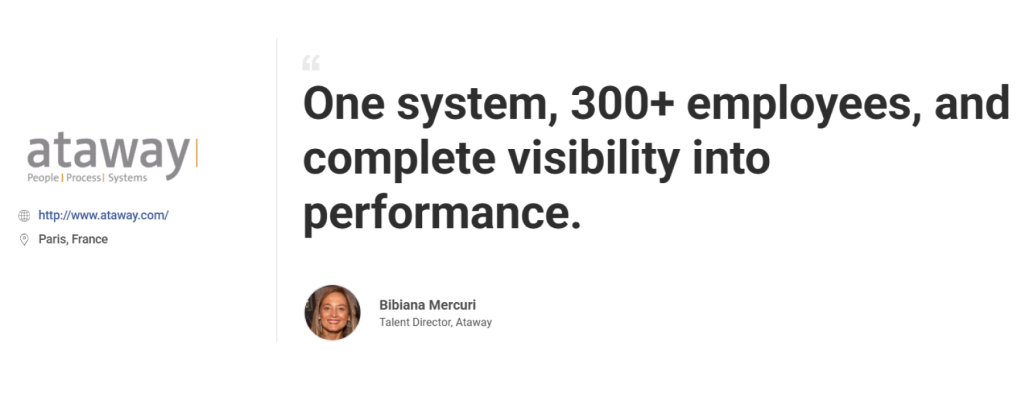
Ataway brought performance management for 300+ employees into one system with PeopleGoal, giving HR a clearer view of goals, progress, and overall performance.
2. BambooHR – Best for All-in-One HRIS for Small and Mid-Sized Teams
A friend of mine running a 70-person nonprofit switched to BambooHR after years of managing employee files across folders and email threads, and the difference was immediate for her team. Every employee record, from hire date to time-off balance, sits in one searchable profile instead of scattered documents across five different drives.
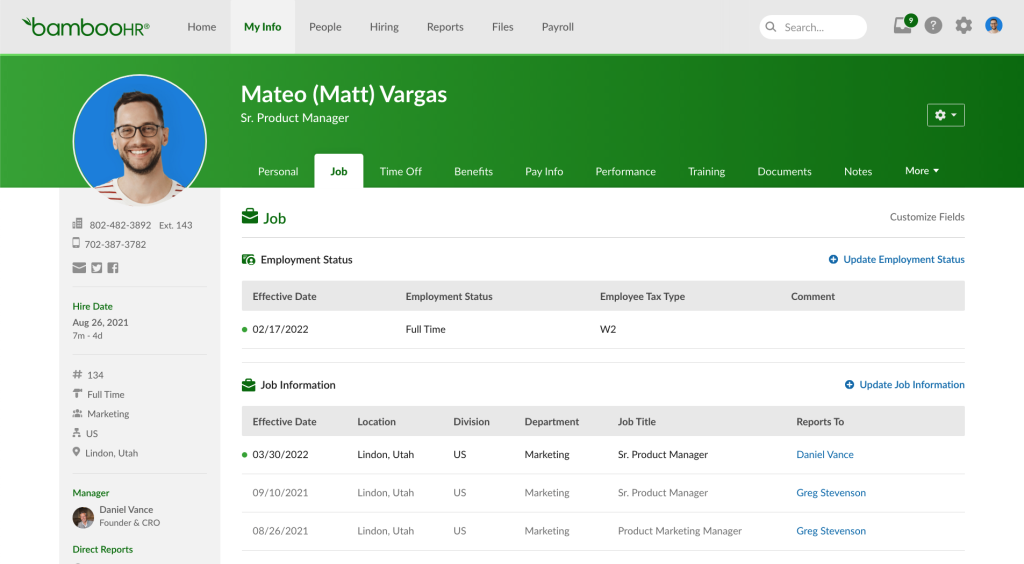
She mentioned how easy it became for managers to pull up a report without pinging HR for a spreadsheet export every single time. The applicant tracking piece handles the full hiring pipeline, so candidates move from application to offer without anyone switching tools mid-process.
Where it falls a little short is performance management, which stays fairly basic compared to dedicated goal-tracking platforms built for that purpose. Still, for a team that mainly needs clean records, time-off tracking, and a simple onboarding flow, it gets the fundamentals right without overwhelming a small HR team with features they will never touch.
Pros:
- Centralized records give managers self-service access without pinging HR
- Built-in applicant tracking speeds candidates from application to offer
- Reports generate in minutes, cutting out manual spreadsheet exports
- Clean, simple interface helps smaller HR teams onboard fast
Cons:
- Performance management features are fairly basic
- Time tracking and advanced reporting need add-on modules
User Rating: 4.4/5 (G2)
Pricing: $10/employee/month
3. Gusto – Best for Payroll and HR Combined for Small Business
Talking to small business owners who run Gusto, the thing they bring up first is always payroll, because it genuinely takes the dread out of running it every single cycle. Taxes get filed automatically in every state Gusto supports, and new hires can be onboarded with e-signatures before their first day even starts.
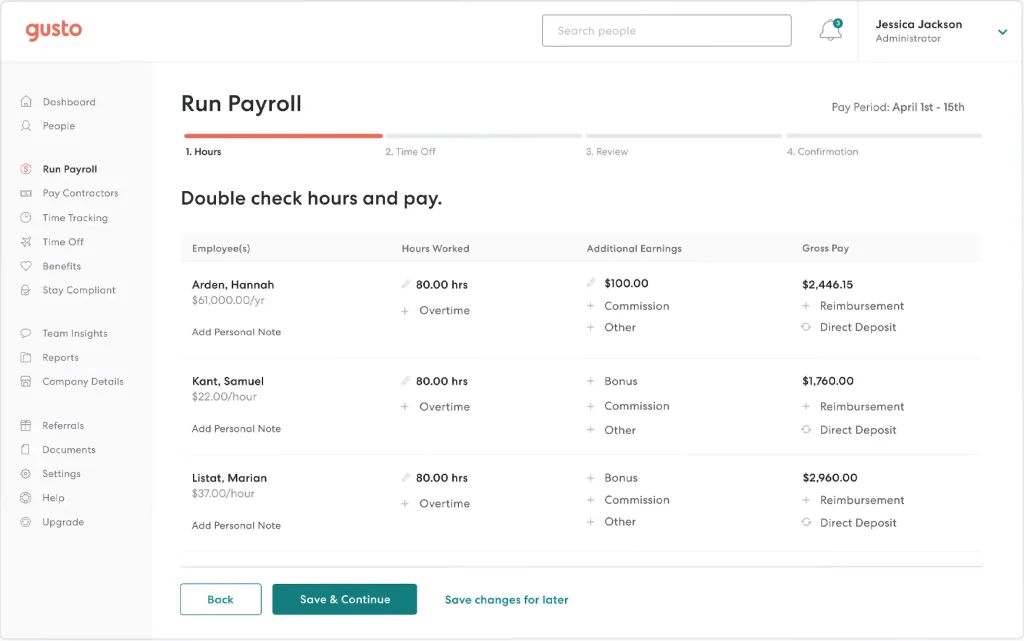
Benefits administration sits right next to payroll, so health insurance and 401k contributions do not require a separate vendor relationship on the side. What people like most is how guided the whole setup feels, since most competitors bury payroll configuration behind confusing steps that take days to untangle.
The tradeoff is that HR features beyond payroll stay fairly thin, and employee training runs through third-party apps rather than natively inside the platform. For a small team where payroll accuracy matters more than deep performance tools, Gusto handles the basics without any surprises showing up along the way.
Pros:
- Guided payroll setup gets new accounts running in days, not weeks
- Automatic tax filing across states removes manual compliance work
- Built-in benefits sit next to payroll, skipping a separate vendor
- E-signature onboarding lets new hires finish paperwork before day one
Cons:
- Employee training runs through third-party integrations
- Not ideal for businesses needing deep performance management
User Rating: 4.6/5 (G2)
Pricing: Starts at $49/month plus $6 per person, billed monthly
4. Rippling – Best for Unified HR, IT, and Payroll Platform
What stood out when I looked into Rippling for a client was how it treats HR, IT, and finance as a single connected system rather than three separate purchases from three different vendors. A new hire gets their laptop provisioned, their software access granted, and their payroll set up through a single onboarding flow, which solves the IT-versus-HR silo problem that many growing teams constantly run into.
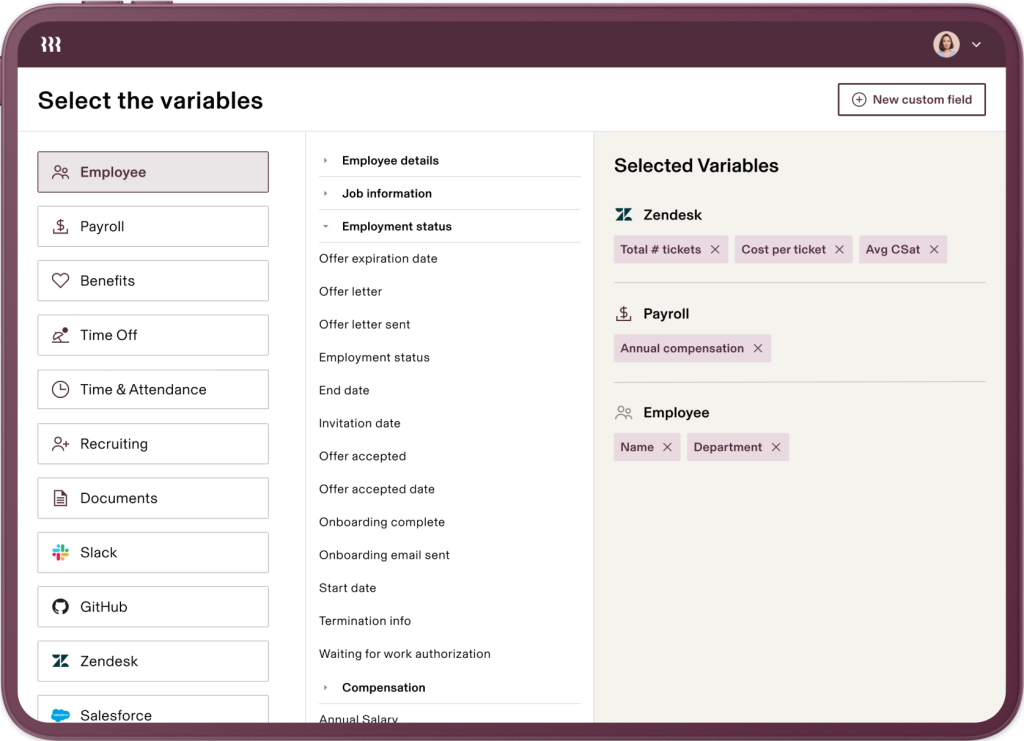
Compliance monitoring runs in the background across devices, so security policies get enforced without manual follow-up from IT every quarter. Payroll covers all 50 US states plus international employees, which matters if your team is already distributed across regions.
The learning curve is real, though, since the platform has enough depth that new admins need a few weeks to feel fully comfortable. For a company that wants device management, payroll, and HR under one roof, Rippling is hard to beat on breadth alone.
Pros:
- One platform for HR, payroll, and IT cuts down on tool switching
- Automated onboarding provisions laptops and access without manual IT tickets
- Payroll across 50 states and abroad supports distributed teams easily
- Background compliance monitoring flags device risks without manual checks
Cons:
- More complexity than very small teams may actually need
- Steeper learning curve for new admins
User Rating: 4.8/5 (G2)
Pricing: Custom Quote
5. Zoho People – Best for Budget-Friendly HRIS With Strong Customization
I recommended Zoho People to a founder who needed core HR features without a heavy, drawn-out rollout process, and the lightweight setup for a very small team made it an easy first tool to try. As the team grew, custom workflows became available to configure without a developer, which matters when you do not have IT resources to spare.
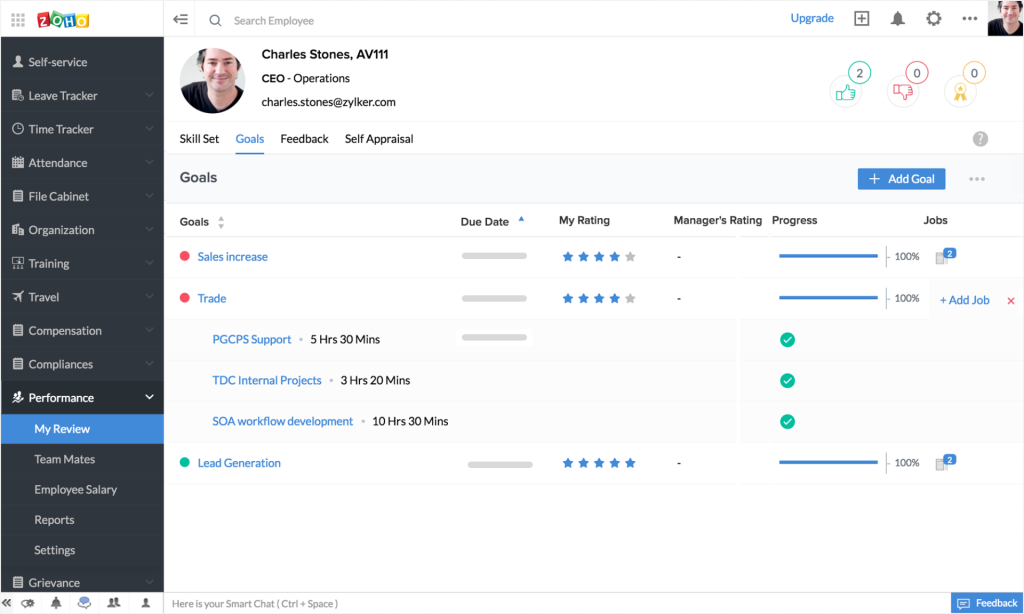
Attendance tracking, leave management, and a basic performance module cover most day-to-day HR needs without feeling bloated or overbuilt. Because it integrates with the broader Zoho suite, teams already using Zoho CRM or Zoho Books experience smoother data flow across departments.
The interface feels a little dated next to newer competitors, and support response times can lag during busy periods. For lean teams that want flexibility over polish, it delivers solid day-to-day functionality without a steep learning curve or a long onboarding process for admins.
Pros:
- Lightweight setup lets very small teams get running in days
- No-code custom workflows adapt the system without developer time
- Smooth Zoho ecosystem integration keeps CRM and HR data in sync
- Built-in attendance and leave tracking skip extra add-on tools
Cons:
- Interface feels dated compared to newer platforms
- Support response times can lag during peak periods
User Rating: 4.4/5 (G2)
Pricing: Starts at $1.25/user/month
6. Paylocity – Best for HR and Payroll for Mid-Market Companies
A People Ops lead I spoke with moved her 300-person company to Paylocity mainly to fix a messy compensation and benefits process, and the unified platform approach made that transition smoother than she expected going in.
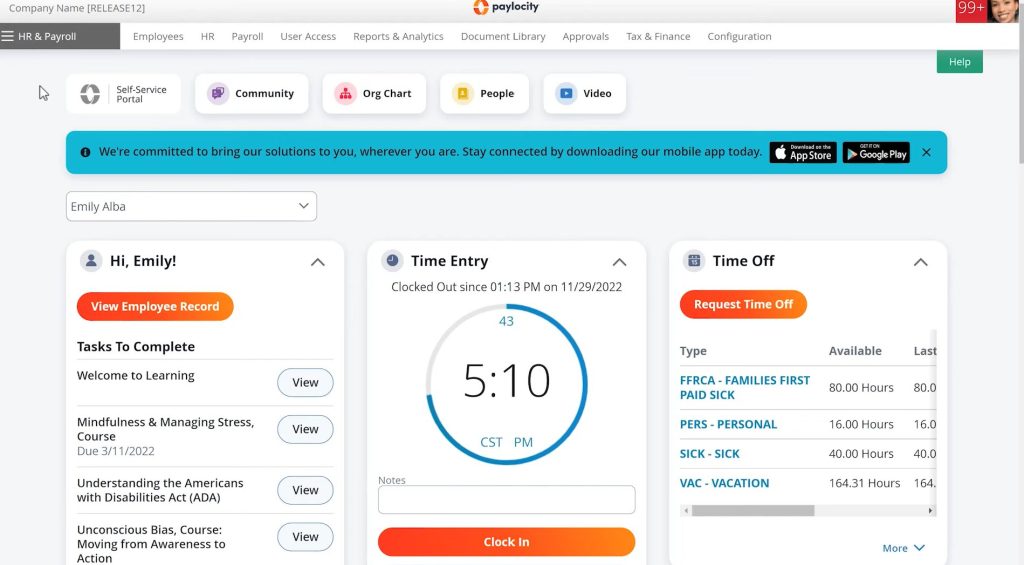
Payroll, benefits, and talent management all sit inside one system, so strategic decisions get made with one consistent data set instead of stitching together exports from three separate tools. The talent management piece includes hiring, onboarding, and performance reviews, which covers a lot of ground for a mid-sized HR team without needing extra vendors.
Employee self-service handles most routine requests, freeing HR from answering the same questions over and over again. Where it gets more demanding is initial setup, since configuring the platform to match your specific workflows takes real time upfront. For a mid-market company ready to invest that setup time, the payoff is a genuinely unified system that scales cleanly as headcount grows.
Pros:
- Unified payroll and talent data avoids stitching together separate exports
- Employee self-service cuts routine requests landing on HR’s desk
- Talent management spans hiring through reviews in a single workflow
- One consistent data set makes compensation decisions easier to justify
Cons:
- Initial setup and configuration takes significant time
- Less suited to very small teams without dedicated HR support
User Rating: 4.4/5 (G2)
Pricing: Custom Quote
7. HiBob – Best for Employee Experience and Engagement at Scale
HiBob kept coming up in conversations with HR leaders who cared more about culture and engagement than pure administrative efficiency, and it is easy to see why once you look past the surface.
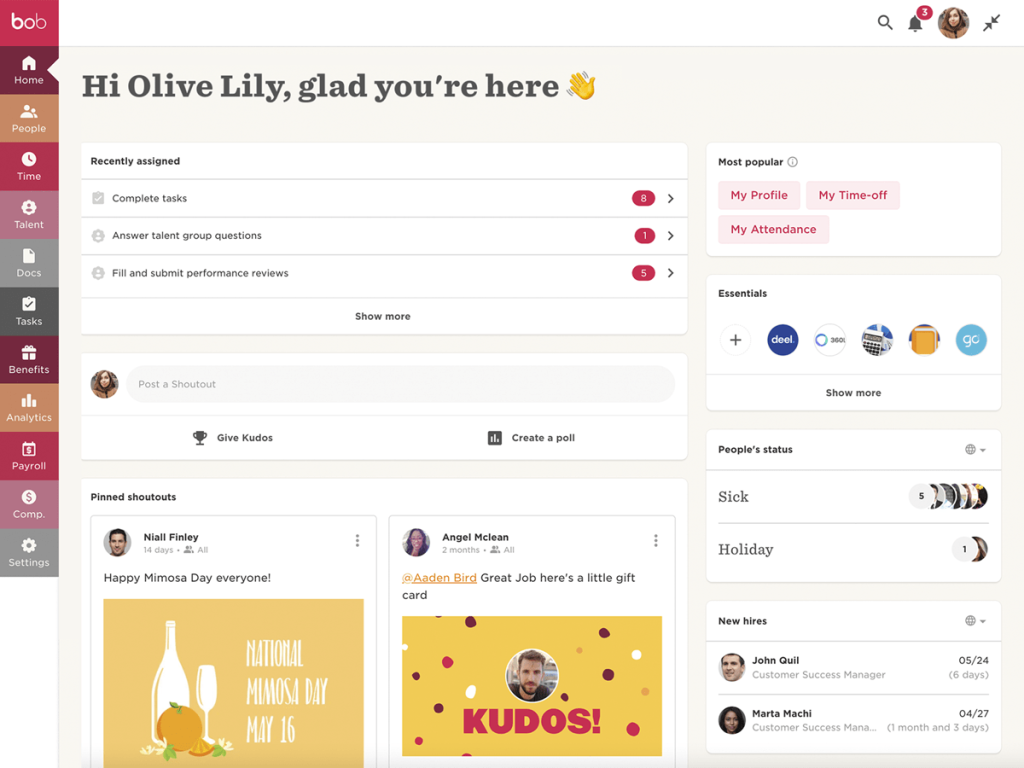
The platform is built around a social, almost consumer-app feel, with a news feed style home page that makes checking in on company updates feel natural rather than forced or corporate. Compensation management ties directly into performance data, so pay conversations are grounded in actual outcomes instead of guesswork at review time.
People analytics surface engagement trends and flight risk before they quietly become retention problems, which matters for any growing team trying to reduce turnover. The tradeoff is that reporting customization and some workflow depth lag behind more specialized tools built for that purpose. For a company that wants a platform employees actually enjoy opening every day, HiBob earns its reputation among growing, culture-focused teams.
Pros:
- Social, newsfeed-style interface keeps employees engaged day to day
- Compensation links directly to performance data for grounded pay talks
- People analytics flag attrition risk early, before it becomes an issue
- Culture and engagement tools sit built in, not bolted on later
Cons:
- Reporting customization is more limited than specialized tools
- Best suited for mid-size to larger teams
User Rating: 4.5/5 (G2)
Pricing: Custom Quote
8. ADP Workforce Now – Best for Payroll and Compliance for Growing to Large Teams
Every HR director I know who has scaled past a few hundred employees eventually has an ADP conversation, mostly because compliance gets genuinely complicated once a company reaches that size. ADP Workforce Now handles multi-state and increasingly complex tax and labor law requirements with a depth that newer, flashier tools have not fully matched yet.
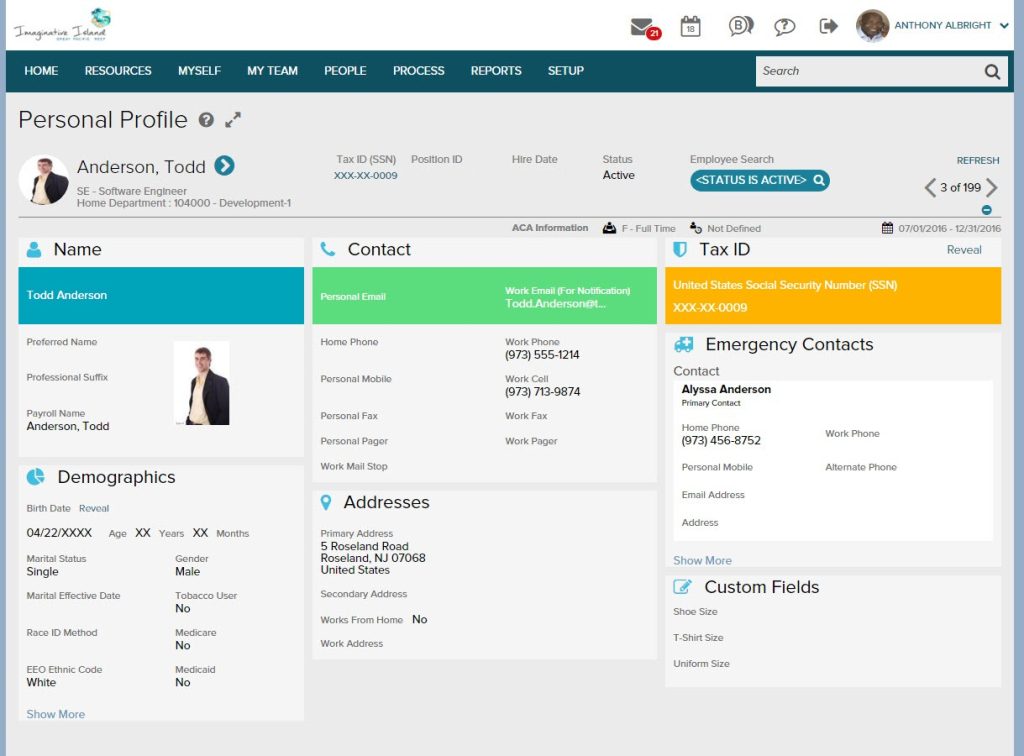
Payroll processing includes built-in ACA compliance support, which takes a real burden off HR teams navigating healthcare regulations on their own. Benefits administration and time tracking sit inside the same platform, reducing the need for separate point solutions as headcount continues to climb.
The interface feels more dated than modern competitors, and the sheer breadth of features means training new admins takes real patience and time before things click. For a company prioritizing rock-solid compliance over a sleek interface, ADP remains a safe, proven choice at scale, even today, and support teams know the regulatory landscape cold.
Pros:
- Deep ACA and multi-state tax support removes compliance guesswork
- Payroll, benefits, and time tracking in one system cut vendor sprawl
- Decades of enterprise use mean fewer surprises at scale
- Support teams know complex regulations, so escalations resolve faster
Cons:
- Interface feels dated compared to newer competitors
- Steep learning curve for new admins
User Rating: 4.2/5 (G2)
Pricing: Custom Quote
9. Deel – Best for Global Hiring, Payroll, and Compliance
I watched a fast-growing startup use Deel to hire its first international contractors, and what impressed the founder most was how it handled compliance in countries where they had zero legal expertise on staff at all. Contracts get generated automatically in line with local labor law, and payments go out in local currency without the founder needing to understand foreign tax codes himself.
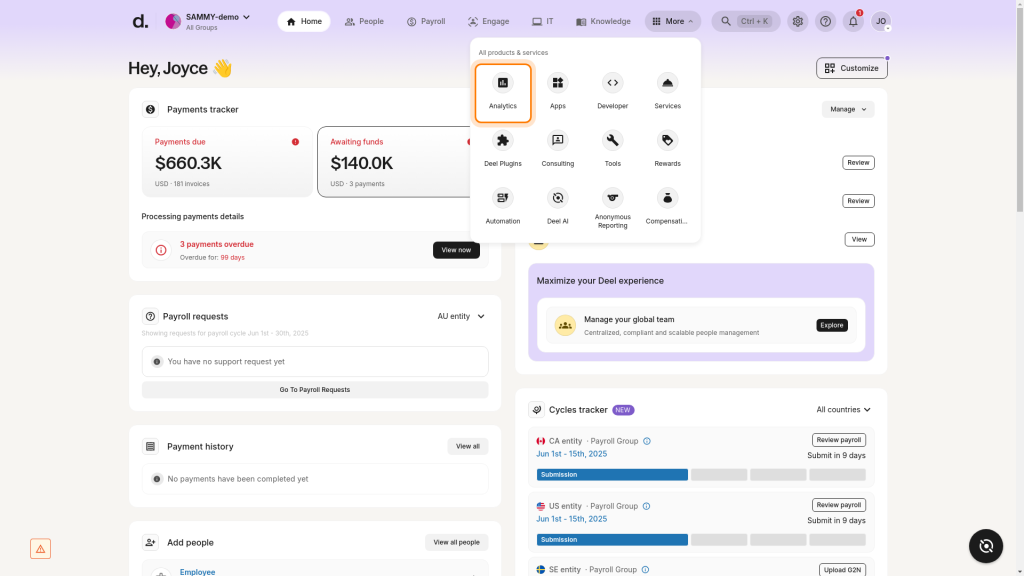
Employer of record support means the company could hire full-time employees abroad without opening a legal entity in that country, which saved months of setup time. Payroll runs on a predictable monthly cycle regardless of how many countries are involved in a given pay run.
The platform leans more toward global contractor and EOR needs than deep domestic performance management, so teams that are purely US-based with complex review cycles may want a complementary tool. For anyone hiring across borders, it removes a genuine headache.
Pros:
- Employer of record in 150+ countries skips local entity setup
- Automated, compliant contracts remove manual legal review per hire
- One predictable monthly cycle covers payroll across every country
- Local currency payments remove manual currency conversion work
Cons:
- Less depth in domestic performance management features
- Primarily built for global hiring, not full HRIS needs
User Rating: 4.7/5 (G2)
Pricing: Starts at $14/worker per/month
10. Namely – Best for Mid-Market HR With a Strong Benefits Focus
An HR manager I spoke with at a 200-person company picked Namely mainly for how it handled open enrollment, and she said it cut what used to be a two-week benefits scramble down to just a few days.
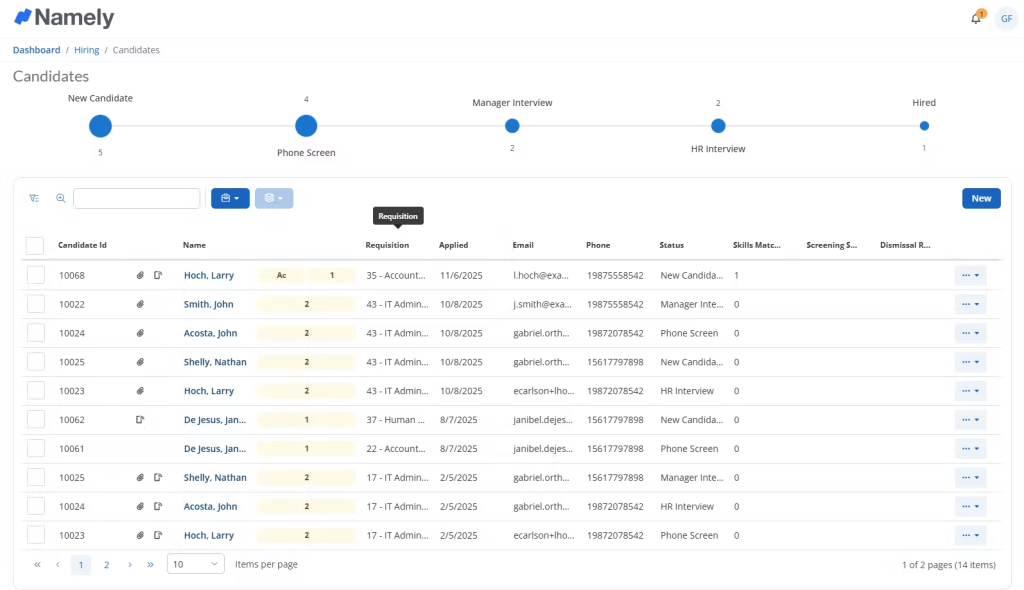
The platform combines core HR, payroll, and benefits administration with a broker partnership model that gives mid-market companies access to better-negotiated insurance rates than they could get on their own. The social newsfeed feature gives the platform a more human, less transactional feel for employees checking in day to day at work.
Time tracking and basic performance reviews round out the core feature set without needing extra add-ons. Where it lags is deeper analytics and reporting flexibility, which stays more limited than platforms built specifically around people analytics. For a mid-market team whose biggest HR headache is benefits complexity, Namely solves that specific problem genuinely well, without a lot of extra clutter around it.
Pros:
- Broker partnership model negotiates stronger group benefits rates
- Core HR, payroll, and benefits in one system reduce vendor juggling
- Social newsfeed keeps company updates feeling personal, not corporate
- Open enrollment drops from weeks to days with guided workflows
Cons:
- Reporting and analytics are less robust than specialized tools
- Best suited for mid-market, not small or enterprise teams
User Rating: 3.9/5 (G2)
Pricing: Starts at $9/employee/month
How to Evaluate HR Software
When I put a tool on this list, I am not just skimming a features page or repeating marketing copy. I test how each platform actually holds up once real teams start using it day-to-day. Here is the exact framework I use for every recommendation on this list.
- User reviews and ratings: I start with real feedback from platforms like G2, since that tells me how teams experience the tool once the sales call is over.
- Core features and functionality: I check whether the tool actually handles the basics well, goal setting, reviews, feedback, reporting, and integrations, before it earns a spot here.
- Ease of use: A powerful tool that managers refuse to open every week is not a good tool. Clean navigation and fast onboarding matter more than a long feature list.
- Customer support: Most implementation failures happen in the first 90 days. I look at how fast and how helpful support actually is when something breaks.
- Value for money: I am not chasing the cheapest option. I am checking whether the price actually matches what the tool delivers for a growing team.
- Personal experience and expert insight: Wherever I can, I draw on my own hands-on experience and conversations with HR leaders and people ops teams running these tools in real-world environments.
Top 3 HR Software Picks
Choosing the right HR software can make or break your rollout. I have seen HR teams pick a tool with a great feature list that still failed because it did not fit the way their people actually worked day-to-day. These three stand out because they solve a real, specific problem well, not because they try to do everything at once.
1. PeopleGoal
PeopleGoal is my top pick for any team whose real pain point is performance, not payroll. It brings OKRs, 360-degree feedback, and reviews into one customizable system, no rigid templates required. For HR generalists tired of chasing updates across spreadsheets, it is the fastest way to build a review process people actually stick with.
2. Rippling
Rippling earns its spot for teams that want HR, IT, and payroll working as one system, not three separate logins. Onboarding a new hire provisions their laptop, access, and paycheck in a single flow. If your team is scaling fast and IT keeps getting left out of HR decisions, Rippling closes that gap cleanly.
3. BambooHR
BambooHR is the pick for teams that just need clean, centralized records without a steep learning curve. Employee files, time off, and hiring pipelines live in one searchable place, and managers can self-serve reports without pinging HR. For a small team past the spreadsheet stage but not ready for enterprise complexity, this fits well.
Choose HR Software That Solves Your Actual Problem
The best HR software is not the one with the longest feature list. It is the one that fixes the specific problem keeping you up at night, whether that is a messy review cycle, a payroll headache, or an engagement number that keeps slipping.
Start by naming your real pain point, then evaluate two or three tools against that one problem instead of a generic checklist.
If performance reviews, OKRs, or feedback are where your spreadsheets keep breaking down, PeopleGoal is built to fix exactly that without forcing you to replace your entire HR stack. Start with a free trial and run one team through a full review cycle before you commit to anything bigger.
Frequently Asked Questions
What is the difference between HRIS, HCM, and performance management software?
HRIS handles core employee records, payroll, and compliance. HCM extends that into workforce planning and analytics at a larger scale. Performance management software is narrower, focused specifically on goals, reviews, and feedback. Many organizations run one HRIS alongside a dedicated performance tool like PeopleGoal rather than expecting one platform to do everything well.
Can I use a performance management tool alongside my existing payroll system?
Yes, and this is common. If your payroll and core HR are already handled through a system like UKG or ADP, you can add a dedicated performance layer like PeopleGoal without replacing your existing stack, connecting the two through integrations rather than a full migration.
How long does it take to implement new HR software?
Most performance-focused tools go live within 1 to 4 weeks, depending on team size and complexity. Full HRIS or payroll migrations typically take longer, often 4 to 8 weeks, since historical payroll and compliance data needs careful migration before go-live.
Is free HR software good enough for a growing team?
Free tiers work fine for very small teams under 10 to 15 people, but most growing organizations outgrow free plans quickly once they need customization, deeper reporting, or multi-level approval workflows.
What should I look for in HR software customer support?
Look for responsive support during setup, not just after, since most implementation failures happen in the first 90 days. Ask vendors directly about average response time and whether support is included or a paid add-on.
Do I need different software for HR and for payroll?
Not necessarily. Many platforms combine both, but the tradeoff is usually depth. If payroll compliance is your top priority, a specialist may serve you better than an all-in-one that treats payroll as one feature among many.
Ready to 3x Your Teams' Performance?
Use the best performance management software to align goals, track progress, and boost employee engagement.