
I still remember the calibration meeting where two directors compared notes on employees doing the exact same job, with the exact same output, and walked in with ratings two full points apart on a five-point scale.
One manager called it “meets expectations.” The other called it “exceeds.” Nobody in that room could tell me which one was right, because nobody had the data in front of them to argue with.
That is the moment performance calibration software stopped being a nice-to-have for me. When ratings drive pay, promotions, and PIPs, “trust me, I know my team” is not a system. It is a liability waiting for an exit interview or a lawyer to expose it.
Here is what I have learned running calibration cycles across teams of every size, and the tools that actually hold up when the ratings start flying.
What Is Performance Calibration Software?
Without it, calibration lives in a spreadsheet, a scheduling nightmare, and whoever talks the loudest in the room. With it, you walk into the meeting already knowing where the outliers are.
- Comp budget protection: Rating inflation quietly drifts up every cycle. Software catches it before it locks into raises and bonuses you cannot claw back.
- A real paper trail: Every adjustment gets logged with a reason attached, which matters the day an employee or a lawyer asks why a rating changed.
- Bias you cannot see manually: Patterns like remote employees getting rated lower than in-office peers only show up when you can filter and compare at scale.
- Faster calibration sessions: Sessions built on real distribution data run in 60 to 90 minutes instead of the usual three to five-hour marathon.
- Defensible promotion calls: When 70% of your people sit in the middle of the scale, nobody can tell who actually deserves the next level. Calibration fixes the signal.
10 Best Performance Calibration Software
Here is a rundown of the 10 platforms I would actually put on a shortlist, whether you need a full suite or dedicated performance calibration meetings software tools built just to run the session itself. Before diving in, here is a quick glance at how they compare.
| Tool | Best For | Starting Price | User Rating |
| PeopleGoal | Fully Customizable Performance Reviews, OKRs & Employee Development | $4/user/month, 14-day free trial | 4.5/5 (G2) |
| Confirm | AI-Powered Bias Detection During Calibration Sessions | Custom quote | 4.3/5 (G2) |
| Betterworks | Enterprise OKR Alignment With Built-In Calibration Workflows | $1/user/month | 4.3/5 (G2) |
| Lattice | Structured Review Cycles With Simple Rating Adjustments | $13/seat/month | 4.6/5 (G2) |
| Culture Amp | Blending Engagement Data With Performance Ratings | Custom quote | 4.5/5 (G2) |
| 15Five | Manager Coaching Alongside Performance Calibration | $4/employee/month | 4.6/5 (G2) |
| Leapsome | European Teams Wanting Goals, Reviews & Learning in One Platform | Custom quote | 4.8/5 (G2) |
| Workday | Large Enterprises Needing Fully Configurable Calibration Workflows | Custom quote | 4.5/5 (G2) |
| HiBob | Culture-First Mid-Sized Global Teams With Performance Analytics | Custom quote | 4.5/5 (G2) |
| beqom | Tying Calibrated Ratings Directly to Compensation and Pay Equity | Custom quote | 4.4/5 (G2) |
1. PeopleGoal – Best for Fully Customizable Performance Reviews, OKRs & Employee Development
Our calibration used to fall apart the moment two directors compared notes, until we moved the whole cycle onto PeopleGoal. What changed things was the Customizable Workflows engine. I built our calibration process as a no-code workflow with defined states, so a rating moves from manager draft to HR review to final sign-off, with rules that trigger notifications at every stage instead of chasing people over email.
The 360 Feedback module carries a lot of the actual calibration weight. It lets you benchmark competencies like leadership and collaboration with role-specific, weighted scores, so when two managers are arguing over a rating, everyone is looking at the same standardized scoring criteria rather than gut feeling.
On the reporting side, PeopleGoal benchmarks performance across teams and departments with radar and metric charts that show strengths and gaps at a glance, which is exactly the view you want open during a calibration session instead of scrolling through a spreadsheet.
If you want performance management calibration software that keeps this connected to goals and reviews instead of living as a separate purchase, this is where PeopleGoal earns its spot.
Pros:
- Customizable Workflows let you design your own calibration process, states, and approval rules with zero code
- 360 Feedback benchmarking applies weighted, role-specific scoring so ratings are grounded in the same criteria across managers
- Real-time analytics benchmark performance across teams and surface gaps with radar and metric chart views
- Talent Management System connects calibrated ratings directly to development plans and succession data
Cons:
- No downloadable or on-premise version
- Dark UI mode is not available
User Rating: 4.5/5 (G2)
Pricing: 14-day free trial. Paid starts at $4/user/month
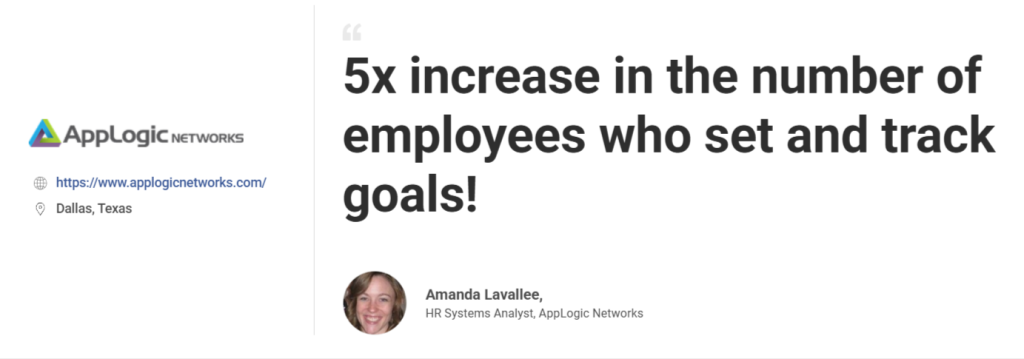
PeopleGoal helped Sandvine make goal setting more flexible and aligned, resulting in a 5x increase in employees actively setting and tracking goals and more than 2,500 individual goals created each year. It also made performance reviews more structured and connected to company objectives.
2. Confirm – Best for AI-Powered Bias Detection During Calibration Sessions
The first calibration cycle I ran on Confirm, the AI had already flagged three ratings before we opened the meeting, each one tied to a manager rating someone highly, while the platform’s organizational network data showed minimal actual collaboration. That single feature changed how our sessions run.
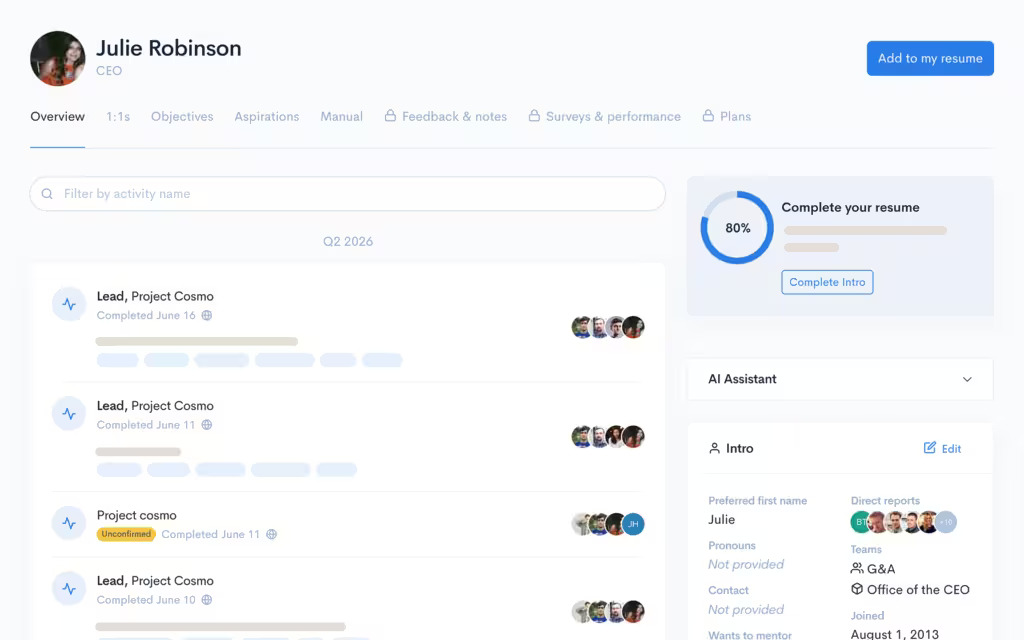
Instead of arguing from memory, managers walk in with a synthesized profile for each employee and spend the meeting making decisions rather than reconstructing the year. What stood out most was how the tool separates a manager’s opinion from what the data actually shows. When someone rates a report highly, but the collaboration signals do not back that up, Confirm surfaces the gap right in the session instead of letting it slide unquestioned.
Calibration guidance also runs inside Slack, so managers are not learning a new tool mid-cycle, just getting nudges where they already work. For a team tired of calibration meetings that drag on for hours without resolving anything, this is the closest I have found to fixing that.
Pros:
- AI agents flag bias patterns tied to remote work, tenure, or visibility before the session starts
- Calibration guidance runs directly inside Slack or Teams, so managers do not need to learn a new interface
- Base package bundles calibration, 360-degree feedback, and bias detection without add-on modules
- Bundles 360 feedback, self-reflections, and 1:1 meeting tools alongside calibration in the same base package
Cons:
- Newer platform, so its G2 review base is still smaller than legacy competitors
- Best suited to organizations ready to lean on AI-generated coaching rather than fully manual workflows
User Rating: 4.3/5 (G2)
Pricing: Custom Quote
3. Betterworks – Best for Enterprise OKR Alignment With Built-In Calibration Workflows
A 5,000-person client of mine runs calibration entirely inside Betterworks now, and the biggest shift was not having to reconstruct employee context from three different systems before every session. Managers and HR see performance history, skills, and goal progress in one profile, right inside the calibration workflow, which cuts out the pre-meeting data assembly that used to eat up most of the cycle.

Before the switch, an HR business partner spent most of a week pulling exports from the HRIS, the goal tracker, and a spreadsheet just to get one department ready for calibration. That same prep now happens automatically because the platform already holds the data.
Cycles also launch directly inside the product without waiting on IT, so calibration can run the moment a reorg happens instead of only at the scheduled annual review. For an organization already committed to OKRs at scale, that connection between goal data and rating decisions is hard to replicate elsewhere.
Pros:
- Pulls live performance data into calibration instead of static, pre-exported summaries
- Cycles configure and launch directly in the product without IT involvement
- Strong fit for organizations already running enterprise-scale OKRs
- Reduces reliance on spreadsheets for tracking rating distributions
Cons:
- Enterprise orientation means the platform is built around HR-led programs, so teams without a dedicated HR function may find more structure than they need
- Steeper setup for organizations under 500 employees, where the enterprise orientation adds overhead
User Rating: 4.3/5 (G2)
Pricing: Starts at $1/user/month
4. Lattice – Best for Structured Review Cycles With Simple Rating Adjustments
Lattice was the tool my last team reached for because the review cycle already lived there, and adding calibration on top meant zero extra login for managers. For straightforward calibration, meaning adjusting ratings, running a session, and exporting results, it gets the job done without a learning curve.
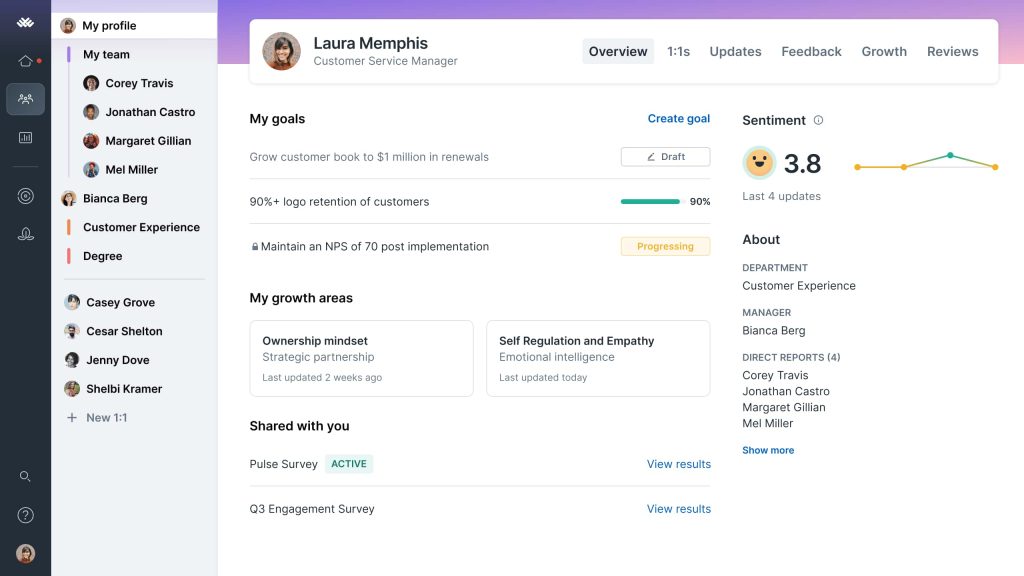
Managers were already comfortable navigating the platform for goals and one-on-ones, so calibration season needed no separate rollout, just a new tab they already knew how to use.
Where it started to feel thin was the moment two directors disagreed on a borderline rating and wanted to see how that person compared across the wider org. The tool let us adjust the number, but it did not give us much beyond that to settle the disagreement with the data. For teams running a single, fairly simple review cycle, that tradeoff is easy to live with.
Pros:
- Calibration sits inside the same platform managers already use for reviews and OKRs
- Clean, modern interface that reviewers consistently rate highly for ease of use
- Strong goal and review cycle structure that feeds directly into calibration discussions
- Ties calibration directly to the goal and review cycle data already tracked in the same platform
Cons:
- Calibration itself is described by reviewers as basic, without advanced rating adjustment tools
- Can struggle with complex, multi-level calibration or dedicated bias detection needs
User Rating: 4.6/5 (G2)
Pricing: Starts at $13 seat/month
5. Culture Amp – Best for Blending Engagement Data With Performance Ratings
We layered Culture Amp on top of our existing review process specifically to see engagement scores sit next to performance ratings during calibration, and that combination surfaced things a ratings-only view never would, like a high performer whose engagement scores were quietly cratering months before they gave notice.

That single case changed how our HR team ran every calibration session afterward, because a rating on its own only tells you what happened, not why it might be about to change.
The sentiment analysis on written feedback added another layer, giving managers context for a number instead of just the number itself. What it did not solve was speed, since sessions still ran two to three hours because the platform does not flag rating outliers automatically. If engagement insight matters as much to you as the rating itself, that tradeoff is worth making.
Pros:
- Strong engagement and pulse survey data that adds context, managers do not get from ratings alone
- Sentiment analysis on written feedback helps explain the story behind a number
- Global and multi-language support suits distributed teams
- Mature, well-regarded People Science team behind the benchmarking data
Cons:
- Calibration is not the platform’s primary strength, and sessions still run two to four hours
- No live rating distribution tracking or real-time bias flagging built in
User Rating: 4.5/5 (G2)
Pricing: Custom Quote
6. 15Five – Best for Manager Coaching Alongside Performance Calibration
What sold me on 15Five for calibration wasn’t the ratings tool; it was watching managers actually use the coaching prompts between cycles, so by the time calibration rolled around, ratings reflected months of documented check-ins instead of a rushed year-end guess.
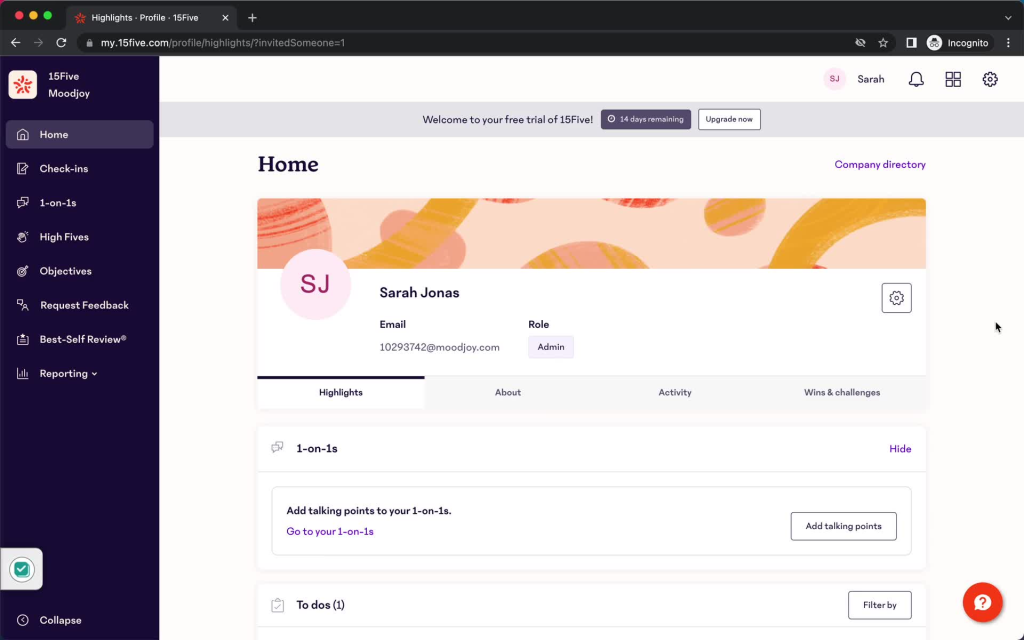
Most calibration problems I have seen do not start in the meeting itself; they start months earlier when managers have nothing but memory to draw on, and 15Five quietly fixes that by keeping a running record of check-ins that feed directly into the review.
The pricing also made this an easy internal pitch, since the entry plan is published and affordable enough that we did not need three rounds of budget approval just to try it. It is not built for a complex, multi-level enterprise calibration process, but for a mid-market team that wants better inputs going in; it works well.
Pros:
- Weekly check-ins and coaching tools build a documented performance trail before calibration even starts
- AI-assisted review generation and custom analytics work alongside the coaching tools rather than as a bolted-on module
- High marks for ease of use and quality of support among mid-market reviewers
- Connects goal completion data directly into review and calibration conversations
Cons:
- Less depth on enterprise-scale, multi-level calibration workflows compared to platforms built calibration-first
- Weekly check-in cadence can feel like an added process for teams resistant to frequent touchpoints
User Rating: 4.6/5 (G2)
Pricing: Starts at $4/employee/month.
7. Leapsome – Best for European Teams Wanting Goals, Reviews & Learning in One Platform
A People Ops friend running a distributed European team switched her whole goals, reviews, and learning stack to Leapsome, and calibration became one step in a bigger, connected cycle instead of a standalone fire drill her HR team dreaded every year.
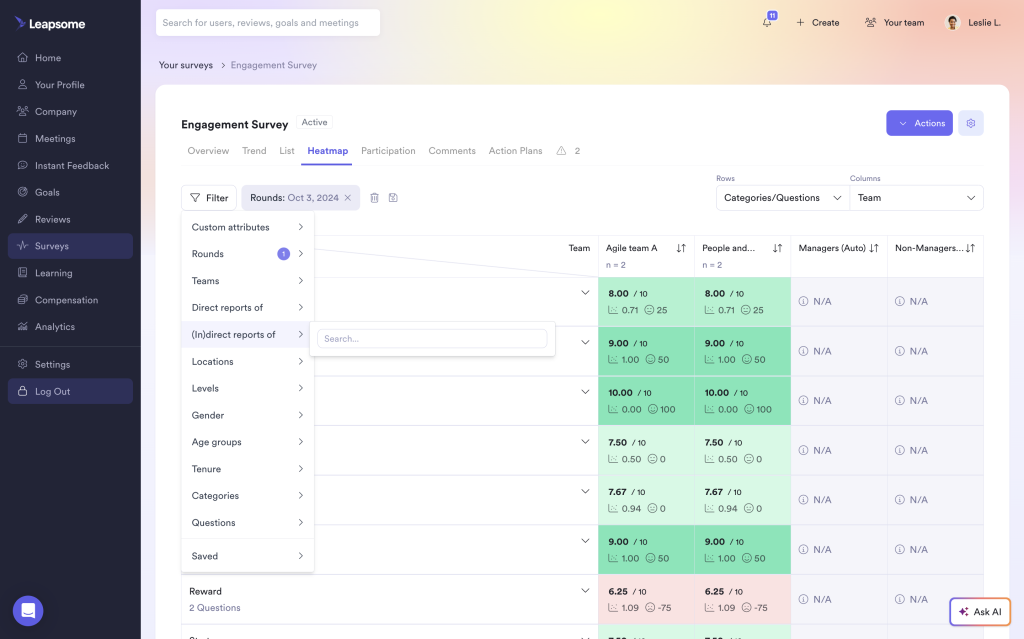
She told me the biggest relief was not having to explain the process to new managers every quarter, because goals, development plans, and review data all sat in one place, so calibration conversations already had context before anyone opened a meeting invite.
The platform’s rating on G2 backs that up; it consistently comes out ahead of most competitors when reviewers are asked about ease of use and support. It leans more toward European buyers who want Betterworks level depth without the enterprise sales process, so a mostly US-based enterprise should compare it against Workday first.
Pros:
- Consistently one of the highest-rated platforms in this category on G2
- Connects OKRs directly to individual development plans and learning pathways
- Strong fit for European organizations wanting Betterworks-level depth with a more modern interface
- Learning pathways connect directly to development plans, extending calibration data beyond just ratings
Cons:
- Less name recognition in North American enterprise deals compared to Lattice or Workday
- Calibration workflows benefit most when paired with the platform’s broader review cycle setup
User Rating: 4.8/5 (G2)
Pricing: Custom Quote
8. Workday – Best for Large Enterprises Needing Fully Configurable Calibration Workflows
If your org already runs Workday HCM for payroll and core HR, calibration is one of the few processes where staying inside the same system pays off, because Workday handles Talent Calibration and Performance.
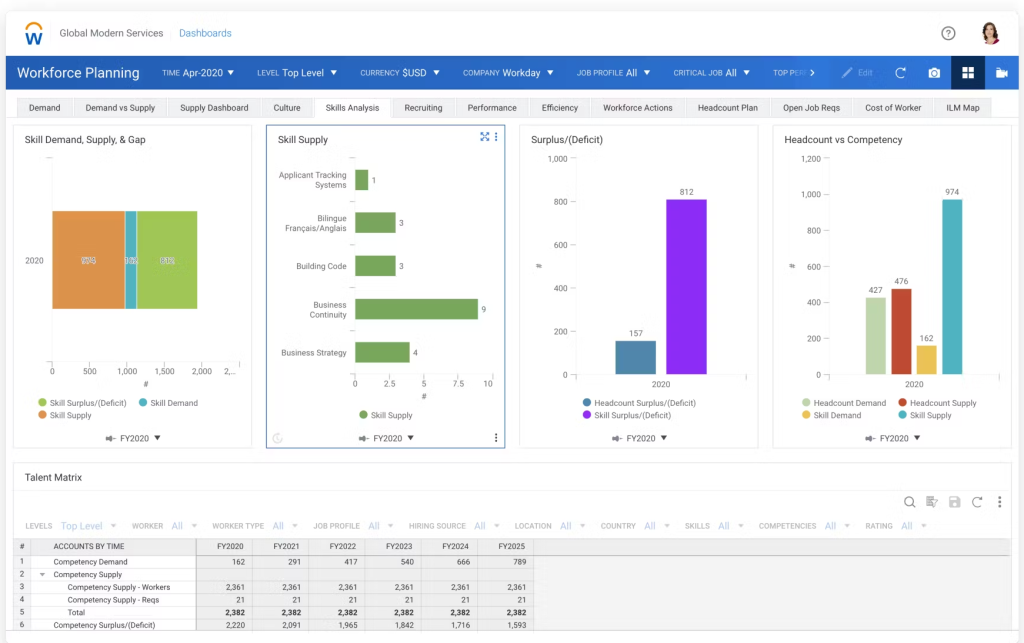
Calibration as separate, fully configurable workflows tied directly to your existing employee data. I have seen a 10,000-plus-person enterprise configure separate calibration flows for different business units, each with its own approval chain and cross-divisional session structure, something that would require serious workarounds in a lighter tool. The tradeoff shows up fast, though.
Configuration alone took their admin team several months, and the annual cost sits well into six figures before implementation fees are added. This is not a tool you evaluate for a quick calibration fix. It is the right call only when your organization is large enough and already committed enough to the ecosystem that the investment pays for itself over the years.
Pros:
- Handles complex, multi-level calibration across HR business partners and cross-divisional sessions
- Configuration flexibility suits virtually any calibration process an enterprise can design
- Deep integration with the rest of Workday’s HCM suite avoids duplicate data entry
- Supports Talent Calibration and Performance Calibration as distinct, independently configurable workflows
Cons:
- Calibration workflows require deep Workday HCM configuration knowledge, so most teams lean on dedicated admin specialists to build and maintain them
- Calibration configuration alone often takes 3 to 6 months of dedicated admin time
User Rating: 4.5/5 (G2)
Pricing: Custom Quote
9. HiBob – Best for Culture-First Mid-Sized Global Teams With Performance Analytics
For a 300-person company spread across four countries, Bob became the calibration hub almost by accident, since HR was already living within it for onboarding and time off, and the predictive analytics dashboard flagged flight-risk patterns that nobody had caught in a standalone review tool.
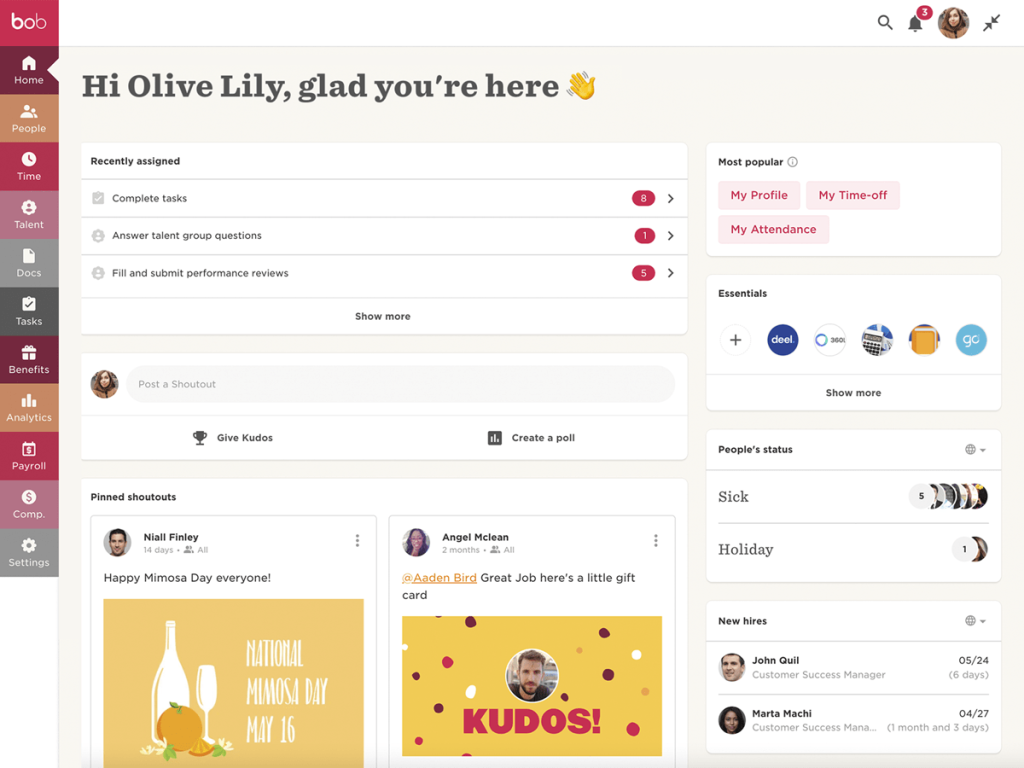
Nobody set out to run calibration specifically in HiBob; it just happened because the employee data, tenure history, and engagement scores were already there, so pulling ratings into the same view felt like the obvious next step.
The predictive piece is what actually earned its keep, flagging a couple of people at risk of leaving before their ratings alone would have raised concern. The catch is that pricing is quoted only, and the performance and compensation pieces are separate add-ons, so the final cost per employee climbs faster than the base number suggests.
Pros:
- Predictive analytics flag attrition and performance risk before they escalate
- High marks for ease of use, especially the employee-facing side of the platform
- Strong fit for growing, global mid-market teams that want HR and performance in one system
- Employee data, tenure history, and engagement scores already live in the same system as ratings
Cons:
- Compensation data still requires manual exports to reconcile with tools like Carta, according to reviewer feedback
- Compensation and performance modules are add-ons that increase the total cost as you scale
User Rating: 4.5/5 (G2)
Pricing: Custom Quote
10. beqom – Best for Tying Calibrated Ratings Directly to Compensation and Pay Equity
The one time I saw calibration outcomes and comp decisions fall out of sync at a company I advised, it was exactly the kind of gap beqom is built to close, since every calibrated rating flows straight into merit planning, bonus allocation, and pay equity analysis in the same system.
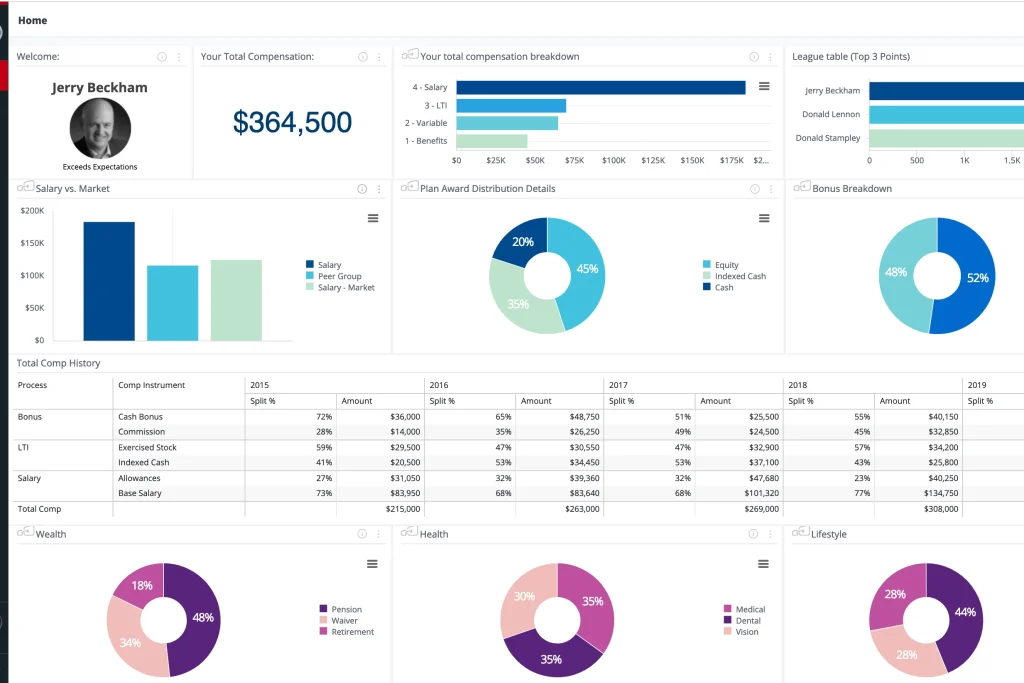
What happened at that company was simple and avoidable: a rating got adjusted during calibration, but the change never made it into the comp planning spreadsheet, so someone was paid based on a number that no longer existed. A platform like beqom removes that gap because the rating and the compensation decision live in one place.
Reviewers consistently cite its audit trails and approval controls as the strongest reasons to choose it, especially for multinational organizations. The nine-month implementation timeline is the real cost, so this fits large enterprises far better than a fast-moving mid-market team.
Pros:
- Manages very complex, layered compensation plans alongside calibration and performance data
- Strong audit trails and approval controls suit heavily governed, multinational organizations
- Reviewers highlight the flexibility to calibrate mid-process across hierarchies and populations
- Ties calibrated ratings directly into merit planning and pay equity analysis in one system
Cons:
- Implementation can take up to nine months, better suited to large enterprises than fast-moving mid-market teams
- Reporting flexibility and workflow building have room for improvement, according to reviewers
User Rating: 4.4/5 (G2)
Pricing: Custom Quote
Top 3 Picks for Performance Calibration Software
After going through all 10 platforms above, three consistently rise to the top depending on what your organization actually needs from calibration.
1. PeopleGoal
PeopleGoal is my top recommendation for mid-market HR teams that want calibration built into a fully customizable performance suite instead of bolted onto a separate point solution. You get OKRs, 360 Feedback, and calibration-ready reporting in one system, so there is no extra procurement cycle, no second login, and no data silo to manage separately.
2. Confirm
Confirm is worth serious consideration if bias detection is your primary pain point. Its AI layer flags rating patterns tied to remote work, tenure, or team visibility before the meeting even opens, so managers walk in already knowing where to look instead of guessing which ratings deserve a second glance.
3. Betterworks
Betterworks fits enterprise teams already running OKRs at scale who want calibration to pull directly from live performance data instead of a static export. Because goal progress, skills, and review history sit in one profile, managers spend the session making decisions instead of reconstructing context from three different systems beforehand.
What to Look For in Performance Calibration Software (Evaluation Criteria)
When I evaluate calibration software, I do not just read the feature list on the pricing page. I look at how each tool holds up in an actual calibration meeting with real managers arguing over real ratings. Here is the framework I use.
- User Reviews and Ratings: I start with verified user feedback on G2 and Capterra to see how HR teams actually experience the tool once the demo excitement wears off, and where support tends to fall short.
- Core Features and Functionality: I check for live rating distribution views, outlier flagging, audit trails, and 9-box or talent grid support. If a tool cannot show me who sits where at a glance, it does not make the cut.
- Ease of Use: A calibration tool that requires a training session before every session defeats its own purpose. Managers should be able to open it, see the data, and start the conversation.
- Customer Support: Implementation is where calibration tools tend to fail first, especially around HRIS syncing. I weigh how responsive support is during setup and during your first live cycle.
- Value for Money: I compare what a per-seat price actually unlocks. A cheaper tool that still needs a spreadsheet for distribution tracking is not actually cheaper.
- Personal Experience and Expert Insights: Wherever I can, I rely on hands-on runs of these tools plus what HR leaders and people ops teams report from their own cycles, not just marketing claims.
How Calibration Software Works Across Different HR Scenarios
Calibration is not one process. What you need from your software changes depending on what the calibration cycle is actually deciding.
| Scenario | What’s Being Decided | What You Need in a Tool |
| Annual Comp Cycle | Merit increases, bonus pools | Rating distribution visibility, comp system integration, audit trail |
| Promotion Committees | Who moves to the next level | Cross-team benchmarking, 9-box or talent grid views, documented rationale |
| Multi-Country Consistency | Whether “meets expectations” means the same thing everywhere | Standardized competency scoring, multi-dimensional team structure |
| PIP and Underperformer Flags | Who needs a documented improvement plan | Weighted scoring history, manager sign-off workflow, legal-ready documentation |
5 Calibration Mistakes That HR Teams Make Repeatedly
Even with good software, calibration goes sideways in predictable ways. These performance calibration best practices come from watching the same mistakes repeat across dozens of cycles.
1. Forced Curve Thinking
Calibration is not about fitting people into a bell curve. It is about making sure the same standard applies to everyone, whether that lands 30% of your people in “exceeds” or 10%.
- Agree on what each rating tier actually means before anyone gets calibrated, not after
- Let the data show where people land instead of designing a curve backward from headcount targets
2. Skipping The Criteria Conversation
If managers walk in without agreeing on what separates “meets” from “exceeds,” the session turns into a debate about definitions instead of about people.
- Standardize scoring criteria per role before the cycle opens, not in the middle of a session
- PeopleGoal’s 360 Feedback module applies the same weighted, role-specific competency scores across every manager, so the definition fight only has to happen once
3. Loudest Manager Wins
Without data in front of the room, calibration outcomes tend to reflect who argues best, not who performed best.
- Pull up live rating distribution and benchmarking data before opinions take over the room
- PeopleGoal’s real-time analytics benchmark performance across teams with radar and metric charts, so the outlier conversation starts from evidence instead of volume
4. Annual-Only Calibration
Waiting until year-end to catch rating drift means you are fixing a problem that has already compounded for eleven months.
- Run lighter calibration touchpoints at every review cycle instead of saving it all for one annual event
- Build calibration into your existing performance workflow so it happens by default, not as a separate project you have to remember to schedule
5. No Follow-Through Communication
Calibrated ratings that never get explained back to the employee erode trust just as fast as inconsistent ratings did in the first place.
- Document the rationale behind every adjustment so managers can explain it in plain language afterward
- A workflow with built-in sign-off states, like PeopleGoal’s Customizable Workflows, keeps that rationale attached to the rating instead of being lost in a meeting nobody wrote down
Make Every Performance Rating Fair, Consistent & Defensible
The biggest takeaway is simple: effective calibration needs more than a meeting and a spreadsheet. You need consistent scoring criteria, comparable performance data, documented decisions, and a process managers can actually follow.
The right software brings these pieces together, helping reduce rating inconsistencies and make decisions around promotions, compensation, and development easier to defend.
Of the tools I reviewed, PeopleGoal is my top pick because it combines customizable workflows, weighted 360-degree feedback, real-time performance benchmarking, OKRs, and development planning in one platform. At $4/user/month with a 14-day free trial, it also gives teams a practical way to improve calibration without committing to enterprise-level pricing.
If you’re exploring options, you can start a free trial of PeopleGoal and see how it fits into your next performance review cycle.
Frequently Asked Questions
Can performance calibration software fully remove bias from ratings?
No single tool eliminates human judgment from performance evaluation, and it shouldn't try to. What good calibration software does is surface patterns, like consistent underrating of remote employees, that are nearly impossible to catch manually, giving HR concrete evidence to raise in the room rather than a vague sense that something is off.
How long does it typically take to implement calibration software?
It depends heavily on the platform. Lightweight, calibration-first tools can have you running your first session within days. Suite-style platforms like PeopleGoal typically go live in 1 to 4 weeks depending on team size. Enterprise systems like Workday can take 3 to 6 months for calibration configuration alone.
Do smaller teams under 200 employees actually need dedicated calibration software?
If you have more than a handful of managers rating people independently, yes. Inconsistency shows up even at 50 to 100 employees, and catching rating drift early is far cheaper than fixing a comp budget overrun after the fact.
How often should we run performance calibration?
Most organizations calibrate at each formal review cycle, whether that's annual, biannual, or quarterly. Waiting for a single annual event lets rating drift compound for months before anyone catches it, so more frequent, lighter calibration touchpoints tend to produce more consistent results.
Will calibration software integrate with the HRIS we already use?
Most modern platforms, including PeopleGoal, integrate with Workday, BambooHR, ADP, and similar systems so employee data, tenure, and reporting lines sync automatically instead of requiring manual imports before every cycle.
What happens to calibration data once the cycle closes?
Good calibration software retains the rating history, the rationale for any adjustments, and the sign-off chain indefinitely, so it is available if a promotion is challenged, a pay equity audit happens, or you need to compare this cycle's distribution against last year's.
Ready to 3x Your Teams' Performance?
Use the best performance management software to align goals, track progress, and boost employee engagement.