

The moment you cross 50 employees, talent conversations shift. What once worked in a shared spreadsheet begins to crack. Reviews still happen, but they feel rushed. 360 feedback turns into messy email threads. Goals sit in slide decks that no one revisits after Q1.
I have spent years reviewing, implementing, and observing HR talent management software solutions across scaling startups, mid-market organizations, and structured enterprise environments.
And I’ve learned what really happens once the novelty of a new system wears off. The tools that succeed are the ones that bring structure, fairness, and clarity back into performance and growth conversations.
In this guide, I’ll walk you through the best talent management tools through a practical, experience-driven lens, including platforms that support structured cycles, OKR alignment, automated 360 feedback, and reduced HR admin workload.
What Is Talent Management Software?
Talent management software is a tool that helps organizations manage the entire employee lifecycle in one place. It brings together processes like hiring, onboarding, performance management, learning and development, and succession planning.
Instead of juggling spreadsheets or disconnected tools, teams can track employee progress, set goals, run performance reviews, and plan career growth more easily. In simple terms, it helps HR teams and managers support employees better, develop talent internally, and make smarter workforce decisions based on real data.
10 Best Talent Management Software Solutions
Choosing talent management system software is rarely about finding “the best talent management software”. It’s about finding the one that fixes your specific friction. Some platforms are built for structure.
Others are built for listening. A few are designed to bring everything under one roof. Before diving in, let’s take a quick walk-through of the tools that consistently stand out and see where each one truly earns its place.
| Tool | Best for | Pricing |
|---|---|---|
| PeopleGoal | Boosting employee performance and improving engagement | FREE 14-day trial. Paid plans start at $4/user/month |
| Lattice | Manager enablement and structured performance conversations | Starts at $11/seat/month |
| 15Five | Continuous performance and engagement tracking | Starts at $4/seat/month (billed annually) |
| Culture Amp | Engagement surveys and people analytics at scale | Custom pricing |
| Leapsome | Integrated performance, engagement, and learning | Custom pricing |
| HiBob (Bob) | Mid-market HR consolidation with performance features | Custom pricing |
| Workday | Enterprise organizations needing full HR ecosystem control | Custom enterprise pricing |
| ADP Workforce Now | Payroll-driven organizations wanting performance add-ons | Custom pricing |
| UKG Pro | Workforce-heavy industries like manufacturing and healthcare | Custom pricing |
| SAP SuccessFactors | Global enterprises with complex talent and compliance needs | Custom enterprise pricing |
1. PeopleGoal
Best for Boosting Employee Performance & Improving Engagement
I used PeopleGoal personally in an organization where talent management had become disconnected from day-to-day work. Performance reviews were happening, but they felt subjective and inconsistent. Managers struggled to recall specifics, and employees often felt unsure about how growth decisions were being made. With this smart talent management system software, the improvement was immediately visible.
We started by setting cascading goals that linked individual objectives to team and company priorities. Within weeks, managers began referencing goals naturally during one-on-ones. Talent development stopped being abstract. One manager said, “This is the first time I feel like I’m reviewing progress, not personalities.”
What I liked most was how the evidence accumulated over time. Feedback, goal updates, and check-in notes were already there when review cycles began. During one quarterly review, a manager realized the conversation was already half written by the system. That reduced stress and improved fairness.
PeopleGoal supports configurable rating scales and can also run more narrative, evidence-led reviews depending on how you set it up
Pros:
- Enables organizations to manage employee performance through OKRs, SMART goals, and custom frameworks, helping talent decisions stay outcome-driven.
- Supports continuous and 360-degree feedback, as well as structured check-ins, keeping development conversations current and well-rounded.
- Maintains alignment between individual, team, and company goals through connected hierarchies, improving visibility into contribution and growth.
- Centralizes goals, feedback, reviews, employee development plans, and performance history in a single location, reducing HR teams’ administrative workload.
- Encourages development-focused talent discussions by combining performance insights with career paths, skill planning, and engagement signals.
- Offers customizable HR apps through its App Store to design tailored workflows for performance, feedback, and development.
Cons:
- No downloadable or on-premise version available.
- It does not currently support a dark interface option.
Pricing: FREE 14-day trial. Paid plans start at $4/user/month.
2. Lattice
Best for Manager Enablement and Performance Conversations
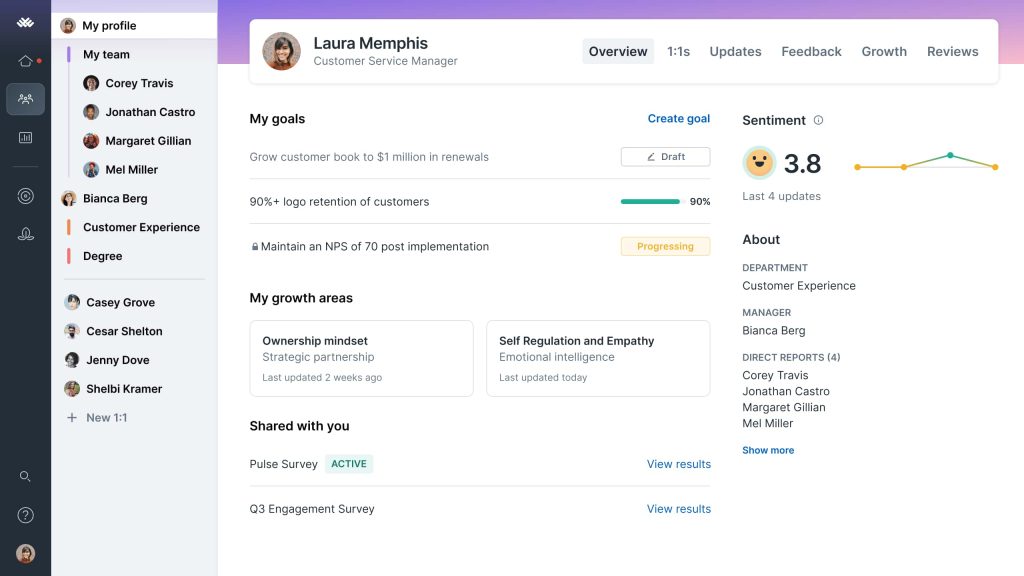
I’ve seen Lattice introduced in a fast-growing tech company where the real issue wasn’t a lack of talent but a lack of structured conversations. Managers were smart and well-intentioned, yet feedback mostly happened when something went wrong. Annual reviews felt tense because nobody had a clear record of what had been discussed all year.
Lattice changed the rhythm of performance. Instead of treating feedback as a formal event, managers began using weekly or biweekly one-on-ones on the platform. Goals were visible, notes were stored, and action items were easy to revisit. Within one quarter, reviews stopped feeling like memory tests.
One moment stood out. A product manager believed they were falling behind because they had missed one visible deadline. During their review, the manager pulled up peer feedback and goal progress inside Lattice. It showed consistent delivery across multiple initiatives that were less visible but equally critical.
Pros:
- Encourages consistent one-on-ones and structured check-ins, helping managers build a habit of ongoing performance conversations rather than relying only on annual reviews.
- Aligns individual goals with team and company OKRs, making it easier to track progress against strategic priorities in real time.
- Centralizes feedback, peer input, and performance history, reducing recency bias during formal evaluations.
- Supports 360-degree feedback workflows, enabling a broader perspective beyond a single manager’s viewpoint.
- Promotes transparency by keeping goals and expectations visible, which improves accountability across teams.
Cons:
- Can feel expensive if the organization only uses it during formal review cycles instead of leveraging continuous feedback features.
- Requires strong manager participation to unlock full value; otherwise, data quality and adoption can become uneven.
Pricing: Starts at $11/seat/month.
3. 15Five
Best for Continuous Performance and Engagement Tracking
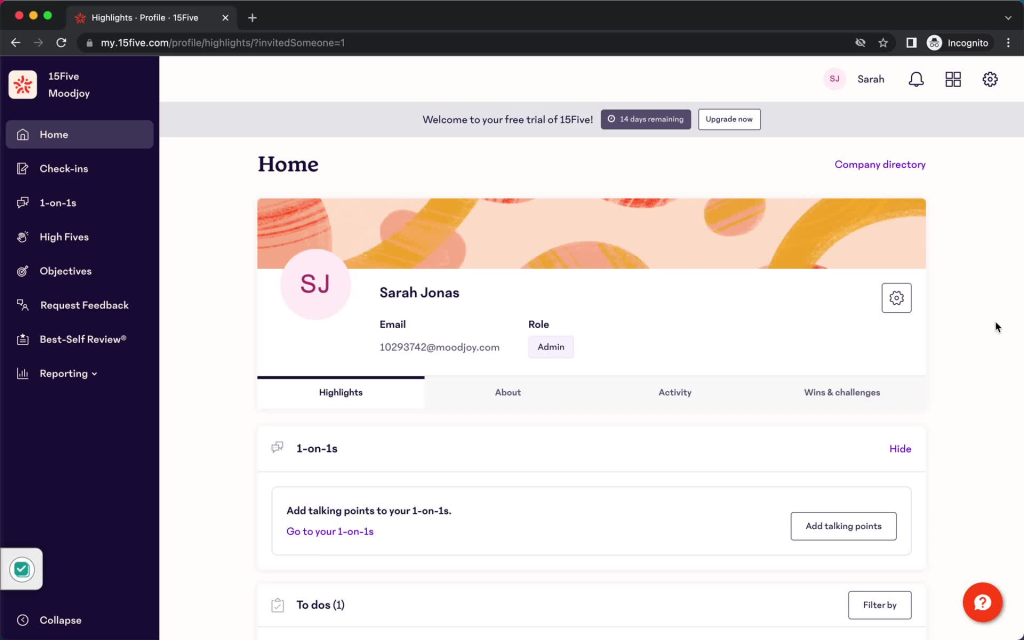
15Five came into action on a random Tuesday when a manager shared a weekly check-in response from a team member: “I’m hitting goals, but I’m exhausted.” It was not dramatic, but it started a conversation that might otherwise have been missed.
15Five works quietly in the background. Weekly reflections, goal updates, small wins, and frustrations build a steady stream of context. Nothing feels heavy or ceremonial. Just ongoing visibility.
In one organization, quarterly reviews used to mean reconstructing three months of work from memory. After adopting 15Five, managers entered reviews with a clear trail of discussions already documented. It fits teams that value continuous dialogue over once-a-year judgment.
Pros:
- Creates a natural cadence of weekly check-ins that surface performance trends early instead of waiting for formal review cycles.
- Blends goal tracking with engagement signals so managers see output and sentiment side by side.
- Encourages honest reflection through simple prompts rather than intimidating evaluation forms.
- Makes quarterly and annual reviews faster because documentation accumulates gradually over time.
- Offers structure without overwhelming teams that are not ready for enterprise-level complexity.
Cons:
- Organizations looking for deep configuration layers, complex approval chains, or advanced calibration models may find it too streamlined.
- If managers ignore weekly check-ins, the platform loses its momentum and becomes just another tool.
Pricing: Starts at $4/seat/month (billed annually).
4. Culture Amp
Best for Engagement Surveys and People Analytics at Scale
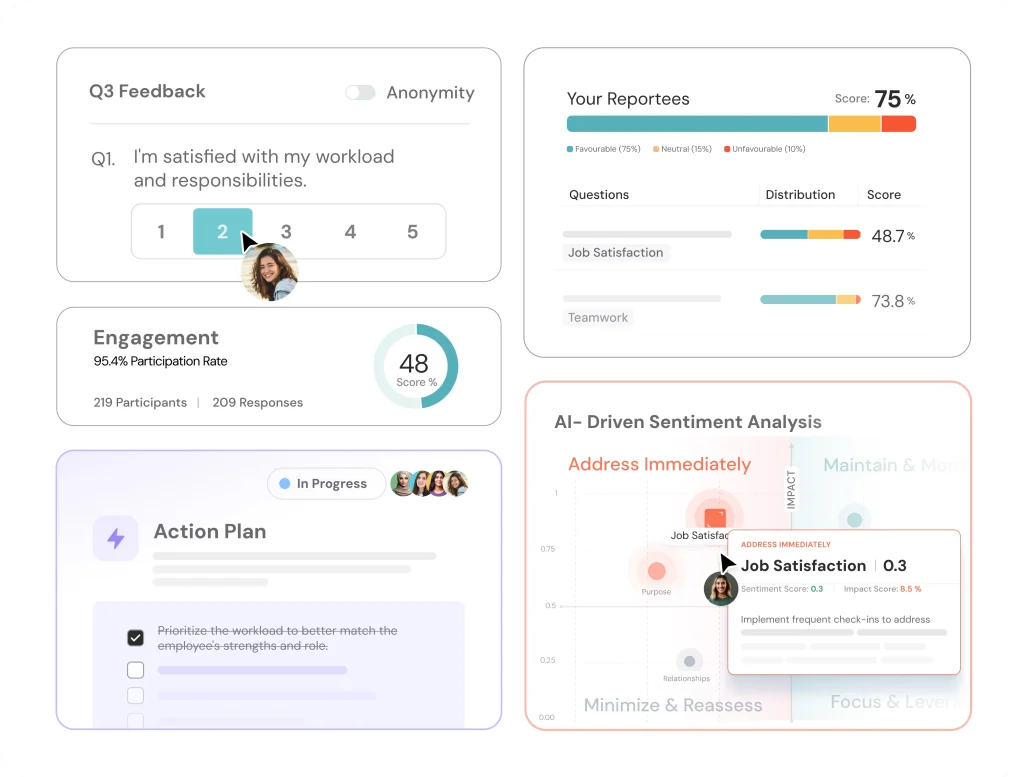
In one large organization I worked with, leadership believed performance issues were individual. The data told a different story. Teams with unclear role expectations were scoring lower on engagement, and those same teams showed slower performance improvement over time. Culture Amp helped connect those dots.
What makes it different is depth. Engagement surveys are not treated as a yearly checkbox exercise. They become a continuous listening system. Leaders can track sentiment trends, compare departments, and examine anonymized feedback without exposing individual responses.
During one cycle, open-text feedback revealed repeated concerns about cross-team communication. Instead of guessing, leadership used the analytics to prioritize collaboration initiatives. Six months later, engagement scores in that area improved measurably.
Culture Amp works best for organizations that want performance conversations grounded in real workforce data, not assumptions.
Pros:
- Delivers deep engagement analytics that uncover patterns and trends beyond surface-level scores.
- Enables anonymous employee listening, improving honesty and trust in feedback responses.
- Compares teams, departments, and segments to reveal where interventions matter most.
- Translates open-text feedback into actionable insights with categorization and trend views.
- Helps leaders connect engagement signals to performance outcomes and organizational priorities.
Cons:
- Advanced analytics capabilities may feel overwhelming for smaller teams with limited HR analytics experience.
- Requires consistent survey participation to generate reliable trends and insights.
Pricing: Custom pricing based on company size and survey frequency.
5. Leapsome
Best for Integrated Performance, Engagement, and Learning
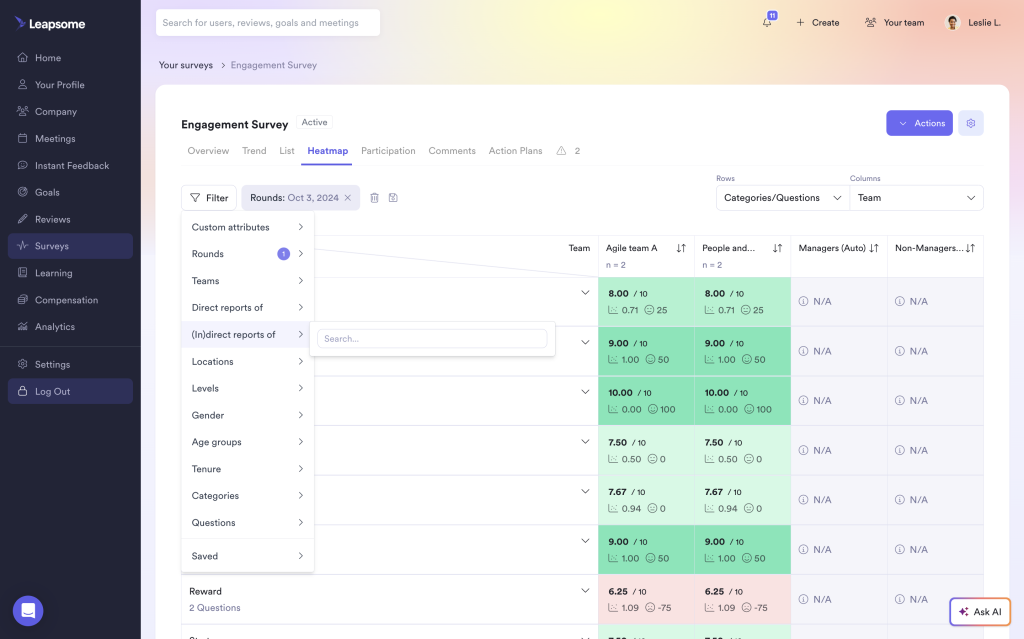
Some platforms help you run reviews. Leapsome goes a step further and helps you do something with them. I’ve seen it used in a company where the biggest frustration was simple: feedback was collected, scores were given, and then everything went quiet until the next cycle.
Leapsome made performance feel connected to growth. Managers could move from evaluation to development in the same flow. A review conversation naturally led into a learning plan, updated goals, and clearer next steps.
One team used it to spot a recurring gap in cross-functional collaboration. Instead of vague coaching, employees were guided toward specific skill-building paths and peer feedback loops. The next cycle showed visible improvement.
Leapsome works well for organizations that want performance, engagement, and learning to operate as one continuous system, not separate HR rituals.
Pros:
- Connects performance reviews directly to development plans, helping feedback translate into real growth actions.
- Combines engagement surveys, goals, and learning in one platform, reducing tool fragmentation.
- Supports continuous feedback and structured cycles without enterprise-level heaviness.
- Encourages coaching-focused conversations with clear next-step visibility.
- Scales well for mid-sized teams building more mature talent processes.
Cons:
- Feature breadth can feel like more than needed for teams seeking only lightweight review forms.
- Requires thoughtful setup to avoid over-complicating workflows early on.
Pricing: Custom pricing.
6. HiBob (Bob)
Best for Mid-Market HR Consolidation With Performance Features
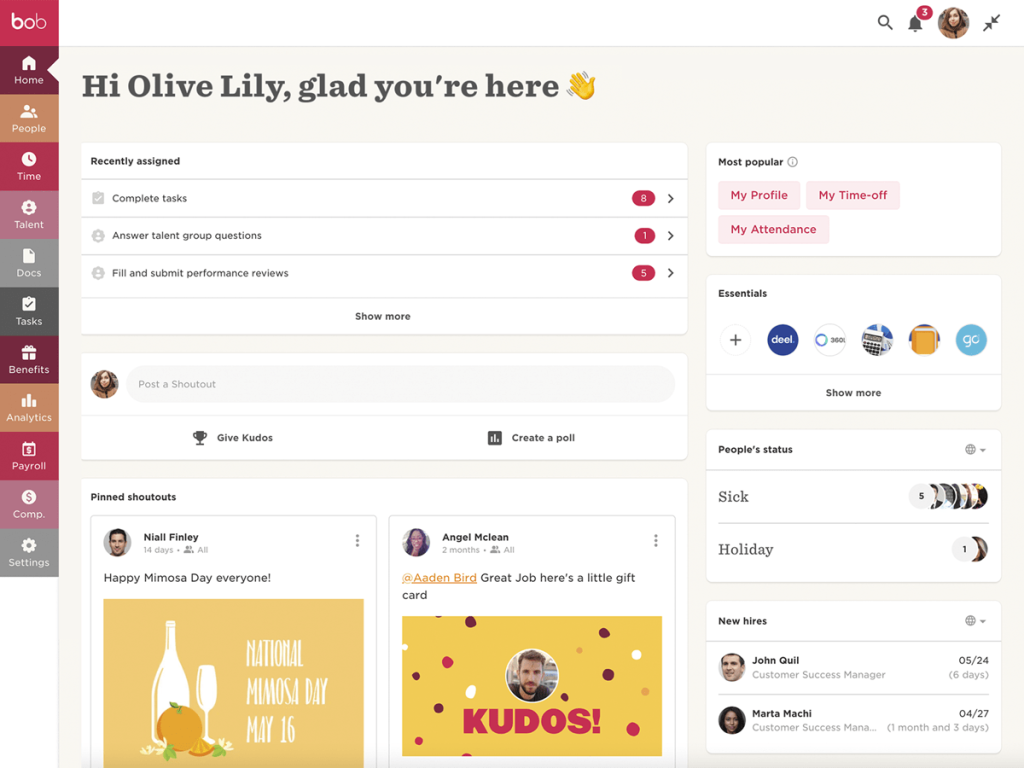
A People Ops leader I worked with once described their HR stack as “three systems pretending to be one.” Performance reviews were in one tool, employee records in another, engagement surveys somewhere else. Every review cycle felt like stitching together screenshots.
HiBob entered the picture during a scaling phase when the company crossed 250 employees. The turning point came during a calibration meeting. Leaders were debating a promotion case, but half the context lived on different platforms.
After moving to Bob, that same conversation looked different. Role history, compensation changes, engagement trends, and past feedback were visible in one place.
One moment stood out. A manager initially questioned an employee’s growth trajectory. When they reviewed the employee’s full journey inside Bob, including role evolution and expanded responsibilities, the narrative shifted from stagnation to steady progression.
Pros:
- Integrates performance reviews with core HR data, helping managers evaluate employees with full context around role history and responsibilities.
- Supports goal tracking and continuous feedback within the broader employee lifecycle, reducing fragmentation across tools.
- Enables more consistent evaluation practices across departments by standardizing workflows and expectations.
- Helps HR teams connect performance outcomes to development planning, promotions, and workforce decisions.
- Works well for mid-market organizations seeking consolidation without adopting an enterprise-heavy suite.
Cons:
- Organizations needing deep customization, advanced calibration, or highly specialized performance frameworks may find it less flexible than standalone tools.
- Best value comes when Bob is used as a broader HR platform, not only for performance reviews.
Pricing: Custom pricing.
7. Workday
Best for Enterprise Organizations Needing Full HR Ecosystem Control
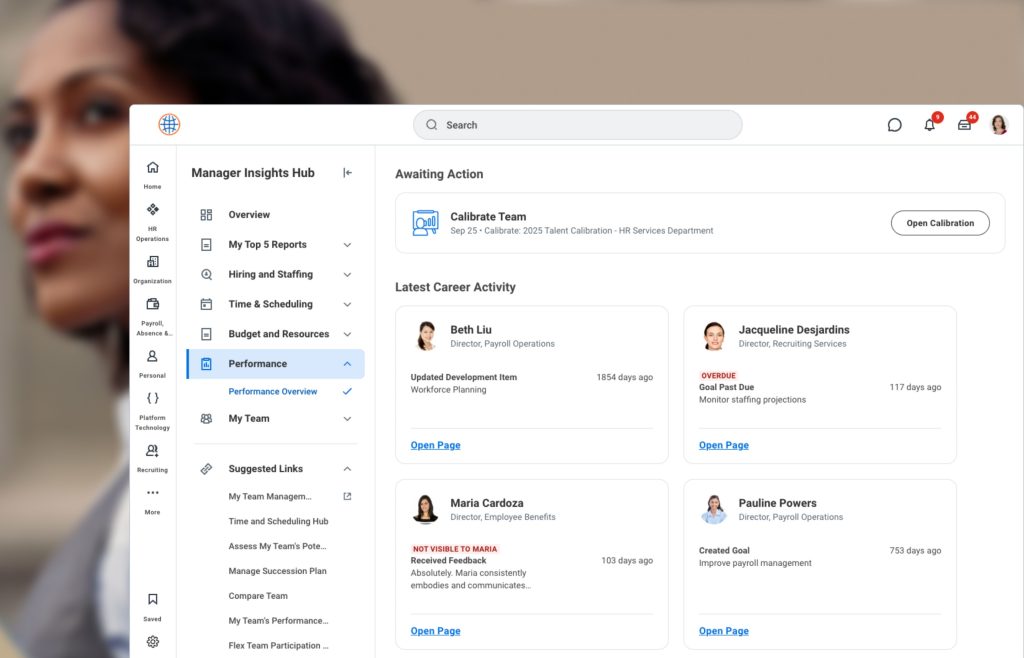
In a global organization, I observed, performance reviews were not the real problem. The real challenge was scale. With thousands of employees across regions, leadership needed one system to anchor payroll, compliance, talent, succession, and reporting. Workday was brought in not just as a performance tool, but as the backbone.
The shift was significant. During the first full review cycle inside Workday, HR finally had standardized rating data across countries. Succession planning conversations were no longer built on disconnected spreadsheets. Everything flowed through one structured environment.
But I also saw the other side. Configuration meetings were long. Integrations required specialists. Teams without dedicated HRIS support struggled to unlock their depth.
Workday delivers control and enterprise consistency. It works best when an organization has the operational capacity to manage a system of that scale.
Pros:
- Provides a unified HR ecosystem covering performance, succession, compensation, and workforce planning in one controlled environment.
- Enables enterprise-level reporting and analytics across regions, departments, and job families.
- Supports structured review cycles with governance controls suited for complex organizations.
- Integrates performance outcomes with broader HR decisions such as promotions and compensation adjustments.
- Offers scalability for multinational companies with compliance and data security requirements.
Cons:
- Implementation and configuration require significant HRIS expertise and integration capability.
- May feel overly complex or resource-heavy for mid-sized or fast-moving organizations.
Pricing: Custom enterprise pricing.
8. ADP Workforce Now
Best for Payroll-Driven Organizations Wanting Performance Add-Ons
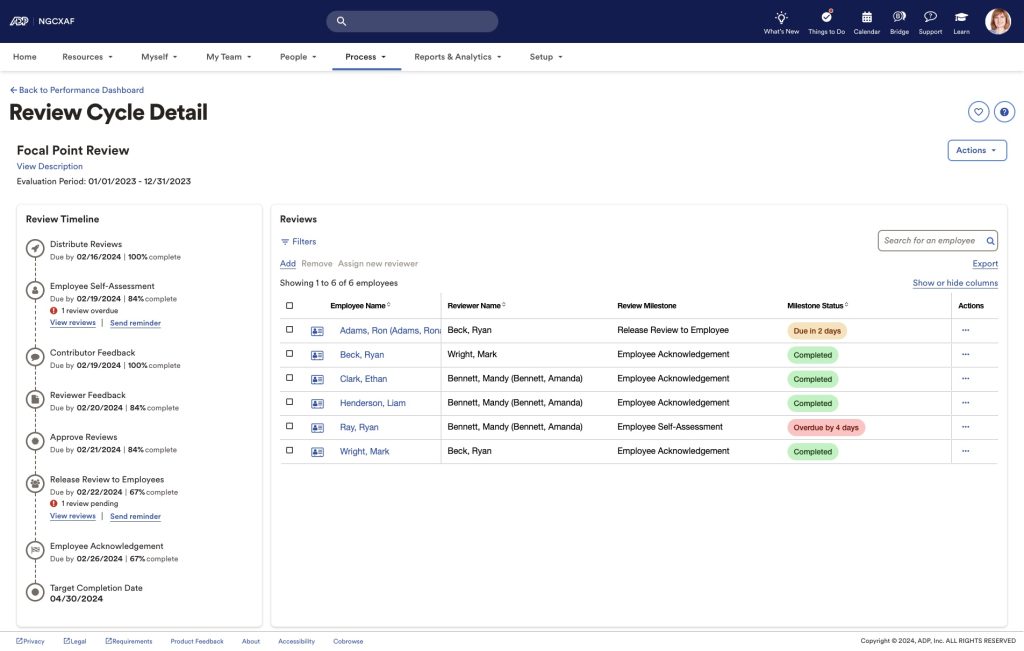
I once worked with a finance-led organization where payroll accuracy was sacred. Every other HR decision revolved around one question: “Will this disrupt payroll?” When they considered upgrading performance reviews, the idea of introducing a completely separate system made leadership uneasy.
ADP Workforce Now became the practical compromise. Performance reviews were layered onto a payroll system that the company already trusted. Managers could complete evaluations without toggling between platforms, and compensation decisions flowed directly into payroll records without manual reconciliation.
One specific cycle stands out. After promotions were finalized, HR did not spend days cross-checking spreadsheets against payroll updates. Adjustments were reflected within the same ecosystem. That operational simplicity mattered more than flashy features.
Pros:
- Integrates performance evaluations directly with payroll and core HR data, reducing duplication and administrative reconciliation work.
- Provides a stable payroll foundation that leadership already trusts, minimizing disruption during performance cycles.
- Allows compensation changes and merit decisions to connect smoothly with payroll processing.
- Centralizes employee records and evaluation data in one familiar system.
- Suitable for organizations that prefer incremental upgrades rather than adopting a separate standalone performance platform.
Cons:
- Performance features may feel limited compared to specialist performance management tools.
- Less flexibility for highly customized review workflows or advanced engagement analytics.
Pricing: Custom pricing based on company size and selected modules.
9. UKG Pro
Best for Workforce-Heavy Industries Like Manufacturing and Healthcare
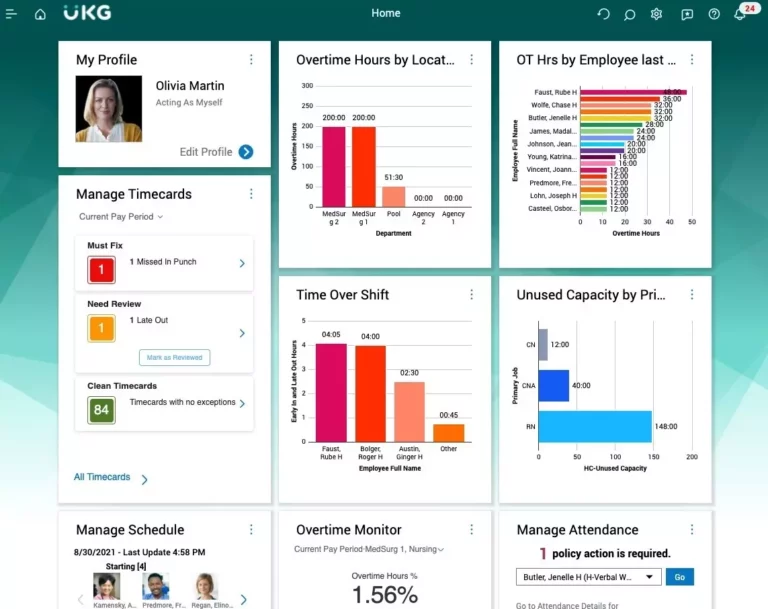
I have seen UKG Pro adopted in an organization where talent management looked very different from a typical office setting. Most employees were not sitting behind laptops. They were working shifts, moving between job sites, or managing patient-facing roles. Traditional performance tools often failed simply because they were not built for that reality.
UKG Pro stood out because workforce operations came first. Scheduling, time tracking, and frontline workforce needs were already deeply embedded, so performance and talent processes felt like a natural extension rather than an extra layer.
One HR leader shared how review conversations improved once managers could connect performance outcomes with attendance patterns, shift challenges, and real workload conditions. Evaluations became more grounded in day-to-day realities, not abstract scorecards.
UKG Pro works best for industries where workforce management and talent development need to live in the same system.
Pros:
- Combines workforce scheduling, time management, and talent modules, making it ideal for frontline-heavy industries.
- Helps managers evaluate performance with context around shift patterns, workload demands, and operational realities.
- Centralizes HR and talent data, reducing fragmentation across workforce systems.
- Supports structured review cycles while remaining connected to workforce planning needs.
- Strong fit for healthcare, manufacturing, retail, and other shift-based environments.
Cons:
- Talent management features may feel less specialized compared to best-of-breed performance platforms.
- Implementation can require significant operational coordination across HR, IT, and workforce teams.
Pricing: Custom pricing.
10. SAP SuccessFactors
Best for Global Enterprises With Complex Talent and Compliance Needs
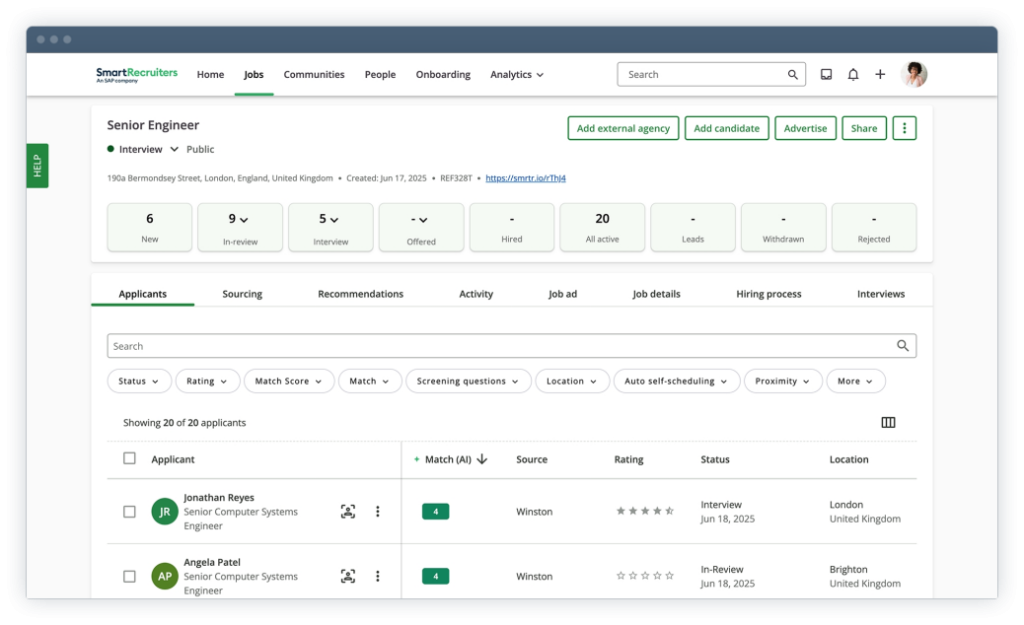
I worked with a global HR leadership team that was struggling with one recurring frustration: every region ran performance differently. Rating scales varied, succession data lived in separate spreadsheets, and compliance documentation was scattered. During board reviews, talent discussions devolved into reconciliation exercises rather than strategic planning.
They adopted SAP SuccessFactors to create structure across countries without sacrificing regulatory precision. One moment stood out during a global calibration session. A regional leader challenged a promotion recommendation, citing different evaluation standards.
Instead of debating interpretations, HR pulled up aligned performance templates and comparable historical data inside the system. The conversation shifted from opinion to documented evidence. SuccessFactors did not simplify their processes. It standardized them.
Pros:
- Supports globally standardized performance frameworks while accommodating regional compliance requirements.
- Enables enterprise-level succession planning, talent reviews, and workforce analytics within one structured ecosystem.
- Provides robust governance and audit controls suited for regulated industries.
- Integrates performance data with compensation, learning, and broader workforce planning modules.
- Offers advanced reporting capabilities for cross-country and multi-entity talent analysis.
Cons:
- Configuration and maintenance require experienced HRIS and technical teams.
- Complexity may feel unnecessary for organizations without multinational or regulatory demands.
Pricing: Custom enterprise pricing.
Decision Framework
| Your Primary Problem | Start Here |
|---|---|
| Running reviews in Google Sheets or email | PeopleGoal |
| Managers skip 1:1s, reviews rely on memory | Lattice |
| Need lightweight check-ins under 200 people | 15Five |
| Engagement dropping, don't know why | Culture Amp |
| Want performance + learning in one system | Leapsome |
| HR stack fragmented across 3+ tools | HiBob |
| 1,000+ employees, need ecosystem control | Workday |
| Payroll-first, want performance added on | ADP Workforce Now |
| Shift-based workforce (manufacturing, healthcare) | UKG Pro |
| Multinational with compliance requirements | SAP SuccessFactors |
Evaluation Criteria for Talent Management Software
Before reviewing the tools in this list, I followed a structured approach to evaluate each platform fairly. Instead of relying only on feature lists or marketing claims, I focused on practical factors that influence how well a talent management system works in real HR environments.
Here are the key criteria I used to evaluate the tools included in this article.
1. User Reviews and Ratings
I carefully looked at verified customer reviews across trusted software review platforms. Real user feedback often highlights things product demos do not reveal, such as usability issues, support quality, or implementation challenges. These insights help create a clearer picture of overall customer satisfaction.
2. Essential Features and Functionality
A strong talent management system should support the core processes HR teams rely on every day. During the evaluation, I focused on features such as 360-degree feedback, goal alignment and OKRs, performance reviews, workflow automation, and analytics. These capabilities determine how effectively a platform supports talent development and performance management.
3. Ease of Use
Even a feature-rich platform can fail if managers and employees find it difficult to use. I assessed how intuitive the interface is, how easy it is to navigate key workflows, and whether teams can adopt the tool without extensive training.
4. Customer Support
Reliable support plays an important role in successful implementation and long-term use. I evaluated the availability and quality of customer support, including onboarding assistance, documentation, and responsiveness when users need help.
5. Value for Money
Pricing alone does not determine value. I compared pricing with the overall feature set, scalability, and practical usefulness of each tool. The goal was to understand whether organizations would actually benefit from the investment.
6. Personal Experience and Expert Insights
Finally, I incorporated insights from my own experience working with HR and performance management platforms, along with perspectives shared by industry experts and practitioners. These insights help highlight what truly matters when selecting talent management software.
How the Right Talent Management Tool Reduces Voluntary Turnover
By the time someone resigns, the decision was made months earlier. The signals were there in missed check-ins, stalled development conversations, or the quiet feeling that nobody was paying attention.
Here’s exactly where a talent management tool breaks that pattern:
| Retention Risk | How the Tool Addresses It |
|---|---|
| Employee feels stuck, no development path | Dev plans tied directly to review outcomes and career frameworks |
| Manager doesn't notice disengagement | Weekly check-in pulse flags sentiment drops before they become exits |
| Promotion felt unfair, top performer leaves | Documented evidence (goals, feedback, history) makes decisions defensible |
| No clarity on growth trajectory | Career pathing visible to employees, not just HR |
| Feedback only happens at review time | Continuous 360 feedback keeps development conversations alive between cycles |
The features that actually move retention numbers:
- Engagement pulse tracked continuously, not just in annual surveys
- Manager alerts when an employee has had no feedback or check-in in 30+ days
- Development plans linked to review outcomes, not stored separately
- Promotion history and performance data visible together during calibration
One missed check-in doesn’t cause a resignation. Six months of missed check-ins does.
Why Most Talent Management Implementations Fail in the First 90 Days
The tool is rarely the problem. Here’s what actually goes wrong and the fix for each.
| What Goes Wrong | Why It Happens | The Fix |
|---|---|---|
| Managers stop logging in after week 3 | HR configured the tool without manager input | Involve 2–3 managers in setup. Build workflows around what they'd actually want before a review. |
| Launch happens during a review cycle | Timing pressure, no neutral window | Launch in a non-review quarter. Call the first cycle a learning cycle, not an evaluation cycle. |
| Adoption collapses after vendor handoff | No internal owner post-launch | Assign one named owner responsible for adoption metrics for 12 months — not just "the HR team." |
| Tool feels like an HR compliance exercise | Positioned as a system, not a manager aid | Have department heads introduce it in team meetings. Lead with what it does for managers, not for HR. |
| Nobody checks if it's actually working | Success metrics never defined | Before launch, set three targets: review completion rate, time-to-complete vs. before, manager satisfaction score. |
Simplify Talent Management and Scale Smarter
Choosing HR talent management software solutions comes down to what will actually improve performance, growth, and consistency inside your organization. Community discussions show that adoption matters more than feature depth.
The best tools are the ones managers will use regularly, not just during annual review season. Strong systems simplify feedback, connect goals to real work, reduce manual follow-ups, and make talent decisions feel fair and evidence-based. Integration planning is also critical, since the hidden effort often determines long-term success.
If I had to recommend one option for growing teams, it would be PeopleGoal. It combines structured 360 feedback, cascading goals, and workflow automation without the complexity of enterprise-heavy suites. Most importantly, it keeps talent management continuous rather than episodic.
If you’re evaluating tools now, start by clarifying your process gaps, involving managers early, and choosing the platform your team will actually stick with.
Frequently Asked Questions

How important is anonymous 360-degree feedback in talent management?
Anonymous 360 feedback is very important, especially in growing organizations. It allows employees to share honest input without fear of consequences. Multi-rater feedback also gives a fuller picture than just one manager’s view. When done well, it improves fairness, trust, and coaching quality.
What should I look for in goal alignment and OKR tracking features?
Look for tools that make goals visible and connected. Cascading goals, OKRs, progress tracking, and department-level alignment help employees understand how their work supports company priorities. This becomes especially valuable as teams scale and coordination gets harder.
Do talent management platforms help with promotion and succession workflows?
Yes, many platforms support structured promotion and succession planning. They can help track readiness, document performance history, route approvals, and reduce the chaos of promotion decisions happening through emails or spreadsheets. This is especially useful for mid-sized companies formalizing career paths.
What reporting and analytics features matter most for HR leaders and CHROs?
HR leaders need reporting that brings clarity, not complexity. The most useful features include performance snapshots, department-level trends, historical comparisons, engagement insights, and dashboards that help leadership spot talent risks early. Analytics should support decisions, not create more manual work.
How difficult are integrations and data migration when switching tools?
Switching tools is often harder than it looks in demos. Integrations with HRIS, payroll, SSO, and reporting systems can take time. Data migration also requires planning, especially for historical reviews and employee records. The best approach is to treat integration and exports as a core part of the decision, not an afterthought.
How can I tell if managers will actually adopt the platform?
Adoption depends on simplicity. If the tool makes one-on-ones easier, reduces admin work, and fits naturally into weekly routines, managers will use it. If it feels heavy or only shows up during annual review season, usage drops fast. The best talent management software are the ones managers don’t avoid.
What is the biggest mistake companies make when buying talent management software?
The biggest mistake is choosing based on features instead of fit. Many organizations buy powerful systems they’re not ready to implement or sustain. Talent management system software only works when the process is clear, workflows are simple, and managers actually participate. The best choice is the one your organization can realistically adopt and use consistently.
Ready to 3x Your Teams' Performance?
Use the best performance management software to align goals, track progress, and boost employee engagement.
![What Is EPM Software? [Detailed Guide + Best Tools]](https://www.peoplegoal.com/blog/wp-content/uploads/2025/03/New_enterprise-performance-management-software.png)