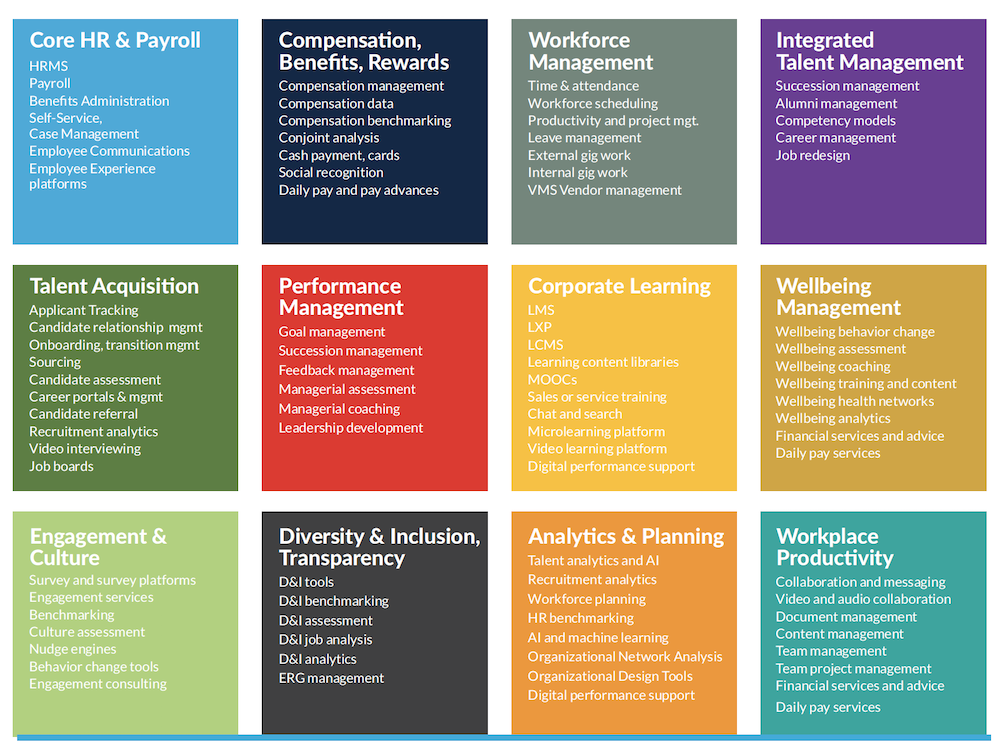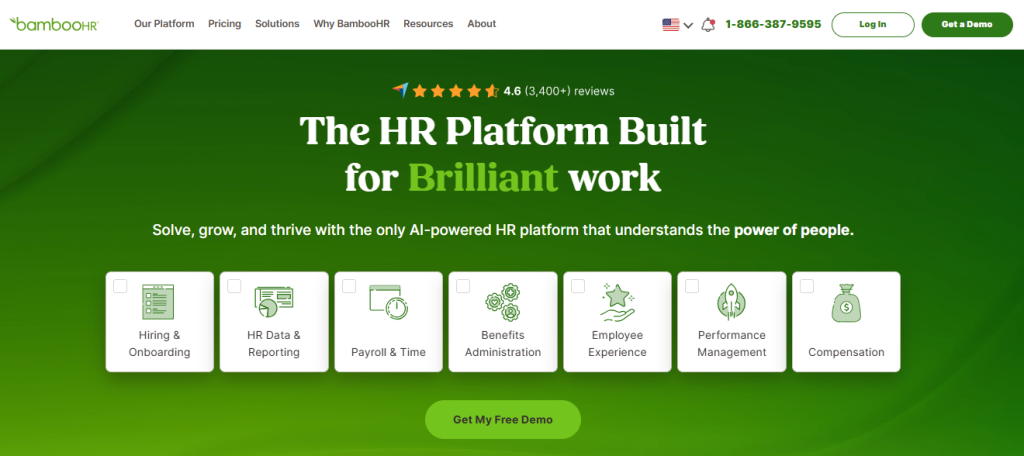

I still remember the week our scheduling lived in one spreadsheet, attendance in another, and leave requests in a Slack channel that nobody actually checked.
Nothing was wrong until three people were double-booked for the same shift, and payroll ran late because nobody caught it in time. That is usually the moment HR teams start looking for workforce management software.
If you are reading this, you are probably past the “maybe we need this” stage and into “which one actually fits us.” I have spent time testing and comparing the platforms below against real HR use cases, from shift-based teams to fully remote ones.
This guide walks you through what workforce management software actually does, the 10 tools worth shortlisting, and exactly how to pick the right one for your company size, industry, and budget.
What Is Workforce Management Software?
Here is why that matters for your day-to-day, not just in theory:
- Fewer scheduling conflicts: Automated scheduling checks availability, skills, and labor rules before a shift ever gets published.
- Accurate labor costs: Live time tracking means you are budgeting against actual hours worked, not estimates.
- Faster approvals: Leave, overtime, and shift swaps move through one workflow instead of email threads and sticky notes.
- Cleaner payroll runs: Attendance and scheduling data syncs directly with payroll, cutting manual entry errors.
- Better staffing decisions: Forecasting tools flag when you are about to overstaff or understaff a shift, before it costs you.
- One source of truth: Managers, HR, and finance are all looking at the same live data instead of three different files.
10 Best Workforce Management Software
To make your search easier, I put together this list of the best workforce management software based on features, ease of use, pricing, integrations, and overall value. Before diving into the detailed reviews, here’s a quick comparison table to help you narrow down your options.
| Software | Best For | User Rating (G2) | Starting Price |
| PeopleGoal | Fully Customizable Platform for Performance Reviews, OKRs & Employee Development | 4.5/5 | 14-day free trial. Paid starts at $4/user/month |
| Rippling | Integrated HR, IT, and Workforce Management | 4.8/5 | Custom Quote |
| Connecteam | Deskless and Mobile Teams | 4.6/5 | Free for up to 10 users. Paid plans start at $29/month for 30 users |
| Deputy | Shift Scheduling and Labor Forecasting | 4.6/5 | Starts at $5/user/month |
| When I Work | Hourly and Shift-Based Scheduling | 4.4/5 | Starts at $2.50/user/month, billed annually |
| UKG Ready | Mid-Market to Enterprise Compliance and Payroll | 4.4/5 | Custom Quote |
| Paycor | Human Capital Management for Mid-Sized Businesses | 3.9/5 | Custom Quote |
| ADP Workforce | HR, Tax, and Compliance at Scale | 4.2/5 | Custom Quote |
| BambooHR | Small to Mid-Sized Business HCM | 4.4/5 | Starts at $10/employee/month |
| Deel | Global, Distributed Workforce Compliance | 4.7/5 | Starts at $5/employee/month |
1. PeopleGoal – Fully Customizable Platform for Performance Reviews, OKRs & Employee Development
I keep coming back to PeopleGoal whenever a team tells me their workforce data and performance data live in two different worlds. A People Ops lead I spoke with described her old setup as three tabs open just to answer one question about a single employee.
That is exactly the gap PeopleGoal closes. The Core HR and Onboarding module keeps absence management and asset tracking sitting right next to onboarding, so a manager gets the full picture without switching systems.
What sold me on it long-term is Customizable Workflows. You can build your own HR apps for onboarding, attendance, or approvals with zero code, and set rules that trigger emails or status changes automatically the moment something changes.
Pair that with Real-Time Analytics and Reports, and monthly exports turn into live dashboards. It also connects with ADP, BambooHR, Workday, and Slack out of the box, so it slots into a workforce stack you already run instead of asking you to rebuild one.
Pros:
- Fully configurable appraisal cycles, review forms, and workflows tailored to how your organization already runs
- Continuous performance conversations through structured check-ins, not just end-of-cycle forms
- Goal tracking with OKRs and SMART goals, connecting employee performance and growth directly to business priorities
- 360-degree feedback tools with weighted rater groups, automated reminders, and response tracking
- Built-in engagement measurement via pulse surveys to contextualize appraisal outcomes with real sentiment data
- Real-time dashboards covering goal completion, engagement, and workflow progress without manual exports
- 500+ platform integrations, including Workday, BambooHR, Slack, and Jira
- The built-in App Store offers a lot of easy performance management, engagement, and development templates to act quickly.
Cons:
- No downloadable or on-premise version
- Dark UI mode is not available
User Rating: 4.5/5 (G2)
Pricing: 14-day free trial. Paid starts at $4/user/month.
2. Rippling – Best for Integrated HR, IT, and Workforce Management
Rippling is the one I point to when a founder tells me they are running HR, IT, and payroll out of three unrelated logins. I watched a 200-person company offboard someone through Rippling, and every system, laptop access, Slack account, and payroll record shut off in the same afternoon instead of dragging out over a week of follow-up tickets. That single moment is usually what convinces people to switch.
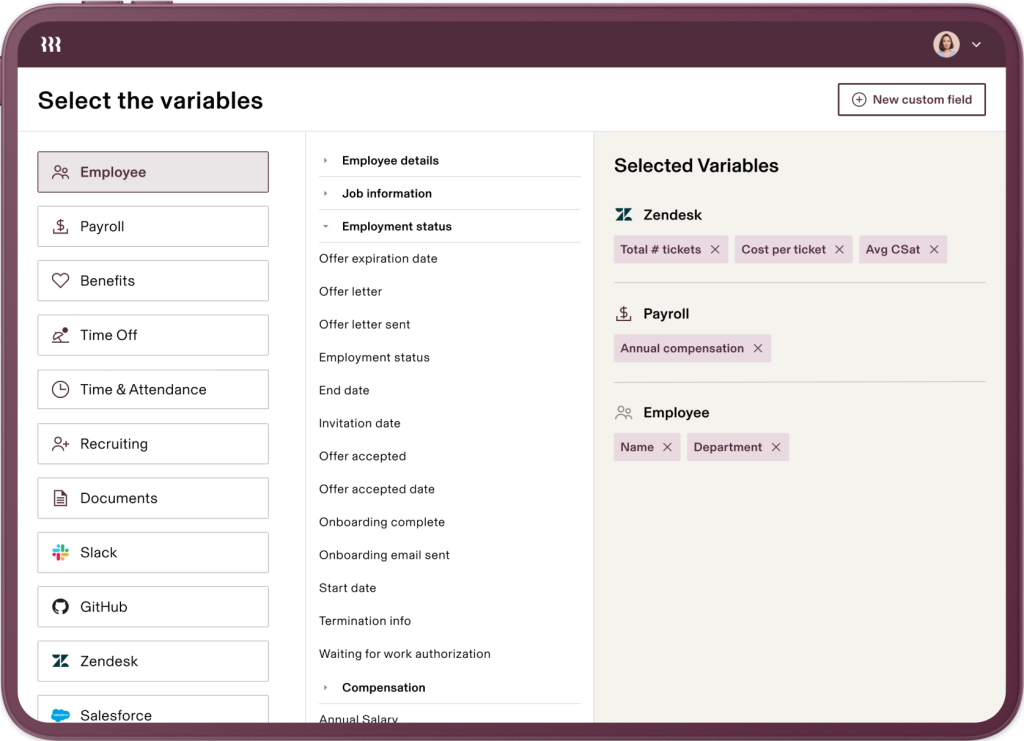
Beyond the IT piece, the AI-powered forecasting and automatic scheduling genuinely help with planning around workload spikes, and utilization tracking gives you an honest read on whether one location is overstaffed while another is scrambling.
Payroll and benefits run in the same place, too, which cuts down on the reconciliation work HR normally does at the end of the month. It is built to scale cleanly, so a 50-person team and a 2,000-person team are not fighting the same limitations.
Pros:
- AI forecasting predicts staffing needs before crunch time hits.
- Automatic scheduling cuts manual roster-building for managers.
- Utilization tracking flags overstaffed locations early.
- Payroll and benefits in one platform means less monthly reconciliation.
- Built-in security controls protect sensitive employee data.
Cons:
- Limited marketplace integrations compared to its core feature depth
- Customer support response times can vary during peak periods
User Rating: 4.8/5 (G2)
Pricing: Custom Quote
3. Connecteam – Best for Deskless and Mobile Teams
If most of your workforce is not sitting at a desk, this is the one I tell people to test first. I worked with a retail chain that was managing shift swaps over text messages before switching to Connecteam, and the change was immediate.
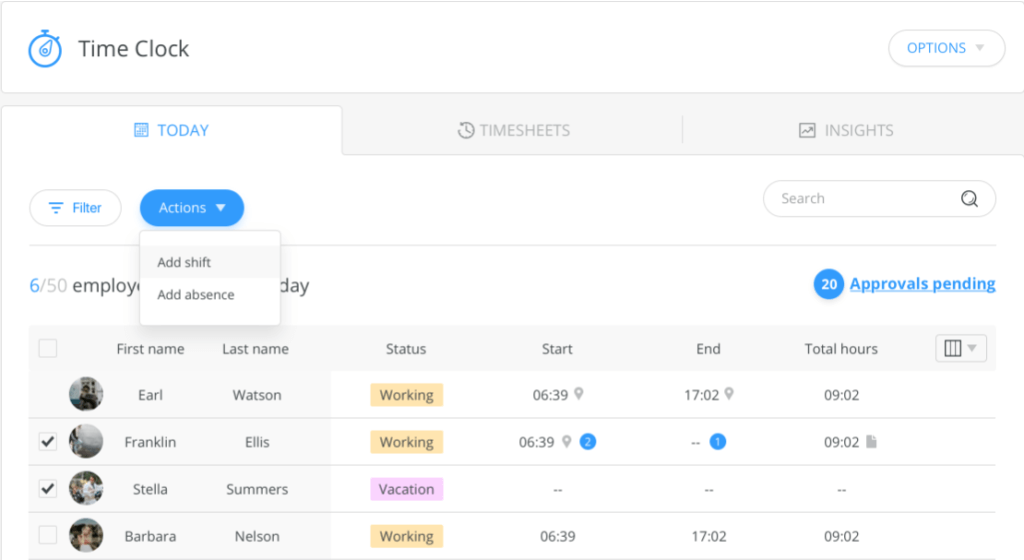
Scheduling, time tracking, and team messaging all live in the same app a frontline employee already has open, so nothing gets missed in a group chat anymore. Geofencing is the feature managers bring up the most. It confirms someone is actually clocking in from the job site, not from home, which matters a lot in retail, field services, or hospitality.
One-click payroll moves verified hours straight into your payroll system, and the built-in knowledge base doubles as a lightweight training tool, so new hires are not waiting around for someone to walk them through everything in person.
Pros:
- Mobile-first scheduling keeps shift updates out of text threads.
- One-click payroll sends verified hours straight to payroll.
- Geofencing confirms clock-ins from the actual job site.
- Knowledge base doubles as a built-in training tool.
- Free plan covers teams up to 10 users.
Cons:
- Not a dedicated HR solution for complex HR workflows
- Analytics depth is limited compared to specialized reporting tools
User Rating: 4.6/5 (G2)
Pricing: Free for up to 10 users. Paid plans start at $29/month for 30 users.
4. Deputy – Best for Shift Scheduling and Labor Forecasting
Deputy is what I recommend when scheduling accuracy and labor cost, not HR paperwork, are the actual pain points. I have seen operations managers spend an entire Sunday building next week’s roster by hand, only to redo half of it after a last-minute call-out.
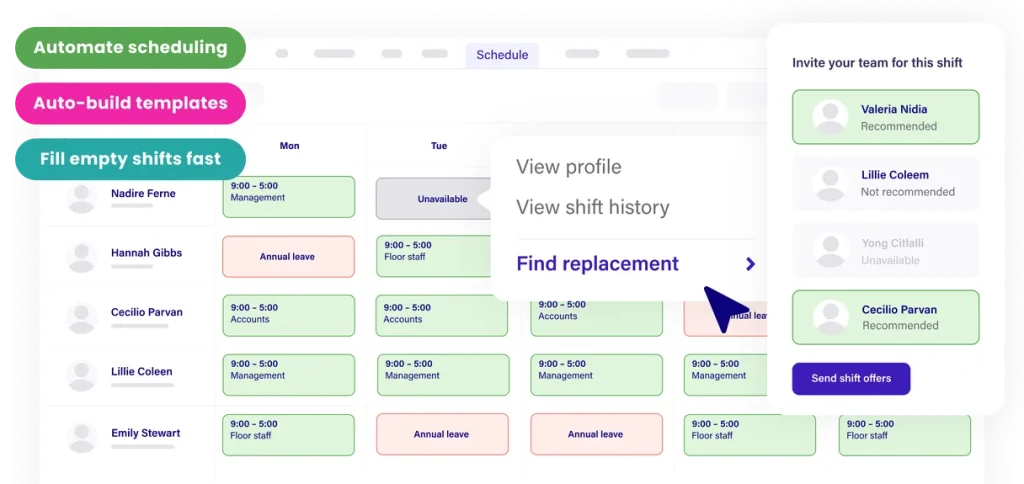
The AI-powered auto-scheduler removes much of that guesswork by automatically building shifts around sales data, demand, and labor budgets. Time tracking supports GPS, facial recognition, and kiosk clock-ins, so attendance data stays accurate without a manager physically checking who showed up.
Timesheets sync straight to payroll, and the labor cost dashboards show sales versus labor percentage in real time, which is the number most operations managers actually watch every single day. For shift-heavy industries like retail, hospitality, and healthcare, this is one of the tightest scheduling-to-payroll loops on this list.
Pros:
- AI auto-scheduler builds rosters around demand and labor budgets.
- GPS and facial recognition clock-ins cut buddy punching.
- Real-time labor cost dashboards catch overstaffing early.
- Syncs with 300+ POS and payroll systems directly.
- Built-in compliance safeguards enforce overtime and break rules.
Cons:
- HR functionality is limited and often needs a separate tool
- Costs can climb quickly once you add premium add-ons
User Rating: 4.6/5 (G2)
Pricing: Starts at $5/user/month
5. When I Work – Best for Hourly and Shift-Based Scheduling
When I Work is the simplest option here if your main problem is getting a usable schedule out the door without a spreadsheet fight every week. I have seen a coffee shop chain go from a manager manually texting shifts to a group chat, to employees just opening the app to see their week and request a swap themselves.
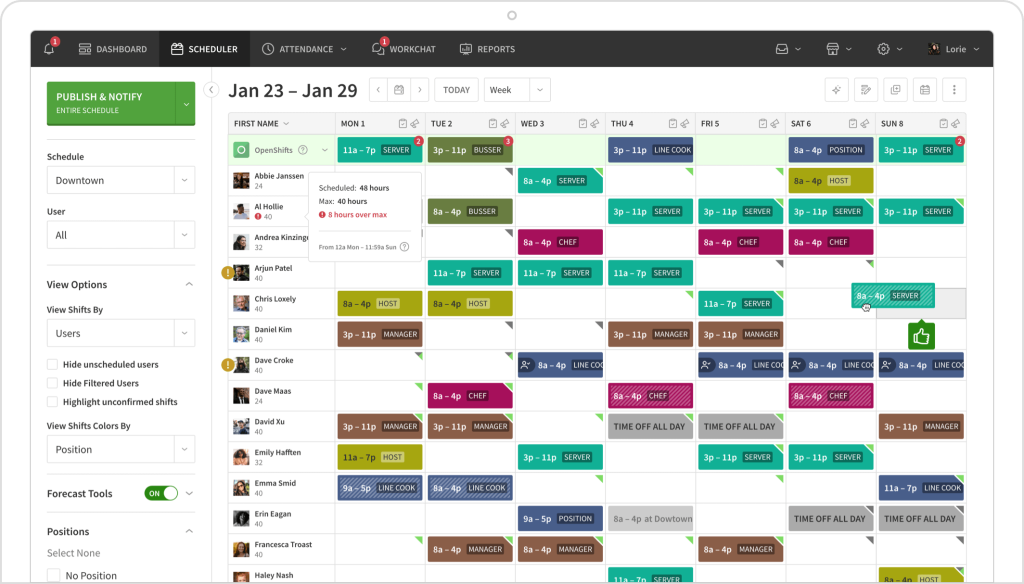
Managers approve everything from the same screen instead of chasing people down for confirmations. Multi-location and multi-week scheduling are supported on every plan, not locked behind a premium tier, and forecasting tools help you plan staffing levels ahead of predictable busy periods like holidays or weekends.
It integrates with common payroll providers, so attendance and hours worked do not need to be manually reconciled before a pay run, which is usually where scheduling errors turn into payroll errors.
Pros:
- Self-service shift swaps cut manager back and forth.
- Multi-location scheduling comes standard on every plan.
- Forecasting flags staffing needs before busy periods hit.
- Payroll integrations sync hours automatically.
- Simple setup gets teams productive within a day.
Cons:
- No free plan, only a 14-day trial
- Pricing jumps noticeably once you add a second location
User Rating: 4.4/5 (G2)
Pricing: Starts at $2.50/user/month, billed annually.
6. UKG Ready – Best for Mid-Market to Enterprise Compliance and Payroll
UKG Ready is the one I bring up when a business has outgrown simpler tools and needs payroll, time tracking, and workforce analytics to withstand real compliance pressure.
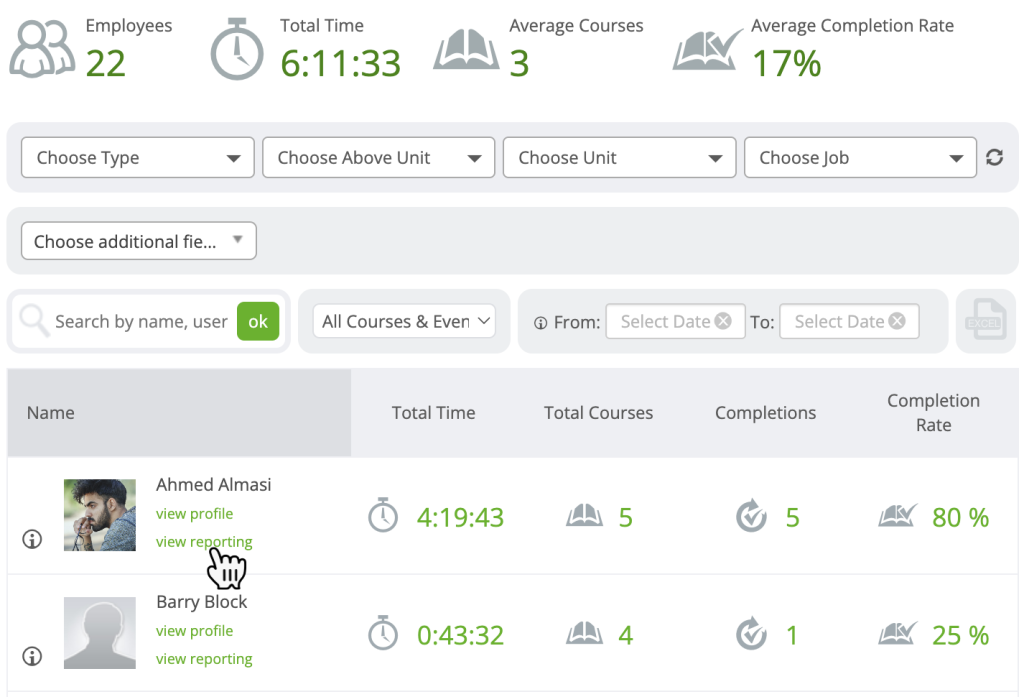
I worked with a multi-site healthcare provider where a single misconfigured overtime rule had already triggered a labor complaint, and that is exactly the kind of risk UKG Ready is built to catch before it happens, using AI-based workforce analytics that flag issues like burnout or turnover early.
Reporting is a genuine strength here, with 150+ built-in reports and EEO and OSHA reports available out of the box, rather than having to be custom-built from scratch. The auto-build scheduling feature uses demand forecasts and fills last-minute gaps by filtering call lists by skills and availability, which matters most for healthcare and retail operations running tight margins on labor and even tighter compliance requirements.
Pros:
- AI analytics flag turnover and burnout risk early.
- 150+ built-in reports cover EEO and OSHA compliance.
- Auto-build scheduling fills gaps from demand forecasts.
- Centralized HR, payroll, and time tracking in one audit trail.
- Built for consistent compliance across multi-site operations.
Cons:
- Interface has a real learning curve, especially during setup
- Pricing is not published and implementation costs add up fast
User Rating: 4.4/5 (G2)
Pricing: Custom Quote
7. Paycor – Best for Human Capital Management for Mid-Sized Businesses
Paycor is a strong pick if you want payroll, time and attendance, recruiting, and compliance in one place without juggling three separate vendor relationships and three separate support lines.
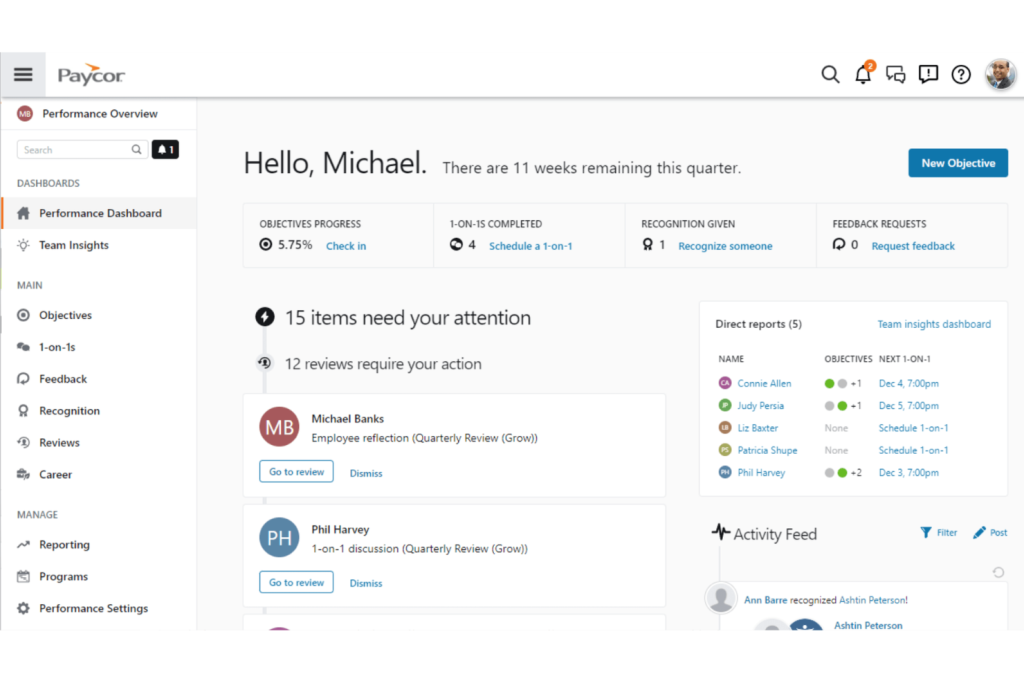
I have talked to HR generalists at mid-sized companies who were manually copying data between an applicant tracking spreadsheet and their payroll system, and Paycor’s built-in applicant tracking system alone removed that entire step from their week. What I appreciate most is how centralized everything stays.
Employee data, benefits, compliance documentation, and time tracking all live in the same system, so reporting does not require exporting from five places and stitching the numbers together by hand before a leadership meeting. It scales reasonably well as headcount grows too, so a company doubling in size is not forced into a full re-implementation just to keep up.
Pros:
- Centralized compliance management means audits pull from one system.
- Built-in applicant tracking removes manual recruiting to payroll copy-paste.
- Self-service pay statements cut routine HR tickets.
- Customizable reporting builds leadership’s exact view on demand.
- Mobile access lets managers approve from anywhere.
Cons:
- Advanced analytics capabilities are limited compared to specialized tools
- Can feel like more platform than necessary for smaller teams
User Rating: 3.9/5 (G2)
Pricing: Custom Quote
8. ADP Workforce – Best for HR, Tax, and Compliance at Scale
ADP Workforce earns its spot when tax compliance and payroll accuracy are non-negotiable, which honestly, is most of the time once you are operating in more than one state. I have seen a growing company get blindsided by a state-specific overtime rule they did not even know applied to them, which is exactly the kind of gap ADP’s compliance tooling is built to close before it becomes a fine.
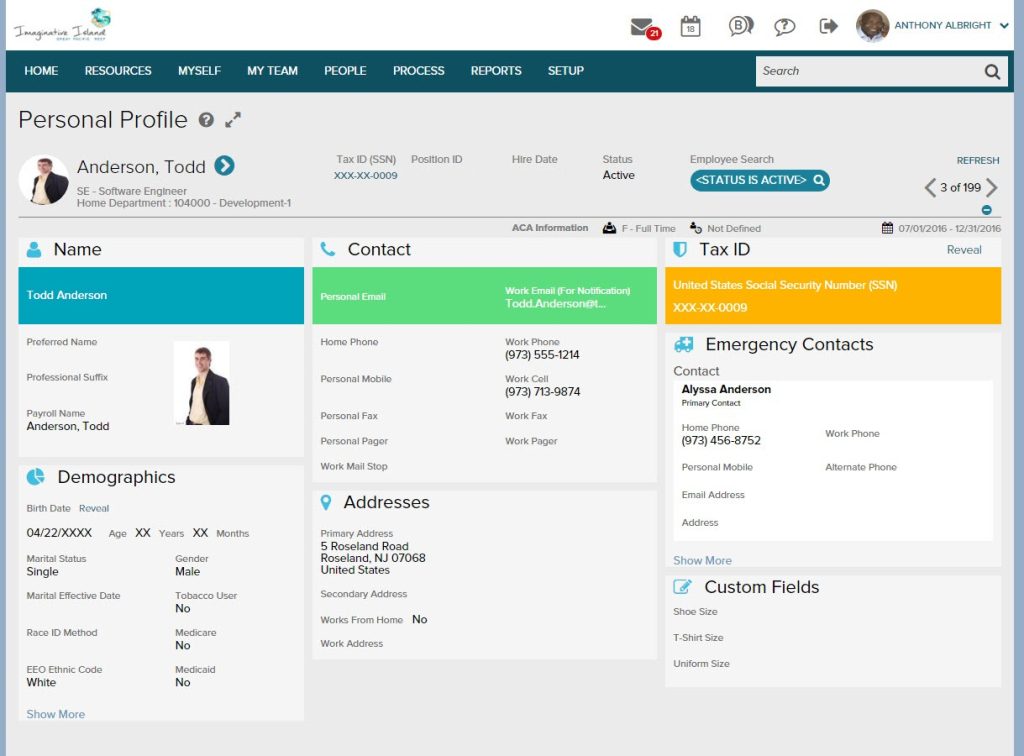
Real-time tracking and automatic scheduling handle the operational side well, while payroll integration keeps time and attendance data flowing directly into pay runs without manual re-entry.
Absence management is built in too, so leave tracking stays compliant with company policy instead of living in a separate spreadsheet someone has to remember to update. It scales from small teams to large enterprises without the interface changing dramatically at each stage.
Pros:
- Real-time tracking and auto-scheduling cut manual rostering.
- Payroll integration pulls attendance data directly into pay runs.
- Built-in absence management keeps leave tracking compliant.
- Compliance tooling adapts to multi-state labor laws.
- Scales from small business to enterprise without switching platforms.
Cons:
- Learning curve for new users adopting the full feature set
- Marketplace integrations can require workarounds for niche tools
User Rating: 4.2/5 (G2)
Pricing: Custom Quote
9. BambooHR – Best for Small to Mid-Sized Business HCM
BambooHR is the tool I recommend to smaller HR teams that want something intuitive without needing weeks of onboarding themselves first. I remember setting up a client’s account on a Monday and having their first performance review cycle running by Friday, which is not something I can say about most HCM platforms on this list.
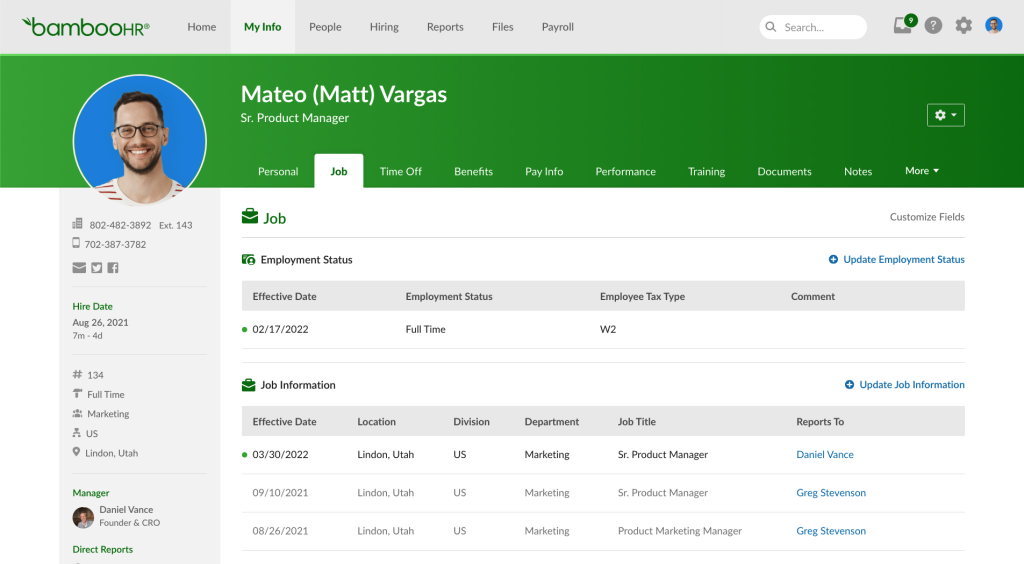
Real-time tracking, customizable performance reports, and applicant tracking are all there from day one. Feedback and sentiment tools give you a lightweight way to check in on engagement without running a full survey program from scratch.
Employee engagement assessments help flag issues before they show up as attrition numbers in a quarterly report. It is genuinely built for growing businesses that need real HR structure without enterprise-level complexity slowing every decision down.
Pros:
- Intuitive interface gets managers running it within days.
- Customizable reports pull leadership’s exact metrics fast.
- Feedback tools flag engagement dips before they become exits.
- Applicant tracking keeps recruiting and onboarding in one system.
- Engagement assessments surface attrition risk early.
Cons:
- Pricing runs higher for smaller businesses with tight budgets
- Support responsiveness has been inconsistent for some users
User Rating: 4.4/5 (G2)
Pricing: Starts at $10/employee/month
10. Deel – Best for Global, Distributed Workforce Compliance
Deel is built for one specific problem: managing a workforce spread across countries without accidentally breaking local labor laws. I worked with a startup hiring their first international contractor who nearly missed a mandatory local benefit requirement, the kind of mistake that is easy to make without a system flagging it.
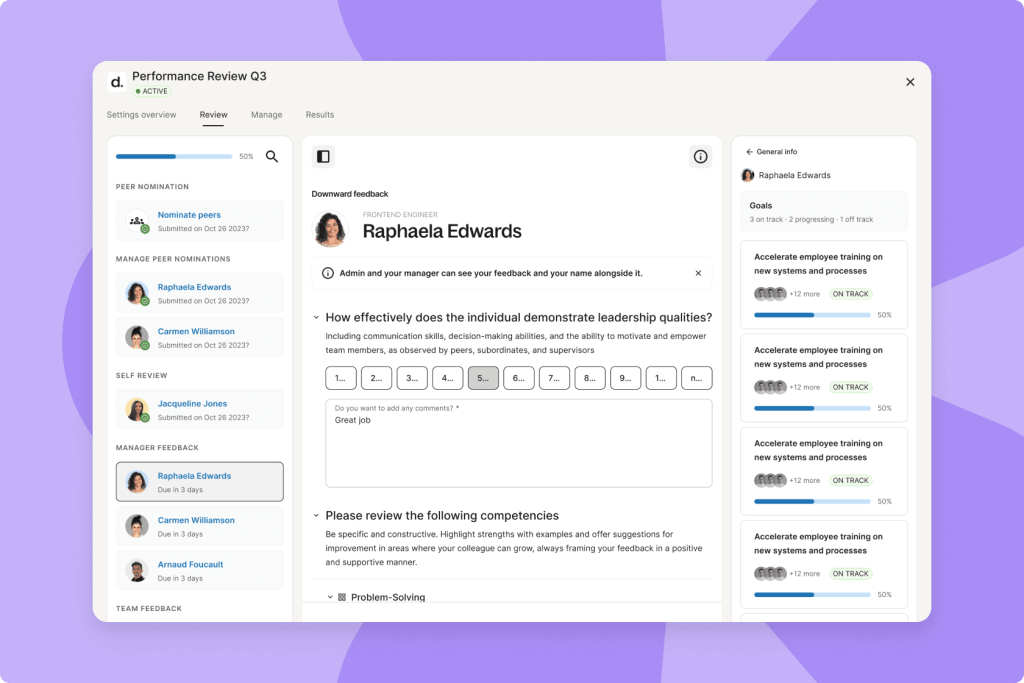
Automated payroll processing handles multiple currencies and tax calculations, and compliance tools flag risk in real time instead of leaving you to find out during an audit months later. The free plan for teams up to 200 people is genuinely useful for startups managing a small global team without a big HR budget yet.
Team workflows and employee profiles keep onboarding and offboarding structured, even when your team is spread across a dozen time zones, so nothing depends on one person remembering every step.
Pros:
- Automated payroll handles multi-currency, multi-country pay runs.
- Real-time compliance monitoring flags risk before an audit.
- Free plan covers teams of up to 200 people.
- Structured onboarding keeps new hires compliant from day one.
- Org charts give visibility into the distributed team structure.
Cons:
- Limited integrations with certain third-party applications
- Best suited for global operations, less useful for a purely local team
User Rating: 4.7/5 (G2)
Pricing: Starts at $5/employee/month
My Top 3 Workforce Management Software
If you want the short version, these are the three workforce management platforms I’d recommend first. Each excels in a different area, so the right choice depends on your workforce size, operational priorities, and HR needs.
1. PeopleGoal
PeopleGoal is my top pick for organizations that want to manage workforce operations and employee performance in one place. Its customizable workflows, Core HR, onboarding, OKRs, 360-degree feedback, pulse surveys, and real-time dashboards make it especially valuable for HR teams that want to automate processes while connecting workforce data to employee development.
2. Rippling
Rippling stands out if you need to manage HR, IT, payroll, and workforce operations from a single platform. AI-powered scheduling, workforce forecasting, utilization tracking, and automated employee onboarding and offboarding make it a strong choice for growing companies that want to reduce manual administration and scale efficiently.
3. Connecteam
Connecteam is the best option for deskless and frontline teams in industries like retail, hospitality, construction, and field services. Its mobile-first approach combines scheduling, time tracking, team communication, geofenced clock-ins, and payroll-ready timesheets in one easy-to-use app, making daily workforce management much simpler.
How I Evaluated Each Workforce Management Software
When I evaluate workforce management software for this list, I do not just rely on feature lists or marketing claims. I look at how these tools actually perform in real-world scenarios. Here is the framework I used to make sure every recommendation is practical, reliable, and worth considering:
- User Reviews / Ratings: I start by looking at real user feedback from platforms like G2 and Capterra. This gives me a clear picture of how teams actually experience the tool day to day, what they love, and where it falls short.
- Core Features & Functionality: I focus on what truly matters in workforce management software. This includes scheduling, time and attendance tracking, leave management, labor forecasting, payroll, and HRIS integration, and reporting. If a tool cannot handle these well, it does not make the cut.
- Ease of Use: I pay close attention to how intuitive the platform feels for both managers and frontline employees. A tool might be powerful, but if teams struggle to adopt it, it defeats the purpose. Clean interface, simple navigation, and quick onboarding are non-negotiable for me.
- Customer Support: From my experience, implementation is where many tools fail, especially when payroll or compliance data is involved. I evaluate how responsive and helpful the support team is, especially during setup and ongoing use. Fast, reliable support makes a big difference in adoption.
- Value for Money: I compare pricing with what the tool actually delivers. This is not about picking the cheapest option, but about whether the features, flexibility, and performance justify the cost, including how a tool integrates with your existing payroll provider.
- Personal Experience / Expert Insights: Wherever possible, I rely on my own hands-on experience with these tools. I also consider insights from HR leaders, operations managers, and finance teams who run workforce management systems in real environments. This helps me go beyond surface-level reviews and highlight what actually works.
Choose the Workforce Management Software That Fits Your Team
The best workforce management software is not the one with the longest feature list. It is the one that solves the specific problem costing you the most time right now, whether that is scheduling chaos, compliance risk, or disconnected performance data.
Map your must-have features against your company size and industry first, then shortlist two or three tools and actually test them with your own data before deciding. If your biggest gap is connecting workforce administration to real performance and engagement outcomes, PeopleGoal is worth starting with.
Its Customizable Workflows, Real-Time Analytics, and Core HR module give you the operational structure without locking you into a rigid, one-size-fits-all system. Get started free and run one team through a full cycle before rolling it out company-wide.
Frequently Asked Questions
Does workforce management software replace my payroll provider?
Not usually. Most workforce management platforms integrate with your existing payroll provider rather than replacing it, syncing hours worked, overtime, and leave data directly into your pay runs. Some platforms, like ADP Workforce and Paycor, do include native payroll if you want to consolidate.
Can workforce management software work for a fully remote team?
Yes. Platforms like PeopleGoal, Deel, and Rippling are built for distributed teams, with mobile self-service, digital onboarding, and compliance tools that do not depend on employees being in one physical location.
How long does implementation typically take?
This varies by platform and company size. Simpler scheduling tools like Connecteam or When I Work can go live in days. More comprehensive platforms like PeopleGoal or UKG Ready typically take one to four weeks depending on data migration and integration needs.
What happens to my historical data when I switch tools?
Most platforms support bulk import of historical scheduling, attendance, and HR data, usually via CSV or direct HRIS integration. Document your current data structure before migrating so it lands correctly in the new system rather than needing manual cleanup afterward.
Do I need separate software for scheduling and performance management?
Not necessarily. Some platforms specialize in one or the other, but tools like PeopleGoal combine core HR, workforce administration, and performance management in one system, which reduces the number of vendors your HR team has to manage.
What is the difference between workforce management and HCM?
Workforce management focuses on scheduling, time tracking, attendance, and labor optimization, while HCM covers the broader employee lifecycle, including hiring, payroll, benefits, performance, and talent development.
Which features are most important in workforce management software?
Prioritize employee scheduling, time and attendance tracking, leave management, labor forecasting, payroll integrations, mobile self-service, AI automation, and real-time reporting. These features save time, improve compliance, and reduce labor costs.
How do I choose the right workforce management software?
Choose software based on your company size, industry, workforce complexity, and integration needs. Small businesses often need simplicity, while larger organizations require advanced scheduling, compliance, analytics, and scalability.
When should I replace spreadsheets with workforce management software?
If scheduling, attendance, payroll preparation, or leave management relies on multiple spreadsheets or manual approvals, it's time to switch. Dedicated software reduces errors, improves visibility, and saves administrative time.
What should I test before buying workforce management software?
Use staffing and ROI calculators, request a sandbox trial with your own data, and review implementation checklists. Testing real-world workflows reveals whether the software fits your business before you commit.
Ready to 3x Your Teams' Performance?
Use the best performance management software to align goals, track progress, and boost employee engagement.