
I still remember the first time I ran payroll manually for a 12-person team. I had a spreadsheet, a tax table I’d printed out, and a knot in my stomach every single pay cycle. One missed state filing later, I knew I needed software, not willpower, to get this right.
That’s the journey most HR managers go through, whether you’re running a 10-person startup or a 500-person company. You start with spreadsheets or an outgrown system, hit a wall once headcount or complexity grows, and then spend weeks comparing vendors who all claim to be “the best.”
I’ve tested and worked with several of these payroll software myself, and in this guide, I’m breaking down exactly which ones are worth your time, what they cost, and which one fits your specific situation, whether that’s a lean team in one state or a distributed workforce across the country or the globe.
What Is Payroll Software?
Here’s why that matters for your day-to-day:
- Removes the manual math, so wage errors and missed deductions stop costing you money
- Auto-files federal, state, and local taxes, so you’re not the one tracking changing tax laws
- Gives employees self-service access to pay stubs and tax forms, cutting down on HR tickets
- Syncs with your accounting or HR system, so you’re not entering the same data twice
- Keeps a digital audit trail, which saves you during compliance reviews or disputes
10 Best Payroll Software Options for Businesses
To help you find the right fit faster, I’ve reviewed each payroll software in detail, covering where it excels, its limitations, pricing, and who it’s best suited for. Start with the comparison table below to compare the featured payroll software at a glance.
| Tool | Best For | User Rating | Pricing |
| BambooHR | Payroll Providers | 4.4/5 (G2, 5,600+ reviews) 4.6/5 (Capterra, 3,400+ reviews) |
Free trial available. Starts at $10/employee/month |
| Gusto | Teams Under 20 Employees Who Want Simplicity | 4.6/5 (G2, 11,000+ reviews) 4.6/5 (Capterra, 4,200+ reviews) |
Starts at $49/month base + $6/employee/month |
| Rippling | Scaling, Tech-Forward Companies | 4.8/5 (G2, 10,000+ reviews) 4.9/5 (Capterra, 4,800+ reviews) |
Starts at $8/employee/month (up to 100 employees) |
| ADP (RUN Powered by ADP) | Multi-State and Complex Compliance Needs | 4/5 (G2, 270+ reviews) 4.4/5 (Capterra, 7,200+ reviews) |
Custom Quote |
| Patriot Software | Lowest Cost, No-Frills Payroll | 4.8/5 (G2, 630 reviews) 4.8/5 (Capterra, 3,900+ reviews) |
Starts at $8.50/month + $2 per worker paid |
| Deel | Global Teams and Contractor Payments | 4.7/5 (G2, 6,800+ reviews) | 4.9/5 (Capterra, 4,200+ reviews) |
Starts at $29/employee/month |
| Paychex | Mid-Size and Growing Businesses | 4.1/5 (G2, 1,700+ reviews) 4.2/5 (Capterra, 1,800+ reviews) |
Starts at $39/month |
| QuickBooks Payroll | Businesses Already Using QuickBooks | 4.4/5 (G2, 495+ reviews) 4.5/5 (Capterra, 980+ reviews) |
Starts at $44/month + $6/employee |
| OnPay | Transparent Pricing and Responsive Support | 4.8/5 (G2, 410+ reviews) 4.8/5 (Capterra, 465+ reviews) |
Starts at $49/month + $6/employee |
| Paylocity | Larger, HR-Led Organizations | 4.4/5 (G2, 5,500+ reviews) 4.3/5 (Capterra, 1,800+ reviews) |
Custom Quote |
1. BambooHR – Editor’s Choice, Best for Payroll Providers
When I used BambooHR, what stood out was how well it fit a growing small business that needed more than just payroll without the complexity of an enterprise platform. The Payroll add-on handled automated tax filing, direct deposits, and pay runs from the same system I was already using for employee records, onboarding, and time-off tracking.
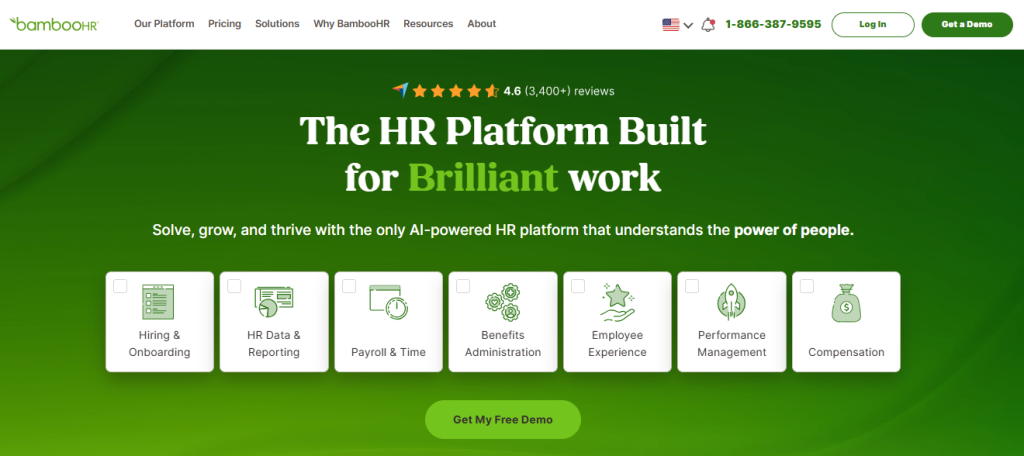
What I appreciated most was having payroll, HR data, and people management in one place. I didn’t have to sync data between separate tools, enter the same information twice, or worry about employee updates getting missed. Whenever I changed an employee’s details, everything stayed in sync automatically.
I also liked that BambooHR connects with ProProfs Training Maker, so onboarding and compliance training kick off the moment a new hire is added, or payroll is set up for them. I didn’t have to manually loop in the L&D side at all; their training track just started on its own. For a small HR team juggling a lot with limited headcount, that kind of automation genuinely changes your week.
4.6 ★
G2 rating (6,800+ reviews)
30K+
Companies using BambooHR
~2 wks
Average time-to-go-live
Pros:
- Native payroll add-on keeps pay and HR records in sync, so employee updates flow through automatically
- ProProfs Training Maker integration auto-starts training the moment a new hire or payroll record is added
- Built-in onboarding and offboarding workflows automate document signing and task assignments
- 500+ integrations cover accounting, benefits, and time tracking, cutting down repeat data entry
Cons:
- Payroll is an add-on, not included in the base plan
- Pricing is not publicly listed; requires a quote
User Rating: 4.4/5 (G2, 5,600+ reviews) | 4.6/5 (Capterra, 3,400+ reviews)
Pricing: Free trial available. Starts at $10/employee/month.
Streamline your HR processes with BambooHR
Get pricing, explore features, and see how BambooHR can simplify onboarding, employee records, and performance management.
2. Gusto – Best for Teams Under 20 Employees Who Want Simplicity
I switched a five-person agency over to Gusto a couple of years back, and the biggest relief was how little training anyone needed. I set up payroll, benefits, and time-off tracking in one afternoon, and my team started using the self-service portal without me explaining a thing.
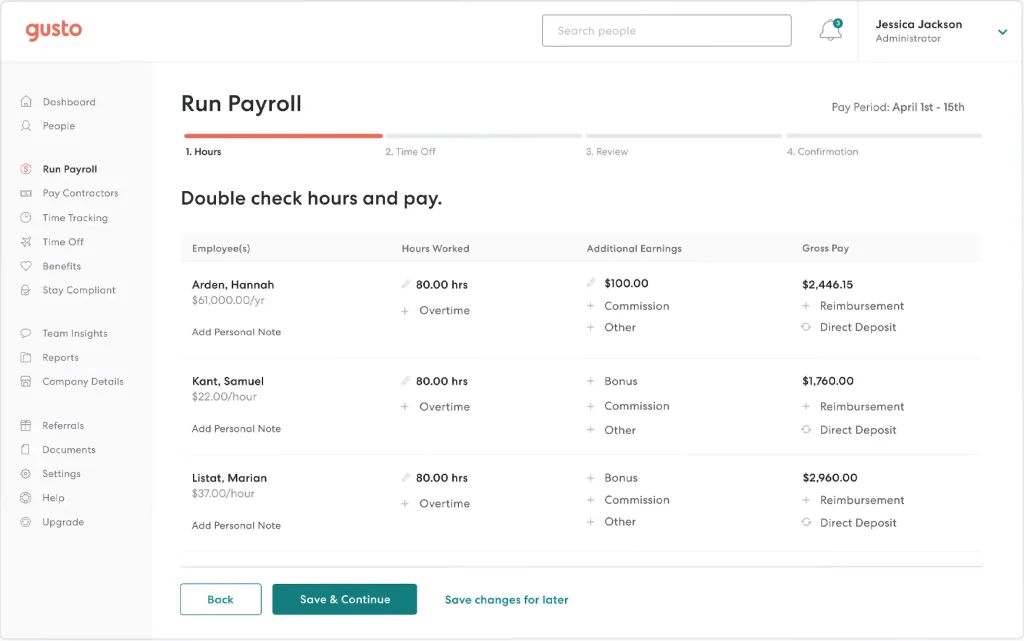
What I liked most was the unlimited payroll runs. I could run an off-cycle bonus payroll without worrying about an extra charge, and Gusto auto-filed every tax form, including W-2s and 1099s, without me lifting a finger. The benefits marketplace also made it easy to shop for health plans for my team directly inside the platform.
Where I’d push back is on pricing as you grow. The jump between Gusto’s plans gets noticeable once you cross 15 to 20 employees, so I’d recommend it most for smaller, stable teams rather than companies expecting fast headcount growth.
Pros:
- Unlimited payroll runs, so off-cycle or bonus payroll doesn’t cost extra
- Automatic tax filing, including year-end W-2 and 1099 forms
- Built-in benefits marketplace with 3,500+ insurance plans for easy shopping and admin
- Modern, intuitive interface that needs little training for new hires
Cons:
- Costs rise noticeably as headcount grows
- Limited international payroll support
User Rating: 4.6/5 (G2, 11,000+ reviews) | 4.6/5 (Capterra, 4200+ reviews)
Pricing: Starts at $49/month base plus $6/employee/month
3. Rippling – Best for Scaling, Tech-Forward Companies
I brought Rippling into a startup that was managing payroll, IT device provisioning, and HR onboarding across three separate tools. Within a month, all three lived in one system, and new hires had their laptop, accounts, and first paycheck sorted without three different people coordinating.
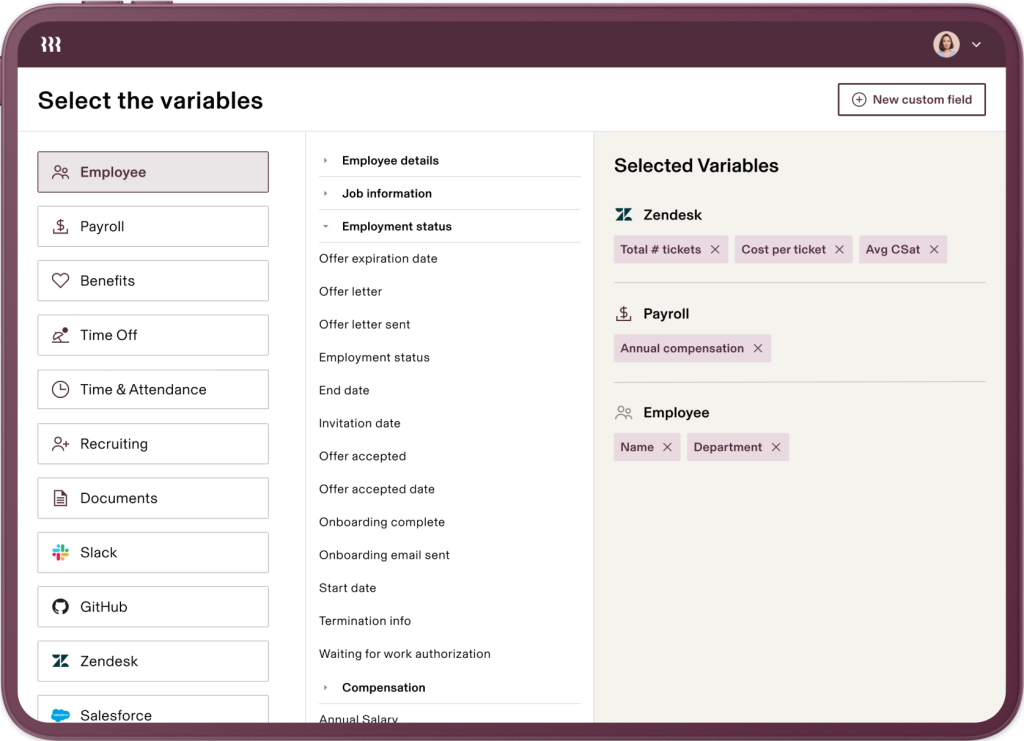
The part that impressed me most was the automation engine. I could set a trigger so that the moment someone’s start date hit, their payroll, benefits enrollment, and device shipment all kicked off together. Rippling’s global payroll engine also covers 160+ countries, so when we hired a contractor in Portugal, it didn’t require a separate vendor.
The tradeoff is setup time. Rippling has more moving parts than a pure payroll tool, so expect a longer onboarding than you’d get with Gusto, but for a company that’s actively scaling, the payoff is worth it.
Pros:
- Unifies payroll, HR, and IT in one platform, so new hires get set up without three teams coordinating
- Global payroll and EOR support in 160+ countries removes the need for a separate vendor abroad
- Workflow automation triggers payroll and benefits off a single HR event
- 500+ integrations across HR, IT, and finance reduce manual data entry
Cons:
- Longer setup and onboarding compared to standalone payroll tools
- Pricing structure gets complex with add-on modules
User Rating: 4.8/5 (G2, 10,000+ reviews) | 4.9/5 (Capterra, 4,800+ reviews)
Pricing: Starts at $8/employee/month for up to 100 employees.
4. ADP (RUN Powered by ADP) – Best for Multi-State and Complex Compliance Needs
I’ve worked with ADP on a team spread across six states, and that’s exactly where it earns its keep. When local tax registrations, multi-state filings, and compliance documentation started piling up, ADP’s compliance team handled the parts that would’ve taken me days to research on my own.
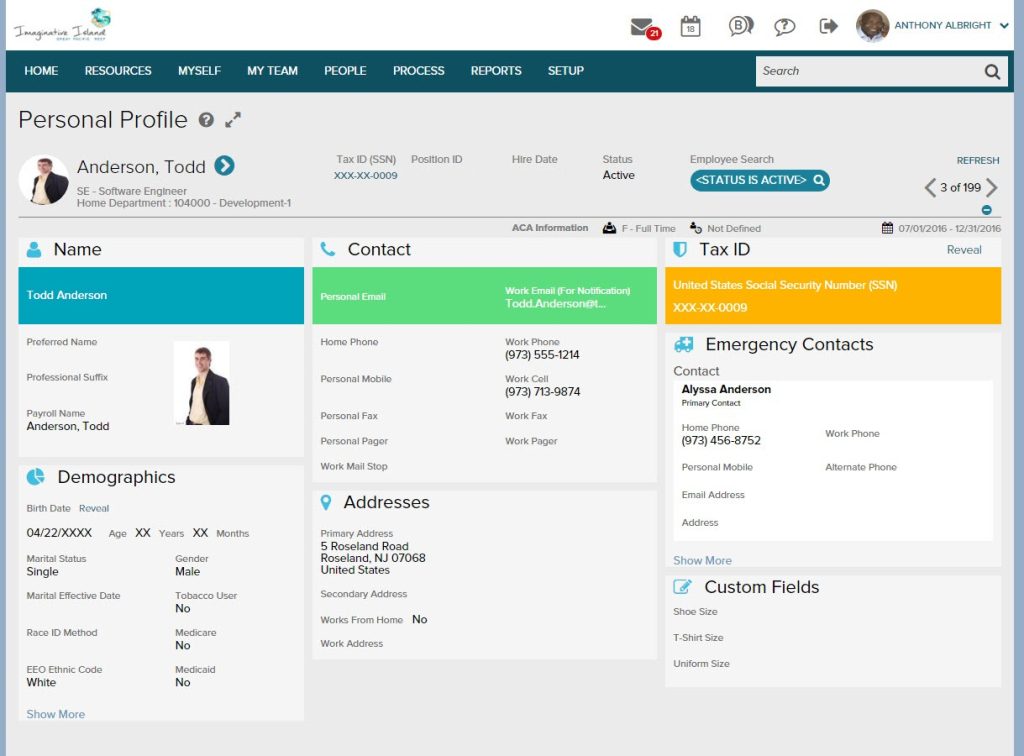
The platform isn’t the most modern-looking, and I’ll admit the dashboards take some getting used to. But the depth of features, benefits administration, time and attendance, and a true 24/7 support line, means I never had to stitch together three different vendors to cover gaps.
If you’re a five-person team in one state, ADP is overkill. But once you’re managing complex, multi-jurisdictional payroll, it becomes the “necessary” option rather than the “nice to have.”
Pros:
- Compliance team handles multi-state tax registrations and filings for you
- 24/7 support line, so payroll issues don’t wait for business hours
- Benefits administration and time tracking built in, no extra vendors needed
- Wide range of integrations keeps accounting and time tracking data in sync
Cons:
- Pricing isn’t transparent; requires a custom quote
- Interface feels dated and less intuitive than newer platforms
- Per-payroll-run charges can add up for frequent pay cycles
User Rating: 4/5 (G2, 270+ reviews) | 4.4/5 (Capterra, 7,200+ reviews)
Pricing: Custom Quote
5. Patriot Software – Best for the Lowest Cost, No-Frills Payroll
When a client of mine wanted payroll without paying for features they’d never touch, I pointed them to Patriot. It does exactly what it promises: accurate tax calculations, direct deposit, and W-2/1099 generation, without an enterprise price tag attached.
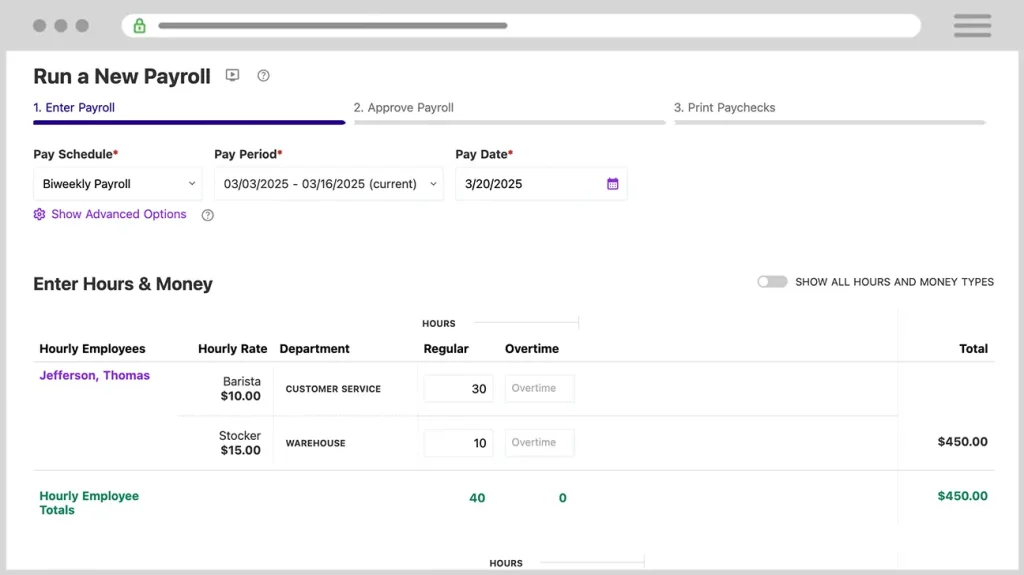
What stood out in actual use was the support team. Every time I called, I got a real person based in the US who actually solved the issue on the first call, no ticket queue, no runaround. Setup also took less than a day, and the interface is simple enough that I didn’t need a manual.
It’s not built for complex multi-entity businesses or international teams, but if you just need reliable, affordable payroll for a small, US-based team, this is one of the best value picks out there.
Pros:
- Full-service payroll at one of the lowest price points in this list
- US-based support answers calls directly and resolves issues fast
- Unlimited payroll runs included, so off-cycle pay doesn’t cost extra
- Integrates with Patriot’s own accounting software to keep books and payroll in sync
Cons:
- Limited HR features beyond core payroll
- Not built for international or highly complex multi-entity payroll
User Rating: 4.8/5 (G2, 630 reviews) | 4.8/5 (Capterra, 3,900+ reviews)
Pricing: Starts at $8.50/month plus $2 per worker paid
6. Deel – Best for Global Teams and Contractor Payments
When I needed to pay contractors across five countries without setting up local entities, Deel was the only option that made it simple. It handled compliant contracts, multi-currency payments, and automated invoicing, so I wasn’t manually calculating exchange rates or chasing compliance paperwork for each country.
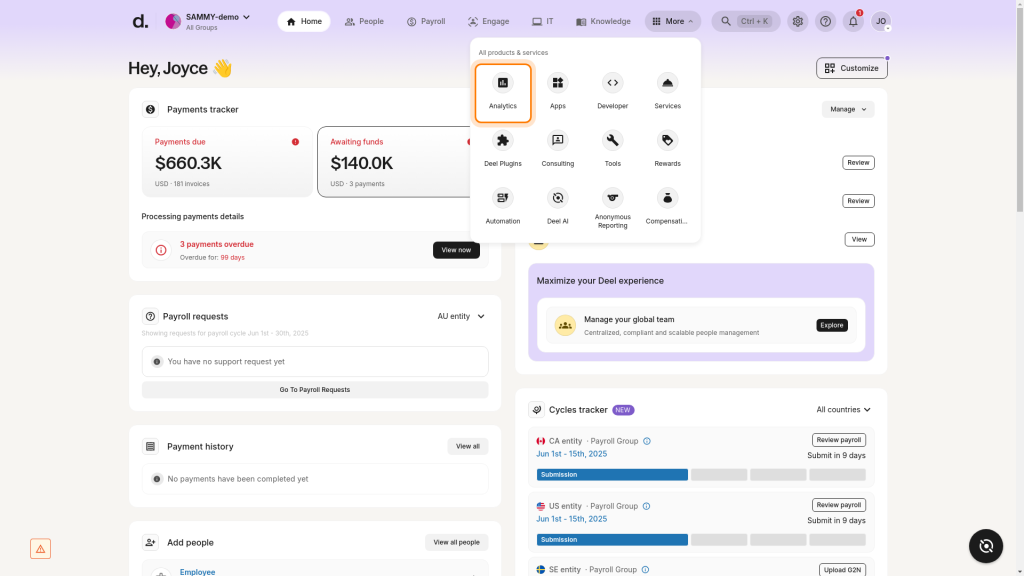
The part I valued most was the legal support built into the platform. Every contract template was localized to the contractor’s country, which took a huge compliance burden off my plate. Payments also went out reliably, and contractors could track their payment status without emailing me for updates.
Where it falls short is traditional, in-house payroll. If your team is mostly US-based, full-time employees, Deel isn’t built for that use case. It shines specifically for distributed and contractor-heavy teams.
Pros:
- Built for global and remote payroll, no local entity setup needed
- Localized, compliant contracts for international hires
- Multi-currency contractor payments with automated invoicing
- Legal support across jurisdictions reduces contract and classification risk
Cons:
- Limited features for traditional, single-country payroll
- Pricing isn’t publicly listed; requires direct contact
User Rating: 4.7/5 (G2, 6800+ reviews) | 4.9/5 (Capterra, 4,200+ reviews)
Pricing: Starts $29/employee/month
7. Paychex – Best for Mid-Size and Growing Businesses
I brought in Paychex for a company that had outgrown a basic payroll tool but wasn’t quite ready for an ADP-level setup. What I noticed right away was how much breadth it offered: payroll, HR, benefits, and retirement plans, all under one roof, with a dedicated specialist who actually knew our account.
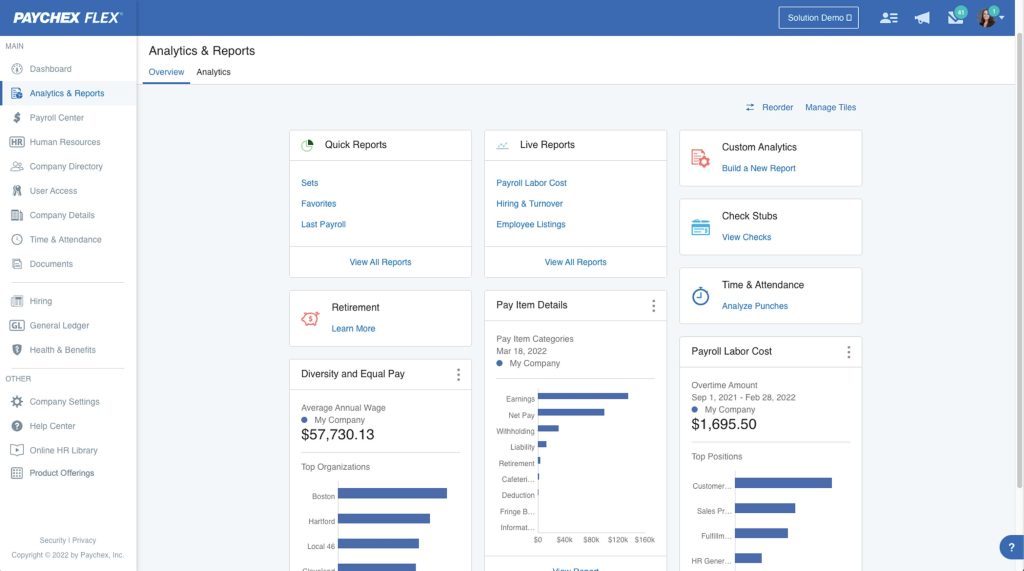
The retirement plan administration was a standout for us. Setting up a 401(k) alongside payroll meant contributions synced automatically every pay cycle, no manual reconciliation needed. The mobile app also made it easy for managers to approve hours and review reports on the go.
Where it got frustrating was the per-payroll-run pricing. If your team runs off-cycle or bonus payrolls often, those charges add up fast compared to providers with unlimited runs.
Pros:
- Retirement plan administration syncs 401(k) contributions automatically each cycle
- Dedicated support specialist who knows your account
- Benefits administration bundled with payroll under one vendor
- Mobile app lets managers approve hours and review reports on the go
Cons:
- Charges per payroll run, which adds up with frequent off-cycle pay
- Pricing isn’t published; requires a custom quote
User Rating: 4.1/5 (G2, 1700+ reviews) | 4.2/5 (Capterra, 1,800+ reviews)
Pricing: Starts at $39/month
8. QuickBooks Payroll – Best for Businesses Already Using QuickBooks
I added QuickBooks Payroll for a client who was already running their books through QuickBooks Online, and the appeal was immediate. Payroll expenses flowed straight into the same ledger I was already reconciling, so I wasn’t exporting numbers between two separate systems anymore.
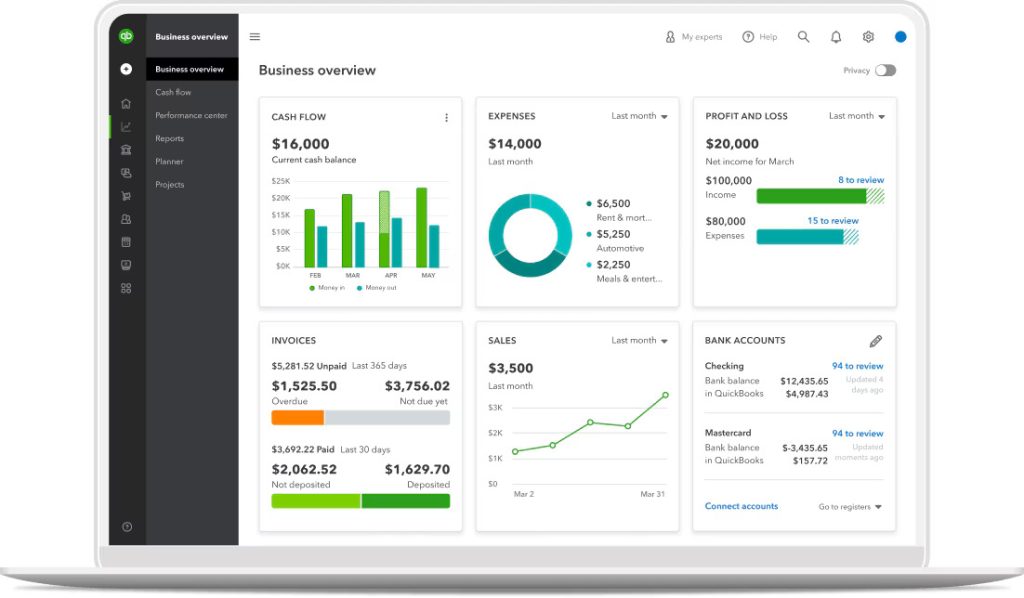
What worked well was how fast it ran payroll once set up; a few clicks, and direct deposits were on their way. Same-day deposit was available on the higher tier, which mattered when we needed to fix a payroll error quickly without telling an employee to wait until next week.
The catch is that it’s built around the QuickBooks ecosystem. If you’re not already using QuickBooks for accounting, you’re not getting the full value, and some users find the payroll-specific support thinner than dedicated payroll vendors.
Pros:
- Syncs directly with QuickBooks Online, so payroll posts to your ledger automatically
- Same-day direct deposit on higher-tier plans for fixing payroll errors fast
- Runs payroll in a few clicks once set up
- Automated tax calculations and filings handle changing tax rates for you
Cons:
- Less valuable if you don’t already use QuickBooks for accounting
- Support can feel thinner compared to payroll-only specialists
User Rating: 4.4/5 (G2, 495+ reviews) | 4.5/5 (Capterra, 980+ reviews)
Pricing: Starts at $44/month + $6/employee
9. OnPay – Best for Transparent Pricing and Responsive Support
I moved a nonprofit client to OnPay after they got burned by hidden fees with a bigger provider, and the difference was night and day. One flat plan, no surprise per-run charges, and every feature I needed, multi-state filing, HR tools, and benefits, included instead of upsold.
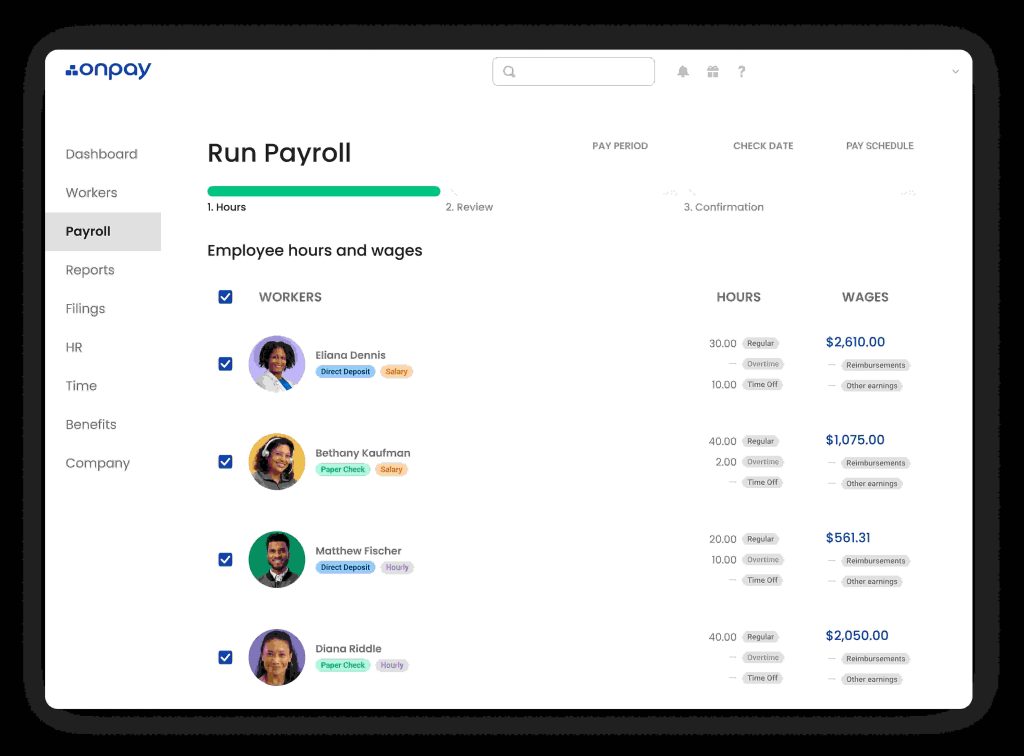
What stuck with me was the support team. Every call got picked up by someone who actually understood payroll, not a generic support queue. Setup took less than a week, and OnPay’s onboarding specialist walked us through migrating historical payroll data without losing anything.
It doesn’t have the deep automation of Rippling or the enterprise scale of ADP, but if straightforward pricing and dependable support matter more to you than a long feature list, OnPay is hard to beat.
Pros:
- Single flat plan with no per-run charges, so your bill stays predictable
- Support team understands payroll, no generic ticket queue
- Unlimited payroll runs included for off-cycle or correction pay
- Multi-state filing and benefits included rather than upsold
Cons:
- Fewer advanced automation features than Rippling or Paychex
- Not built for complex, multi-entity enterprises
User Rating: 4.8/5 (G2, 410+ reviews) | 4.8/5 (Capterra, 465+ reviews)
Pricing: Starts at $49/month + $6/employee
10. Paylocity – Best for Larger, HR-Led Organizations
I worked with Paylocity at a company where payroll needed to talk directly to a deeper HR stack, performance reviews, wage garnishments, and employee reimbursements, all in the same system. It handled that complexity better than the small-business-first tools I’d used before.
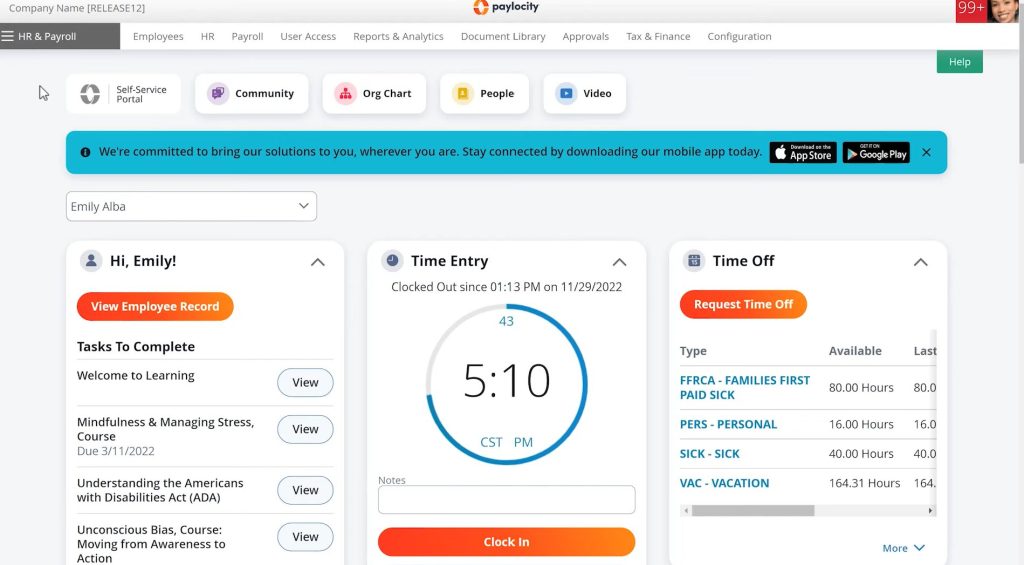
The wage garnishment automation alone saved our HR team hours every cycle, since it calculated and remitted garnishments without anyone manually tracking court orders. The employee self-service app was also well-received, with a modern interface that didn’t feel like an afterthought.
It’s not the easiest platform to onboard onto. Implementation took real time and training, so I’d only recommend it once you’ve outgrown simpler payroll tools and actually need the HR depth it offers.
Pros:
- Automated wage garnishment calculates and remits payments without manual tracking
- Employee reimbursement workflows are built into payroll
- Deep HR functionality keeps performance and compensation data in one place
- Modern, well-reviewed employee self-service app
Cons:
- Longer implementation and training period
- Pricing not published; requires a custom quote
User Rating: 4.4/5 (G2, 5500+ reviews) | 4.3/5 (Capterra, 1800+ reviews)
Pricing: Custom Quote
How I Chose These Payroll Providers
When I evaluate payroll providers for this list, I don’t just rely on feature lists or marketing claims. I look at how these tools actually perform in real-world scenarios. Here’s the framework I used to make sure every recommendation is practical, reliable, and worth considering.
- User reviews and ratings: I start by looking at real user feedback from platforms like G2 and Capterra. This gives me a clear picture of how business owners and HR managers actually experience the tool day to day, what they love, and where it consistently falls short.
- Core features and functionality: I focus on what truly matters in payroll software. This includes automated tax filing, direct deposit, multi-state compliance, contractor support, employee self-service, and integrations with accounting and HR tools. If a provider cannot handle these well, it does not make the cut.
- Ease of use: I pay close attention to how intuitive the platform feels for someone running payroll without a dedicated payroll team. A tool might be powerful, but if a business owner or a small HR department struggles to adopt it, it defeats the purpose. Clean interface, simple navigation, and quick onboarding are non-negotiable for me.
- Customer support: From my experience, implementation is where many payroll tools fail their customers. I evaluate how responsive and helpful the support team is, especially during setup and when a compliance issue comes up. Fast, reliable support from actual payroll specialists makes a significant difference.
- Value for money: I compare pricing with what the tool actually delivers, including what’s in the base plan versus what costs extra. This is not about picking the cheapest option, but about whether the features, compliance coverage, and support quality justify the total cost once add-ons are factored in.
- Personal experience and expert insights: Wherever possible, I rely on hands-on research and insights from HR managers, operations leads, and business owners who use these platforms in real environments. This helps me go beyond surface-level reviews and highlight what actually works when payroll gets complicated.
Finding the Payroll Software That Fits Your Team
I’ve run payroll on spreadsheets, and I’ve run it through several different platforms since. The lesson that stuck with me is this: the “best” payroll software isn’t the one with the longest feature list, it’s the one that matches your team size, your compliance complexity, and how much hands-on control you want.
If you’re a lean, single-state team, Gusto, Patriot, or OnPay will get you running in a day. If you’re scaling fast or going global, Rippling and Deel are worth the extra setup time. If you’re a larger, HR-led organization with deeper needs, Paychex or Paylocity can carry that complexity.
And if you already live inside an HRIS, BambooHR’s native payroll keeps everything connected without adding another disconnected tool to your stack.
Frequently Asked Questions
Can I switch payroll providers mid-year without losing my tax history?
Yes, most providers support mid-year switches and will import your year-to-date payroll data. Just make sure your new provider has your prior tax filings before your next pay run to avoid duplicate reporting.
Do I need different payroll software if I hire international contractors?
Not necessarily a different tool, but you do need one that supports multi-currency payments and localized compliant contracts. Platforms like Deel and Rippling are built specifically for this, while single-country tools like Gusto and Patriot are not.
What's the difference between full-service and basic payroll software?
Full-service payroll handles all your tax filings and payments on your behalf, while basic or DIY software calculates the numbers but leaves filing to you. Most businesses are better off with full-service to avoid compliance risk.
How long does it typically take to implement new payroll software?
Simple platforms like Gusto or Patriot can be live within a day. More complex systems like Rippling or ADP, especially with multiple integrations, typically take one to two weeks for a smooth go-live.
What should I check before signing with a payroll vendor?
Confirm they file federal, state, and local taxes automatically and guarantee accuracy. Check whether multi-state filing is included or billed extra, and look for native integrations with your accounting software, HRIS, and time tracking tools instead of relying on manual CSV exports.
Does payroll software typically include an employee self-service portal?
Most modern platforms do. Employees can pull their own pay stubs and W-2s without emailing HR, which saves hours every quarter. If a vendor doesn't offer this, it's worth asking why before you sign.
How do I avoid hidden payroll software fees?
Some vendors quote a low base fee, then add per-payroll-run charges or hidden state fees. Always ask for an all-in monthly estimate that includes every state you operate in before committing, rather than relying on the advertised starting price.
How important is customer support when choosing a payroll provider?
It's one of the most important factors. Read recent reviews rather than vendor testimonials, since support quality is the single biggest complaint across every large provider, especially when a compliance issue or filing error needs urgent attention.
Is cloud-based payroll software more secure than older desktop systems?
Generally yes. Cloud platforms offer encryption, automated backups, and access controls that most desktop systems don't, and they reduce the risk of losing records to a single device failure.
What percentage of revenue should businesses budget for payroll?
A healthy benchmark is keeping total payroll expenses between 15% and 30% of total revenue. Beyond the base platform fee, budget for per-employee monthly charges too, since those add up faster than the advertised starting price suggests.
What steps do I need to complete before running payroll for the first time?
Get your EIN from the IRS, register for State Unemployment Insurance in every state where you have employees, and purchase workers' compensation insurance, which is mandatory in nearly every state. Set up direct deposit authorization forms, then confirm your software files federal and state taxes automatically.
Are there tax credits payroll software can help me claim?
If your business does R&D work, ask your provider whether they support the Qualified Small Business Payroll Tax Credit. It lets you offset payroll tax liability against research costs, and a good payroll platform should help you track and apply it correctly.
What common payroll mistakes does good software help prevent?
Misclassifying employees as contractors, missing state tax registrations when hiring in a new state, manually re-entering hours from a separate time tracking tool, forgetting to update withholdings after an employee relocates, and running payroll late due to manual approval bottlenecks. A good platform flags or automates around all of these.
Ready to 3x Your Teams' Performance?
Use the best performance management software to align goals, track progress, and boost employee engagement.