
Running a small business means wearing too many hats at once. Payroll is one of those tasks that feels manageable until it isn’t. I’ve seen HR managers at growing teams spend entire Fridays chasing timesheets, second-guessing tax filings, and handling compliance questions that should have been automated months ago.
The right payroll provider changes all of that. In this guide, I’ll walk you through what payroll providers actually do, what separates the good ones from the frustrating ones, and which platforms are worth your time. I’ve also included a practical framework for choosing the one that fits your specific headcount, budget, and compliance needs.
What Is a Payroll Provider?
Modern payroll providers go well beyond cutting checks. They connect payroll to your HR system, time-tracking, benefits, and accounting software, so everything stays in sync automatically.
Why it matters for small businesses:
- Saves hours every pay cycle by automating tax calculations, direct deposits, and compliance filings
- Keeps you legally protected with automatic updates when labor laws or tax rates change
- Reduces payroll errors that trigger penalties, which the IRS can charge even for small filing mistakes
- Gives employees visibility into their pay stubs, W-2s, and PTO balances through self-service portals
- Scales with your business so you don’t have to change systems every time you add headcount
10 Best Payroll Providers for Small Businesses
I’ve reviewed each of these tools not just by features, but by how they perform in real-world small business scenarios. I’ve cross-referenced community feedback from Reddit and Quora, G2 and Capterra ratings, pricing pages, and my own research to give you an honest picture. Before we dive in, here’s a quick glance at the tools:
| Tool | Best For | User Rating | Price |
| BambooHR | Dedicated HRIS | 4.4/5 (G2, 5,600+ reviews) 4.6/5 (Capterra, 3,400+ reviews) |
Starts at $10/employee/month |
| Gusto | Modern Small Businesses That Want Simple, Full-Service Payroll | 4.6/5 (G2, 11,000+ reviews) 4.6/5 (Capterra, 4,200+ reviews) |
Starts at $49/month base + $6/employee/month |
| OnPay | Transparent Pricing and Multi-State Payroll Without Hidden Fees | 4.8/5 (G2, 410+ reviews) 4.8/5 (Capterra, 465+ reviews) |
Starts at $49/month + $6/employee |
| QuickBooks Payroll | Businesses Already Using QuickBooks for Accounting | 4.4/5 (G2, 495+ reviews) 4.5/5 (Capterra, 980+ reviews) |
Starts at $44/month + $6/employee |
| Square Payroll | Retail and Restaurant Businesses Already Using Square | 4.2/5 (G2, 30+ reviews) 4.7/5 (Capterra, 620+ reviews) |
$35/month + $6/employee (Contractor plan: $6/contractor) |
| Justworks | Small Businesses That Want Payroll and Benefits in One Package | 4.6/5 (G2, 1,100+ reviews) 4.6/5 (Capterra, 730+ reviews) |
Starts at $8/month/employee + $50/month base fee |
| Paylocity | Data-Driven HR Teams That Need Payroll Alongside Strong Analytics | 4.4/5 (G2, 5,500+ reviews) 4.3/5 (Capterra, 1,800+ reviews) |
Custom Quote |
| Sage Payroll | Businesses That Want Self-Service Payroll With Strong Onboarding Tools | 3.8/5 (G2, 2 reviews) 4.6/5 (Capterra, 35+ reviews) |
Starts at €30/month (excl. VAT) |
| One Global Payroll | Small Businesses Hiring Across Borders | 5/5 (Capterra, 1 review) | Starts at $26/employee/month |
| Rippling | Fast-Growing Teams That Want Payroll, HR, and IT in One Platform | 4.8/5 (G2, 10,000+ reviews) 4.9/5 (Capterra, 4,800+ reviews) |
Custom Quote |
1. BambooHR – Editor’s Choice, Best for Dedicated HRIS
When I used BambooHR, what stood out was how well it fit a growing small business that needed more than just payroll without the complexity of an enterprise platform. The Payroll add-on handled automated tax filing, direct deposits, and pay runs from the same system I was already using for employee records, onboarding, and time-off tracking.
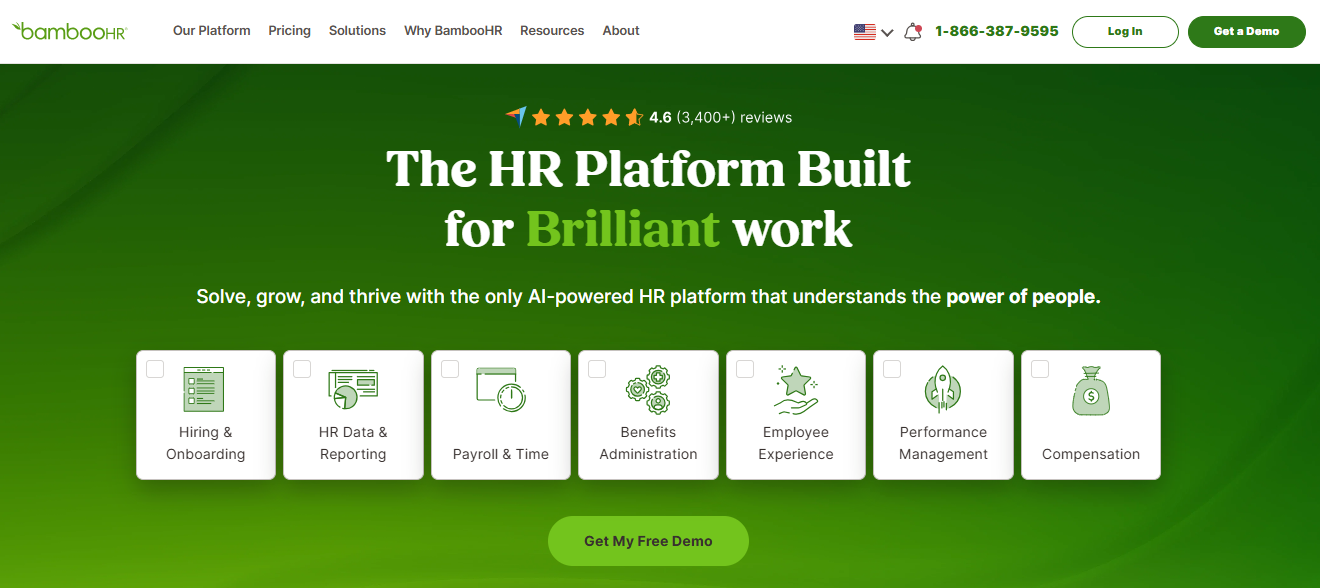
What I appreciated most was having payroll, HR data, and people management in one place. I didn’t have to sync data between separate tools, enter the same information twice, or worry about employee updates getting missed. Whenever I changed an employee’s details, everything stayed in sync automatically.
BambooHR also integrates with ProProfs Training Maker, which means I can trigger onboarding and compliance training programs directly from HR events. The moment a new hire is added or payroll is set up, their training track starts automatically. No manual coordination between HR and L&D. For small HR teams managing a lot with limited headcount, that kind of workflow automation makes a real difference.
4.6 ★
G2 rating (6,800+ reviews)
30K+
Companies using BambooHR
~2 wks
Average time-to-go-live
Pros:
- Payroll, HR, and people data in one connected system
- Eliminates duplicate data entry when employee details change
- Native integration with ProProfs Training Maker for automated compliance training
- Strong onboarding and offboarding workflow automation
- 500+ integrations covering accounting, benefits, and time tracking
Cons:
- Payroll is an add-on, not included in the base plan
- Pricing is not publicly listed; requires a quote
User Rating: 4.4/5 (G2, 5,600+ reviews) | 4.6/5 (Capterra, 3,400+ reviews)
Pricing: Free trial available. Starts at $10/employee/month
Streamline your HR processes with BambooHR
Get pricing, explore features, and see how BambooHR can simplify onboarding, employee records, and performance management.
2. Gusto – Best for Modern Small Businesses That Want Simple, Full-Service Payroll
I’ve recommended Gusto to more first-time payroll buyers than any other platform. The reason is simple: it works exactly as advertised, and the interface makes payroll feel like the easy part of running a business rather than the stressful part. Gusto runs payroll in all 50 states, files taxes automatically, and handles W-2s and 1099s without any extra steps.
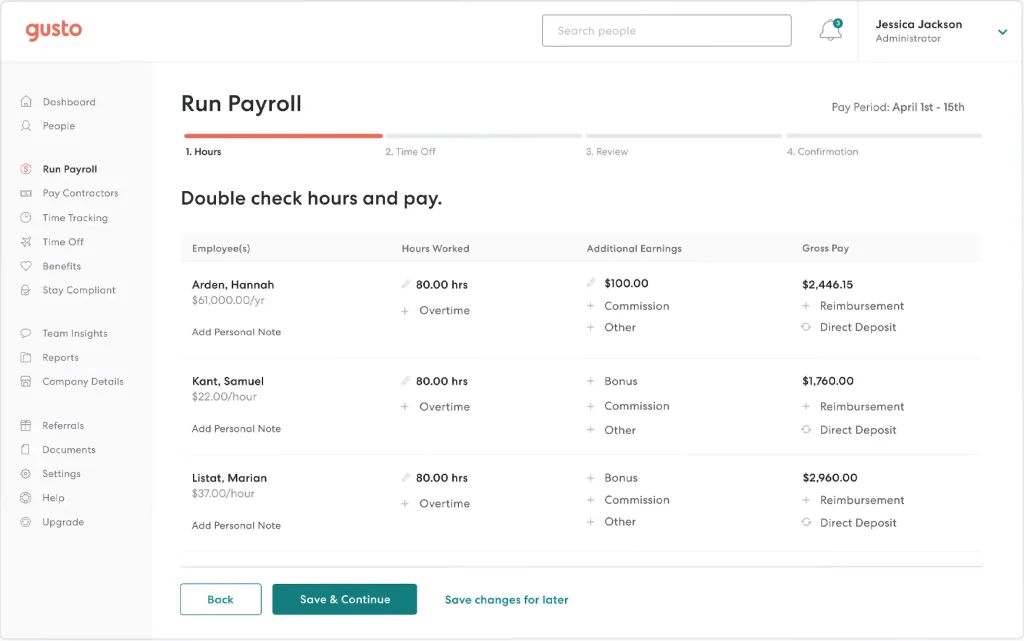
The Autopilot mode for salaried teams is particularly useful: once it’s set up, payroll runs on schedule with zero manual input. Time tracking for overtime and leave, simple employee onboarding, and a solid benefits administration module for health, dental, vision, and 401(k) are all built in.
GustoWallet gives employees a financial wellness tool alongside their pay, which is a real differentiator for businesses focused on retention. It integrates with QuickBooks, Xero, and 180+ other apps, and the mobile app covers employees and managers. The knowledgeable support team tracks compliance law changes so you’re always covered when rules shift.
Pros:
- Among the most intuitive payroll interfaces available
- Autopilot mode for salaried employees runs payroll with zero manual input
- Full-service tax filing with no hidden fees for year-end forms
- Strong benefits marketplace for health, dental, vision, and 401(k)
- Transparent pricing with no surprise charges for multi-state payroll on higher tiers
Cons:
- Multi-state payroll requires the Plus tier, not the base plan
- Phone support is limited on lower-tier plans
- Not built for complex enterprise configurations
User Rating: 4.6/5 (G2, 11,000+ reviews) | 4.6/5 (Capterra, 4200+ reviews)
Pricing: Starts at $49/month base plus $6/employee/month
3. OnPay – Best for Transparent Pricing and Multi-State Payroll Without Hidden Fees
I started looking at OnPay seriously when a colleague mentioned she’d switched from Gusto specifically because of the multi-state payroll surcharges. OnPay’s pitch is genuinely simple: one plan, one price, all features included. Multi-state filing, year-end W-2s and 1099s, unlimited payroll runs, and contractor payments are all in the base plan with no add-ons required.
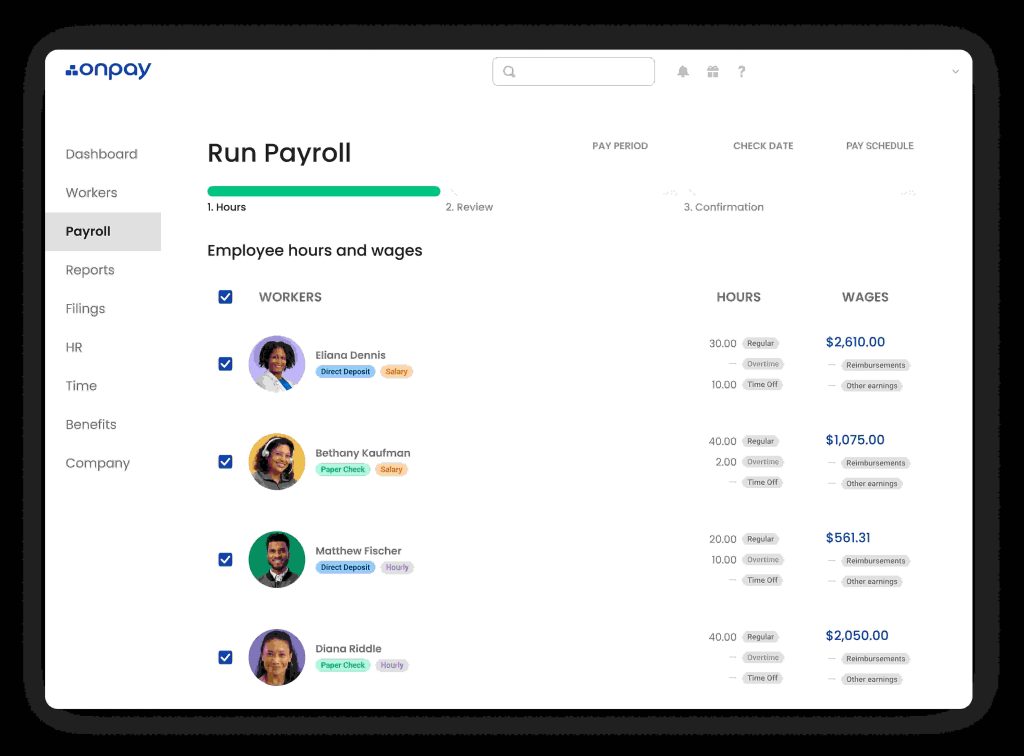
PTO tracking and accrual management, employee self-service, and integrations with QuickBooks, Xero, and time tracking tools are included at that same flat rate. The HR add-on is available separately at $15/month plus $2/employee if you need more. For small businesses with remote teams spread across multiple states, this is the clearest value in the market.
It also handles niche payroll scenarios well: nonprofits, farms, tipped employees, and clergy organizations are all supported out of the box. The support team has a strong reputation for being genuinely helpful during onboarding and when a tax-related issue comes up, which matters more than most buyers realize until they’re in a pinch.
Pros:
- Single transparent plan with no hidden fees or tiered upcharges
- Multi-state payroll included with no per-state surcharge
- Consistently top-rated for customer support across G2, Capterra, and TrustRadius
- Handles niche payroll needs, including nonprofits, farms, and tipped employees
- Free onboarding support and migration from your previous provider
Cons:
- No employer-side mobile app
- No native time tracking (requires integration)
- Fewer third-party integrations than larger platforms
User Rating: 4.8/5 (G2, 410+ reviews) | 4.8/5 (Capterra, 465+ reviews)
Pricing: Starts at $49/month + $6/employee
4. QuickBooks Payroll – Best for Businesses Already Using QuickBooks for Accounting
If your accounting runs on QuickBooks, this is the most natural payroll choice I know of. The one-click sync between payroll and the general ledger means I never have to manually reconcile journal entries or worry about payroll data sitting in a separate system. QuickBooks Payroll automatically handles overtime, pension contributions, and pay stub generation.
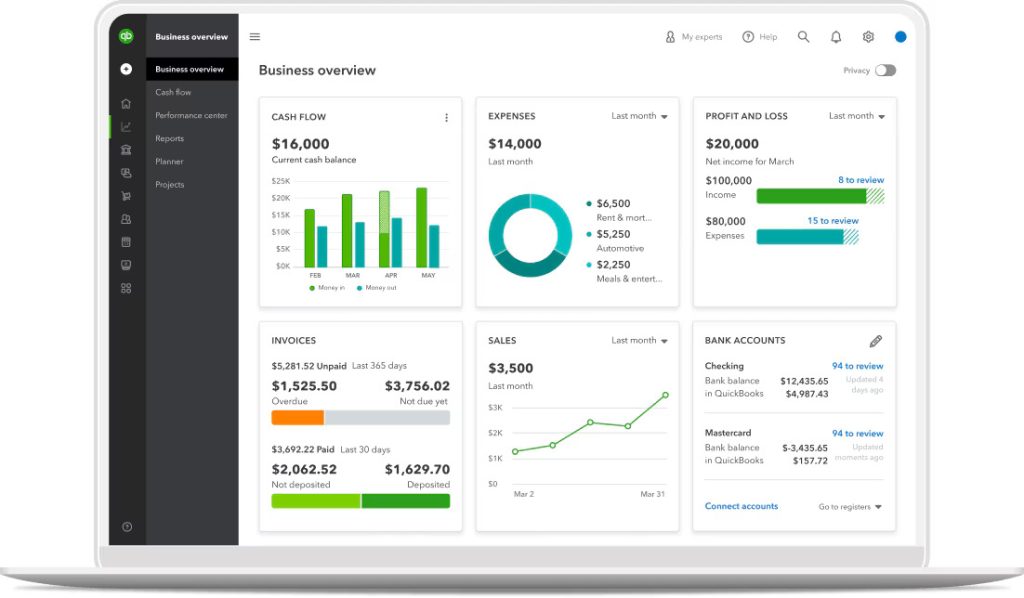
Advanced Payroll gives employees the ability to upload timesheets, request PTO, and track expenses directly. Same-day or next-day direct deposit is available on Premium and higher tiers. Automated tax filing covers federal and state compliance, and the mobile app lets managers approve and run payroll from anywhere.
GDPR compliance makes it viable for UK-based teams, and construction businesses benefit from the built-in CIS deductions feature. The reporting suite is genuinely useful for tracking leave requests, attendance patterns, and staffing costs without exporting to a separate tool. UK-based clients get unlimited free support by phone, chat, or video call, which is a strong differentiator from providers that charge for human access.
Pros:
- Seamless sync with QuickBooks accounting eliminates double data entry
- Guided setup means most small businesses are running payroll in one day
- Strong reporting for attendance, leave, and staffing costs
- Best choice if you want one ecosystem for bookkeeping and payroll
Cons:
- Payroll features are weaker if you don’t already use QuickBooks
- Time tracking requires a TSheets integration on higher tiers
- Pricing increases significantly across plan tiers
User Rating: 4.4/5 (G2, 495+ reviews) | 4.5/5 (Capterra, 980+ reviews)
Pricing: Starts at $44/month + $6/employee
5. Square Payroll – Best for Retail and Restaurant Businesses Already Using Square
I’ve seen Square Payroll work particularly well for small food service and retail businesses where the POS system is already Square. Payroll pulls hours directly from the Square Point of Sale, which eliminates the most common source of payroll errors for hourly workers: manual timesheet entry. Square automatically files federal, state, and local taxes, and Square Balance lets you pay employees instantly without waiting for bank processing.
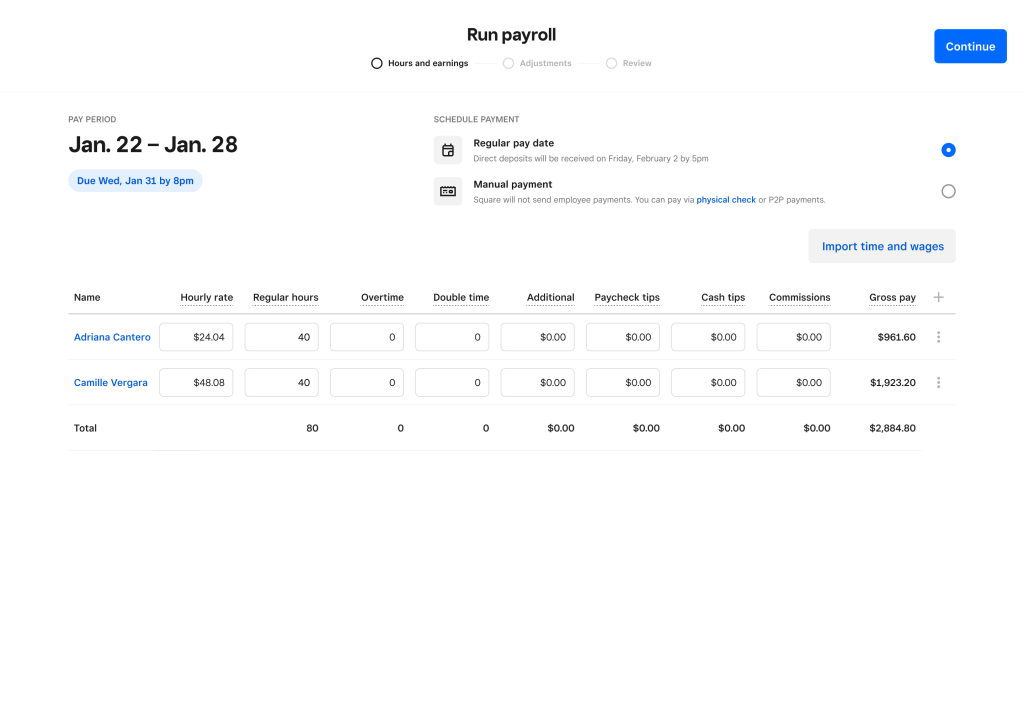
The benefits tab on the dashboard handles employee benefits management without needing a separate tool. Time and attendance tracking is built in, and the mobile dashboard app keeps it accessible for managers who aren’t at a desk. The usage-based pricing model means you pay only for what you use, which works well for businesses with variable headcount or seasonal hiring cycles.
There’s no contractor plan fee beyond $6 per contractor. The free account setup to explore the product before committing is a practical touch for owners who are cautious about adding another monthly subscription.
Pros:
- Direct integration with Square POS eliminates manual timesheet entry for hourly workers
- Instant pay capability through Square Balance
- Simple, usage-based pricing with no large monthly base fee for contractor-only plans
- Free setup to explore the product before committing
Cons:
- Best suited for businesses already in the Square ecosystem
- HR features are more limited compared to full HRIS platforms
- Less suitable for complex benefits or multi-state compliance scenarios
User Rating: 4.2/5 (G2, 30+ reviews) | 4.7/5 (Capterra, 620+ reviews)
Pricing: $35/month + $6/employee for W-2 employees. Contractor-only plan at $6/contractor.
6. Justworks – Best for Small Businesses That Want Payroll and Benefits in One Package
Before recommending Justworks to someone else, I spoke with a founder who had recently switched. What convinced them wasn’t payroll itself, but the benefits they could finally offer. Since Justworks is a Professional Employer Organization (PEO), its small team suddenly had access to medical, dental, and vision plans usually reserved for much larger companies.
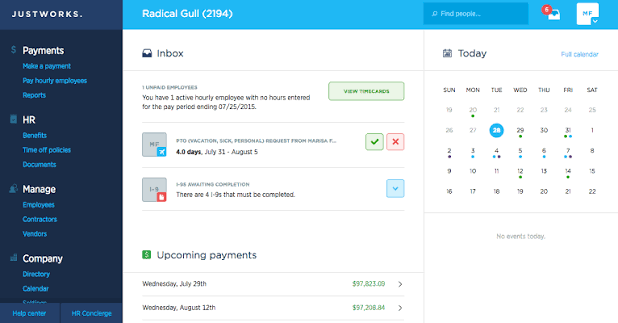
They also told me payroll became one less thing to worry about. Taxes, compliance, and direct deposits were automated, and onboarding new hires no longer consumed an entire day. They started with the Basic plan for payroll, taxes, compliance, and medical benefits, then upgraded to Plus as they needed HR consulting and broader insurance options.
One detail they kept mentioning was unlimited off-cycle payroll runs at no extra cost, which saved them during bonus payouts and payroll corrections. They also valued having 24/7 support that answered real HR questions, not just software issues.
Pros:
- Access to enterprise-level health benefits for small teams
- Off-cycle payroll is included with no extra charge
- Outstanding 24/7 support that covers HR questions, not just software
- PEO structure handles employer compliance obligations
- Ideal for companies that want to compete on benefits when recruiting
Cons:
- PEO model means Justworks becomes your co-employer, which not every business is comfortable with
- Less flexible if you want to manage benefits through a separate broker
- Pricing is higher than standalone payroll tools
User Rating: 4.6/5 (G2, 1100+ reviews) | 4.6/5 (Capterra, 730+ reviews)
Pricing: Starts at $8/month/employee+ $50/month base fee
7. Paylocity – Best for Data-Driven HR Teams That Need Payroll Alongside Strong Analytics
Paylocity is one of the few platforms I’ve seen HR teams actually get excited about using for reporting. The data insights are genuinely useful for tracking employee retention, staffing costs, and headcount trends without exporting to a spreadsheet. It works on desktop and mobile, handles advances and on-demand payment so employees can access earned wages between pay periods, and manages 401(k) data and benefits files automatically.
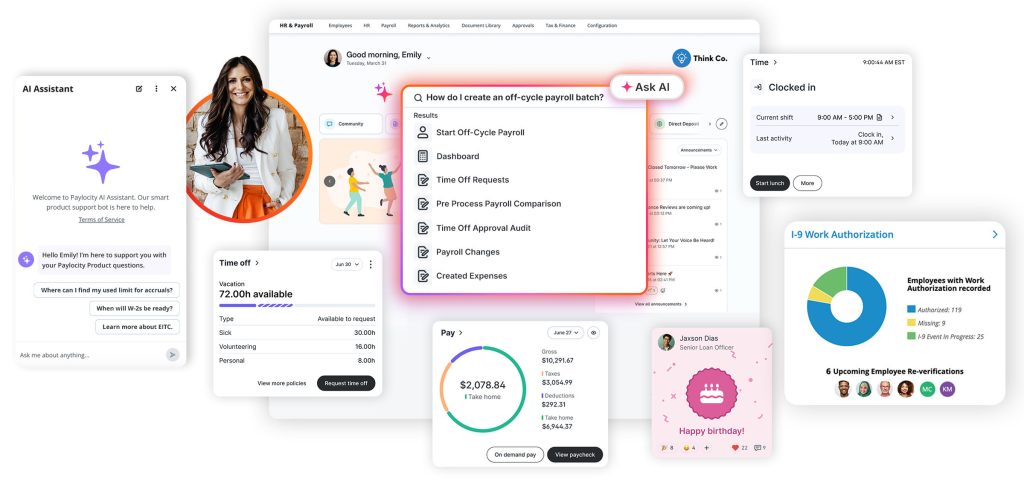
Tax and wage garnishment management is handled by the platform, and there’s a built-in employee self-service resource library that cuts down on routine HR questions from staff. The paycheck preview feature lets managers review pay runs before they go out, which catches errors before they reach employees rather than after.
For small businesses that want better workforce visibility alongside payroll, rather than treating payroll as a standalone function, Paylocity’s reporting tools provide the kind of analytics that usually require a dedicated HR analyst. The mobile-first design makes it practical for managers who aren’t always at a desk.
Pros:
- Best-in-class reporting and analytics for payroll and HR data
- On-demand pay gives employees access to earned wages between pay periods
- Paycheck preview feature catches errors before they reach employees
- Mobile-first design works well for managers who aren’t desk-based
Cons:
- Pricing is not transparent; requires a custom quote
- Can feel like more of a platform than a very small team needs
- Implementation timeline can take longer than simpler tools
User Rating: 4.4/5 (G2, 5500+ reviews) | 4.3/5 (Capterra, 1800+ reviews)
Pricing: Custom Quote
8. Sage Payroll – Best for Businesses That Want Self-Service Payroll With Strong Onboarding Tools
Sage has the highest customer retention rate in the payroll space, which tells me something about what happens after the initial setup. The self-service cloud model means I can handle time tracking, medical leave, and annual leave from one dashboard without involving the payroll team in routine requests.
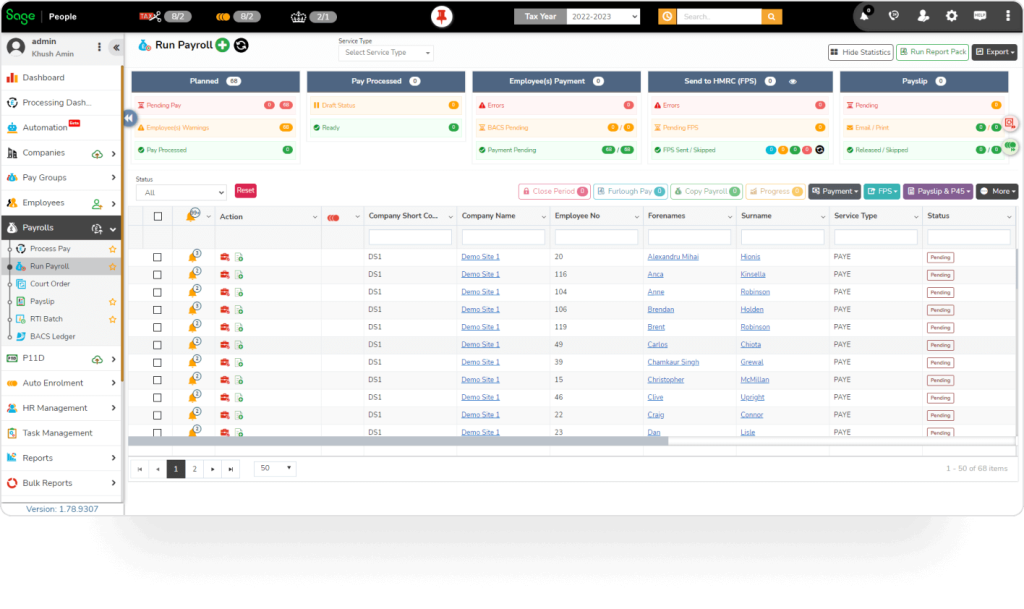
Tax filing with legal compliance management is automated, and the platform supports customizable pay check formats or ready-to-go templates depending on what works for the business. The Sage HRMS Time and Labor Import feature, available via Delphia Consulting, lets teams validate and import data from almost any source into the payroll timecard file, which is useful when time data lives in a separate system.
Easy integrations with accounting platforms keep the general ledger in sync. The online I-9 Form is a standout for new hire onboarding: it digitizes a step that most small businesses still handle on paper and sets up payroll correctly from day one. Sage University training resources help non-payroll staff get up to speed without external training costs.
Pros:
- Highest customer retention rate in the category, indicating long-term user satisfaction
- Online I-9 integration streamlines new hire payroll setup from day one
- Strong self-service design reduces routine HR admin requests
- Sage University reduces training costs for new users
Cons:
- Interface is less modern than newer platforms like Gusto or OnPay
- Advanced features like HRMS Time and Labor Import require additional configuration
- Pricing structure varies by region and plan tier
User Rating: 3.8/5 (G2, 2 reviews) | 4.6/5 (Capterra, 35+ reviews)
Pricing: Starts at €30/month/excl VAT
9. One Global Payroll – Best for Small Businesses Hiring Across Borders
One Global Payroll is the provider I point to when a small business asks how to pay team members in multiple countries without setting up a legal entity in each one. It covers 150+ countries, handles local taxes, social contributions, and labor law compliance for each market, and starts at $26 per employee per month with no setup fees or hidden surcharges.
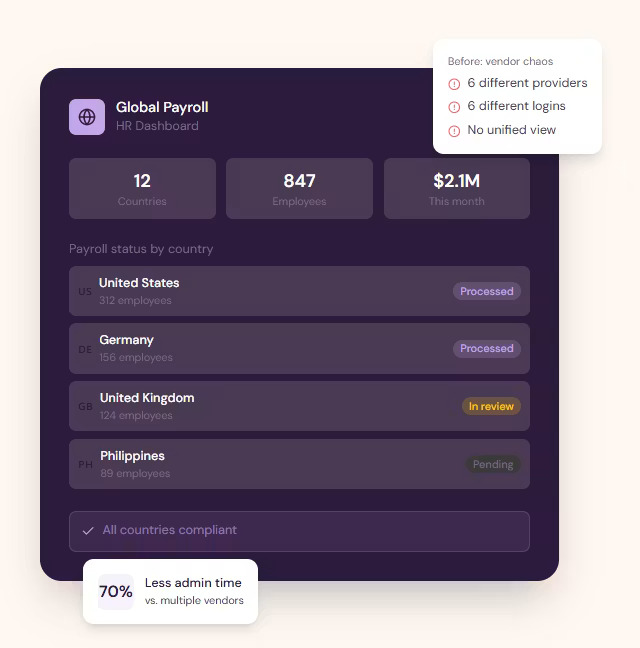
Local currency payouts use mid-market FX rates, so employees aren’t shortchanged by poor exchange rates. The employee self-service portal delivers localized payslips in each person’s own currency and language, which is a detail that matters more than people expect when building trust with a distributed team.
The platform holds SOC 2 Type II, ISO 27001, and GDPR certifications, which cover most regulated industries. The cloud-based dashboard gives a centralized view of the entire global workforce. The 24/7 human support is staffed by actual payroll specialists, not chatbots, which makes a real difference when a compliance question comes in from a country I’m not familiar with and can’t afford to get wrong.
Pros:
- Eliminates the need for a legal entity to pay employees internationally
- Transparent pricing starting at $26/employee with no surprise add-ons
- Human support available 24/7 with genuine payroll expertise
- Strong compliance certifications for businesses operating in regulated industries
- Localized payslips in local currency reduce employee confusion
Cons:
- Primarily built for international payroll, not the strongest option for US-only teams
- Fewer integrations with US-specific HR platforms
User Rating: 5/5 (Capterra, 1 review)
Pricing: Starts at $26/employee/month
10. Rippling – Best for Fast-Growing Teams That Want Payroll, HR, and IT in One Platform
Rippling is not just a payroll tool. It’s a unified workforce platform that connects payroll, HR, benefits, device management, and app provisioning into a single system. I recommend it to teams that are scaling fast enough that managing separate tools for payroll, onboarding, and IT is starting to create real coordination overhead.
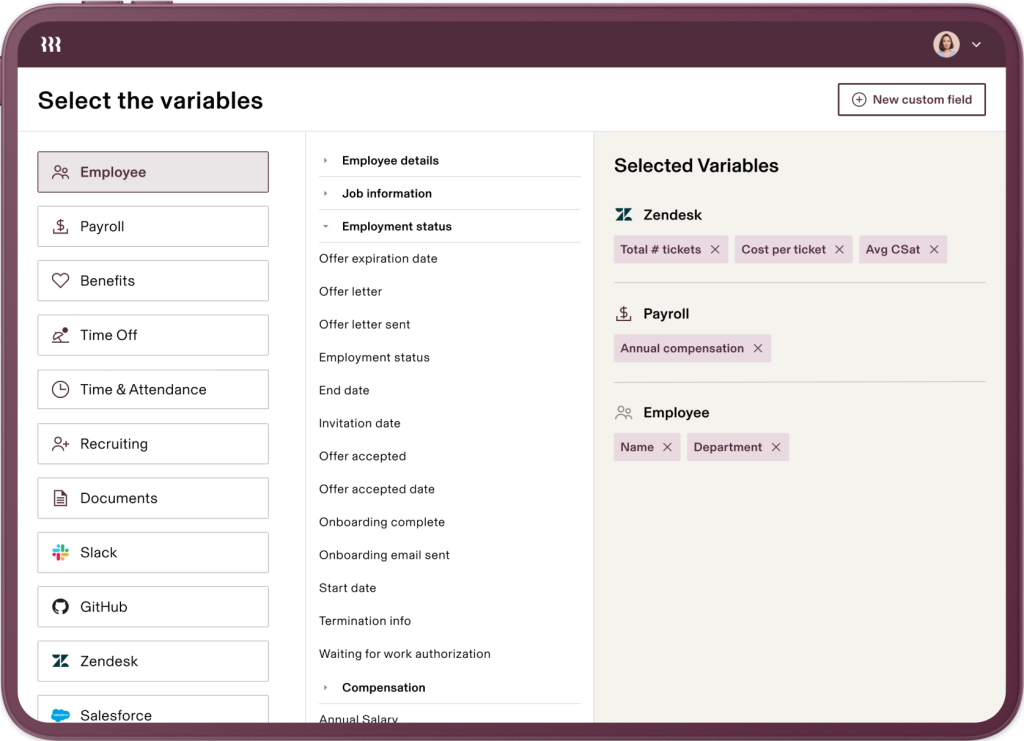
Payroll runs across all 50 US states and covers contractors in 185+ countries. When employees change roles, move states, or adjust deductions, the platform updates automatically across payroll, benefits, and accounting with no manual intervention required. The full HR module handles onboarding, PTO, and compliance.
IT management, including device provisioning and app access control, runs from the same dashboard. Role-based access controls and custom approval workflows keep goal cascading and data access precise as teams grow. Real-time reporting dashboards give HR and finance visibility without building separate reports. With 600+ integrations, it covers most existing tech stacks without requiring custom connectors.
Pros:
- Payroll, HR, and IT managed from a single platform eliminates cross-system data entry
- Automatic payroll updates when employee details change
- Handles both US multi-state and international contractor payroll
- 600+ integrations cover most existing tech stacks
- Excellent for companies that want to scale without changing systems
Cons:
- Platform fee applies in addition to module costs, making it more expensive than standalone payroll tools
- More complexity than a small team with simple needs actually requires
- Setup takes longer than simpler tools like Gusto or OnPay
User Rating: 4.8/5 (G2, 10,000+ reviews) | 4.9/5 (Capterra, 4,800+ reviews)
Pricing: Custom Quote.
How I Chose These Payroll Providers
When I evaluate payroll providers for this list, I don’t just rely on feature lists or marketing claims. I look at how these tools actually perform in real-world scenarios. Here’s the framework I used to make sure every recommendation is practical, reliable, and worth considering.
- User Reviews and Ratings: I start by looking at real user feedback from platforms like G2 and Capterra. This gives me a clear picture of how small business owners and HR managers actually experience the tool day to day, what they love, and where it consistently falls short.
- Core Features and Functionality: I focus on what truly matters in payroll software. This includes automated tax filing, direct deposit, multi-state compliance, contractor support, employee self-service, and integrations with accounting and HR tools. If a provider cannot handle these well, it does not make the cut.
- Ease of Use: I pay close attention to how intuitive the platform feels for someone running payroll without a dedicated payroll team. A tool might be powerful, but if a small business owner or a one-person HR department struggles to adopt it, it defeats the purpose. Clean interface, simple navigation, and quick onboarding are non-negotiable for me.
- Customer Support: From my experience, implementation is where many payroll tools fail their customers. I evaluate how responsive and helpful the support team is, especially during setup and when a compliance issue comes up. Fast, reliable support from actual payroll specialists makes a significant difference.
- Value for Money: I compare pricing with what the tool actually delivers, including what’s in the base plan versus what costs extra. This is not about picking the cheapest option, but about whether the features, compliance coverage, and support quality justify the total cost once add-ons are factored in.
- Personal Experience and Expert Insights: Wherever possible, I rely on hands-on research and insights from HR managers, operations leads, and small business owners who use these platforms in real environments. This helps me go beyond surface-level reviews and highlight what actually works when payroll gets complicated.
How to Switch Payroll Providers Without Losing Historical Data
One of the most common reasons small businesses stay stuck with a payroll provider they don’t like is the fear of the migration. I’ve walked through this process enough times to know it’s manageable when you plan it correctly.
- Export your current data first: Download employee records, historical pay stubs, YTD earnings, tax filings, and deduction histories in CSV format. Most modern payroll platforms accept bulk imports. Do this before you cancel anything.
- Map your goal hierarchy: Document your current pay schedules, deduction codes, benefit contributions, and multi-state registrations. The cleaner your structure is going in, the faster the import goes.
- Run a parallel payroll cycle: Process one payroll in both your old and new systems before you go live. Compare every line item. This is the step most teams skip, and most teams regret.
- Time your switch around quarter-end: Switching at the beginning of a new quarter gives you a clean tax filing break. Mid-quarter switches are possible but create more reconciliation work.
- Verify your EIN and state employer accounts are transferred: Your new provider needs access to your Employer Identification Number, State Unemployment Insurance accounts, and any state-specific payroll tax registrations. This is often the step that causes delays if left to the last minute.
Common Payroll Problems Small Businesses Face (and How to Avoid Them)
Community research from HR forums and Reddit threads consistently surfaces the same pain points. Here’s how to avoid each one before it costs you.
1. Tax Errors
Missing tax deadlines or incorrect tax calculations can lead to penalties and unnecessary stress.
How to avoid it:
- Choose a provider with a tax accuracy guarantee.
- Ensure automated federal, state, and local tax filing.
- Verify support for every state where you have employees.
2. Hidden Fees
Unexpected charges for W-2s, multi-state payroll, or additional payroll runs can quickly increase costs.
How to avoid it:
- Request a complete pricing breakdown before signing.
- Confirm fees for year-end forms and extra payroll runs.
- Ask about charges for adding new states or employees.
3. Weak Support
Payroll issues become costly when you can’t reach someone who can actually help.
How to avoid it:
- Look for phone and live chat support.
- Check if payroll specialists, not just chatbots, handle complex issues.
- Read customer reviews about support responsiveness.
4. Migration Issues
Moving payroll data from your existing provider can be time-consuming and error-prone.
How to avoid it:
- Choose a provider that offers free migration assistance.
- Ask if a dedicated onboarding specialist is included.
- Confirm that historical payroll data can be transferred accurately.
5. Contractor Management
Some payroll platforms work well for employees but have limited support for contractors.
How to avoid it:
- Verify support for both W-2 employees and 1099 contractors.
- Confirm international contractor support if needed.
- Ensure both worker types can be managed from the same platform.
Choose Payroll Software That Grows With You
Choosing the right payroll provider is less about finding the platform with the longest feature list and more about finding one that fits your business. Start by evaluating your headcount, hiring plans, contractor mix, integration needs, and compliance requirements.
Compare the total cost, not just the monthly fee, and pay close attention to support quality, especially if you don’t have an in-house payroll expert. Gusto and OnPay are excellent choices for most small US businesses, while One Global Payroll is better suited for international teams.
If you already use Square or QuickBooks, their payroll solutions offer a smoother experience through native integrations. The right payroll provider saves time, reduces compliance risks, and gives employees the reliable payroll experience they expect.
Frequently Asked Questions
What is the difference between payroll software and a payroll service provider?
Payroll software lets you manage payroll, tax filings, and compliance yourself through an online platform. A payroll service provider offers additional hands-on support, with specialists managing some or all payroll tasks. Many modern providers combine easy-to-use software with expert assistance, giving small businesses flexibility without sacrificing control.
How long does it take to set up a payroll provider for the first time?
Most small businesses can complete setup within one to seven days, depending on the provider and business complexity. Preparing employee records, tax information, year-to-date payroll data, and state registration details in advance speeds up the process and helps ensure your first payroll runs without delays.
What is the Qualified Small Business Payroll Tax Credit and how do I claim it?
This federal tax credit allows eligible startups to use qualifying R&D tax credits to offset payroll taxes. If your business meets IRS requirements, you may reduce payroll tax liability significantly. Most payroll providers can support the process, but eligibility should first be confirmed with a qualified tax professional.
What is an Employer Identification Number and why does my payroll provider need it?
An Employer Identification Number (EIN) is your business's federal tax ID issued by the IRS. Payroll providers use it to file payroll taxes, submit required reports, and process employee payroll legally. You'll also need state payroll tax registration numbers if you employ workers in multiple states.
What is the difference between a PEO and a standard payroll provider?
A standard payroll provider processes payroll and files taxes while you remain the legal employer. A Professional Employer Organization (PEO) becomes a co-employer, helping manage compliance and offering access to better employee benefits. PEOs generally cost more but provide broader HR support and shared compliance responsibilities.
Can payroll software handle both W-2 employees and 1099 contractors?
Yes. Most modern payroll platforms support both W-2 employees and 1099 contractors from one dashboard. However, features and pricing vary between providers. Before choosing a platform, confirm contractor payments are included in your plan and don't require separate software or additional subscription fees.
How do I know if my payroll provider is handling multi-state compliance correctly?
Verify that your provider automatically updates state tax rules, files payroll taxes in every employee's work state, and supports changing regulations. Also ask about additional fees for multi-state payroll, since some providers include it while others charge separately for each state.
What should I do if my payroll provider makes a tax filing error?
Contact your payroll provider immediately and keep copies of all notices and communications. Many reputable providers offer tax accuracy guarantees covering penalties caused by their mistakes. Before paying any IRS or state notice, confirm whether the error resulted from the provider or incorrect information submitted.
Ready to 3x Your Teams' Performance?
Use the best performance management software to align goals, track progress, and boost employee engagement.