We’re excited to share with you one of our latest partner integrations – with BambooHR! One of the industry leaders in cloud-based HR solutions, BambooHR’s employee database will act as the primary source of users and profile data for PeopleGoal, which means there’s no need to duplicate your employee information across two accounts.
Setting up your integration is a simple, step-by-step process which we’ve outlined below. You’ll also find some FAQs around managing your integrated account at the end of this post. And as always, if you have any further questions, just reach out to our Customer Success team on support@peoplegoal.com or on live chat (hit ‘Support’ on the drop-down menu to open your chat).
Setting up your integration: step-by-step
1. Navigation
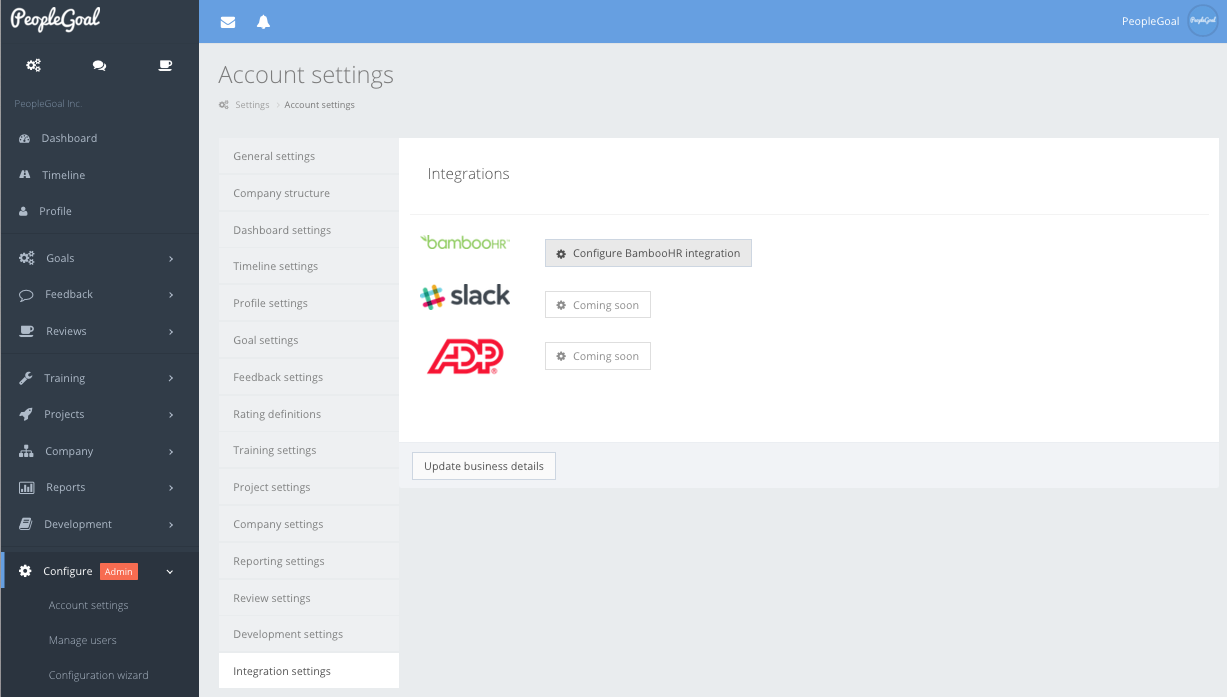
Head to Configure > Account settings > Integration settings and click ‘Configure BambooHR integration’.
2. Adding an API Key
The API key will allow you to connect your PeopleGoal account to BambooHR. In BambooHR, click Account > API Keys and ‘Add a New Key’.

Copy the text in the key field.
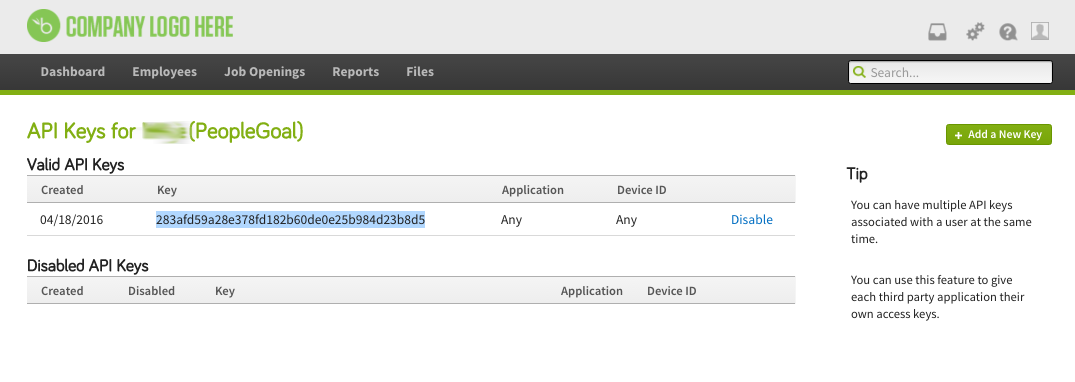
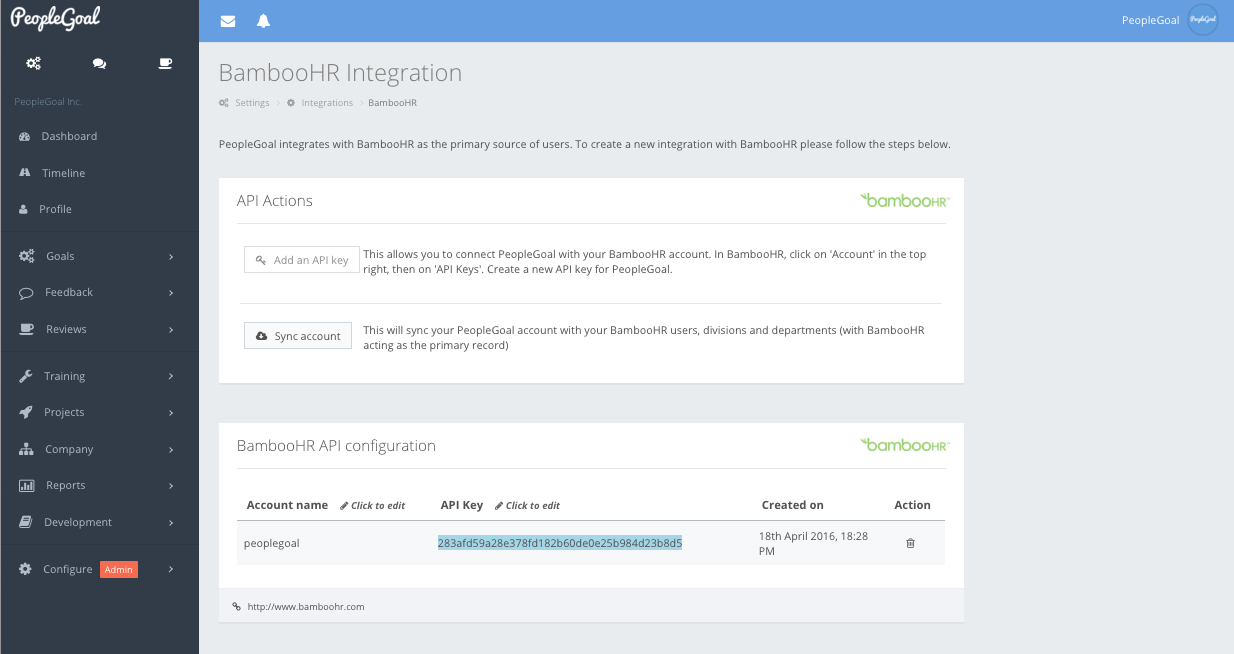
In PeopleGoal, under API Actions, click ‘Add an API Key’ and paste the text into the ‘API key’ field. Add your BambooHR account name as it appears in your subdomain, i.e. peoplegoal for https://peoplegoal.bamboohr.com. That’s all you’ll need from BambooHR!
3. Syncing your Accounts
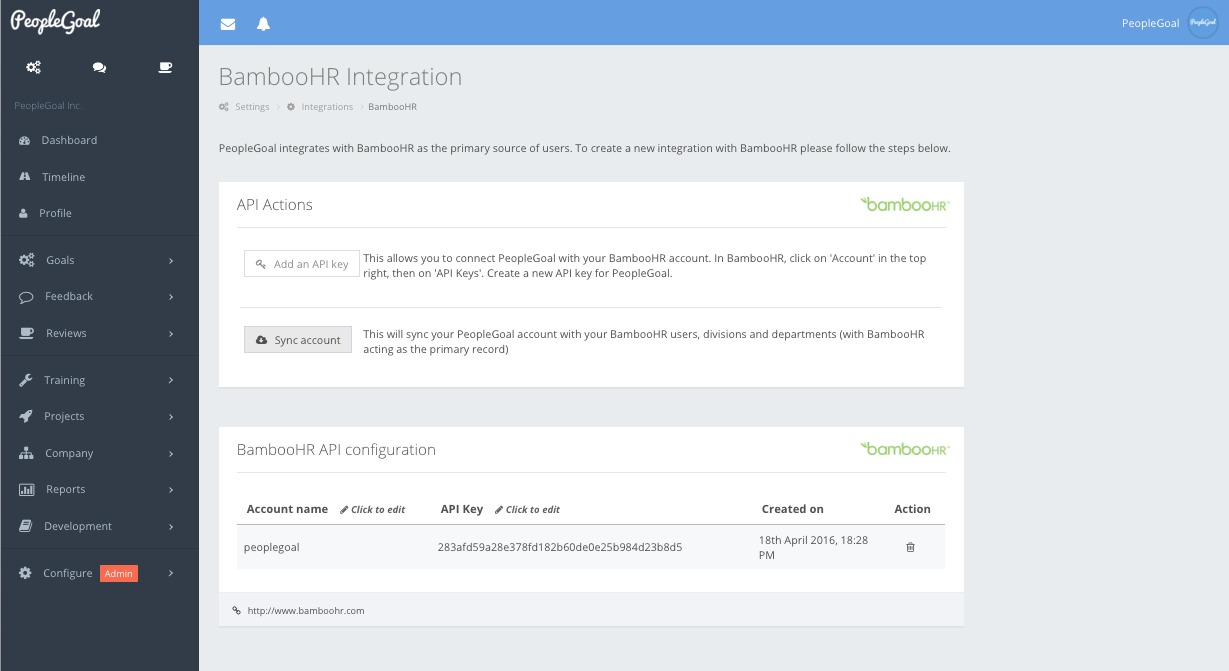
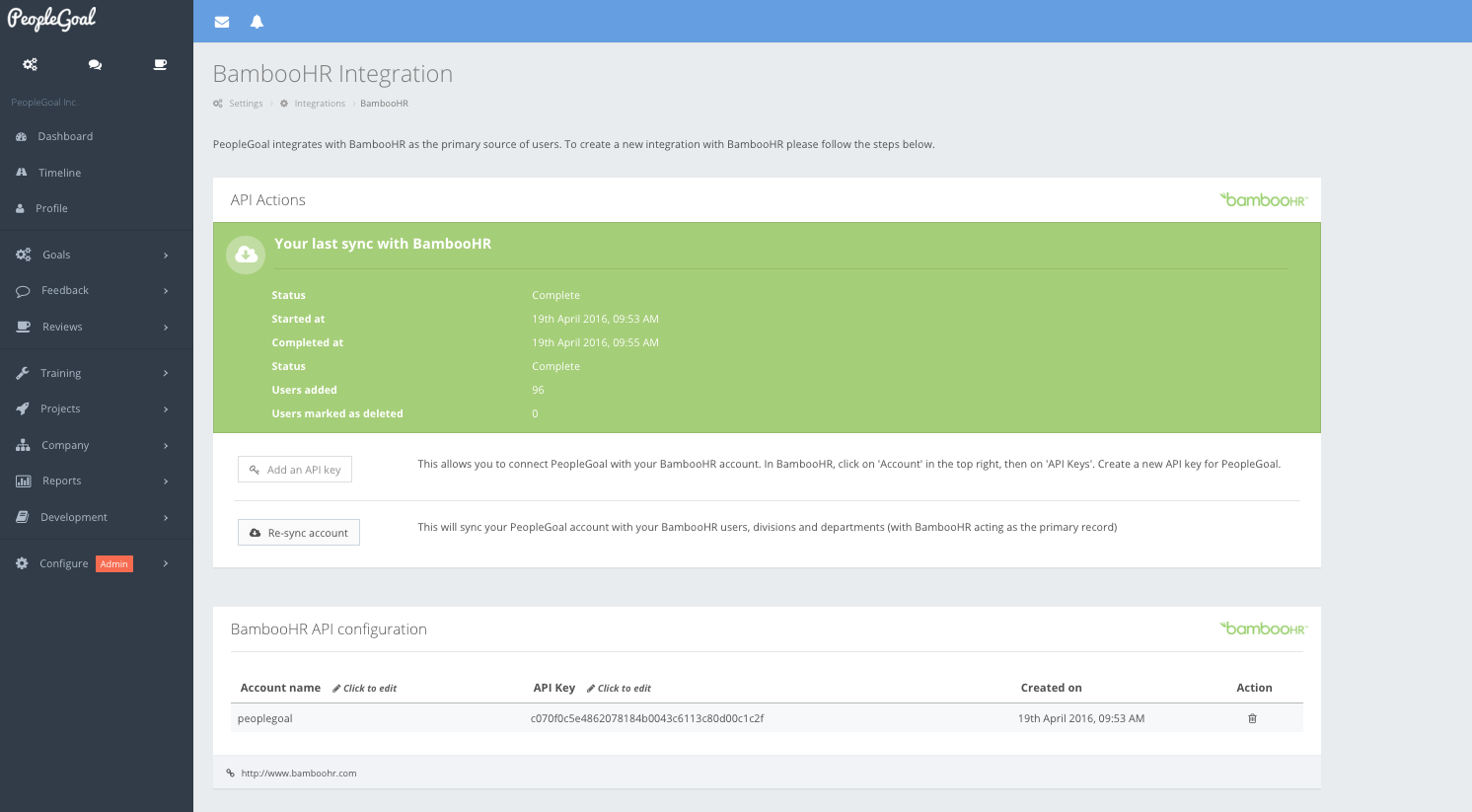
In PeopleGoal, under API Actions, click ‘Sync account’. This will start the process of importing your user data from BambooHR’s employee database, pulling users, divisions and and departments, as well as your reporting structure. Your status will update to ‘In progress’ and the process can take a few minutes so you can leave it running in the background.
Once all the data has synced, your status will update to ‘Complete’ and a confirmation email will be sent to your account Admins. That’s it, you’re done!
FAQs
When I change/delete an employee on PeopleGoal, will it update BambooHR?
No. BambooHR is the primary source, meaning PeopleGoal will pull your employee information from any changes you make on BambooHR, not the other way round. So for instance, if you’ve promoted an employee, when entering their new manager, division and department on BambooHR among the other profile changes you’ll be making, this will update their manager, department and team on PeopleGoal. Should you delete or mark an employee as inactive on BambooHR, their profile will be deleted on PeopleGoal. You can restore them manually under Configure > Manage users if you’d like to export their goals, feedback and reviews offline.
Will I need to first create my Company Structure on PeopleGoal?
Nope! BambooHR’s manager, division and department fields correspond to PeopleGoal’s manager, department and team fields and will automatically create these for you if you haven’t already added your teams and departments.
Do I need to manually sync my PeopleGoal account to keep it updated?
PeopleGoal will run a daily deployment to sync with your updated BambooHR account, so you can be sure you’re always working with your latest employee information. For major changes like adding a new employee, we recommend manually syncing so that you can start working with their profile immediately. To do this, head to Configure > Account settings > Integration settings > Configure BambooHR integration. Under ‘API Actions’, click ‘Re-sync account’ and let it run!
Ready to 3x Your Teams' Performance?
Use the best performance management software to align goals, track progress, and boost employee engagement.