

Your onboarding process is the reason new hires disengage before they even start delivering results. Most teams don’t realize this until it starts affecting retention, productivity, and team morale.
According to AIHR’s Employee Onboarding Statistics & Trends Report in 2026, more than half of employees (52%) say administrative tasks dominated their onboarding experience. That means instead of learning their role or connecting with the team, they are stuck dealing with paperwork and fragmented systems.
The issue is not effort. It is the system. Manual emails, scattered spreadsheets, and disconnected tools create friction from day one. The right employee onboarding software brings structure, automation, and consistency to fix this at the root.
In this blog, I will cover what employee onboarding software is, the best tools, how to evaluate them, how they fit into your strategy, and the benefits they bring.
What Is Employee Onboarding Software, and Why Does It Matter?
According to research from Brandon Hall Group in 2024, organizations with a structured onboarding process improve new hire retention by 82% and productivity by over 70%. So why do companies use employee onboarding software in the first place? Here are the most common reasons I have seen across the teams I have worked with:
- Manual overload: HR teams are drowning in follow-up emails, printed forms, and scattered checklists that eat hours every week and still produce inconsistent results.
- Inconsistent experiences: Without a system, onboarding quality varies by manager, department, or location, making it impossible to deliver a reliable first impression at scale.
- Slow time-to-productivity: New hires without structured guidance take longer to get up to speed, directly impacting team output during a critical ramp-up window.
- Compliance risk: Manually tracking I-9s, W-4s, and policy acknowledgments leaves gaps that create legal exposure, especially as teams grow or hire across multiple regions.
- Poor retention signals: When the onboarding process is disconnected from performance and feedback systems, early disengagement goes undetected until it is too late to act on it.
11 Best Employee Onboarding Software Tools
I have personally used or worked closely with teams that use all employee onboarding tools on this list. My evaluation went beyond feature comparisons.
| Tool | Best For | Pricing | User Rating |
| PeopleGoal | Fully Customizable Performance Reviews, OKRs & Employee Development | From $4/user/month (14-day free trial) | 4.5/5 (G2) |
| BambooHR | Comprehensive HRIS With Payroll Solutions | Starts at $10/employee/month | 4.5/5 (G2) |
| Deel | Automated Payroll Support | Starts at $125/employee/month | 4.8/5 (G2) |
| Rippling | Automating Technical HR Tasks | Custom pricing | 4.8/5 (G2) |
| TrackerPLUS | Strategic Physician Onboarding | Custom pricing | 4.2/5 (G2) |
| Greenhouse | Application Tracking | Custom pricing | 4.4/5 (G2) |
| Lattice | HRIS in Large Enterprises | Starts at $11/seat/month | 4.7/5 (G2) |
| Enboarder | Bulk Onboarding | Custom pricing | 4.8/5 (G2) |
| Workable | Employee Data Management | Starts at $299/month | 4.4/5 (G2) |
| GoCo | Flexible, Paperless Onboarding | Starts at $5/employee/month | 4.6/5 (G2) |
| Gusto | Payroll & Compliance Support | Starts at $49/month + $6/month/person | 4.6/5 (G2) |
I looked at what these employee onboarding tools do in practice, how they hold up as onboarding scales, and whether they actually reduce the manual burden on HR while improving the new-hire experience. Here is what made the cut.
1. PeopleGoal – Best for Fully Customizable Performance Reviews, OKRs & Employee Development
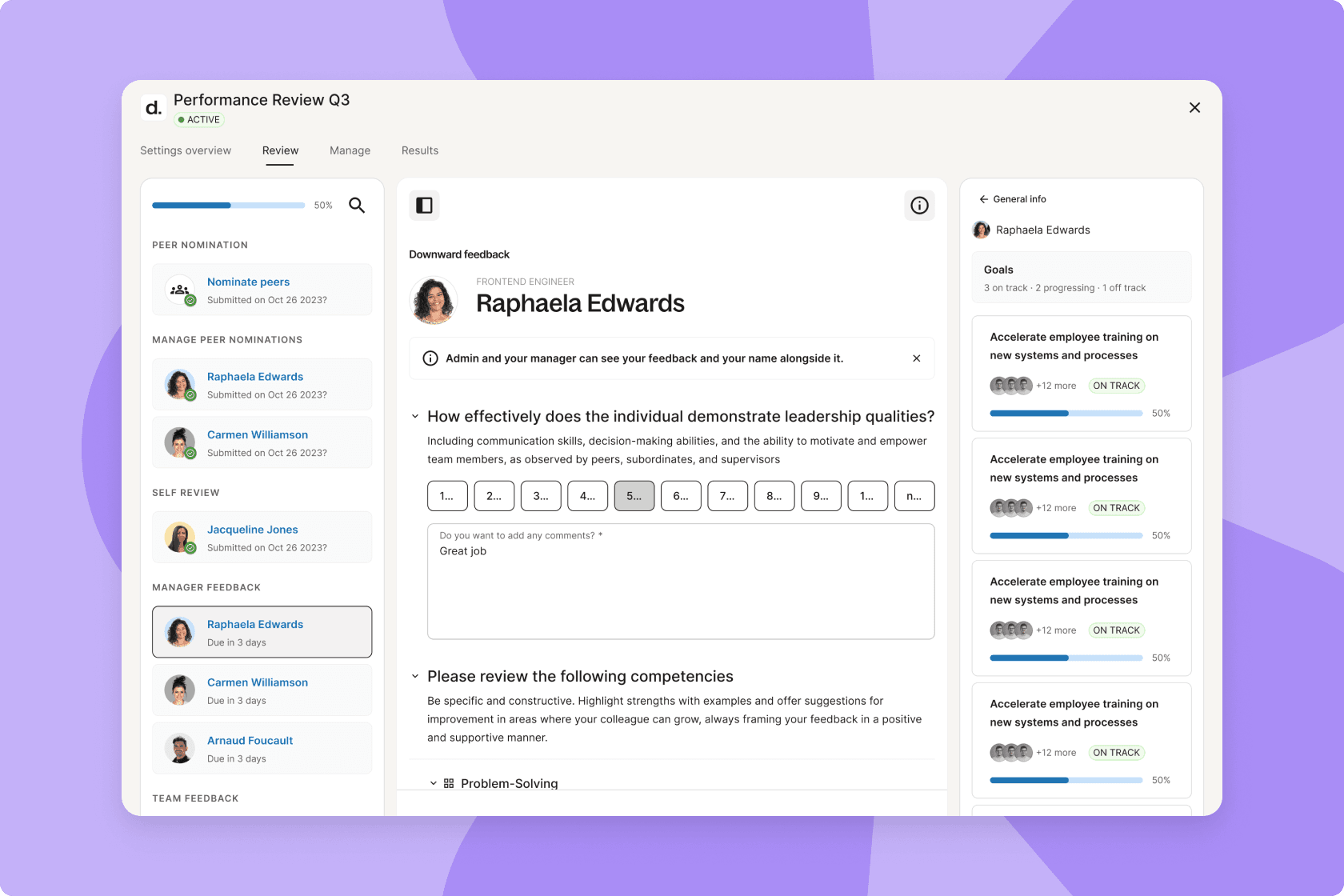
PeopleGoal is one of the most modular employee onboarding solutions I’ve personally used, helping a business colleague restructure their onboarding framework. The tool comes loaded with employee onboarding templates, but the real power lies in how deeply you can customize every element, from welcome checklists to probation milestones.
What impressed me most was the AI-powered performance management built into the 90-day manager-driven roadmap, which helped summarize onboarding feedback and surface employee progress throughout the onboarding journey.
One HR peer of mine used that feature to turn a loosely organized onboarding process into a well-tracked, goal-oriented experience that got a new team member productive within two weeks.
Everything was logged, signed, tracked, and auto-notified; no manual follow-up needed. This new hire onboarding software also effortlessly integrates with performance reviews and feedback cycles, so onboarding isn’t a standalone event but the first step in a measurable employee journey.
Pros:
- The pre-built 30-60-90 day plan lets managers hit onboarding targets without micromanagement or spreadsheets
- Supports goal setting with onboarding milestones, OKRs, and role-specific objectives.
- Built-in survey tools capture real-time feedback during onboarding for continuous improvement
- Compliance tasks, document signing, and role-specific training plans are auto-triggered by Customizable Workflows with zero HR intervention
- Each stakeholder is automatically notified of their role, cutting coordination time significantly
- Fully customizable App Store allows you to create onboarding flows for different roles without rebuilding anything
Cons:
- No downloadable or on-premise version
- Dark user interface option is not available
I’ve seen this at scale with iQmetrix, a 400-person retail tech company. They replaced seven disconnected HR tools with PeopleGoal and reached 98% goal adoption in one quarter.
User Rating: 4.5/5 (G2)
Pricing: FREE 14-day trial. Paid starts at $4/user/month.
2. BambooHR – Editor’s Choice, Best for Dedicated HRIS
BambooHR offers a lightweight yet powerful onboarding tool that works especially well for growing businesses scaling from 50 to 500 employees. A colleague of mine who leads HR at a mid-size professional services firm switched from a patchwork of emailed PDFs and manual spreadsheets to BambooHR, and the difference was immediate.
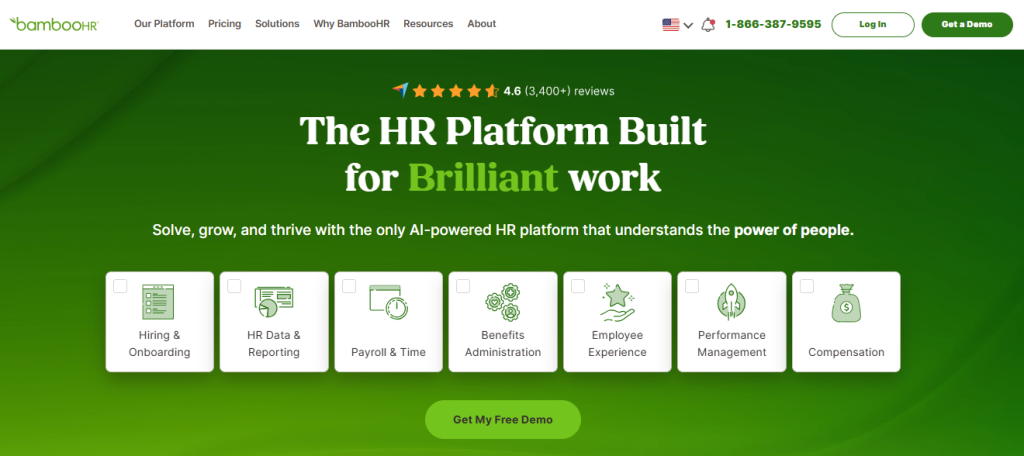
They built role-based onboarding checklists for different departments, automated welcome messages, and gave new hires access to their own preboarding portal before day one. What used to take the HR team four hours per new hire came down to under thirty minutes.
The onboarding experience is cohesive because BambooHR integrates directly with time tracking, performance management, payroll, and document management. Everything is organized, trackable, and customizable without needing a developer involved.
It also connects with ProProfs Training Maker; the BambooHR integration automatically assigns compliance courses and role-specific learning paths the moment a new hire is added in BambooHR. It can also trigger training on role changes and automate offboarding checklists, eliminating manual coordination between HR and L&D.
4.6 ★
G2 rating (6,800+ reviews)
30K+
Companies using BambooHR
~2 wks
Average time-to-go-live
Pros:
- The checklist builder lets you create different onboarding flows by job role or department
- New hire packets bundle tax forms, offer letters, and training plans into a single interface
- Built-in reminders ensure managers and IT teams receive automatic task notifications
- New hires access their own preboarding portal before their start date
- Employee data from onboarding flows directly into payroll, PTO, and benefits enrollment
Cons:
- Lacks advanced workflow automation seen in enterprise-grade onboarding tools
- Onboarding reporting metrics are limited and fairly high-level
User Rating: 4.5/5 (G2)
Pricing: Free trial available. Starts at $10/employee/month
Streamline your HR processes with BambooHR
Get pricing, explore features, and see how BambooHR can simplify onboarding, employee records, and performance management.
3. Deel – Best for Automated Payroll Support
Deel is the gold standard for onboarding international employees without setting up local entities. I have worked closely with a peer who used Deel to hire remote teams across five different countries, and they were able to offer localized contracts, benefits, and equipment without needing legal support or IT logistics in-house.
What stands out is Deel’s Employer of Record model, where they become the legal employer in that country while you manage day-to-day operations. The dashboard centralizes all onboarding steps, while region-specific document handling, tax compliance, and automated task reminders eliminate administrative risks. Everything from sending an offer to fully onboarding a hire can happen within one dashboard, regardless of country.
Pros:
- The Employer of Record system allows you to legally onboard in over five countries without hiring a lawyer or setting up a new entity
- Deel automatically generates employment agreements in the local language with pre-vetted legal clauses
- The onboarding dashboard gives HR and managers a real-time view of task completions and compliance statuses across a global workforce
- Regional compliance is automated through tax form collection, benefits matching, and real-time legal updates
- Seamless onboarding of both full-time employees and contractors with localized invoice generation
Cons:
- The interface feels more operations-focused and less welcoming for new hires
- Pricing structure for EOR is not transparent without a sales contact
User Rating: 4.8/5 (G2)
Pricing: Starts at $125/employee/month
4. Rippling – Best for Automating Technical HR Tasks
Rippling brings IT and HR together in a way that makes onboarding feel almost effortless. I worked with a colleague who needed to automate everything from the offer letter to the new hire’s laptop, Slack account, and benefits. With Rippling, all of that got triggered by a single action: “hire.” It was like flipping a switch.
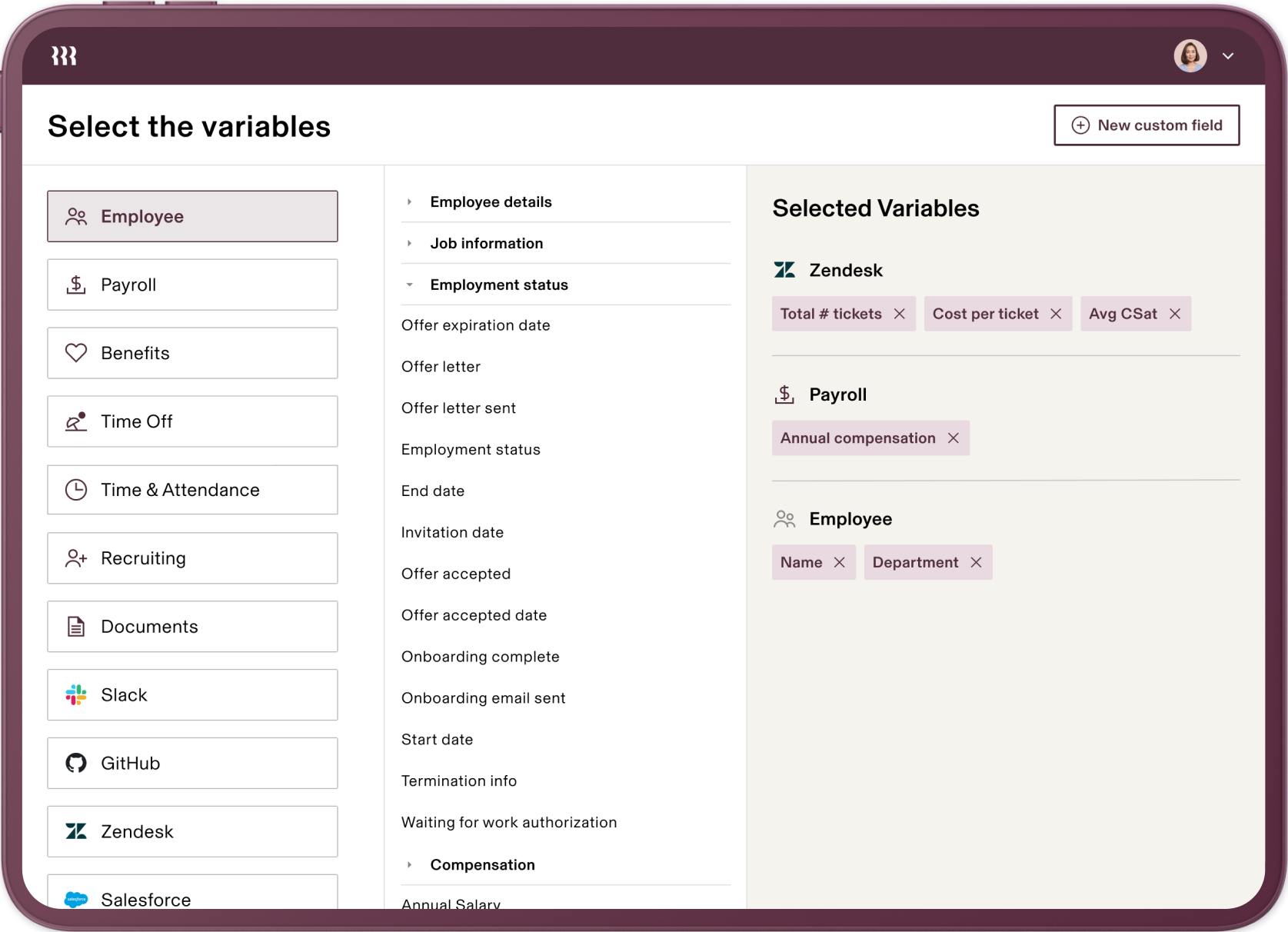
Because Rippling integrates deeply with business software and device management tools, there is no manual coordination between departments. It also handles compliance tasks like I-9s, e-signatures, and mandatory training automatically. Everything is time-triggered and trackable, making it easy to scale during high-growth periods.
Pros:
- A single hire action automatically sets up email, software permissions, and device shipments
- Device management integrations allow you to pre-configure and ship equipment, eliminating IT bottlenecks for remote onboarding
- Compliance modules make collecting I-9s, W-4s, and handbook signatures automatic and audit-proof
- The visual workflow builder makes it easy to assign onboarding steps across HR, IT, finance, and the new hire
- Employee data syncs across all tools instantly, eliminating duplicate entries
Cons:
- Add-on pricing can escalate costs quickly if you need multiple modules
- Support can be delayed during peak onboarding periods
User Rating: 4.8/5 (G2)
Pricing: Custom pricing.
5. TrackerPLUS – Best for Strategic Physician Onboarding and Rapid Practice Ramp-Up
TrackerPLUS by Tiller-Hewitt is a powerhouse for organizations that understand physician onboarding is about much more than a first-day orientation. I have seen this tool used to bridge the “productivity gap” that happens when a new doctor is hired but does not have a full patient panel for months. It treats onboarding as a long-term integration strategy rather than a one-time HR event.
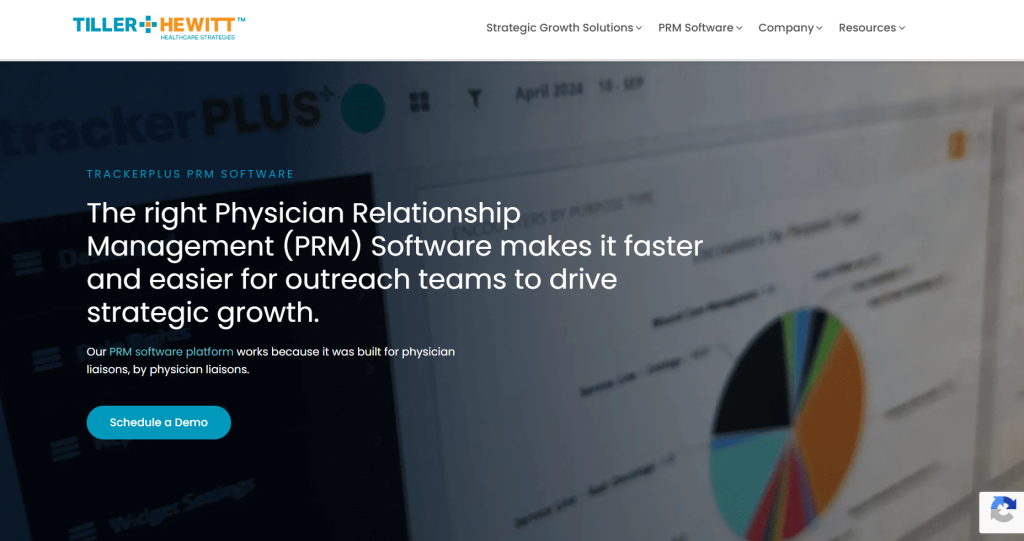
A health system director I worked with used TrackerPLUS to coordinate a cross-functional onboarding team across IT, Credentialing, Marketing, and Clinical Ops, reducing referral delays for a new specialist by over 60%. The platform provides a shared source of truth so the liaison could see exactly when the doctor’s NPI was active and immediately trigger community outreach.
Pros:
- 90-Day Rapid Ramp-Up modules designed to move physicians from hired to fully productive
- Stakeholder accountability through automatic notifications to IT, Marketing, and Practice Ops
- Leakage prevention identifies where referrals are going before the new physician arrives
- Retention tracking with built-in survey tools and check-in logs at 30, 60, and 90-day milestones
- Family integration logs track community acclimation tasks, a leading indicator for long-term retention
Cons:
- Requires a dedicated onboarding coordinator to own initiative tracking effectively
- Not designed to replace core HR or credentialing software; it connects them
User Rating: 4.2/5 (G2)
Pricing: Custom pricing.
6. Greenhouse – Best for Application Tracking
Greenhouse Onboarding closes the loop between recruiting and employee ramp-up beautifully. I worked with a team that used Greenhouse ATS and decided to enable its onboarding module to simplify the post-hire handoff.
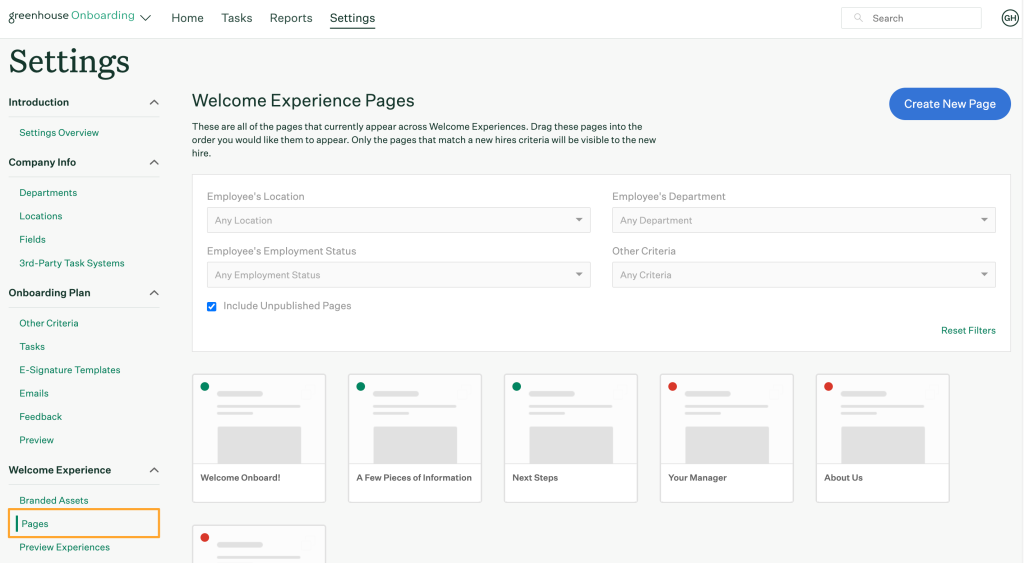
As soon as a candidate accepted the offer, a welcome email went out, onboarding tasks were assigned to managers and IT, and the new hire received access to a personalized portal. It made the process feel curated, consistent, and structured, especially important in fast-paced hiring environments.
Pros:
- Greenhouse instantly converts a new hire from candidate to employee, with onboarding plans auto-deployed
- New hires receive customized onboarding portals with tasks and content tailored to their role and department
- Manager onboarding checklists prompt introductions, first-week meetings, and goal-setting sessions
- The feedback module collects onboarding impressions from new employees for real-time HR iteration
- Deep integrations with Slack, ADP, and Google Workspace allow data to move across platforms without manual entry
Cons:
- Onboarding features are only available with mid-tier pricing plans
- Lacks built-in compliance automation tools for regulated industries
User Rating: 4.4/5 (G2)
Pricing: Custom pricing.
7. Lattice – Best for HRIS in Large Enterprises
Lattice is more than an onboarding tool. It is a complete employee success platform. I have used it multiple times to help teams move away from rigid checklists and align onboarding with performance goals and engagement surveys.
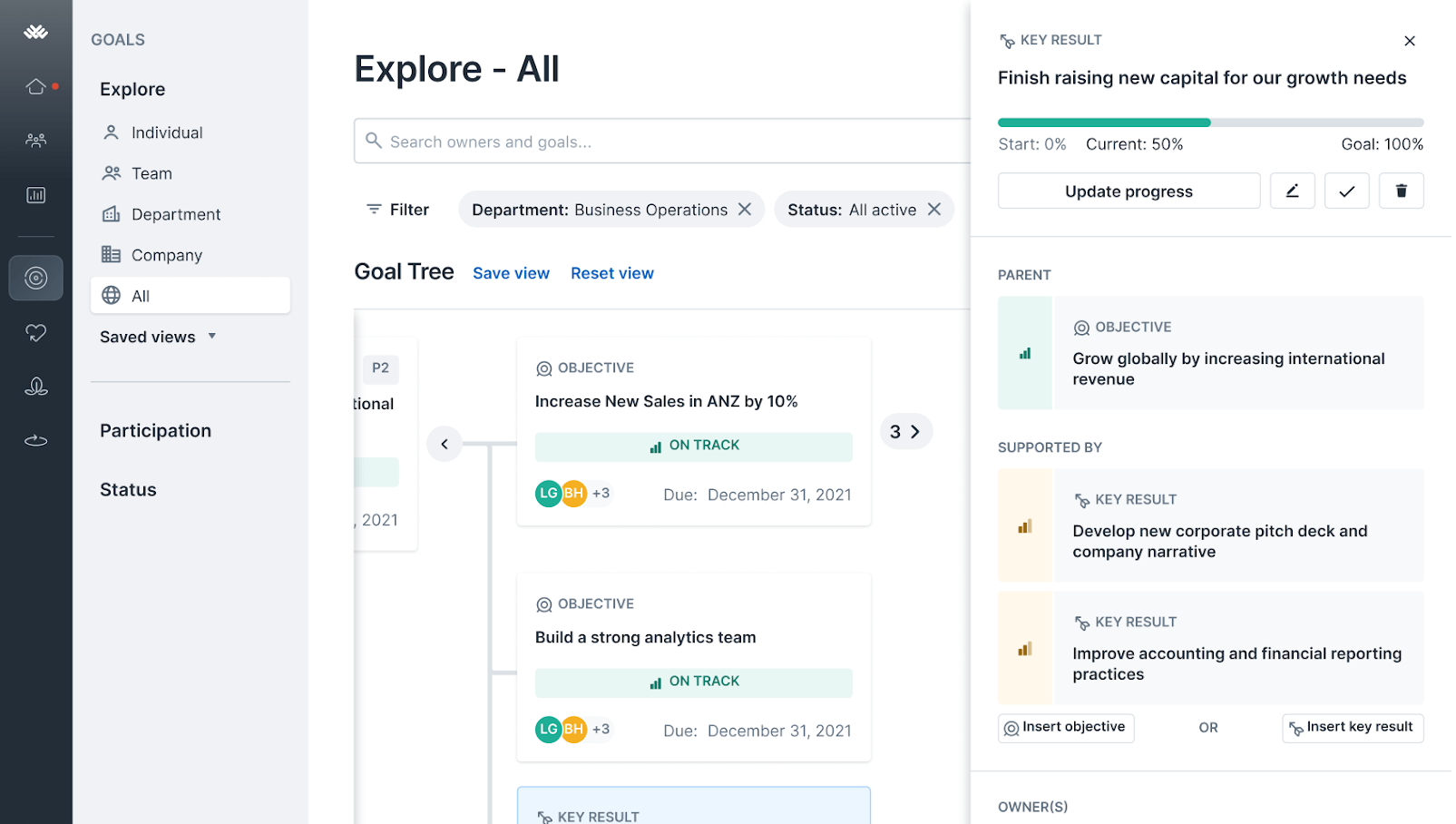
Lattice allows you to create structured onboarding journeys tailored to each team or role, while simultaneously integrating the new hire into OKRs, feedback loops, and one-on-one cadences.
One contact of mine built onboarding plans in Lattice that transitioned seamlessly into performance reviews, so nothing was lost after day 30 or 90. The result was clearer expectations, faster productivity, and measurably higher retention.
Pros:
- The onboarding workflow builder lets managers link training steps directly to performance metrics
- Automated task reminders, new hire introductions, and guided 1:1 prompts all live within the same interface
- New hires are immediately looped into feedback cycles, enabling early wins to be recognized in real time
- Easy to personalize onboarding by department, giving engineering, marketing, and ops different yet equally structured experiences
- Measure onboarding success using engagement surveys, response rates, and OKR alignment from one dashboard
Cons:
- Best onboarding features require a full suite purchase, not modular
- Minimal native support for complex compliance tasks or e-signatures
User Rating: 4.7/5 (G2)
Pricing: Starts at $11/seat/month.
8. Enboarder – Best for Bulk Onboarding
Enboarder is built for experience-led onboarding, and it excels at making new hires feel genuinely welcomed rather than processed. I once helped a team implement it after they realized their remote new hires felt disconnected during onboarding.
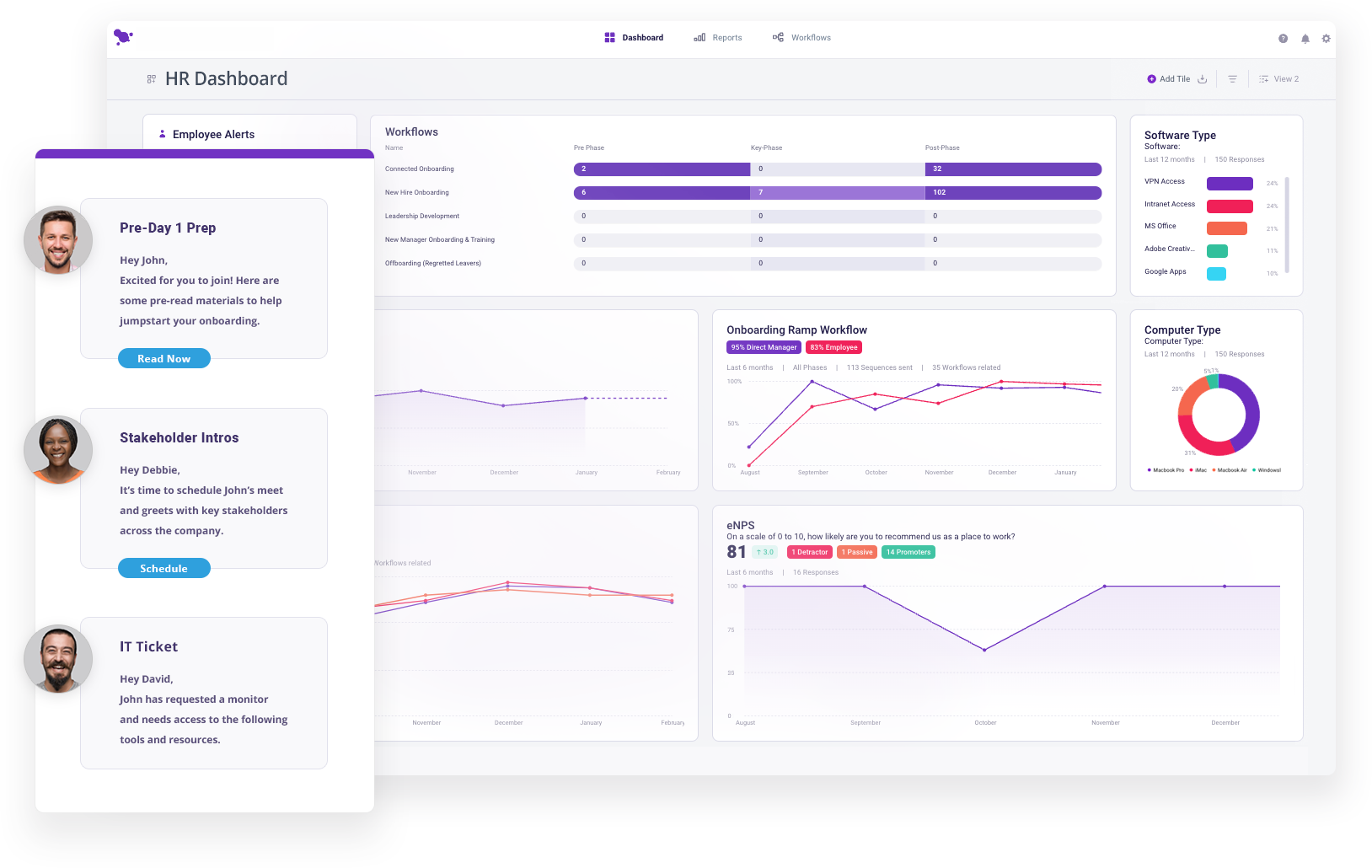
With Enboarder, they created dynamic onboarding journeys with video intros, interactive forms, automated messages, and nudges for managers to book intro calls. One marketing hire later told me they felt more connected in their first 10 days than at their previous company’s first month.
Pros:
- The visual journey builder lets you design a 30-day onboarding path with milestones and personal touchpoints
- Manager nudges prompt leaders to take action like booking welcome calls, improving engagement without HR chasing
- Surveys and pulse checks are built into the journey for real-time feedback and process improvement
- Interactive content like quizzes and welcome videos keeps onboarding dynamic rather than task-only
- Flows can be reused to re-onboard internal transfers and returners without rebuilding templates
Cons:
- No built-in document signing or HR recordkeeping features
- Can feel overwhelming to configure initially without guidance
User Rating: 4.8/5 (G2)
Pricing: Custom pricing.
9. Workable – Best for Employee Data Management
Workable does a great job combining recruitment and onboarding in one continuous flow. I personally helped an HR team use Workable to automate what was previously a week of manual post-offer chaos.
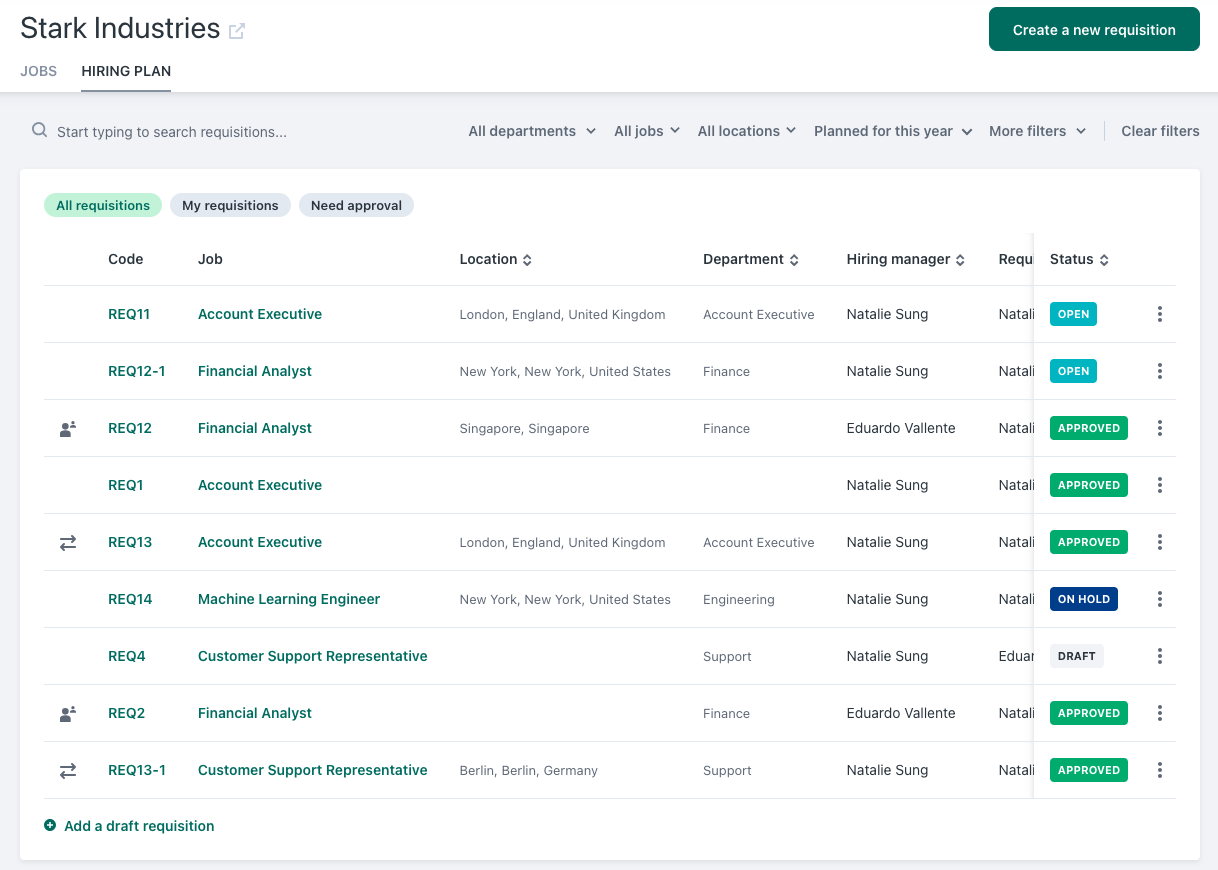
Once the candidate was hired, Workable kicked off a custom onboarding workflow with task assignments to IT, HR, and the new hire. The onboarding dashboard made it easy to track who was doing what and what was still pending.
Pros:
- Pre-built role-specific onboarding templates make it easy to create different journeys without starting from scratch
- The new hire portal provides full visibility into timelines, forms, and welcome content, reducing email chains
- Offer letter generation and digital signature flows are handled inside the platform
- A real-time onboarding dashboard visually flags incomplete steps and overdue tasks
- Workable’s ATS-to-onboarding connection saves your team from duplicating data entries
Cons:
- HRIS capabilities are basic and may require pairing with another system
- Limited integrations compared to best-in-class onboarding platforms
User Rating: 4.4/5 (G2)
Pricing: Starts at $299/month
10. GoCo – Best for Flexible, Paperless Onboarding
GoCo makes onboarding simple and entirely paperless. I experienced this firsthand while working with an HR manager who needed a better way to onboard hourly employees and part-timers without printing, scanning, or chasing signatures. GoCo’s “Magic Docs” feature turns any document into a smart, fillable, trackable form.
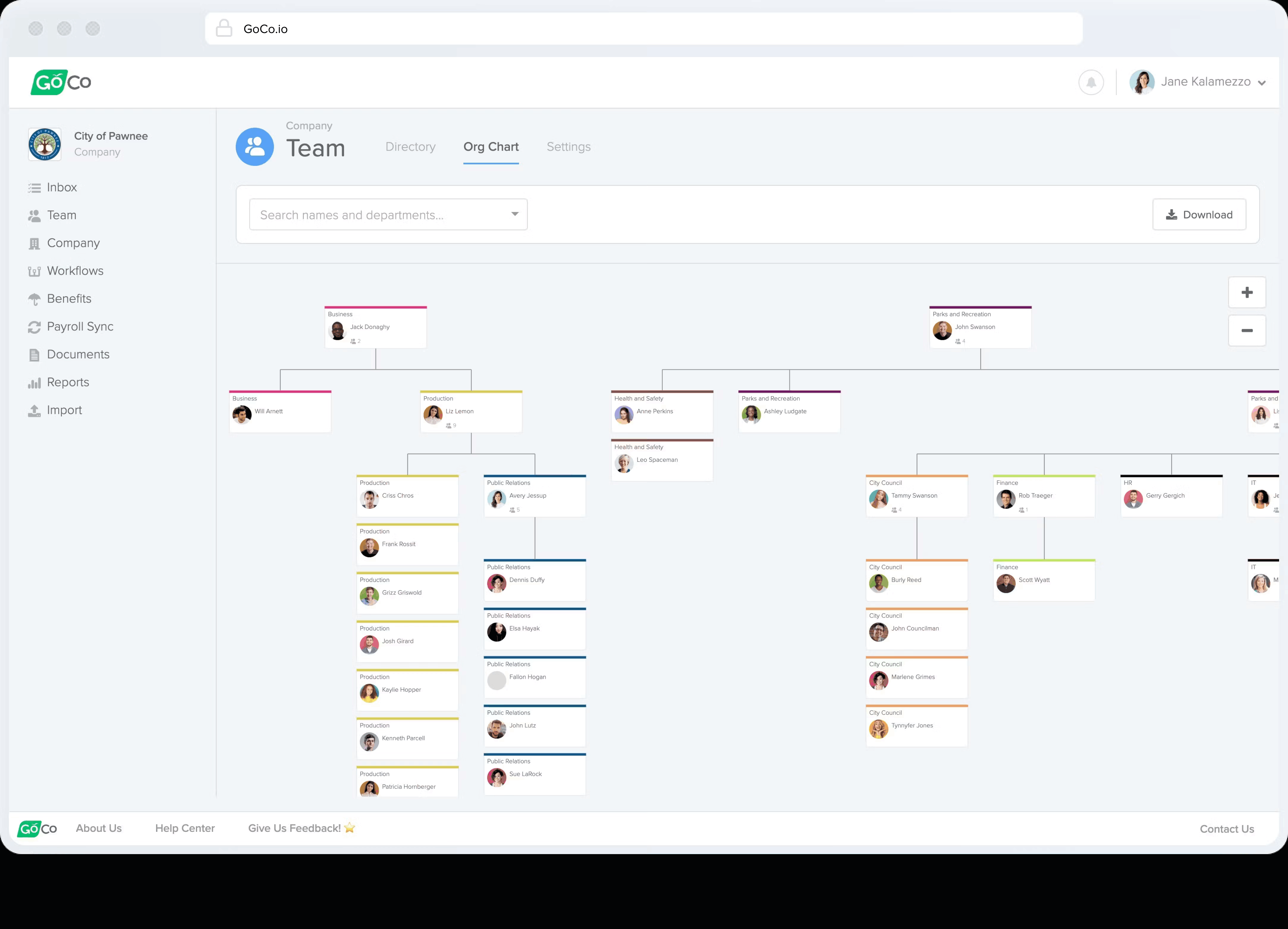
Everything from offer letters to direct deposit forms was managed digitally. The team also automated equipment setup, compliance form collection, and benefit enrollment all in one flow.
Pros:
- The Magic Docs feature transforms custom PDFs into digital smart forms for clean, validated data collection
- Preboarding flows let new hires complete tax forms, upload documents, and read handbooks before day one
- Auto-assigned onboarding steps to IT and managers with deadlines and reminders
- Role-based checklists personalize experiences while maintaining compliance consistency
- Integrates smoothly with Slack and Zoom for embedded orientation calls
Cons:
- Lacks advanced analytics or feedback tools to measure onboarding impact
- Not ideal for global onboarding beyond U.S. compliance
User Rating: 4.6/5 (G2)
Pricing: Starts at $5/employee/month
11. Gusto – Best for Payroll & Compliance Support
Gusto is the right choice when you need quick, legally compliant onboarding alongside payroll, especially for small and growing teams. I have guided several founders through their early-stage hires using Gusto. The onboarding flow covers W-4s, I-9s, direct deposit, and health benefits in one clean sequence.
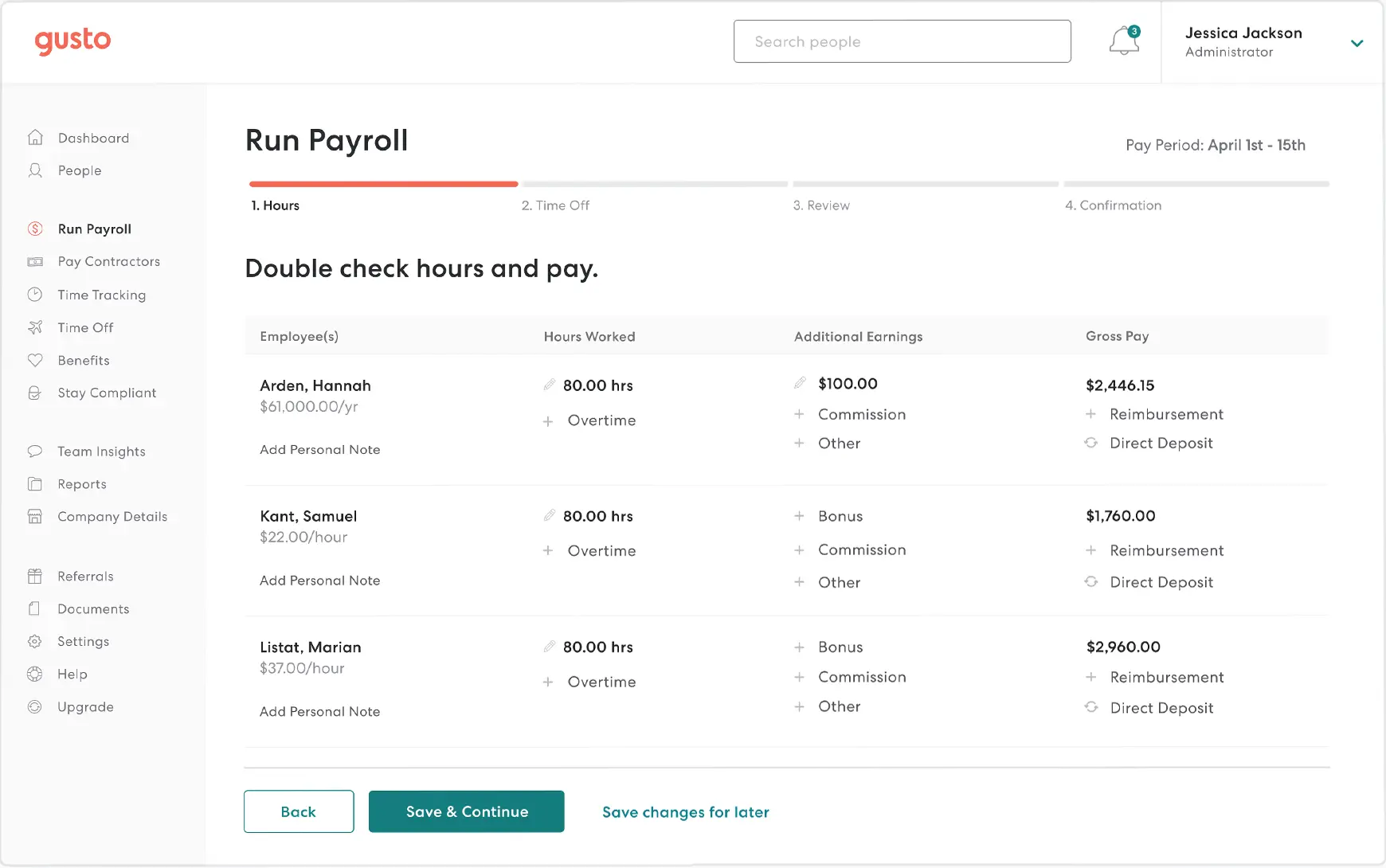
New hires receive a self-service portal to submit everything digitally, and their data feeds automatically into payroll. While it is not rich in customization or engagement tools, it does the core onboarding essentials exceptionally well at a price that makes sense for smaller teams.
Pros:
- A single onboarding flow covers taxes, bank setup, benefits enrollment, and welcome documentation
- New hire self-service portal eliminates manual form collection
- Integrated payroll onboarding ensures zero data re-entry and eliminates setup errors
- Gusto auto-reports new hires to state agencies, handling a commonly overlooked legal requirement
- Welcome message automation lets employers send personalized greetings and next-step instructions
Cons:
- The feature set is minimal beyond onboarding basics
- Not built for scaling across large or global teams
User Rating: 4.6/5 (G2)
Pricing: Starts at $49/month + $6/month/person
Evaluation Criteria
Choosing the right new hire onboarding software can make or break your employee experience, and I did not want to leave anything to chance.
Every tool listed in this blog was handpicked through a well-rounded evaluation process I have developed over years of working closely with HR teams and using these employee onboarding platforms firsthand. Here is exactly how I selected them:
- User Feedback & Ratings: I considered real-world feedback from trusted review sites and conversations with fellow HR professionals who have used these tools extensively. Their insights gave me a clear picture of what actually works and where things fall short in practice.
- Core Features & Practical Usefulness: Each tool was examined for its core functionality, onboarding flows, automation, integrations, compliance, personalization, and user roles. I did not just list features on paper; I evaluated how useful they are in practice, especially in fast-paced or complex hiring scenarios.
- Ease of Use: I paid close attention to interface design and navigation. Whether it was a seasoned HR leader or a first-time user, I considered how quickly someone could get up and running without needing a full day of training or support tickets.
- Customer Support Quality: I factored in how responsive and helpful the support teams were, whether during implementation, while resolving technical issues, or even just answering pre-sale questions. I have personally seen how the right support at the right time can prevent onboarding delays.
- Value for Money: I compared pricing against performance. Some of these tools offer lean setups at low costs, while others are premium platforms packed with enterprise features. But in every case, I evaluated whether the ROI justifies the spend based on what the tool delivers.
- Firsthand Experience & Industry Opinions: Most importantly, I relied on my own experiences and those of colleagues and industry peers who have used these employee onboarding platforms in real-world environments. The stories, outcomes, and lessons from those implementations gave me a deeper sense of each tool’s strengths and fit for different business needs.
How Does New Hire Onboarding Software Fit Into an Employee Onboarding Strategy?
Most employee onboarding system comparison articles skip this entirely, which is why teams buy software and still end up with a broken process. The tool is not the strategy. It is the infrastructure that makes a strategy executable. Here is how each phase of a structured onboarding journey maps to what the software actually does:
1. Preboarding (offer acceptance to day one)
The moment an offer is signed, a good automated employee onboarding software platform triggers a preboarding workflow automatically. The new hire gets portal access to complete tax forms, upload documents, and review the handbook before they ever step in.
By day one, the admin layer is already done.
- Send a welcome message and portal access link immediately post-offer
- Collect I-9s, W-4s, and direct deposit details digitally
- Assign equipment setup and system access requests to IT in parallel
2. Onboarding task automation (day one to day 30)
The first week should be about connection, not paperwork scrambles. Role-specific checklists get assigned to the new hire, manager, IT, and HR simultaneously, each seeing only their tasks with built-in deadlines.
I have watched teams cut first-week task completion time from 5 days to under 2 by ditching shared spreadsheets for an automated onboarding workflow.
3. Training delivery (day 15 to day 60)
This is where most platforms drop the ball, and platforms like PeopleGoal do not. Training content should be sequenced based on where the new hire is in their ramp-up, not dumped on day one.
Managers can embed learning milestones directly into the 30-60-90 day roadmap so content arrives when it is actually relevant and tied to performance expectations.
4. Progress tracking and feedback (day 30 to day 90)
This is where most onboarding processes quietly die. The checklist is done, the new hire is technically “onboarded,” and HR loses visibility entirely until a 90-day review surfaces a problem that has been building for weeks.
Engagement pulse surveys, manager check-in prompts, and engagement scoring keep the signal alive. If responses drop in week six, the system flags it before disengagement becomes a resignation.
What Are the Benefits of Using Employee Onboarding Solutions?
I have seen what happens when teams upgrade from manual processes to a proper automated onboarding system, and the difference is not marginal. It is structural.
The benefits show up immediately in how HR spends its time, and over months in how new hires perform and whether they stay.
- Faster time-to-productivity: When new hires have clear tasks, pre-loaded training, and role-specific checklists waiting for them before day one, they ramp up weeks faster than those navigating a disorganized first week.
- Reduced HR admin burden: Automated workflows replace the endless follow-up emails, manual reminders, and data re-entry that consume HR bandwidth. What used to take a week of coordination now runs without intervention.
- Consistent new hire experience: Every new joiner, regardless of department, location, or manager, goes through the same structured process. That consistency protects your employer brand and removes the luck factor from onboarding quality.
- Stronger compliance posture: Document collection, e-signatures, and legally required forms are captured and stored automatically, with audit trails that protect the business if questions arise later.
- Higher early retention: Structured onboarding directly improves 90-day retention. New hires who feel supported and informed in their first weeks are far less likely to disengage or exit before they have had a chance to contribute.
- Better manager accountability: When tasks are assigned, tracked, and visible in a shared dashboard, managers cannot miss their role in the onboarding process. The system holds everyone accountable without HR having to chase.
- Lifecycle continuity: The best employee onboarding solutions do not end at day 30. Platforms like PeopleGoal connect onboarding directly into performance reviews, feedback cycles, and development planning, so the momentum built in week one carries through the entire employee journey.
Turn Onboarding Into a System That Actually Works
If there is one takeaway, it is this. Onboarding does not fail because of effort. It fails because of broken systems. When you replace manual processes with structured workflows, you do not just save time; you create better employee experiences and faster productivity.
The tools you choose should simplify work, not add complexity. That is where PeopleGoal stands out. It connects onboarding with performance, feedback, and growth, so your process does not stop at day one but drives long-term results.
If you are serious about fixing onboarding, start by auditing your current process, then test a tool that can actually support your workflow. Try PeopleGoal’s free trial and see how a structured onboarding system works in practice.
Frequently Asked Questions

What is the difference between onboarding software and an HRIS?
An HRIS manages the entire employee lifecycle like payroll, benefits, and records. Onboarding software focuses specifically on the new hire journey. Many modern tools bridge both, so onboarding is not isolated but connected to performance, feedback, and employee development from the start.
How long does it take to implement employee onboarding software?
For most small to mid-sized teams, setup can take a few days. You can start quickly with templates and refine as you go. Larger organizations with integrations and compliance needs may take a few weeks. The key is starting simple and improving the process over time.
Can employee onboarding software support remote or hybrid new hires?
Yes, this is one of the biggest reasons teams adopt it. Onboarding software helps you deliver a consistent experience regardless of location. You can assign tasks, share resources, collect documents, and keep communication flowing without relying on in-person coordination.
What is preboarding, and why does it matter?
Preboarding starts after the offer is accepted but before day one. It helps you collect documents, share key information, and prepare the new hire early. This reduces first-day confusion and helps employees feel more confident, connected, and ready to contribute right from the start.
How does onboarding software help with compliance?
It automates document collection, e-signatures, and storage for required forms like tax documents and policy acknowledgments. This reduces manual errors and ensures everything is properly tracked. For growing or distributed teams, it also helps maintain consistency and reduces legal risk.
What should a 30-60-90 day onboarding plan include?
The first 30 days focus on orientation and basics. The next 30 build role-specific skills and workflows. The final 30 move the employee toward independent work and goal alignment. A structured plan helps managers guide progress without constant follow-ups.
Does onboarding software integrate with payroll systems?
Most modern tools do. They either offer built-in payroll features or connect with existing systems. This means employee data collected during onboarding flows directly into payroll, saving time and avoiding duplicate entries across systems.
What metrics should HR track to measure onboarding effectiveness?
Focus on time-to-productivity, 90-day retention, and new hire satisfaction. Also track task completion rates and manager involvement. These metrics give you a clear view of what is working and where the onboarding experience needs improvement.
Ready to 3x Your Teams' Performance?
Use the best performance management software to align goals, track progress, and boost employee engagement.