
Running performance reviews without an HR team feels like a second job. I have watched business owners, office managers, and operations leads juggle PDF forms, shared spreadsheets, and endless reminder emails just to finish a single review cycle.
The right performance review software for small businesses ends that chaos quickly. It keeps forms consistent, nudges managers automatically, tracks deadlines, and turns scattered feedback into clear reports.
I tested and researched tools with one simple question in mind: Can a single person run reviews with it, without training or heavy setup? In this guide, I compare ten options with honest pros and cons, show you when to leave spreadsheets, and share templates plus a trial checklist.
What Is Performance Review Software for Small Business?
Employee performance review software for small businesses is an online system that runs your review cycle from start to finish. It stores review forms, sends reminders, collects self, manager, and peer feedback, and keeps every result in one place.
Here are the benefits I notice most when small teams make the switch:
- One Process: Every manager uses the same form and rating scale, so reviews stay consistent across teams.
- Automatic Reminders: The tool nudges reviewers and employees, so you stop sending follow-up emails.
- Goals In Context: Goals and feedback sit beside each review, so nothing gets rewritten from memory.
- Fair Feedback: Self reviews, manager reviews, and anonymous 360 input give a fuller picture than one opinion.
- Clear Reporting: Ratings and goal progress roll up by person, team, or job category without manual exports.
- Less Admin: Cycles, deadlines, and history live in one system, so your time goes to coaching instead of chasing.
10 Best Performance Review Software for Small Business
I compared each tool on review features, setup effort, support, and fit for teams of 10 to 100 people. Ratings come from G2 as of October 2026, and prices are listed per user per month, so confirm current plans before you buy.
| Tool | Best for | Pricing | User Rating |
| PeopleGoal | Fully customizable platform for performance reviews, OKRs & employee development | Starts at $4/user/month (14-day free trial) | 4.5/5 (G2) |
| PerformYard | Flexible review cycles built around your process | Starts at $5/user/month | 4.7/5 (G2) |
| Leapsome | Reviews, goals, and career development in one place | Custom quote | 4.8/5 (G2) |
| Lattice | Reviews and goals with strong 1:1 management | Starts at $8/user/month | 4.6/5 (G2) |
| 15Five | Weekly check-ins combined with reviews | Starts at $11/user/month | 4.6/5 (G2) |
| Culture Amp | Engagement-led performance and development | Custom quote | 4.5/5 (G2) |
| Gusto | Simple reviews inside your payroll account | Plus and Premium plans | 4.6/5 (G2) |
| BambooHR | All-in-one HR with built-in performance tools | Custom quote | 4.4/5 (G2) |
| Zoho People | Teams already working in Zoho apps | Starts at about $3.50/user/month | 4.4/5 (G2) |
| Small Improvements | Lightweight reviews and 1:1s for small teams | Starts at $3/user/month | 4.3/5 (G2) |
1. PeopleGoal – Best for a Fully Customizable Platform for Performance Reviews, OKRs & Employee Development
When I had to run reviews for a growing team with no dedicated HR person, PeopleGoal was the first tool that let me build the process my way instead of bending to a template. I rebuilt our old form, added self and manager reviews, and tied each cycle to goals so reviews stayed about real work.
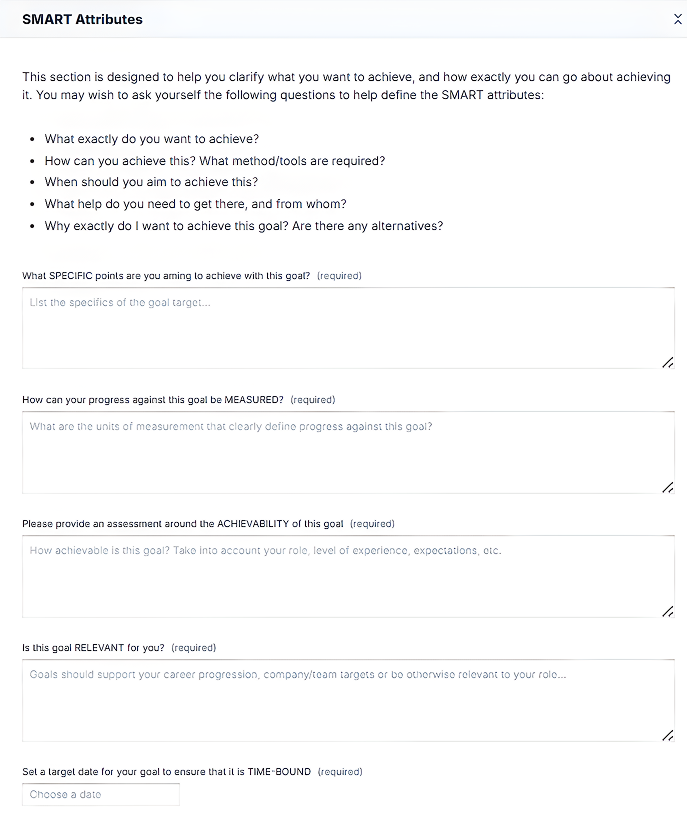
What won me over was the 360-degree feedback. Several managers can evaluate one employee, answers can stay anonymous, and automated reminders chase people, so I stopped sending nudges myself. OKRs and SMART goals live in the same place, so nothing gets rewritten from memory at review time.
Reports were the pleasant surprise. I pulled performance review reports by team and spotted overdue goals in minutes, and support answered by phone, chat, and email whenever I got stuck. The team says most companies go live within one to four weeks, which matches what I saw.
Pros:
- Fully customizable 360 feedback with weighted competency scores, anonymous responses, and multiple managers evaluating one employee
- A built-in App Store with ready-made apps, workspaces, and templates that speed up setup
- OKRs and SMART goals that cascade from company to team to individual, with weekly check-ins and automated reminders
- Customizable Workflows (no-code) to shape review stages, participants, and rules without a developer
- Reports for performance reviews, goal completion, and overdue goals, with scheduled delivery and custom charts
- One-to-ones, development plans, and career paths linked to review results
- Integrations with BambooHR, ADP, Workday, Slack, and Microsoft Teams, plus Excel import for fast setup
Cons:
- No downloadable or on-premise version
- Dark UI mode is not available
User Rating: 4.5/5 (G2)
Pricing: 14-day free trial. Paid plans start at $4/user/month.
2. PerformYard – Best for Flexible Review Cycles Built Around Your Process
A friend who handles people operations at a small agency pushed me toward PerformYard after her team outgrew shared documents. Her main reason was flexibility. She runs annual reviews, quarterly check-ins, and probation reviews from one system, and each one gets its own custom form and rating scale. That mix suits a team with no HR department.
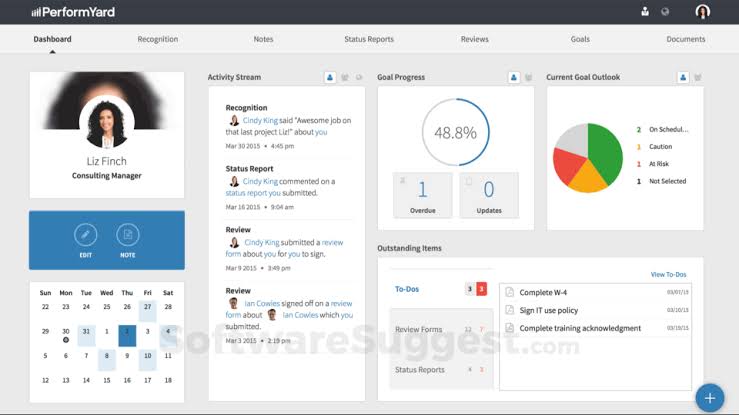
Managers found it easy because goals, feedback, and 1:1 notes sit beside the review they are writing. She also opens the 9-box grid and trend dashboards whenever leadership asks who is ready for a bigger role, and anonymous engagement surveys give her a pulse between cycles.
Onboarding impressed her most. A dedicated success manager ran live training, and unlimited phone support meant questions never sat in a queue. It also syncs with HR tools like BambooHR, Gusto, UKG, and ADP, so she never retypes employee data, and it connects with Slack and Teams.
Pros:
- Review cycles of any shape, from annual and quarterly to probation and project-based
- Custom forms and rating scales for each role
- Cascading goals and OKRs linked directly to reviews
- Continuous feedback, recognition, and structured 1:1 meeting notes
- Live dashboards with 9-box grids and trend analysis
Cons:
- Detailed custom reports can take extra effort to configure
- Interface is available in English only
User Rating: 4.7/5 (G2)
Pricing: Starts at $5/user/month for Performance Management.
3. Leapsome – Best for Reviews, Goals, and Career Development in One Place
Leapsome landed on my radar when a founder asked me to compare tools for her 45-person team. She wanted reviews, goals, and development conversations in one place, and she liked that Leapsome treats them as one connected system rather than three separate products stitched together.
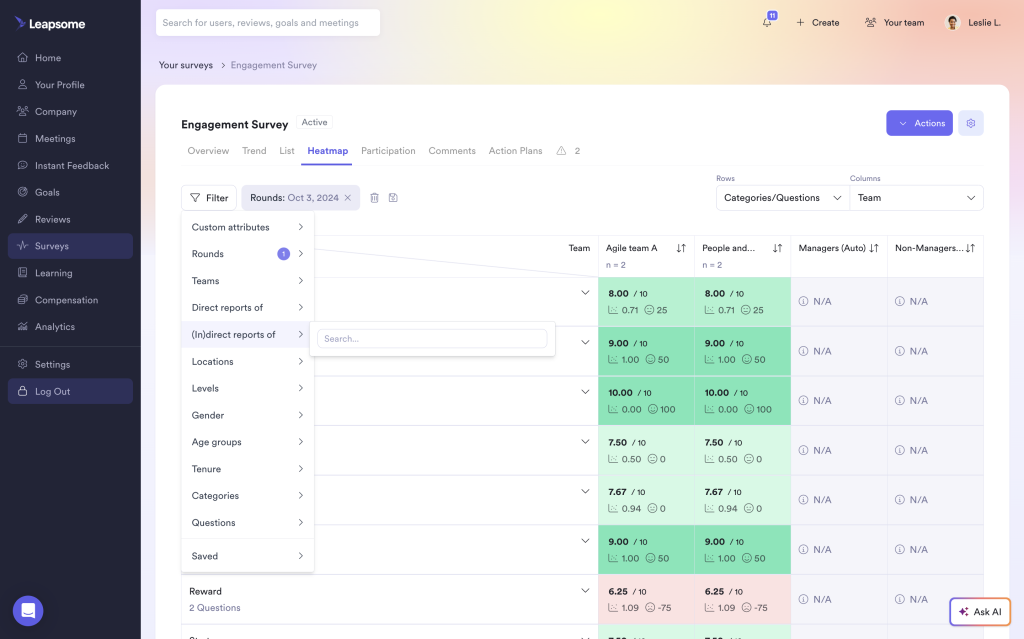
Her team runs pulse surveys for quick sentiment checks, tracks goals and OKRs besides reviews, and maps career growth after each cycle. It supports more than a dozen languages, which mattered for her international contractors, and over eighty integrations connected the tools her team already used every day.
The learning curve was real. She spent her first week clicking through menus before things felt natural, so I would block time for setup. Once configured, her managers found it intuitive, and the review rhythm stuck without much hand-holding or repeated training from her side. I would still recommend it for teams that want real growth conversations.
Pros:
- Goals and OKRs that sit beside performance reviews
- Customizable pulse surveys for quick sentiment checks
- Career development tools for growth conversations
- 360-degree feedback for balanced, multi-source reviews
- More than 80 integrations and support for 16 languages
Cons:
- Steep learning curve, with navigation that can feel unclear during setup
- Some reviewers miss features such as data export options
User Rating: 4.8/5 (G2)
Pricing: Custom quote.
4. Lattice – Best for Reviews and Goals With Strong 1:1 Management
Every shortlist I read mentioned Lattice, so I tested a free trial account myself to see why. Reviews, 1:1 meetings, real-time feedback, and goal tracking all sit inside one clean workspace, and the interface felt familiar within an hour of clicking around without any training. The setup took one afternoon, and the clean layout made first-time managers feel quite confident quickly.
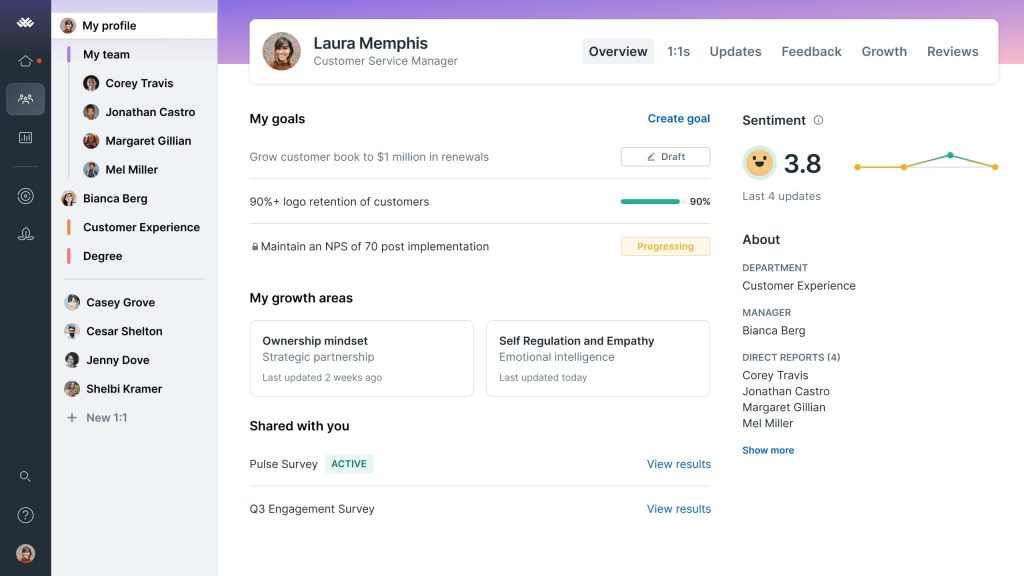
I liked the team and individual OKRs, the engagement surveys, the AI assistance, and the 360-degree feedback option. Reporting dashboards show managers how a team is tracking before review season arrives, and more than fifty native integrations connect the people systems you already run.
Where I slowed down was customization. Reviewers on G2 mention limited flexibility and a learning curve, and I agree that a small team can feel buried under features it never touches. Start with reviews and goals only, then add modules later when you genuinely need them.
Pros:
- Performance reviews with real-time feedback and 360 feedback
- 1:1 meeting management for managers and employees
- Team and individual OKRs for goal tracking
- Engagement pulse surveys with survey customization
- Reporting dashboards, performance benchmarking, and 50+ native integrations
Cons:
- Limited customization, according to G2 reviewers
- Learning curve can feel steep for first-time admins
User Rating: 4.6/5 (G2)
Pricing: Performance Management module starts at $8/user/month.
5. 15Five – Best for Weekly Check-Ins Combined With Reviews
My first real taste of 15Five came through a startup founder who hated long annual reviews. Her team now does short weekly check-ins, and managers see morale and blockers long before anyone writes a formal review, which has changed how her conversations with the team feel overall.
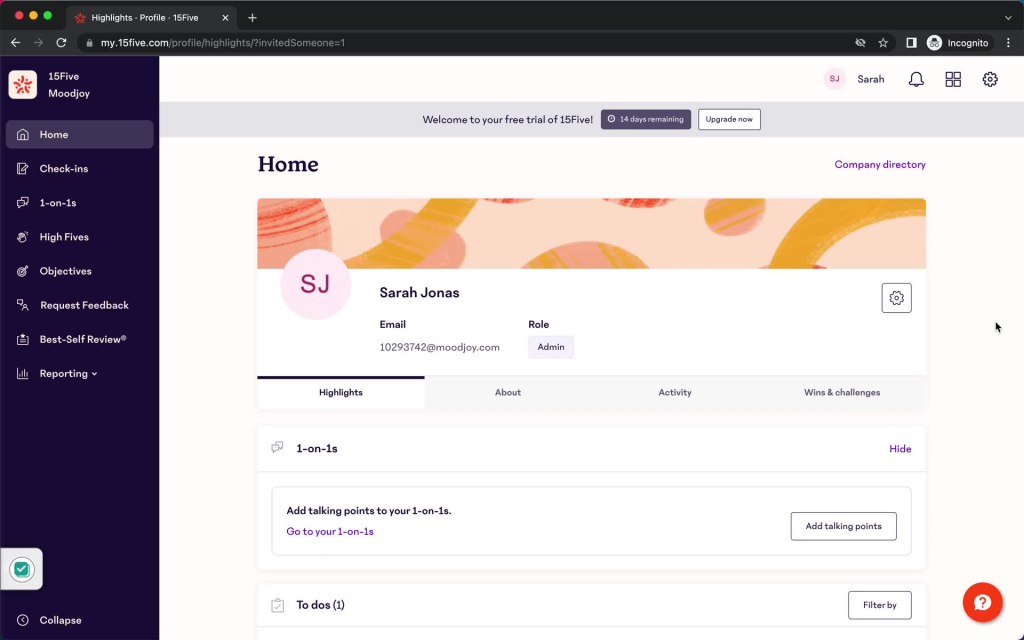
Around those check-ins sit guided 1-on-1s, goal tracking, engagement surveys, 360 performance reviews, and manager coaching and training. 15Five also layers in AI-powered insights and custom analytics, so HR leaders and managers get recommendations based on the data they have already collected.
One thing to know is that the interface is English only, and the formal review features sit in a higher tier than the basic check-ins. Still, she loved the rhythm of the product, and the prompts are short enough that people actually take the time to answer them. If your culture favors frequent, lightweight conversations over heavy yearly paperwork, this is a strong fit.
Pros:
- 360-degree performance reviews for multi-source feedback
- Weekly check-ins and guided 1-on-1s
- Goal tracking connected to performance conversations
- Engagement surveys for team sentiment
- Manager coaching, training, and AI-powered insights with custom analytics
Cons:
- Interface is available in English only
- Smaller integration library than most rivals on this list
User Rating: 4.6/5 (G2)
Pricing: Perform plan starts at $11/user/month, and Engage starts at $4/user/month.
6. Culture Amp – Best for Engagement-Led Performance and Development
I met Culture Amp through a consultant friend who runs engagement projects for mid-sized companies. Her clients usually start with surveys and later move into performance and development, and she says the data connects the two better than most tools she has tried over the years. Its reporting helped her clients turn survey results into clear, practical action plans.

Surveys, goal creation, performance benchmarking, dashboards, and 360-degree feedback cycles all live in one platform, and it supports more than twenty languages. Employees can lead their own 360 cycle, or an admin can run it centrally, which gives smaller teams a useful choice.
The honest caveat is time. G2 reviewers report roughly two months to implement, so it suits teams that can give one person real hours for setup. Customization can feel limited in places, which works fine for teams that are happy to follow a proven structure from day one.
Pros:
- Pulse and engagement surveys with customization
- 360-degree feedback cycles that can be employee-led or admin-led
- Goal creation and performance benchmarking
- Reporting dashboards that turn survey data into insights
- Support for more than 20 languages
Cons:
- Implementation averages about two months, according to G2 users
- Customization can feel limited in some areas
User Rating: 4.5/5 (G2)
Pricing: Custom quote.
7. Gusto – Best for Simple Reviews Inside Your Payroll Account
If payroll already runs through Gusto, switching on performance reviews takes very little effort. I watched a restaurant owner do it between shifts, and everything stayed inside the account her team already used, so nobody had to learn another login or another layout.
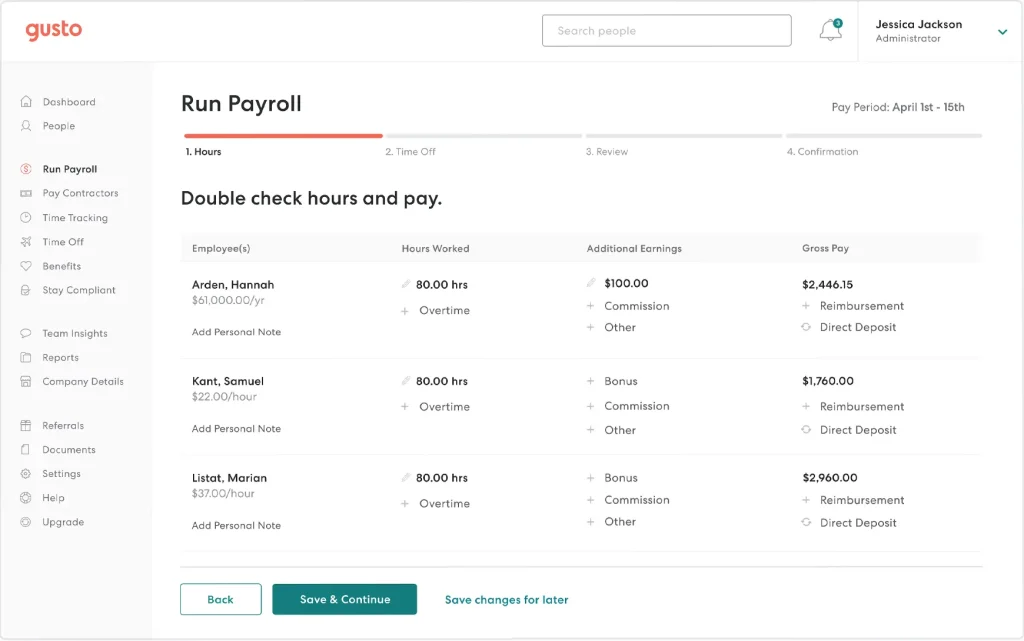
Admins create a review cycle, choose self evaluations, manager reviews, or both, and assign reviewers. Employees get an email when it is time to start. Managers can glance at goals and feedback while writing, and nothing is shared until both reviews are submitted. Reviewers can add a summary with action items and meeting notes, which keeps the conversation tied to next steps.
It is simple by design, so know the limits. Reviews cover US employees only, not contractors, and 360 and peer feedback are not available yet. For a small team that just wants tidy manager reviews with goals alongside, I think that tradeoff is perfectly fine.
Pros:
- Self-evaluations and manager reviews in one cycle
- Admin view to track review progress
- Goals that employees and managers can set, update, and view during reviews
- Reviewer summaries with action items and meeting notes
- Email and dashboard reminders when a review is due
Cons:
- Reviews cover US employees only, not contractors
- 360 and peer feedback are not available yet
User Rating: 4.6/5 (G2)
Pricing: Performance reviews are included on Plus and Premium plans, or as a Performance add-on.
8. BambooHR – Best for All-in-One HR With Built-In Performance Tools
The first HR system I ever helped roll out was BambooHR, and plenty of small companies start there for the same reason. It keeps employee records, time off, onboarding and offboarding workflows, and performance in one clean place that everyone on the team quickly understands. For a team of fifteen, that single login removes plenty of the daily admin juggling and chasing.
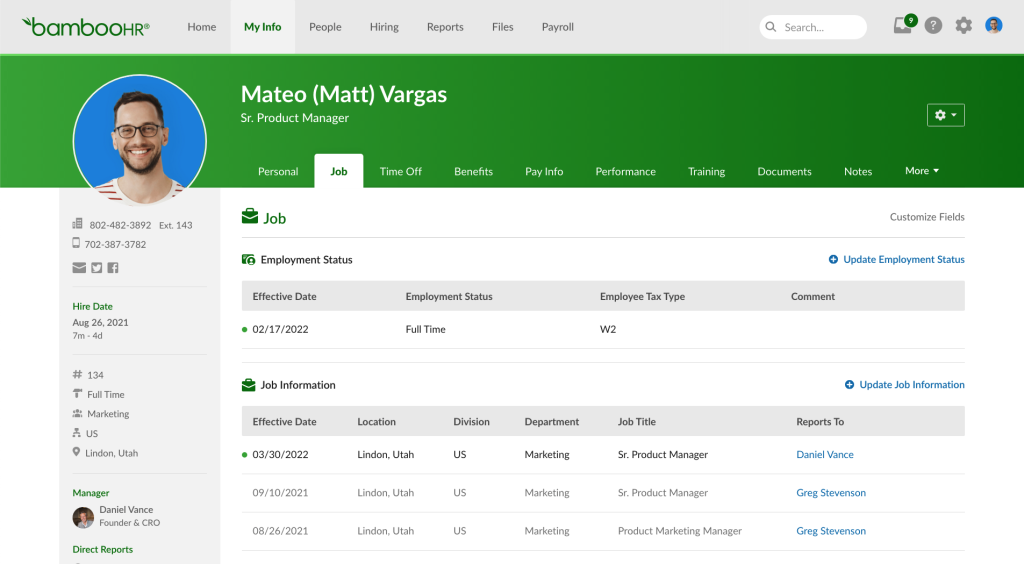
Its performance tools cover review cycles, 360-degree feedback, goal tracking, and 1:1 notes, with employee data already sitting in the system. Electronic signatures wrap up each review neatly, and over 150 integrations let you connect them to nearly anything your team already uses.
My real sticking point was depth. G2 reviewers flag limited customization and reporting that could be more flexible, and its continuous feedback score trails the category average. I would pick it when the HR admin comes first, and reviews stay a simple yearly or twice-yearly ritual.
Pros:
- Review cycles with 360-degree feedback
- Goal tracking connected to reviews
- 1:1 notes and continuous feedback
- Electronic signatures and e-forms for sign-offs
- Employee records, time tracking, and onboarding workflows in one system
Cons:
- Limited customization, according to G2 reviewers
- Reporting options could be more flexible
User Rating: 4.4/5 (G2)
Pricing: Custom quote.
9. Zoho People – Best for Teams Already Working in Zoho Apps
Zoho People earned a spot here because a bootstrapped founder I know already lived inside Zoho apps. Reviews became another module instead of another tool, and custom forms and fields let her match her own review questions without asking a developer for help. For a small team that already uses other Zoho tools, that continuity felt natural to her managers.
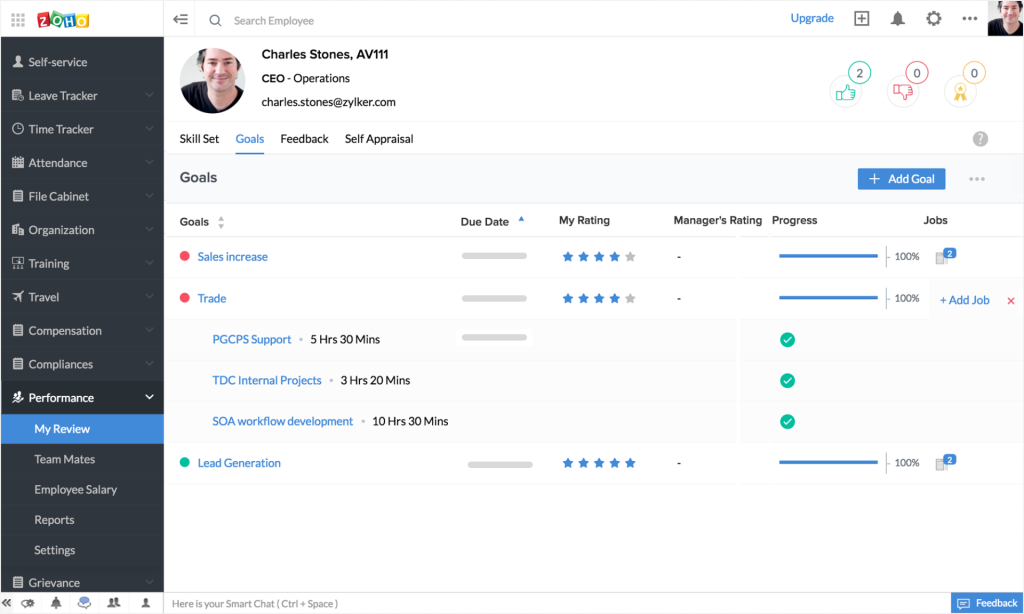
The performance module handles 360 reviews, goal setting, and progress tracking, while the same account manages leave, attendance, onboarding, and approvals. It connects with Zoho apps, Google Workspace, and Microsoft 365, so data moves between them without any copy-pasting, and a free version exists.
Patience helps during setup. Users on G2 call the interface cluttered and customization limited, and she needed a few evenings to configure everything the way she wanted. For a team that wants one system across many HR tasks, she called the effort worthwhile in the end.
Pros:
- 360 reviews with goal setting and progress tracking
- Custom forms and fields to match your review questions
- HR workflow automation for approvals and onboarding
- Integrations with Zoho apps, Google Workspace, and Microsoft 365
- Leave and attendance management in the same account
Cons:
- Interface can feel cluttered, according to G2 reviewers
- Customization is limited in places
User Rating: 4.4/5 (G2)
Pricing: Performance features start at about $3.50/user/month on the Premium plan.
10. Small Improvements – Best for Lightweight Reviews and 1:1s for Small Teams
Small Improvements is the quiet option I recommend to teams that fear heavy HR systems. A small design studio I know adopted it to replace year-end email chains, and managers felt comfortable after a single walkthrough, which is exactly what a team without HR needs. It never tries to be an entire HR suite, and she told me that focus is why people use it.
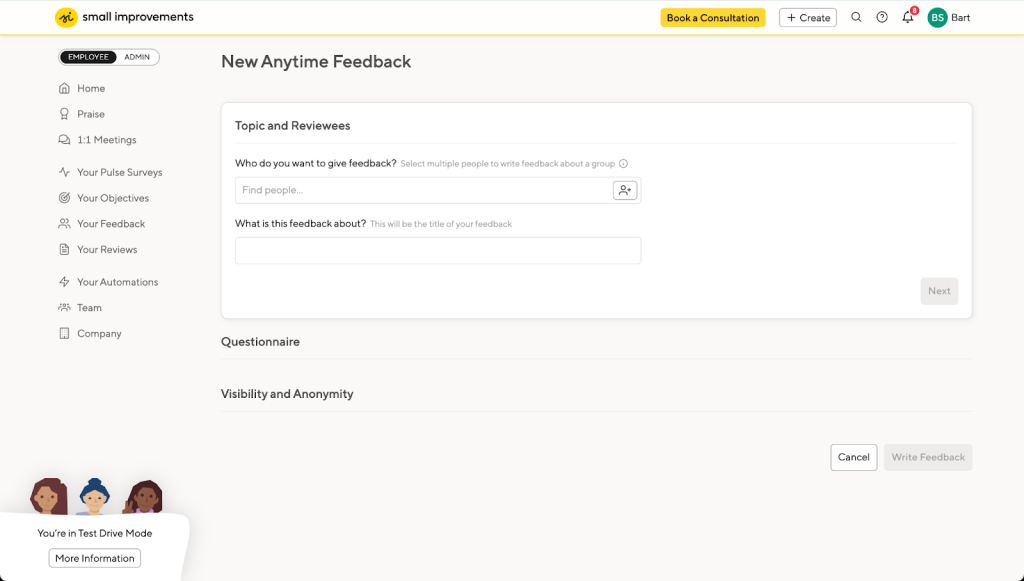
She customized review templates, timelines, and visibility settings, then added 360 feedback, objectives, 1:1 meetings, and praise. Objectives can be shared with managers, the team, or the whole company, and anonymous feedback plus pulse surveys round it out for her studio.
According to G2 users, implementation takes about a month, and the interface is English only. A few reviewers found parts of the screen confusing at first, so I suggest piloting with one team before opening it to everyone, and keeping the review form short.
Pros:
- Structured review cycles with 360-degree feedback
- Customizable review templates, timelines, and visibility settings
- 1:1 meetings that help managers prepare and follow up
- Objectives that can be shared with managers, teams, or the whole company
- Praise, anonymous feedback, and pulse surveys
Cons:
- Interface is available in English only
- Some reviewers find parts of the screen confusing at first
User Rating: 4.3/5 (G2)
Pricing: Launch $3, Grow $6, and Elevate $9 per user/month.
How I Evaluated These Performance Review Software for Small Businesses
When I evaluate small business performance review software for this list, I don’t just rely on feature lists or marketing claims. I look at how these tools actually perform in real-world scenarios. Here’s the framework I used to make sure every recommendation is practical, reliable, and worth considering:
- User Reviews / Ratings: I start by looking at real user feedback from platforms like G2. This gives me a clear picture of how small teams actually experience the tool day to day, what they love, and where it falls short.
- Core Features & Functionality: I focus on what truly matters when you run reviews without an HR team. This includes review cycles, customizable forms, 360-degree feedback, goal tracking, automated reminders, reporting, and HRIS integrations. If a tool cannot handle these well, it does not make the cut.
- Ease of Use: I pay close attention to how intuitive the platform feels for managers who are not HR professionals. A tool might be powerful, but if your managers struggle to finish a review, it defeats the purpose. Clean interface, simple navigation, and quick onboarding are non-negotiable for me.
- Customer Support: From my experience, implementation is where many tools fail. I evaluate how responsive and helpful the support team is, especially during setup and your first review cycle. Fast, reliable support makes a big difference in adoption.
- Value for Money: I compare pricing with what the tool actually delivers at 25, 50, and 100 employees. This is not about picking the cheapest option, but about whether the features, flexibility, and performance justify the cost.
- Personal Experience / Expert Insights: Wherever possible, I rely on my own hands-on experience with these tools. I also consider insights from HR generalists, operations leads, and small business owners who run reviews themselves. This helps me go beyond surface-level reviews and highlight what actually works.
Top 3 Performance Review Software Picks for Small Business
Choosing the right tool can make or break your review cycle. I have seen small teams with solid review ideas fail simply because the software did not fit how they actually worked. These three stand out because they help one person run reviews without a big HR department.
1. PeopleGoal
PeopleGoal is my top pick for performance review software for small businesses, especially for teams that want flexibility without complexity. As employee review software for small businesses, it lets you build custom review cycles, run 360 feedback with multiple managers evaluating one employee, tie goals to every review, and pull reports without exporting a thing. It grows with you, too, so you will not outgrow it when you add OKRs or development plans.
2. PerformYard
PerformYard works brilliantly if your process is already defined and you need software that adapts to it. Custom forms, flexible review cycles, and a dedicated success manager with live training make setup feel guided instead of lonely.
3. Gusto
Gusto is the lowest-friction option if payroll already runs there and you only need self and manager reviews for US employees. Everything stays in one account, which means no extra login for your team.
When Should You Move From Spreadsheets to Performance Review Software?
Most owners wait too long, but performance review tools for small businesses pay off sooner than expected. Spreadsheets and PDF forms work for a handful of people. They stop working once you add managers, review cycles, or reporting needs. Here are the signals I look for:
- Scattered Files: Reviews live in PDFs, Sheets, or Forms spread across managers’ computers.
- Chasing Completions: You spend review week emailing people for missing forms.
- Inconsistent Questions: Each manager writes their own form, so ratings cannot be compared.
- Zero Reporting: Grouping ratings by team or job category takes hours in Excel.
- Rebuilding Forms: You recreate templates every cycle, whether annual or twice a year.
- Lost History: Nobody can quickly find last year’s review or the goals set in it.
How to Move From Spreadsheets, PDF Forms, and Microsoft Forms
I plan the switch in six steps, and most small teams finish in a few weeks. PeopleGoal’s team says most organizations go live within one to four weeks, depending on size and structure, and they help configure the account and import users.
- Audit Current Process: (half a day) List every form, sheet, and email from your last cycle. Keep the questions managers value and drop the rest.
- Lock Cycle Dates: (one hour) Choose review dates and deadlines before you configure anything. Many teams use January and July for biannual cycles.
- Import People: (one to two hours) Load employees, managers, and departments from Excel or your HRIS. PeopleGoal imports users via Excel or API and syncs with BambooHR, ADP, and Workday.
- Rebuild Your Form: (one to two days) Copy your PDF or sheet questions into the tool’s template. Keep self and manager reviews under ten questions each.
- Pilot One Team: (one week) Run a mock review with one team and ask what confused them before launch.
- Launch With Reminders: (one day) Turn on automated reminders, announce the deadline, and book a short training. PeopleGoal provides tailored training for admins and employees.
What Does a Simple Review Cycle Look Like? (Copyable Templates)
I keep reviews short so managers actually finish them. Copy these questions into your tool’s form builder and adjust the wording to fit your team.
- Self Review: (1) What are you proudest of this period? (2) Where did you get stuck, and what would help? (3) Which goals did you hit or miss, and why?
- Manager Review: (1) Where did this person exceed expectations? (2) What is one skill to build next? (3) Rate performance against each goal.
- Goals Plus Competencies: Score three to five goals and three to five competencies, such as communication, leadership, and collaboration, on one rating scale.
- Mid-Year Checkpoint: Hold a 15-minute chat on goal progress, blockers, and anything to change before year-end.
- Next Priorities: End every review with one question: What are your three priorities until the next review? Record the answers in the tool.
- Cycle Cadence: Run two formal cycles a year, with a light check-in between them.
How Do Reviews Differ Across Roles in a Small Business?
One form rarely fits everyone. A warehouse team and a sales team need different questions, and your reports should still roll up in one place. Here is how I split them:
| Team | What I Review | What the Tool Needs |
| Warehouse / Frontline | Reliability, quality, and safety habits | Short role-specific forms and reporting by job category |
| Sales | Targets and goal completion | Goal tracking and progress reports |
| Admin / Finance | Accuracy, deadlines, and ownership | Shared competencies on one rating scale |
| Education / Training | Observations, certifications, and probation | Custom forms for each review type |
| Nonprofit | Annual goals tied to mission outcomes | Simple templates and annual cycle scheduling |
| Project Teams | Contribution across several projects | Multiple managers reviewing one person |
PeopleGoal lets you launch cycles by team, role, or project and customize ratings for each job role, which keeps these differences inside one system.
Choose Performance Review Software That Your Managers Will Actually Use
The right tool will not fix a weak review culture, but it will remove the busywork that keeps good reviews from happening.
My one decision filter is simple: pick the tool your managers will finish a review in without asking you for help. Adoption beats feature count every time.
For most small teams without a dedicated HR department, PeopleGoal gives you customizable review cycles, 360-degree feedback, OKRs and SMART goals, and reports in one place. Start with one team and one cycle, and the results will tell you everything.
Frequently Asked Questions
What is the difference between performance review software and performance management software?
Performance review software focuses on the evaluation cycle: forms, ratings, reminders, and sign-offs. Performance management software is broader and adds goals, continuous feedback, 1:1s, and development plans. Starting with reviews and adding goals and feedback as the team grows keeps the rollout light and manageable. PeopleGoal covers both, so switching tools later is unnecessary.
Can review software connect to payroll or HRIS tools?
Usually, yes, and it is worth confirming before buying. Look for automatic syncing of employees, managers, and departments so nobody retypes data. PeopleGoal integrates with BambooHR, ADP Workforce, Workday, and Microsoft Azure, and it imports users through Excel or API. Teams running payroll through Gusto can also use its built-in reviews for basic manager and self-evaluations.
What mistakes should be avoided in a first review cycle?
Three mistakes are repeated often: forms that are too long, deadlines that are too vague, and no plan for the results. Keep forms under ten questions, set one firm deadline, and book review conversations in advance. A short pilot with one team catches most problems early. Then ask managers what felt slow and fix it before the next cycle.
What should you do with review results afterward?
Turn them into action within two weeks. Convert feedback into development plans, update goals for the next period, and note training needs. PeopleGoal links review data to development and coaching plans, making the handoff much easier for a small team. A simple tracker keeps promised actions from disappearing.
How can ratings stay fair across managers?
Use one shared rating scale with written definitions, then add self and peer input so no single opinion decides the outcome. A short chat where managers compare examples also helps. PeopleGoal's multi-rater reviews, weighted scores, and standardized forms keep every team on the same structure. Forcing a bell curve on a team this small is best avoided.
How do you introduce a new review tool to your team?
Keep it simple: explain why the change is happening, what stays the same, and the key dates. Share a one-page guide and let each manager walk their team through the form once. PeopleGoal provides tailored training for admins and employees, which takes some of that rollout work off your plate. A reminder the day before each deadline helps too.
Can a small team run 360 feedback without an HR department?
Yes, if the busywork is automated. Pick three to five reviewers per person, use anonymous responses, and let reminders chase completion. PeopleGoal lets you assign specific reviewers, collect anonymous feedback without logins, apply weighted scores, and filter results by team or department.
What should you ask a vendor before buying?
Ask about self-serve trials, support access, data hosting location, and security or privacy documentation, including GDPR or CCPA if relevant. Check role-based permissions and language support too. PeopleGoal offers phone, chat, and email support, plus role-based access control, an encrypted database at rest, SSL, and audit logging.
What should you test during a free trial?
Run a five-day test. Day one, import a few employees and managers. Day two, rebuild your current review form. Day three, run a mock review. Day four, test reminders and a report grouped by team. Day five, ask for support a real question and note how quickly they answer.
Ready to 3x Your Teams' Performance?
Use the best performance management software to align goals, track progress, and boost employee engagement.