Most performance reviews measure the wrong thing.
They measure output: goals hit, quotas reached, projects delivered. What they miss is everything in between: how someone communicates under pressure, how their teammates actually experience working with them, and whether their leadership style builds trust or quietly erodes it.
That’s the gap 360 feedback software is designed to close. Instead of one manager’s perspective, you get structured input from everyone who works closely with an employee, peers, direct reports, managers, and sometimes clients, aggregated into a report that reflects how someone actually works, not just what they delivered.
After nearly two decades in performance management, I’ve seen this shift change how teams develop people.
In this guide, I’ll break down what 360-degree feedback software is, how to evaluate the top tools, what features matter most, and how to avoid the common mistakes that derail most 360 programs, so your team gets feedback that actually drives growth.
What Is 360 Feedback Software?
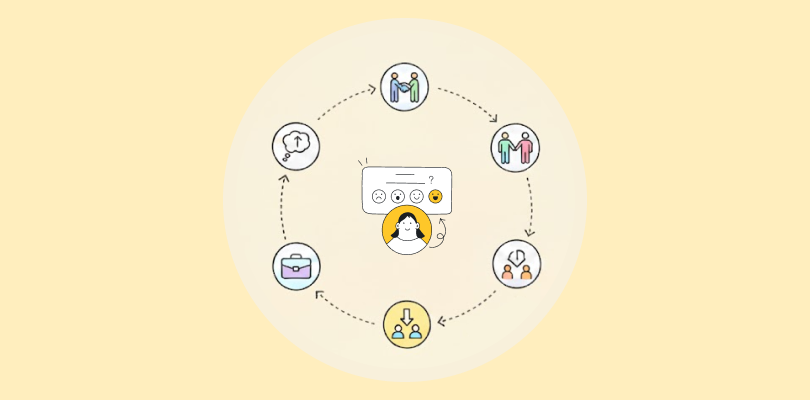
360 feedback software is a performance management tool that collects structured, anonymous input from everyone who works closely with an employee: their manager, peers, direct reports, and sometimes even external clients. Unlike a traditional performance review, where a single manager evaluates an employee’s output, 360-degree feedback captures how someone is perceived across every direction of the organizational chart.
The “360” refers to a full circle of perspectives. An employee might receive feedback from five to ten colleagues simultaneously, all responding to the same set of behavioral questions, without knowing what anyone else said.
What separates dedicated 360 feedback software from a simple survey tool is what happens after the responses come in. The platform aggregates results, anonymizes individual responses, surfaces patterns, and generates structured reports that both the employee and their manager can act on. The best platforms, like PeopleGoal, go further, connecting those insights directly to development plans, goal-tracking, and recognition workflows.
Key components of 360 feedback software:
- Anonymous multi-rater surveys (peers, managers, direct reports, clients)
- Customizable question libraries aligned to role-specific competencies
- Automated reminders and feedback cycle management
- Aggregated reporting dashboards with trend tracking
- Integration with HRIS and performance review systems
- Development plan creation based on feedback outputs
11 Best 360-degree Feedback Software to Boost Team Productivity
Here are some popular 360-degree feedback software to help you boost your team’s productivity.
| Tool | Best Use Case | Starting Cost | Capterra Rating |
|---|---|---|---|
| PeopleGoal | Fully Customizable Performance Reviews, OKRs & Employee Development | FREE 7-day trial. Paid starts at $4/user/month | 4.5/5 |
| Small Improvements | 360 Feedback, Performance Reviews & 1:1s for SMBs | Starts at 3$ /user/month. Free 30-day trial. | 4.2/5 |
| Leapsome | Personalized learning paths | Custom pricing. | 4.6/5 |
| Lattice | HRIS in large enterprises | Starts at $10/seat/month. | 4.5/5 |
| PerformYard | Flexible review cycles | Starts at $5/person/month. | 4.8/5 |
| Performance 365 | Microsoft 365-Based Performance Reviews, KRAs & Continuous Feedback | Starts at $149.99/month | 4.8/5 |
| PeopleBox | OKR management | Starts at $7/month/person. | 4.6/5 |
| Deel | Automated payroll support | Starts at $29/employee/month. | 4.8/5 |
| EmPower HR | Streamlining recruitment | Custom pricing. | – |
| Betterworks | Structured check-ins | Custom pricing. | 4.0/5 |
| ThriveSparrow | Automated employee recognition | Starts at $5/employee/month. | – |
Now, check out their major features, pros, cons, and pricing information to get a better idea of their functionality.
1. PeopleGoal
Best for Fully Customizable Performance Reviews, OKRs & Employee Development
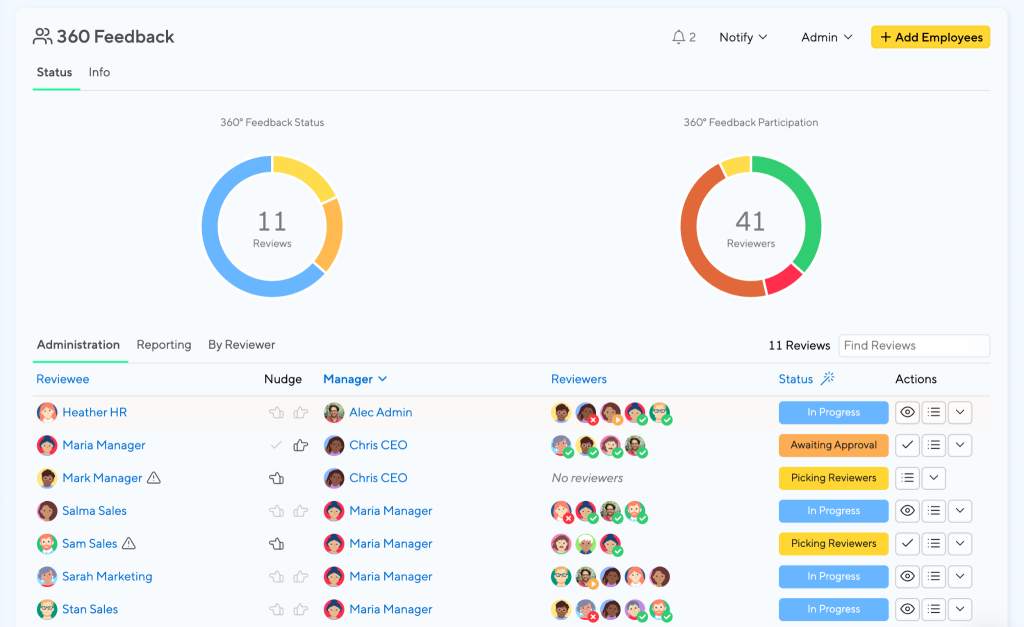
When it comes to creating an engaging workplace where everyone feels valued and motivated, PeopleGoal is a great option. Its 360-degree feedback feature makes performance reviews feel more balanced and transparent, so no more guessing games about how others perceive your work.
But it’s not just about reviews. PeopleGoal takes employee engagement to a whole new level. With features like recognition badges and personalized development plans, it encourages a culture of appreciation and growth.
I’ve seen managers use it to give real-time feedback, which employees love because it keeps them on track without the dreaded end-of-year surprise.
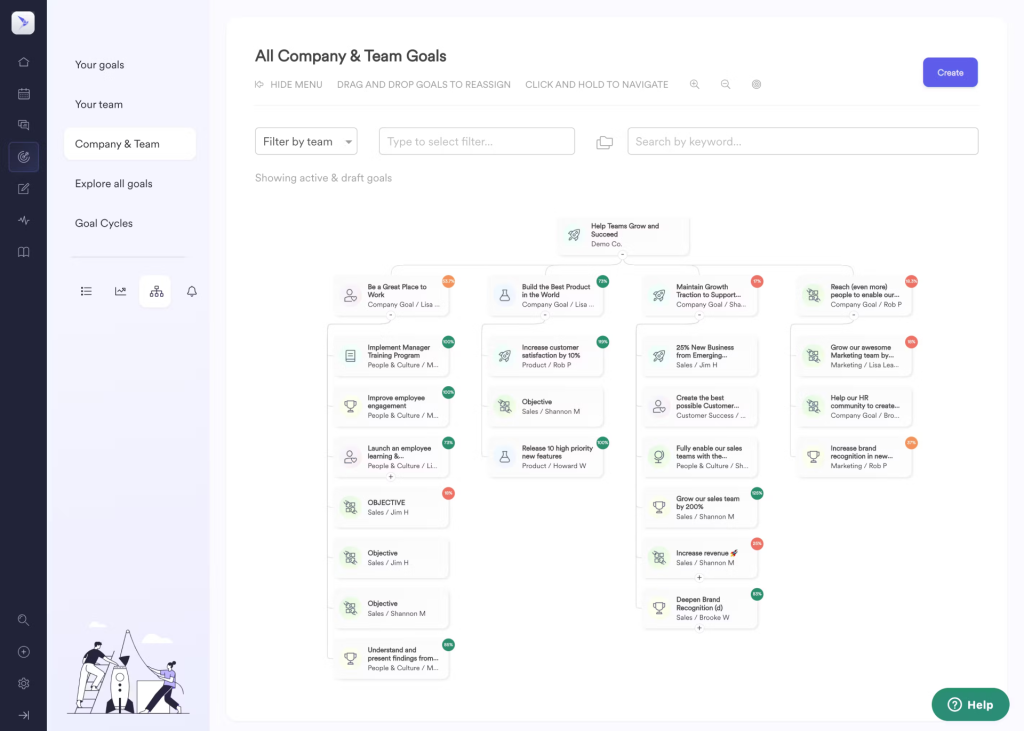
The best part is that it’s so easy to align individual goals with company objectives. It’s like connecting the dots between personal growth and organizational success. Its AI-powered performance management capabilities also help managers summarize feedback, identify performance trends, and prepare for review conversations with less manual effort.
Pros:
- Supports goal setting with OKRs, SMART goals, and aligned objectives, helping employees connect their work to broader business priorities.
- The software offers customizable feedback workflows to align with your organization’s unique goals and processes.
- It provides comprehensive reporting features for detailed insights into employee performance and areas of improvement.
- Anonymous surveys for feedback collection ensure participants feel secure in sharing honest and constructive input.
- Integration with existing HR systems streamlines data management and workflow processes.
Cons:
- No downloadable or on-premise version.
- A dark user interface option is not available.
Pricing: FREE 14-day trial. Paid starts at $4/user/month.
Case Study:
Check how iQmetrix replaced scattered forms and SharePoint with one transparent, trackable process using PeopleGoal
2. Small Improvements
Best for Simple 360 Feedback, Performance Reviews & 1:1s for SMBs
Small Improvements is a performance management platform built for small and mid-sized teams that want 360° Feedback, Performance Reviews, 1:1s, Objectives, Pulse Surveys, and Praise in one easy-to-use system.
What stands out about Small Improvements is that it keeps performance management practical. Instead of overloading HR teams with a complex talent suite, it focuses on the workflows managers and employees actually use, giving feedback, preparing for reviews, setting goals, and having better conversations throughout the year.
Its 360° Feedback feature is especially useful for teams that want more balanced performance conversations. Employees can nominate reviewers, managers can approve those selections, and feedback reports are grouped by question, so it’s easier to spot patterns across peers, managers, and other colleagues.
The platform also connects 360° Feedback with Performance Reviews, 1:1 Meetings, Objectives, Pulse Surveys, and recognition. That makes it a strong choice for growing teams that want feedback to lead somewhere, not just sit in a report.
Pros:
- 360° Feedback with reviewer nomination, manager approval, and configurable visibility.
- Performance Reviews pull in Objectives, peer feedback, and 1:1 Meeting notes.
- 1:1 Meetings, Objectives, Pulse Surveys, and Praise keep feedback active year-round.
- Simple interface, minimal admin burden for managers and employees.
- Integrates with HRIS platforms, Slack, Google Workspace, and SSO providers.
Cons:
- 360° Feedback requires the Grow plan or above, it’s not in Launch.
- No built-in learning management system
Pricing: Starts at $3/user/month. A free 30-day trial is available.
3. Leapsome
Best for personalized learning paths
(Image Source: Software Advice)
Leapsome is the tool you turn to when you’re serious about helping your team grow—like, really grow. Its 360-degree feedback feature offers well-rounded insights that go beyond the basics.
But the real magic? Personalized learning paths that make development feel less like a chore and more like an adventure.
I’ve seen teams thrive with Leapsome, especially when it comes to closing skill gaps. For instance, one manager used the feedback to identify leadership potential in their team, and used its customized learning modules to support it.
What’s cool about this 360 performance review software is how seamlessly it blends feedback with actionable steps. You’re not just told what to improve; you’re given the tools to make it happen.
Pros:
- Leapsome combines feedback with learning modules, offering a unified platform for employee development.
- Its AI-powered insights deliver actionable data to improve team performance effectively.
- Flexible review cycles allow businesses to tailor feedback processes to their unique needs.
- The platform offers built-in competency frameworks, simplifying the assessment of role-specific skills.
- Employee engagement surveys help measure team satisfaction and provide actionable insights.
Cons:
- Limited offline access restricts usability in areas with unreliable internet connectivity.
- The pricing structure may not be suitable for smaller businesses with limited budgets.
Pricing: Custom pricing.
4. Lattice
Best for HRIS in large enterprises
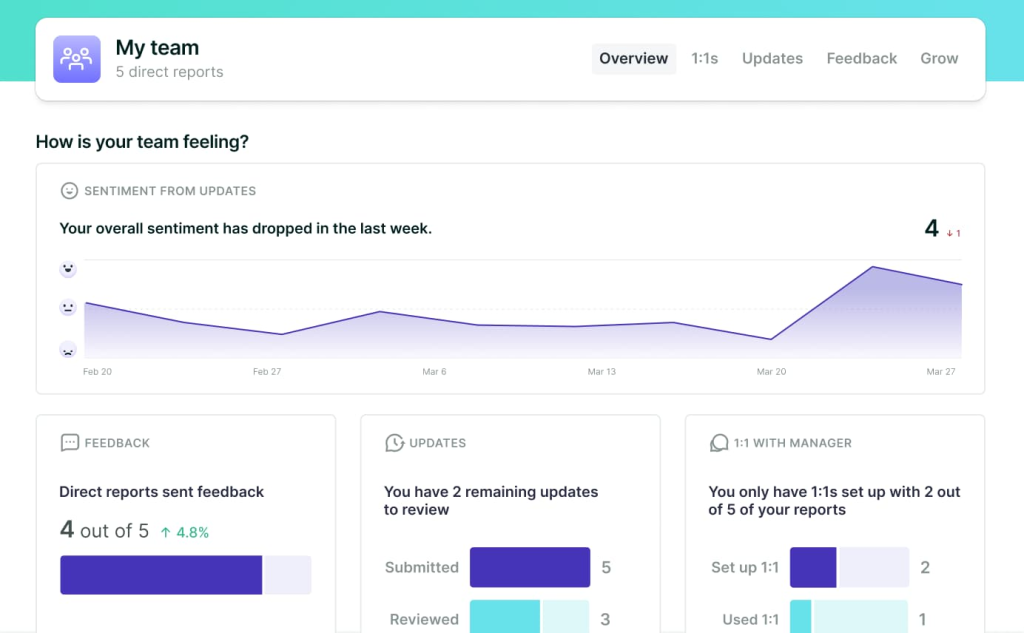
Having used Lattice extensively in the past, I feel it is a good performance management tool for large enterprises. Whether it’s running 360-degree feedback or aligning company-wide goals, it keeps everything organized and efficient.
One HR manager I know loves its analytics. They use it to spot trends across departments, like which teams are thriving and which need extra support. It’s a game-changer for decision-making at scale.
Plus, the platform scales beautifully, so whether you’re managing 50 people or 5,000, it handles the complexity without breaking a sweat.
Pros:
- It has real-time feedback features that promote an ongoing culture of growth and learning.
- Career development tools help employees structure and achieve their personal and professional growth plans.
- The platform includes engagement surveys to assess team morale and address areas of improvement.
- Goal-setting and tracking features in this enable alignment of individual and company objectives.
- The intuitive design of the platform ensures a smooth experience for users.
Cons:
- The mobile app lacks full functionality, which may hinder remote use.
- There is a learning curve for new users to familiarize themselves with the platform.
Pricing: Starts at $10/seat/month.
5. PerformYard
Best for flexible review cycles
(Image Source: TechCrunch)
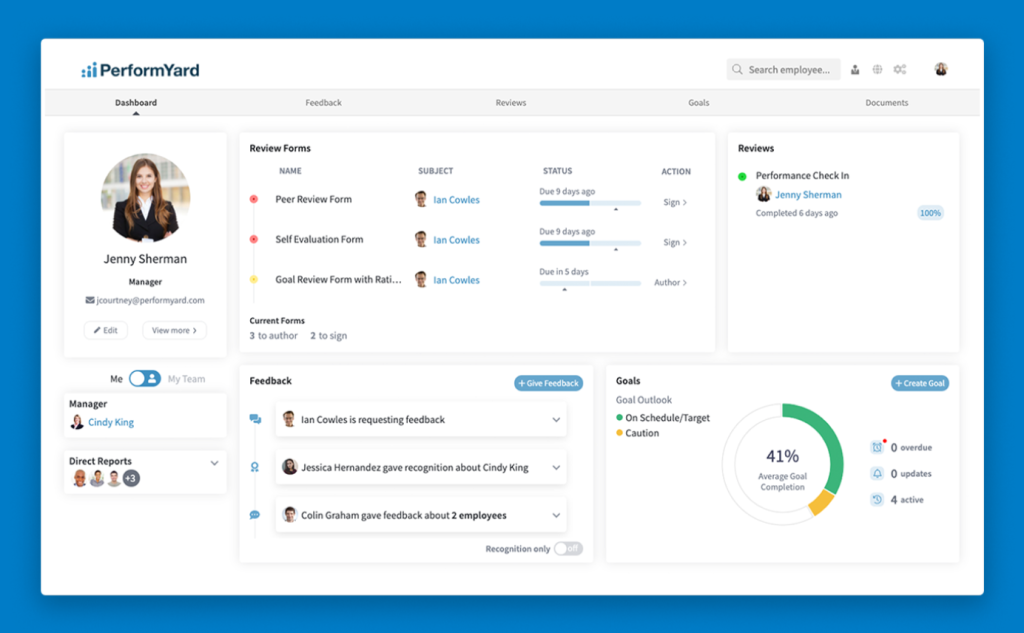
Not every team thrives on rigid annual reviews, and that’s where PerformYard comes in. It’s built for flexibility, letting you run reviews on your own schedule, whether quarterly, annually, or even ad hoc.
I’ve used it with a team that preferred frequent feedback, and it was something really useful.
The 360-degree feedback tool is top-notch, bringing together insights from peers, managers, and direct reports. It creates a more comprehensive picture of performance, which everyone appreciates.
What I love most is how customizable it is. You can tailor the review process to fit your team’s unique needs without juggling a dozen spreadsheets.
Pros:
- Continuous feedback mechanisms encourage regular communication between employees and managers, fostering growth.
- Goal management tools provide a structured way to set, track, and measure team and individual objectives effectively.
- The platform offers detailed analytics, which HR leaders can use to make informed, data-driven decisions.
- Employee engagement tracking features enable organizations to identify areas of improvement and enhance workplace satisfaction.
- Integration with other HR tools ensures a seamless connection between performance management and other organizational systems.
Cons:
- The platform lacks advanced features in competing performance management solutions, limiting its appeal to highly specialized needs.
- Customization options are not extensive, which may hinder organizations with specific requirements.
Pricing: Starts at $5/person/month.
6. Performance 365
Best for Microsoft 365-Based Performance Reviews, KRAs & Continuous Feedback
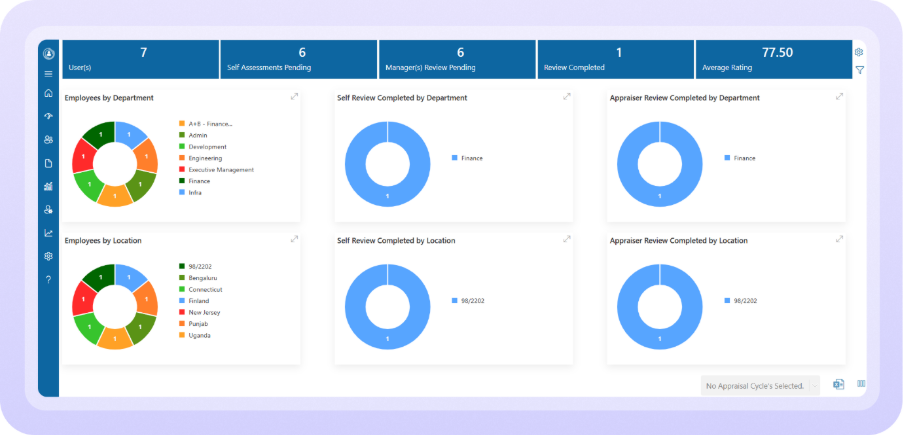
For organizations already working in Microsoft 365, Performance 365 brings employee reviews, goals, feedback, and development into a familiar work environment. Instead of managing performance through disconnected spreadsheets and separate HR tools, teams can handle key performance activities within Microsoft Teams and SharePoint.
What makes it useful is that performance management does not have to revolve around one annual review. Managers can track KRAs and KPIs, run appraisal cycles, collect continuous and 360-degree feedback, conduct self-reviews, and manage structured 1:1 meetings throughout the year.
I particularly like the way it connects individual goals with ongoing conversations. Managers can recognize achievements, identify skill gaps, create Performance Improvement Plans, and keep employees clear about what they are working toward rather than waiting until the end of a review cycle.
Its AI capabilities add another useful layer. AI-assisted review summaries, AI-driven KRAs, and Copilot-supported performance conversations can reduce some of the manual preparation involved in reviews while managers remain responsible for the actual feedback and decisions.
Pros:
- Manages KRAs, KPIs, appraisals, 360° feedback, skills, competencies, and PIPs in one place.
- Integrates with Microsoft Teams and SharePoint.
- Supports continuous feedback, 1:1s, and flexible appraisal workflows.
- Provides performance analytics, reports, and customizable review templates.
- Uses AI to assist with goals, review summaries, and performance discussions.
Cons:
- Best suited for Microsoft 365 users; on-premise deployment is not available.
- Advanced features like 360° feedback, PIPs, analytics, integrations, and AI vary by pricing plan.
Pricing: Starts at $149.99/month.
7. PeopleBox
Best for OKR management
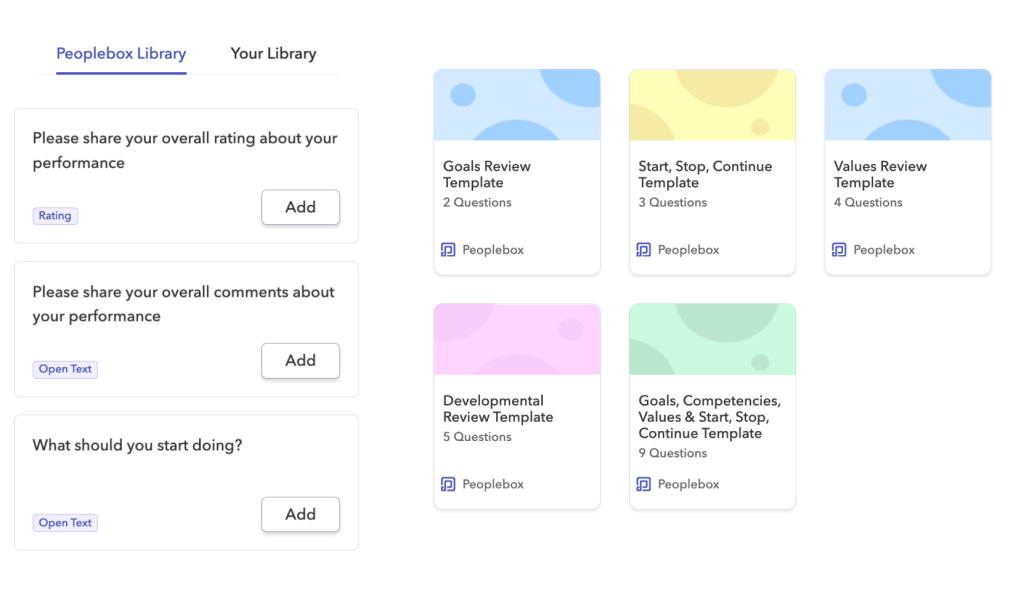
PeopleBox is a powerhouse when it comes to managing OKRs (Objectives and Key Results). I really like how it makes aligning team goals with company priorities so much smoother. It’s like having a GPS for your objectives—you always know where you’re headed.
Its 360-degree feedback ties directly into goal tracking, which is a huge plus. One of my colleagues used it to identify bottlenecks in their team’s workflow and adjust OKRs accordingly.
The platform also fosters accountability, with progress updates visible to everyone. It’s not just about hitting targets; it’s about building transparency and trust.
Pros:
- Automated performance reviews streamline the evaluation process, reducing the administrative burden on HR teams.
- The platform includes anonymous feedback options, encouraging employees to share honest and constructive opinions.
- Employee engagement surveys provide actionable insights into team satisfaction and areas needing improvement.
- Real-time analytics empower managers with data to make timely and effective decisions.
- User-friendly dashboards simplify data visualization, enabling users to interpret and act on performance metrics easily.
Cons:
- Customization options may not cater to organizations with highly specific or advanced requirements.
- The mobile application does not include all the features available on the desktop version, which can limit convenience.
Pricing: Starts at $7/month/person. Billed annually.
8. Deel
Best for automated payroll support
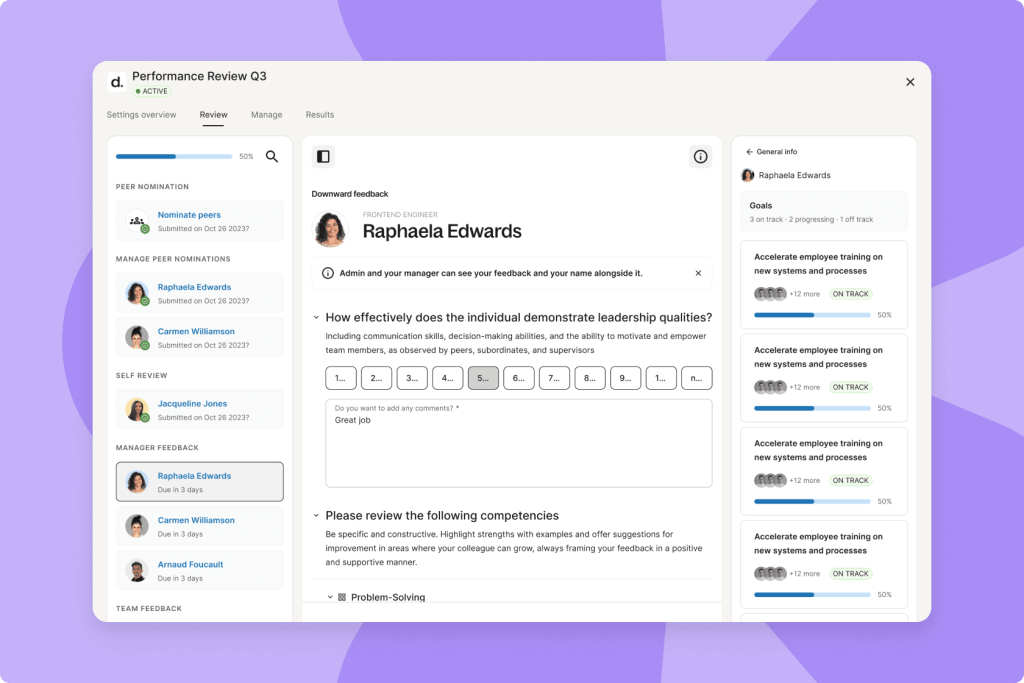
Deel is a lifesaver for global teams, especially if you’re managing remote employees. While its payroll automation gets most of the spotlight, the 360-degree feedback feature is surprisingly robust. It simplifies the entire review process, making it easy to collect meaningful insights from multiple perspectives.
A few years back, the HR lead in my previous organization really loved the features that allowed us to connect performance reviews with payroll adjustments. Employees get clear, actionable feedback, while managers can track progress without the usual administrative headaches.
It’s also a great way to keep remote teams engaged and aligned. Feedback sessions feel structured and purposeful, which helps employees stay on top of their game.
Pros:
- The platform’s global compliance tools make it ideal for multinational teams requiring tailored solutions.
- Dashboards provide a centralized view of feedback and performance data, making it easier to monitor progress.
- Payroll integration ensures seamless operations, particularly for distributed teams managing compensation across borders.
- Flexible review cycles allow organizations to customize performance evaluations to match their specific needs.
- Employee recognition tools enhance morale by acknowledging contributions and encouraging positive behavior.
Cons:
- Advanced functionalities are locked behind higher pricing tiers, which could deter budget-conscious organizations.
- The setup process for global teams might require additional technical assistance, adding to onboarding time.
Pricing: Starts at $29/employee/month.
9. EmPower HR
Best for streamlining recruitment

EmPower HR does something unique – it connects 360-degree feedback with recruitment processes. I’ve seen hiring managers use it to evaluate cultural fit and potential, making it a game-changer for onboarding the right people.
What’s even better is how it supports new hires. The feedback tools help managers provide timely insights during those critical first few months, creating a smoother onboarding experience.
One company I worked with used it to identify and nurture leadership potential in their new recruits. If you’re looking for a tool that bridges recruitment and performance management seamlessly, EmPower HR is worth checking out.
Pros:
- Automated notifications ensure that employees and managers complete feedback processes on time without manual follow-ups.
- Real-time tracking keeps users informed of the progress of reviews, minimizing delays in the evaluation cycle.
- Goal alignment tools enhance team productivity by connecting individual efforts to broader organizational priorities.
- Analytics-driven insights support HR strategies by highlighting trends and areas of improvement within the workforce.
- Integration capabilities allow the platform to work seamlessly with existing HR tools, enhancing overall efficiency.
Cons:
- The platform’s advanced reporting features are not as detailed as those offered by some competitors.
- Customization options could be improved to accommodate more diverse organizational needs.
Pricing: Custom pricing.
10. Betterworks
Best for structured check-ins
(Image Source: Tech.co)
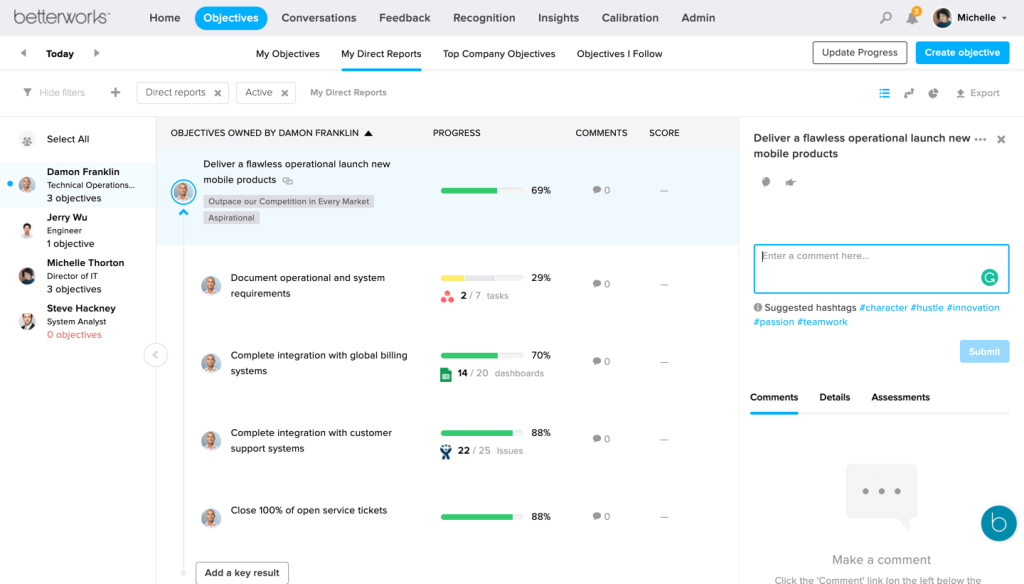
Betterworks is like having a personal assistant for structured check-ins. I’ve used it to manage regular performance conversations, and it’s a game-changer for keeping everyone on the same page. Its 360-degree feedback tool ensures employees get actionable insights that actually drive growth.
What sets it apart is the focus on consistency. You can set up check-ins at intervals that make sense for your team. One of my previous managers used it to track progress on team projects, and it’s been a hit for keeping the momentum high.
If you’re the kind of leader who values regular touchpoints with your team, Betterworks makes it easy and effective.
Pros:
- Betterworks provides flexible goal-setting frameworks, making it adaptable to dynamic and fast-changing organizational environments.
- Continuous feedback features enable ongoing communication between employees and managers to drive engagement.
- Integration with project management tools helps teams connect performance goals with daily workflows, improving efficiency.
- Career development tools empower employees to plan and achieve their professional objectives systematically.
- Automated review cycles save time and reduce the administrative workload for HR teams.
Cons:
- The software may be too expensive for smaller businesses with limited budgets.
- Onboarding can be time-intensive for organizations that do not have prior experience with similar tools.
Pricing: Custom pricing.
11. ThriveSparrow
Best for automated employee recognition
(Image Source: G2)
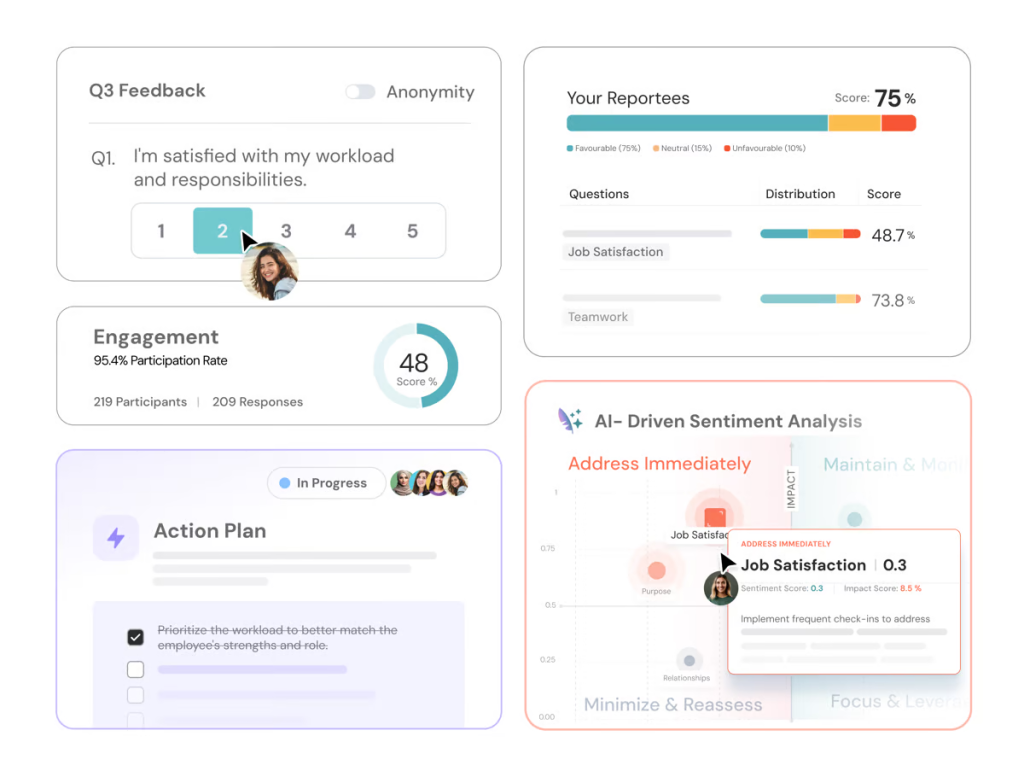
ThriveSparrow is all about building a culture of appreciation. Its 360-degree feedback feature pairs perfectly with its automated recognition tools, making sure no good deed goes unnoticed. I’ve even used it to boost morale in remote teams, where recognition can sometimes feel like an afterthought.
The platform ensures achievements are celebrated automatically, while feedback provides actionable insights for growth.
It’s like having a cheerleader and a coach in one tool. If you want to make your workplace more rewarding and supportive, ThriveSparrow delivers effortlessly.
Pros:
- ThriveSparrow offers customizable surveys, allowing businesses to design feedback forms that suit their unique needs.
- The platform provides real-time insights into team performance, enabling managers to make timely decisions.
- Gamified feedback features engage employees and make the feedback process more interactive and enjoyable.
- Automated reminders ensure that feedback cycles are consistent and completed within deadlines.
- Comprehensive analytics provide data-driven insights that help organizations identify strengths and weaknesses.
Cons:
- The feature set may not cater to niche organizational requirements, limiting its appeal to specific use cases.
- The mobile application lacks robust functionality compared to the desktop version, limiting convenience for users on the go.
Pricing: Starts at $5/employee/month. Billed annually.
How I Chose These 360 Feedback Software/My Evaluation Criteria
When it comes to picking the right 360-degree feedback software, I didn’t want to leave anything to chance. So, I leaned on a few key factors to evaluate these tools.
Trust me, this approach isn’t just systematic, it’s practical and relatable. Here’s how I broke it down:
User Reviews / Ratings
Real stories from real users matter. I went through reviews and ratings from trusted platforms to get a feel for what works and what doesn’t. These gave me insights into how each tool performs in day-to-day use: what people loved, and, of course, where they ran into trouble.
Core Features & Functionality
Let’s be honest: features make or break these tools. I dug deep into their best 360 assessment tools & features, from anonymous feedback collection to customizable workflows. I looked at how these tools handle performance reviews and if they truly help teams grow and thrive.
Ease of Use
Nobody wants to spend hours figuring out a tool, right? I focused on how simple (or not) it is to navigate, set up, and use these platforms. A user-friendly experience is key, whether you’re a tech pro or a complete newbie.
Customer Support
When something goes wrong (and it always does), good support can save the day. I looked at response times, helpfulness, and whether they had resources like guides or tutorials to make your life easier.
Value for Money
Budget matters. I wanted to see if the features and benefits justified the price tag. Whether you’re a small team or a large enterprise, it’s about getting the most bang for your buck.
Personal Experience / Expert Insights
I’ve tried some of these tools myself, and I’ve also spoken to HR professionals and team leads about their experiences. It’s not just about ticking boxes, it’s about seeing how these tools perform in real-world situations and whether they genuinely make a difference.
Hopefully, it’ll make your search for the perfect 360-degree feedback software a whole lot easier.
360 Feedback vs. Performance Reviews: What’s the Difference and When to Use Each?
This is one of the most common points of confusion for HR teams setting up their first structured feedback program, and getting it wrong leads to the wrong tool choice.
| 360-Degree Feedback | Traditional Performance Review | |
|---|---|---|
| Who provides input | Peers, direct reports, managers, and sometimes clients | Manager only (or manager + self-assessment) |
| Primary purpose | Behavioral development and self-awareness | Performance evaluation, compensation, promotions |
| Frequency | Ongoing or project-based | Annual or semi-annual |
| Tied to salary/bonus? | Usually not; developmental use only | Typically yes |
| Anonymity | Usually anonymous | Named evaluator (manager) |
| Best used for | Leadership development, team collaboration, and culture building | Goal attainment, role performance, merit decisions |
When to use 360-degree feedback:
- You want to help employees understand how their behaviors affect teammates
- You’re running leadership development programs
- You want to supplement (not replace) formal performance reviews
- You’re identifying high-potential employees for succession planning
When a standard performance review is more appropriate:
- Making compensation, promotion, or termination decisions
- Evaluating measurable goal attainment against targets
- Conducting formal documentation for HR records
The key rule: 360 feedback measures how someone works. Performance reviews measure what they deliver. The best organizations use both, but treat them as separate conversations with separate documentation.
How Does 360 Feedback Software Improve Performance Reviews and Team Growth?
360-degree feedback tools have become essential for modern workplaces, driving growth, collaboration, and performance.
According to Gartner’s HR research, employees who feel energized and excited about their work are 31% more likely to stay with their organization and 31% more likely to go above and beyond. And this shows why 360-degree feedback matters, because it helps people feel seen, supported, and motivated from every direction.
Here are some of the major benefits they offer:
1. Offers Comprehensive Performance Insights for Overall Improvement
By collecting feedback from peers, managers, subordinates, and clients, these tools provide a holistic view of an employee’s performance. This multidimensional approach highlights strengths and areas for improvement, ensuring a balanced evaluation compared to traditional methods.
2. Promotes Self-Awareness for Personal Growth
Employees gain a clearer understanding of their behaviors and how they are perceived across different levels. This insight helps them identify blind spots and take actionable steps toward personal and professional development.
3. Fosters Continuous Improvement Through Targeted Feedback
The tools help pinpoint skill gaps and behavioral patterns that employees can work on. This enables organizations to create tailored development plans, encouraging consistent progress over time.
4. Encourages Open Communication to Build Trust
By facilitating structured and constructive feedback, 360-degree tools create a platform for employees to voice concerns and receive input. This fosters a culture of transparency and collaboration within teams.
5. Improves Team Dynamics for Better Collaboration
Understanding how team members perceive one another enhances empathy and teamwork. Addressing misunderstandings early can lead to stronger, more cohesive working relationships.
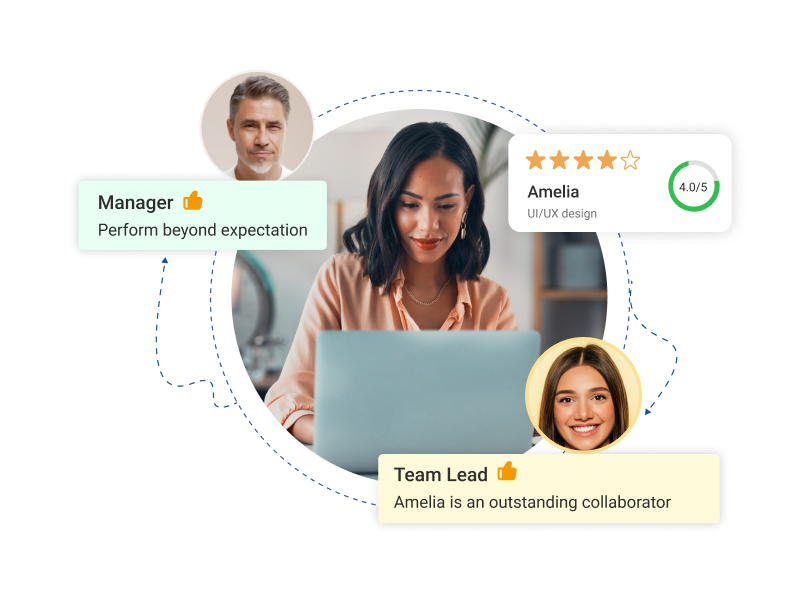
6. Aligns Individual Goals with Organizational Objectives for Greater Impact
These tools provide actionable insights that help employees align their contributions with organizational priorities. This clarity ensures everyone works toward shared goals effectively.
7. Supports Leadership Development for Effective Management
Leaders can identify how their management styles affect their teams, enabling them to refine their approach. This feedback helps create stronger, more empathetic leaders.
8. Enhances Employee Engagement and Retention Through Valued Feedback
When employees feel heard and have opportunities for growth, their engagement and job satisfaction improve. This directly contributes to higher retention rates and a motivated workforce.
Common Mistakes in 360 Feedback Programs (And How to Avoid Them)
Most 360-degree feedback programs fail not because of the software, but because of how the program is designed and followed up. Here are the four most common mistakes and the fixes:
1. Poor Question Design
Asking vague questions like “Is this person a good communicator?” generates vague answers. The feedback becomes useless for development because employees don’t know what to change.
Fix: Use behaviorally anchored questions tied to specific competencies. For example: “How effectively does this person communicate project blockers to stakeholders before they become issues?” Good 360 feedback software, like PeopleGoal, let you build these question libraries by role.
2. No Follow-Up Action Plan
Feedback without a development plan is just data. The most common failure mode: employees receive their 360 report, feel exposed or defensive, and nothing changes.
Fix: Every 360 cycle should end with a manager-led conversation that produces 1–3 specific development actions. Platforms with built-in development plan features (Leapsome, Betterworks) automate this handoff.
3. Using 360 Feedback For Compensation Decisions
This is the fastest way to poison a 360 program. The moment employees believe their peer ratings affect their raise, honest feedback disappears.
Fix: Keep 360 feedback strictly developmental. Use your performance review module for compensation-linked evaluations, and communicate this separation clearly before launch.
4. Survey Fatigue From Over-Frequency
Running 360 reviews every quarter for every employee creates burnout. Participants rush through forms, quality drops, and participation rates decline.
Fix: Run full 360 cycles annually or semi-annually. Use lightweight pulse surveys for more frequent check-ins. Most enterprise HR platforms support tiered feedback structures for exactly this reason.
How Do Specialized 360-Degree Tools Make Employee Feedback More Effective?
When it comes to employee feedback, the days of one-sided performance reviews are long gone. Today, 360-degree feedback tools are transforming the way organizations gather, analyze, and act on employee input.
But what makes these specialized tools so effective?
First, they create a well-rounded picture. By collecting feedback from peers, managers, direct reports, and sometimes even clients, these tools ensure no stone is left unturned. This holistic approach not only highlights strengths but also identifies blind spots that traditional methods often miss.
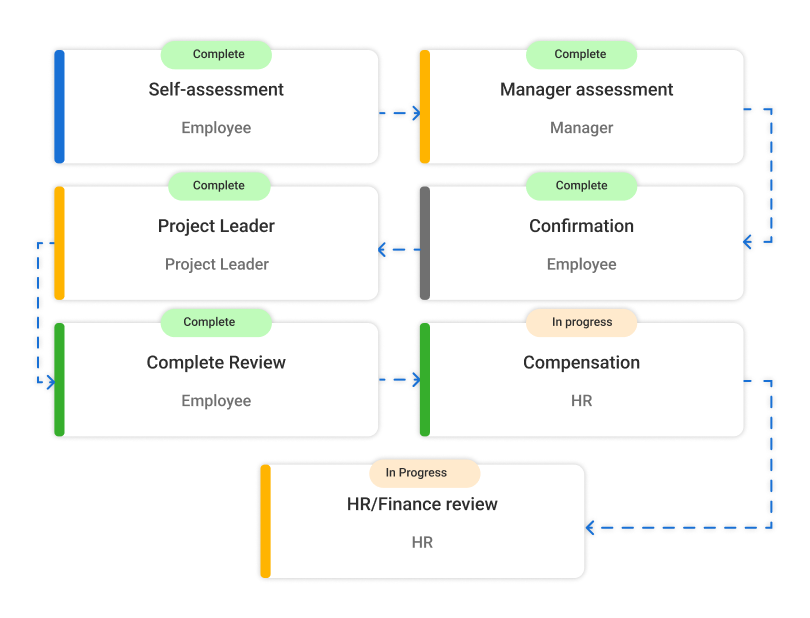
But it’s not just about gathering data. The best tools go further, providing analytics that help HR teams and managers uncover trends and patterns.
Besides, these tools foster a culture of openness and continuous improvement. Employees feel heard, and feedback becomes less about criticism and more about growth.
Sounds good? Here’s a quick video on how to implement a 360-degree process:
Which 360 Feedback Software Should You Choose?
Choosing the right 360 feedback tools isn’t just about features; it’s about enabling meaningful conversations, identifying strengths, and creating a culture of continuous improvement. With the right tool, you can streamline feedback processes, gain actionable insights, and foster team collaboration.
Remember, the best software adapts to your organization’s needs and grows with you.
Personally, I like PeopleGoal for its comprehensive 360-degree feedback features, including customizable templates, anonymity options, and insightful analytics. It’s a fantastic tool for driving real growth and making employee feedback truly impactful.
Frequently Asked Questions

How much does 360 feedback software cost?
360 feedback software pricing ranges from $4/user/month (PeopleGoal) to $29/employee/month (Deel). Mid-range options like PerformYard ($5/person/month), ThriveSparrow ($5/employee/month), and PeopleBox ($7/person/month) cover most SMB needs. Enterprise platforms like Leapsome, Betterworks, and EmPower HR use custom pricing based on seat count and module selection.
What features should 360 feedback software include?
The must-have features are: anonymous feedback collection, customizable survey templates, automated reminders, a reporting dashboard with trend tracking, role-based access controls, and integration with your HRIS. Advanced platforms also offer AI-powered insights, built-in development plan creation, and mobile access.
How does 360 feedback software improve performance reviews?
360 feedback software improves performance reviews by adding a multi-source perspective to what is typically a single-manager evaluation. It surfaces peer-identified strengths and behavioral patterns that managers may not observe directly. When used alongside (not instead of) traditional reviews, it creates a fuller picture that leads to more specific development conversations and less recency bias in evaluations.
What's the difference between a performance review and 360-degree feedback?
Performance reviews evaluate what an employee delivered against their goals; they're typically annual, manager-led, and tied to compensation decisions. 360-degree feedback evaluates how an employee works; their communication, collaboration, and leadership behaviors as observed by multiple colleagues. Performance reviews are evaluative; 360 feedback is developmental. Using both together is best practice.
Can 360 feedback software help with succession planning?
Yes. 360 feedback software identifies leadership potential by revealing how employees are perceived across multiple levels, not just by their direct manager. Patterns in peer and subordinate feedback often identify high-potential employees earlier than traditional reviews.
Is it better to customize 360 feedback forms or use standardized templates?
For most organizations, customized forms produce more actionable data because they align questions to your specific competencies, values, and role expectations. However, standardized templates are a better starting point if you're running a 360 program for the first time, they reduce design time and provide benchmarking data. Most platforms (PeopleGoal, Leapsome, PerformYard) offer pre-built templates you can customize over time.
What are the most common challenges in implementing 360 feedback software?
The five most common challenges are: (1) employee fear of retaliation despite anonymity assurances, (2) vague survey questions that produce low-quality data, (3) no development plan follow-through after feedback is delivered, (4) using 360 data for compensation decisions, which kills honesty, and (5) survey fatigue from running full cycles too frequently. Addressing these before launch, not after, determines program success.
How do I ensure anonymity in 360 feedback tools?
Look for platforms that enforce minimum respondent thresholds (typically 3–5 responses before results are shown), prevent managers from filtering feedback to identify individual respondents, and clearly communicate the anonymity policy to participants before surveys open. PeopleGoal, Leapsome, and PerformYard all include configurable anonymity settings. Anonymity alone doesn't guarantee honest feedback, how you communicate the program's purpose matters equally.
What is 360 degree review software used for in leadership development?
In leadership development, 360 review software is used to assess behaviors that predict leadership effectiveness, such as active listening, psychological safety, decisiveness, and cross-functional influence. Leaders receive structured feedback from the people above, alongside, and below them in the org chart. This multi-directional input is more predictive of leadership effectiveness than manager ratings alone, which is why executive development programs rely heavily on 360 data.
Which 360 feedback tool is best for remote or distributed teams?
For remote and distributed teams, PeopleGoal and Deel are the strongest options. PeopleGoal's mobile-friendly interface and async feedback workflows are built for teams across time zones. Deel integrates 360 feedback with global payroll and compliance tools, making it the most practical choice if you're managing contractors and full-time employees across multiple countries simultaneously.
Ready to 3x Your Teams' Performance?
Use the best performance management software to align goals, track progress, and boost employee engagement.